📘 Proxicast manuals • Free online PDFs
Proxicast logo

Proxicast Manuals & User Guides

Proxicast manufactures commercial-grade 3G/4G/5G/LTE/WiFi data communications equipment, antennas, cables, IP remote power switches, and accessories.

Tip: include the full model number printed on your Proxicast label for the best match.

About Proxicast manuals on Manuals.plus

프록시캐스트

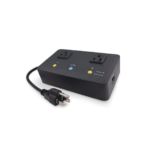
Proxicast, LLC is a leading manufacturer of professional-grade wireless equipment and network management devices. Since 2000, they have specialized in designing high-performance 4G/5G antennas, coaxial cables, and accessories for industrial, M2M, and IoT applications. Additionally, Proxicast is well known for its MSNSwitch series of internet-enabled IP remote power switches, which can automatically power-cycle AC devices upon loss of internet connectivity.

Known for reliability, their products are widely used by system integrators for emergency services, video surveillance, and factory automation.

Proxicast manuals

최신 매뉴얼 manuals+ 이 브랜드를 위해 큐레이션되었습니다.

proxicast UIS-722b MSN 스위치 사용자 가이드

9년 2024월 XNUMX일
Proxicast UIS-722b MSN 스위치 문서 개정 내역 날짜 설명 2024년 1월 11일 UIS-722b 모델 추가 2023년 10월 17일 최초 배포 이 기술 노트는 UIS722b를 포함한 MSN 스위치 모델에만 적용됩니다.

proxicast UIS-722b MSN 스위치 사용자 가이드 제어

9년 2024월 XNUMX일
프록시 UIS-722b MSN 스위치 제어 사양 제조사: Proxicast, LLC 모델: MSNSwitch 지원 모델: UIS-722b, UIS-622b 기능: 인터넷 연결이 끊어지면 AC 전원을 사용하는 모든 장치를 자동으로 재부팅합니다. 자주 묻는 질문 Q: 어떻게…

Proxicast UIS-722b 스마트 스위치 사용 설명서

8년 2024월 XNUMX일
Proxicast UIS-722b 스마트 스위치 (모델: UIS-722b) 핑 실패 시 자동 재설정 설정 콘센트 네트워크 다이어그램 하드웨어 설정 1단계: MSNswitch 전원 플러그를 벽면 콘센트에 연결합니다. 2단계…

Proxicast manuals from online retailers

Proxicast 고이득 무지향성 안테나 사용 설명서

ANT-126-002 • 2025년 8월 12일
Proxicast ANT-126-002 고이득 10dBi 범용 광대역 4G/LTE, 5G 및 WiFi 무지향성 실외 안테나에 대한 설치, 작동, 유지 관리 및 사양을 다루는 종합 사용자 설명서입니다.

Proxicast support FAQ

이 브랜드의 매뉴얼, 등록, 지원에 대한 일반적인 질문입니다.

  • Where can I find firmware updates for my Proxicast MSNSwitch?

    Firmware updates can be downloaded from the Proxicast support page or through the ezDevice app and Cloud4UIS.com web service for compatible models.

  • How do I factory reset my Proxicast MSNSwitch?

    Hold the Factory Reset button on the device for 20 seconds, releasing it when all three LEDs start blinking to clear the configuration.

  • How do I contact Proxicast customer support?

    You can reach Proxicast support by phone at 1-877-777-7694, or by emailing support@proxicast.com.

  • What does the UIS feature on the MSNSwitch do?

    The Uninterrupted Internet Service (UIS) function monitors your internet connection and automatically power-cycles connected AC devices if connectivity is lost.