
TrickleStar TS6015 휴대용 발전소 사용 설명서
TrickleStar TS6015 휴대용 전원 스테이션 사용 설명서 환영합니다! TrickleStar® TS6015 PowerStation1500TM을 선택해 주셔서 감사합니다. PowerStation1500은 가정용 비상 백업 및…에 이상적인 휴대용 전원 스테이션 솔루션입니다.


TrickleStar manufactures energy-saving products, including Advanced PowerStrips and surge protectors, designed to reduce standby power waste in homes and offices.
TrickleStar is a specialist in affordable, simple, and effective energy-saving products that help consumers and businesses reduce their environmental impact. Best known for their line of Advanced PowerStrips (APS), TrickleStar focuses on combating "vampire power"—the energy wasted by electronics left in standby mode. Their intelligent surge protectors utilize current-sensing technology to automatically switch off peripheral devices (such as printers or soundbars) when a primary control device (like a computer or TV) is turned off.
Headquartered with operations in Grand Rapids, Michigan, TrickleStar offers a range of solutions including motion sensor power strips, energy monitors, Wi-Fi thermostats, and portable power stations. Their products are designed for easy installation and often qualify for energy efficiency rebates. TrickleStar stands behind its surge protection technology with robust warranties and connected device protection, ensuring safe and efficient power management for modern electronics.
최신 매뉴얼 manuals+ 이 브랜드를 위해 큐레이션되었습니다.




이 브랜드의 매뉴얼, 등록, 지원에 대한 일반적인 질문입니다.
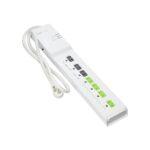
A TrickleStar Advanced PowerStrip helps save energy by automatically cutting power to switched outlets when a control device, such as a TV or computer, is turned off. This eliminates standby 'vampire' power waste.
If the circuit breaker trips, locate the switch on the unit (usually on the side or top), toggle it to the 'OFF' position, and then back to 'RESET' to restore power.
에게 file a claim, visit the TrickleStar website's warranty claim page. You will typically need to provide the product part number, proof of purchase, and a description of the issue. The form can often be emailed to warranty@tricklestar.com.
Many TrickleStar surge protectors come with a Connected Device Warranty that covers repair or replacement costs for properly connected equipment damaged by a surge, up to a specified dollar amount (e.g., $20,000), subject to terms and conditions.
The 'Switched' LED only lights up when the switched outlets are receiving power. This happens when the device plugged into the 'Control' outlet is turned on and drawing sufficient power to trigger the sensor.