📘 SMARTECH 매뉴얼 • 무료 온라인 PDF
SMARTECH logo

SMARTECH 매뉴얼 및 사용자 가이드

SMARTECH offers a diverse range of innovative electronic devices, including smart watches, Bluetooth home automation modules, and specialized sensing equipment.

팁: 정확한 제품 검색을 위해 SMARTECH 라벨에 인쇄된 전체 모델 번호를 포함해 주세요.

SMARTECH 매뉴얼에 대하여 Manuals.plus

SMARTECH User Manuals

SMARTECH is a multifaceted brand encompassing a wide array of technological products for everyday consumer and specialized industrial use. Their extensive product line includes consumer electronics such as smartwatches equipped with modern network tracking features, as well as advanced home automation and Bluetooth Mesh modules for versatile lighting and power control. Additionally, they provide equipment for professional applications, ensuring a blend of smart connectivity, precision, and reliable performance across all their technology solutions.

Below you will find a comprehensive directory of user manuals, quick start guides, and operating instructions for various SMARTECH devices.

SMARTECH 매뉴얼

최신 매뉴얼 manuals+ 이 브랜드를 위해 큐레이션되었습니다.

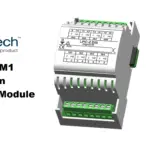
Smarteh LPC-2.MM1 PLC 주 제어 모듈 사용 설명서

19년 2024월 XNUMX일
Smarteh LPC-2.MM1 PLC 메인 제어 모듈 제품 정보 및 사양 제품명: LPC-2.MM1 제품 유형: PLC 메인 제어 모듈 연결 방식: 이더넷 데이지 체인, 기가비트 이더넷 포트 특징: 페일세이프 기능, 소형 ARM 기반…

Smartech STC3.5 Smart Battery Charger Instruction Manual

사용 설명서
Comprehensive instruction manual for the Smartech STC3.5 8-stage smart battery charger. Covers safety precautions, charging modes, technical specifications, fault diagnosis, and warranty information for various battery types including lead-acid, AGM,…

스마텍 GSK-8000 충전식 점프 스타터 사용 설명서

사용자 가이드
스마트텍 GSK-8000 사용 설명서입니다. 이 제품은 충전식 점프 스타터, LED 손전등, 휴대용 보조 배터리 기능을 갖추고 있습니다. 제품 사양, 안전 정보, 충전 방법 및 점프 스타트 절차가 포함되어 있습니다.

4G GPS 추적기 G50 시리즈 사용 설명서

수동
Smartech 4G GPS 추적기 G50 시리즈(G50S, G50M, G50L)의 사용 설명서로, 설정, 기능, 작동, 위치 추적, 보안 설정 및 SMS 명령에 대한 자세한 내용을 설명합니다.

SMARTECH support FAQ

이 브랜드의 매뉴얼, 등록, 지원에 대한 일반적인 질문입니다.

  • How do I factory reset my SMARTECH TG10S smartwatch?

    Click the device button 4 times in a row, wait for the prompt sound, then hold down the button for about 8 seconds until it rings again and release the button.

  • How do I check the serial number on my SMARTECH smart device?

    For models like the TG10S, press the button 6 times in a row within 2 seconds. The device will emit a prompt sound and enter the serial number reading state.

  • Where can I find the user manual for my SMARTECH Bluetooth module?

    You can browse or search for your specific model's instruction manual directly on this page to view and download it in PDF format.