
싱글 니코틴 소금 액체 지침
니코틴 솔트 액상 사용 및 보관 주의사항! 사용 전에 다음 사항을 주의 깊게 읽어 주십시오. 본 액상은 전자담배에만 사용해야 합니다. 마시거나 삼키지 마십시오.


LIQUID covers a range of products including advanced software-defined test instrumentation by Liquid Instruments, like the Moku:Go and Moku:Lab platforms.
Under the LIQUID brand category, users can find comprehensive user manuals, quick start guides, and safety instructions for a diverse range of products. Primarily, this category features innovative test and measurement hardware by Liquid Instruments, including the highly versatile Moku:Lab and Moku:Go platforms, which offer reconfigurable software-defined instrumentation for engineers, students, and professional researchers. Additionally, this directory houses guides and safety warnings for other items bearing the Liquid moniker, such as specialized consumables and electronic accessories. Browse the resources below to ensure the safe and optimal operation of your LIQUID-branded devices.
최신 매뉴얼 manuals+ 이 브랜드를 위해 큐레이션되었습니다.


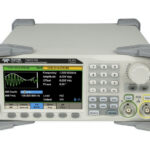


이 브랜드의 설정, 설치 및 문제 해결 비디오를 시청하세요.
이 브랜드의 매뉴얼, 등록, 지원에 대한 일반적인 질문입니다.
Ensure the Moku:Go is plugged in and powered on. Press the Factory Reset button at the bottom of the device with a paper clip for two seconds. The status LED will turn off once reinitialization is complete.
You can join the Wi-Fi network broadcasted by the device called 'Moku-######' (the middle 6 digits of the serial number). The default password is 'mokuadmin'.
You can download the Moku: Go application for Windows or Mac computers directly from the Liquid Instruments website under the software utilities section.
To access tutorials or manuals for each instrument, deploy the desired instrument, click the main menu button at the top left of the screen, and select 'Help' then 'Manual' (or press F1).