
EasyLog EL-WEM 무선 실내 공기질 모니터 사용자 가이드
EasyLog EL-WEM 무선 실내 공기 질 모니터 사용 설명서 사용 지침 EL-WEM을 사용하여 공기 질 측정 EL-WEM을 클라우드에 연결하기 장치를 EasyLog 클라우드에 연결하기…


EasyLog by Lascar Electronics harnesses the power of IoT to offer compact USB and wireless cloud-connected data loggers for temperature, humidity, and air quality.
EasyLog, manufactured by Lascar Electronics, specializes in innovative data logging solutions that leverage the power of the Internet of Things (IoT). Their versatile product range includes simple low-cost USB loggers, advanced graphical data loggers, wireless WiFi data logging sensors, and robust cloud-based monitoring systems. EasyLog devices are designed to automate the recording and monitoring of crucial environmental parameters such as temperature, humidity, and indoor air quality.
With intuitive features such as instant notifications, secure 24/7 cloud storage access from any internet-connected device, and scalable systems managed via the EasyLog App, these monitoring tools cater to both compact user setups and worldwide corporate solutions. EasyLog data can be seamlessly integrated into business workflows, ensuring compliance with strict industry standards like 21 CFR Part 11 requirements.
최신 매뉴얼 manuals+ 이 브랜드를 위해 큐레이션되었습니다.

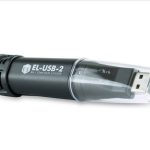


이 브랜드의 매뉴얼, 등록, 지원에 대한 일반적인 질문입니다.
Insert the data logger into an available USB port, install the EasyLog USB software from Lascar Electronics' website onto your PC, and double-click the desktop icon to run the setup wizard before logging.
You can download the latest version of the EasyLog USB and Cloud software directly from the Lascar Electronics website under their software section at www.lascarelectronics.com/software.
First, sign up for an account at easylogcloud.com. Download the EasyLog Cloud App on your mobile device, select 'Setup Device' from the menu, and follow the on-screen instructions to connect your logger to your WiFi network.
A flashing signal icon indicates that the EasyLog sensor is attempting to communicate with your WiFi network. Once the icon is solid, the sensor is successfully communicating with the network.