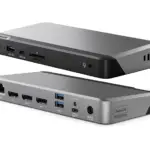
DisplayLink 설명서 및 사용자 가이드
DisplayLink is a universal graphics technology by Synaptics that enables multi-monitor connectivity and docking solutions via USB for Windows, macOS, Chrome OS, and Android devices.
DisplayLink 설명서에 대한 정보 Manuals.plus
DisplayLink, a technology brand owned by Synaptics, specializes in USB graphics solutions that connect computers and displays using standard interfaces like USB, Ethernet, and Wi-Fi.
This technology is widely integrated into universal docking stations, video adapters, and monitors from various manufacturers, allowing users to effortlessly extend their desktops and connect peripherals regardless of the host device's make or model. DisplayLink is particularly renowned for enabling multiple external displays on computers with limited native video support, such as Apple M-series MacBooks. The core software driver acts as a virtual graphics card, compressing and transmitting video data to offer high-resolution productivity setups.
DisplayLink 설명서
최신 매뉴얼 manuals+ 이 브랜드를 위해 큐레이션되었습니다.
DisplayLink PN 27263 USB-C 트리플 DisplayDock 4K 사용 설명서
150W 전원 어댑터가 포함된 DisplayLink 도킹 스테이션 사용 설명서
DisplayLink 도킹 스테이션 트리플 모니터 설치 가이드
DisplayLink Manager 앱 사용자 가이드
DisplayLink USB 그래픽 소프트웨어 사용 설명서
Anker A83B6 14 in 1 Prime 도킹 스테이션 사용 설명서
MacOS 버전 12의 ALOGIC DisplayLink 드라이버 사용 설명서
Windows 및 Mac 용 Totu 디스플레이 장치 드라이버
DisplayLink Graphics Adapter User Manual - Software Version 5.3
macOS용 DisplayLink 드라이버 설치 가이드
macOS에서 DisplayLink Manager 앱을 사용하는 방법 - 설치 및 설정 가이드
macOS Ventura에서 DisplayLink 문제 해결: 화면 녹화, 로그인 항목 및 설치 문제
DisplayLink USB 그래픽 소프트웨어: 다운로드 및 설치 가이드
DisplayLink video guides
이 브랜드의 설정, 설치 및 문제 해결 비디오를 시청하세요.
DisplayLink support FAQ
이 브랜드의 매뉴얼, 등록, 지원에 대한 일반적인 질문입니다.
-
Where can I download DisplayLink drivers?
Drivers for Windows, macOS, Android, and Ubuntu Chrome OS are available on the official Synaptics DisplayLink downloads page.
-
Why does the DisplayLink Manager app require Screen Recording permission on macOS?
On macOS, 'Screen Recording' permission is necessary for the DisplayLink driver to access the pixel data required to render your screen to external monitors. The software does not record or store your screen content; it only captures data to transmit to the extended display.
-
Can I use DisplayLink with Apple M1, M2, or M3 MacBooks?
Yes, DisplayLink technology allows Apple Silicon (M1/M2/M3) Macs to support multiple external monitors, bypassing the native single-external-display limitation of the base chips.
-
What should I do if my monitors are not detected?
Ensure you have the latest DisplayLink software installed and that the application is running. For macOS users, verify that the DisplayLink Manager app is running in the menu bar and permissions are granted.