Datanet Manuals & User Guides
Datanet specializes in enterprise mobility software, providing barcode scanning and stocktaking applications like EzyScan for rugged mobile computers.
About Datanet manuals on Manuals.plus
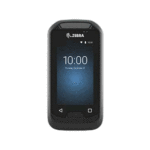
Datanet is a provider of software solutions designed for enterprise mobility and inventory management. The brand creates specialized applications such as EzyScan 그리고 Barcode Manager, which are optimized for use on rugged mobile computers like the Zebra EC30 and TC26.
These tools assist businesses in performing accurate stocktakes, verifying barcode data, and managing inventory records efficiently. Datanet applications typically leverage the built-in hardware scanners of enterprise devices to ensure rapid and precise data capture.
Datanet manuals
최신 매뉴얼 manuals+ 이 브랜드를 위해 큐레이션되었습니다.
datanet TC26 EzyScan 모바일 애플리케이션 사용자 가이드
datanet Barcode Manager 모바일 애플리케이션 사용 설명서
Datanet 바코드 관리자 사용자 가이드 - 기능 및 사용법
Datanet TC26 EzyScan 사용자 가이드
Datanet support FAQ
이 브랜드의 매뉴얼, 등록, 지원에 대한 일반적인 질문입니다.
-
How do I transfer data from the Datanet EzyScan app to a computer?
Connect your mobile device to a PC using a USB cable. On the device, swipe down the notification bar, tap the USB option, and select 'File Transfer'. Navigate to the Internal Shared Storage > Download > EzyScan folder on your PC to retrieve the CSV file.
-
What does the Barcode Compare function do?
The Barcode Compare function allows you to scan two barcodes sequentially to determine if they match. This feature is useful for verifying stock accuracy.
-
How do I enable duplicate scanning in Barcode Manager?
Go to the application settings and check the 'Allow Duplicates' box. This allows the same barcode to be scanned and recorded multiple times in a single session.
-
What devices are Datanet apps compatible with?
Datanet applications like EzyScan are designed for enterprise mobile computers with built-in scanners, such as the Zebra EC30 and TC26 series.