
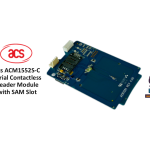
SAM 슬롯이 있는 acs ACM1552D-C 비접촉식 판독기 모듈 사용 설명서
ACM1552D-C 비접촉식 리더 모듈(SAM 슬롯 포함) 사용자 설명서 V1.00 (사전 고지 없이 변경될 수 있음) 1.0. 소개 ACM1552D-C(직렬/USB 비접촉식 리더 모듈(SAM 슬롯 포함))는…


Arvig is a US-based telecommunications company providing high-speed internet, television, and telephone services to residential and business customers in the Midwest.
Arvig 기업, Inc. is a leading employee-owned telecommunications provider headquartered in Perham, Minnesota. Established in 1950, Arvig has grown to become one of the largest independent telecommunications companies in the United States.
The company offers a wide range of connectivity solutions, including broadband internet, managed WiFi, digital television (Arvig WiFi TV), and local and long-distance telephone services. In addition to residential services, Arvig provides business solutions such as Hosted PBX systems, security monitoring, and network management. Dedicated to connecting rural and suburban communities, Arvig delivers reliable technology backed by 24/7 customer support.
최신 매뉴얼 manuals+ 이 브랜드를 위해 큐레이션되었습니다.



이 브랜드의 매뉴얼, 등록, 지원에 대한 일반적인 질문입니다.
To install your Arvig modem, connect the coax cable and power cord, wait for the online light to turn solid, and connect your device via Ethernet. Finally, visit arvig.net/selfinstall to complete the activation process.
You should log in using the email address and password you created when registering your account at arvig.net.
You can contact Arvig Technical Support 24/7/365 at 877-290-0560 or 888-99-ARVIG. Online chat is also available at arvig.net.
Your account number can be found on your billing statement or by logging into the My Arvig portal at arvig.net.