1. 서론
This manual provides detailed instructions for the setup, operation, and maintenance of the FoMaKo K600N 4K 60fps NDI PTZ Camera. The K600N is a high-performance camera designed for professional video production, offering advanced features such as 4K 60fps video output, 20x optical zoom, and Gen 3 AI auto-tracking. It supports NDI HX3, HDMI, 3G-SDI, USB, and Power over Ethernet (PoE) connectivity.
2. 상자 안에 무엇이 들어있나요?
패키지에 모든 품목이 들어 있는지 확인하세요.
- FoMaKo AI Tracking 4K 60FPS NDI PTZ Camera (20x optical zoom)
- IR 리모콘
- 벽걸이 브라켓
- USB 케이블
- 전원 어댑터(12V 2A)
- 사용 설명서 (본 문서)
3. 제품 특징
The FoMaKo K600N camera incorporates several advanced features for professional use:
- 4K 60fps NDI HX3 Output: Supports uncompressed Ultra High Definition video output at 60 frames per second via NDI HX3, HDMI, and LAN. USB output supports 4K30, and 3G-SDI supports 1080P60.
- 20배 광학 줌: Equipped with a high-quality lens (f=5.1–94.5mm) for detailed close-up shots from a distance.
- Gen 3 AI Auto-Tracking: Advanced human-shape and facial recognition algorithms enable automatic tracking of subjects. Customizable tracking modes, sensitivity, figure size, character position, and lost target actions are available.
- 다중 비디오 출력: Simultaneous output via HDMI 2.0, USB 3.0, LAN (NDI), and 3G-SDI.
- PoE(Power over Ethernet): Power, video, and control data can be transmitted through a single Ethernet cable, simplifying installation.
- Auto-Focus (AF) Technology: Provides fast, accurate, and stable auto-focusing. Supports Auto, Manual, and One Push Focus modes.
- Adjustable Pan/Tilt/Zoom Speed: Pan, Tilt, and Zoom speeds are adjustable, as are preset speeds.
- 여러 사전 설정: Supports up to 255 presets, with 10 accessible via the IR remote control.
- 제어 인터페이스: RS232/RS485 control, TCP/IP, RTSP, RTMP, VISCA OVER IP, VISCA, SRT, and NDI Network Protocols are supported.

이미지: 이상view of the FoMaKo K600N PTZ Camera's key features, including 4K60 resolution, 20x optical zoom, AI auto-tracking, and various video output ports.
4. 설정
4.1 물리적 설치
The K600N camera supports three primary installation methods:
- 벽걸이 : Securely attach the camera to a wall using the provided wall mount bracket.
- 삼각대 마운트: Mount the camera onto a standard tripod for portable or temporary setups.
- 천장 마운트: Install the camera inverted on a ceiling using an appropriate ceiling mount (may require additional accessories not included). Ensure proper orientation settings are configured in the camera's web interface if mounted inverted.

Image: Visual representation of the three supported installation methods: wall mount, tripod mount, and ceiling mount for the FoMaKo K600N camera.
4.2 전원 연결
Connect power to the camera using one of the following methods:
- 전원 어댑터: Connect the included 12V 2A power adapter to the DC 12V input port on the camera and plug it into a power outlet.
- PoE(Power over Ethernet): If using a PoE-enabled network switch or injector, connect an Ethernet cable from the switch/injector to the LAN port on the camera. This will provide both power and network connectivity.
4.3 Video Output Connections
Connect the camera to your video production equipment using the appropriate output ports:
- HDMI : Connect an HDMI cable from the camera's HDMI 2.0 port to a display, switcher, or capture device.
- USB 3.0: Connect a USB cable from the camera's USB 3.0 port to a computer for direct video capture or streaming.
- LAN (NDI): Connect an Ethernet cable to the LAN port for NDI video output and IP control. The camera's IP address will be displayed on its front panel for easy access to the web UI.
- 3G-SDI: Connect an SDI cable from the camera's 3G-SDI port to professional video equipment.
4.4 오디오 입력
The camera features a 3.5mm line-in audio jack for external audio input. Connect your audio source to this port.

이미지: 상세 view of the FoMaKo K600N PTZ Camera's rear panel, highlighting the USB, HDMI, 3G-SDI, LAN/PoE, and control ports.
5. 사용 설명서
5.1 기본 제어
The camera can be controlled via the included IR remote, a PTZ controller, or its web 인터페이스.
- 팬/틸트/줌: Use the directional and zoom buttons on the remote control or PTZ controller to adjust the camera's view.
- 속도 조정 : Pan/Tilt/Zoom speeds are adjustable to achieve smooth movements.
5.2 AI 자동 추적
The K600N features a Gen 3 AI auto-tracking system:
- Activate Tracking: 를 누르세요 F2 button on the IR remote control to enable automatic tracking.
- 스위치 추적 대상: 를 누르세요 F4 button on the IR remote control to switch between detected tracking targets.
- 추적 모드: Adjust tracking modes, sensitivity, figure size, character position, and lost target actions via the camera's web interface. Available modes include:
- Close body
- Half body
- 전신
- 관습
- Real-time vs. Regional Tracking: Choose between real-time tracking (follows immediately) and regional tracking (follows when subject leaves a defined zone) based on your environment and preference.
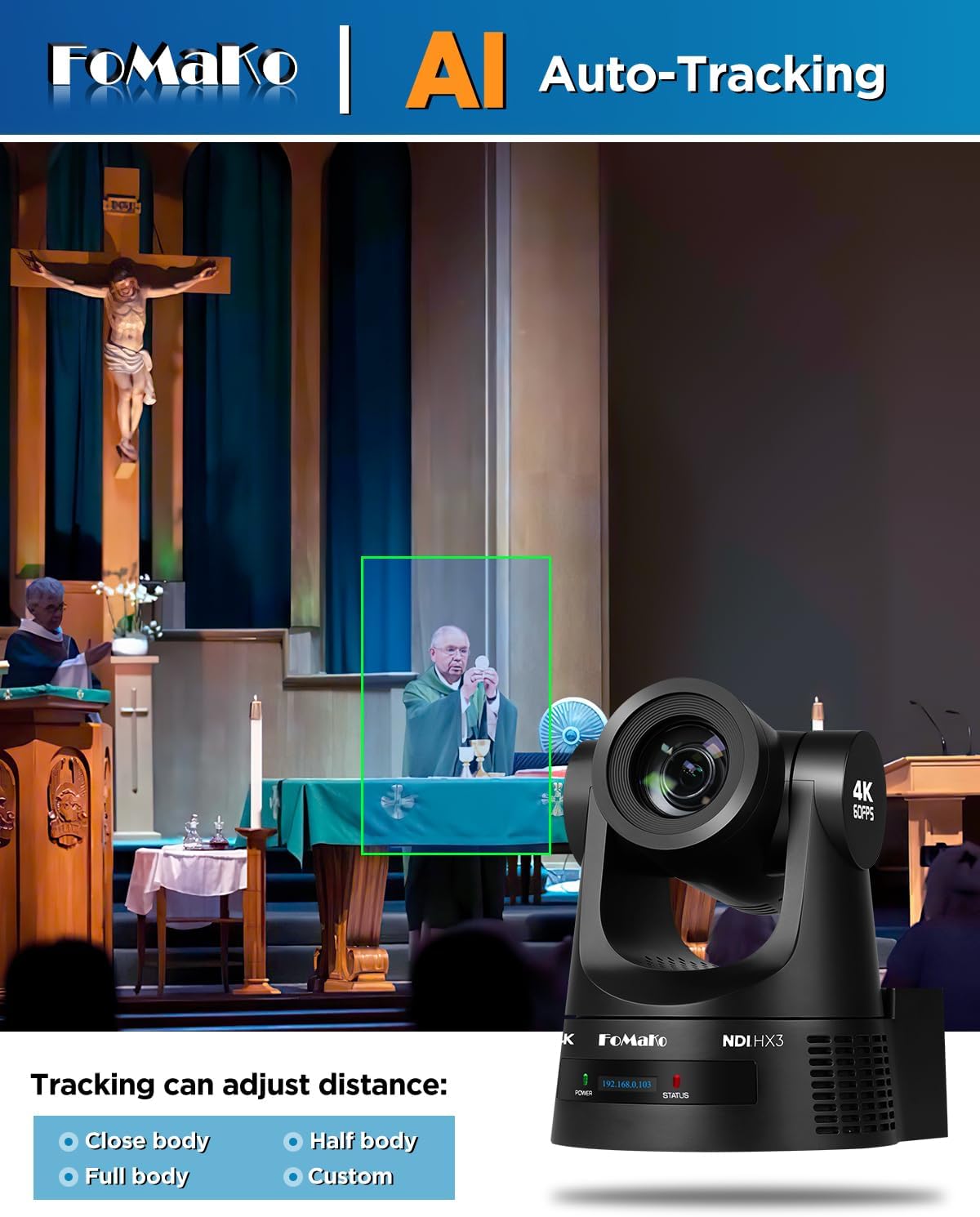
Image: A demonstration of the AI auto-tracking feature, showing a green box around a subject and options for adjusting tracking distance (Close body, Half body, Full body, Custom).
5.3 초점 제어
The camera offers flexible focus options:
- 자동 초점(AF): The camera automatically adjusts focus for clarity.
- 수동 초점: Allows for precise manual adjustment of the focus.
- 원 푸시 포커스: Initiates a single auto-focus cycle and then holds the focus.
5.4 프리셋
Configure and recall camera positions:
- The camera supports up to 255 preset positions.
- Up to 10 presets can be stored and recalled directly using the IR remote control.
6. Connectivity and Output
The K600N provides versatile connectivity options for integration into various production workflows:
- HDMI 2.0 : Supports 4K60, 1080P60, 1080P50, 1080P30, and other resolutions.
- USB 3.0: Supports 4K60, 1080P60, 1080P30, and other resolutions.
- LAN (NDI HX3): Supports 4K60, 1080P60, and other resolutions. NDI HX3 provides low-latency video transmission over IP networks.
- 3G-SDI: Supports 1080P60 resolution.
- 네트워크 프로토콜: Compatible with TCP/IP, RTSP, RTMP, VISCA OVER IP, VISCA, SRT, and NDI.
- 소프트웨어 호환성 : Works with vMix, OBS, and other live video streaming software.
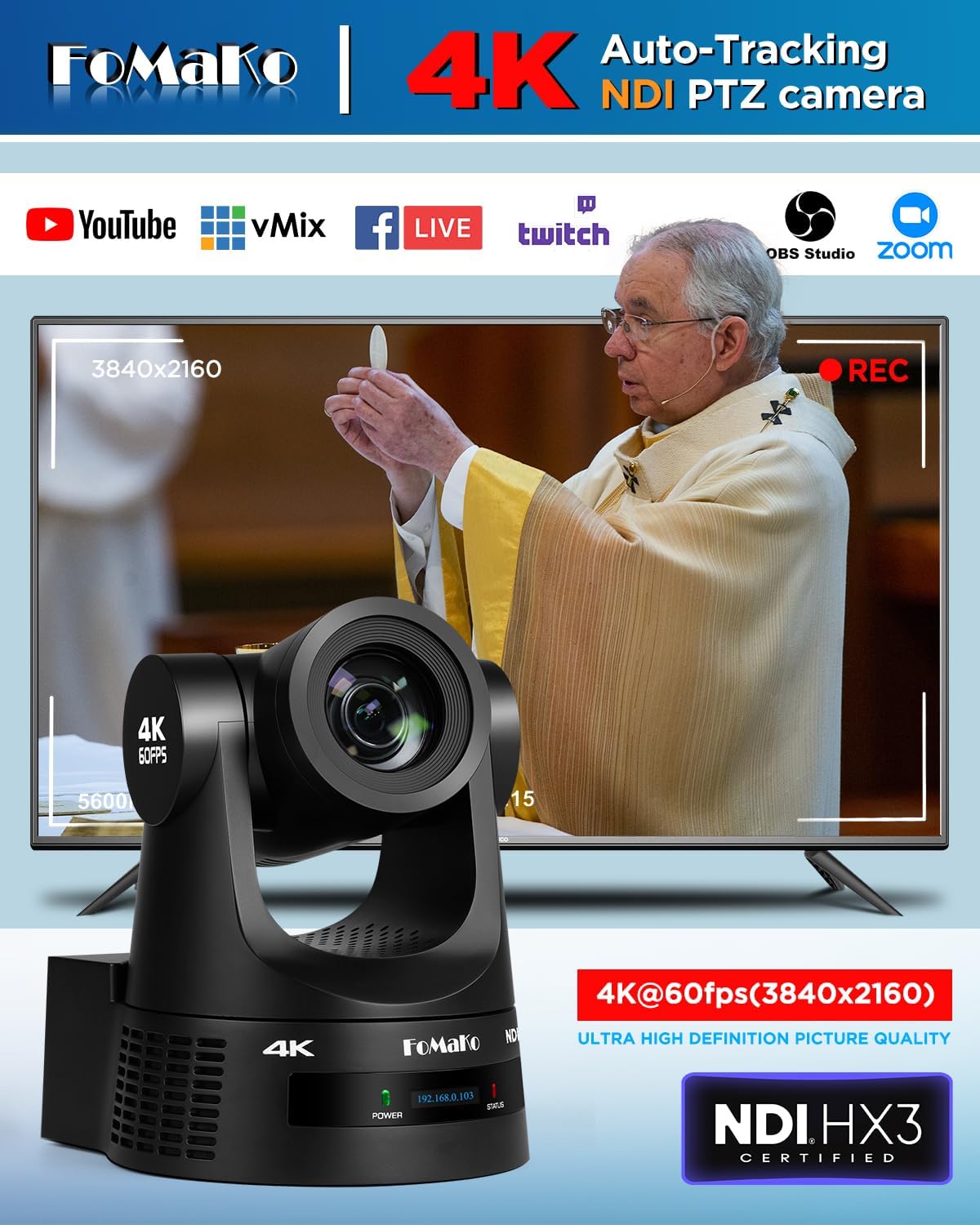
Image: The FoMaKo K600N PTZ Camera displaying a 4K@60fps output, indicating compatibility with various streaming platforms and software like YouTube, vMix, Facebook Live, Twitch, OBS Studio, and Zoom.
7. 응용 프로그램 시나리오
The FoMaKo K600N PTZ Camera is designed for professional AV live streaming, production, and broadcasting in various environments:
- 교회 예배 생중계
- Live studio environments
- University lectures and educational streaming
- Factory live monitoring
- Sports club / eSports / dance club events
- Training classrooms
- Large conference and summit events
- Theater / concert live streaming

Image: A collage illustrating various application scenarios for the FoMaKo K600N PTZ Camera, including education, church, video conferencing, live broadcast, large conferences, and live concerts.
8. 유지관리
To ensure optimal performance and longevity of your FoMaKo K600N camera, follow these maintenance guidelines:
- 청소: 카메라 본체는 부드럽고 마른 천으로 닦으십시오. 렌즈는 렌즈 전용 세척용 천과 세척액을 사용하십시오. 연마성 세척제나 용제는 사용하지 마십시오.
- 환경: 카메라는 깨끗하고 건조한 환경에서 작동 및 보관하고, 극한 온도, 습도 및 직사광선을 피하십시오.
- 손질: Handle the camera with care to prevent physical damage. Avoid sudden impacts or excessive force on the pan/tilt mechanism.
- 펌웨어 업데이트: FoMaKo 공식 웹사이트를 주기적으로 확인하세요. web카메라에 최신 기능과 성능 향상이 적용되도록 펌웨어 업데이트를 제공하는 사이트입니다.
9. 문제 해결
If you encounter issues with your FoMaKo K600N camera, refer to the following common troubleshooting steps:
- 전원 없음: Ensure the power adapter is securely connected and plugged into a working outlet, or that the PoE connection is active and functional.
- 비디오 출력 없음: Verify all video cables (HDMI, USB, SDI, Ethernet for NDI) are correctly connected to both the camera and the receiving device. Check input selections on your display or switcher.
- 네트워크 연결 문제: Confirm the Ethernet cable is properly connected. Check network settings on your computer and ensure the camera's IP address is accessible on your network. The camera's front panel displays its current IP address.
- 자동 추적 기능이 작동하지 않습니다: Ensure auto-tracking is enabled (F2 on remote). Check tracking mode settings in the web interface. Ensure the subject is within the effective tracking distance (up to 18 meters).
- 이미지 품질 문제: Ensure proper lighting in the environment. Check lens for smudges or dust. Verify resolution and frame rate settings are appropriate for your setup.
- 리모콘이 응답하지 않음: Check battery in the remote. Ensure there are no obstructions between the remote and the camera's IR receiver.
추가 지원이 필요하면 고객 지원팀에 문의하세요.
10. 사양
| 특징 | 사양 |
|---|---|
| 상표 | 포마코 |
| 모델 번호 | K600N |
| 포토 센서 기술 | CMOS |
| 비디오 캡처 해상도 | 1080p, 4K |
| 광학 줌 | 20배 |
| 최대 초점 거리 | 94.5 밀리미터 |
| 최소 초점 거리 | 5.1 밀리미터 |
| 최대 조리개 | 92 밀리미터 |
| 연결 기술 | 4K NDI, LAN, HDMI, 3G-SDI, USB3.0 |
| 특별 기능 | AI tracking 4K NDI PTZ Camera |
| 색상 | 검은색 |
| 품목 무게 | 1.2 킬로그램 |
| Screen Size (on camera) | 2 인치 |
| 이미지 안정화 | 아니요 |
| 한국어: | 735530571972 |
| ASIN | B0GC66B5RK |
11. 보증 및 지원
FoMaKo provides comprehensive support for the K600N camera:
- 한정된 보증: 제조상의 결함에 대해서는 3년 제한 보증이 적용됩니다.
- 환불 보장: A 30-day no-questions-asked money-back guarantee is offered.
- 온라인 교육: Free online training resources are available to assist with setup and operation.
- 전문가의 도움: 24/7 expert assistance is available, with responses typically provided within 24 hours. Please include your Order ID when contacting support.
- 기술 지원: Lifetime customer technical support is provided. Remote assistance for setup can be arranged if necessary.


