1. 서론
This manual provides essential information for the safe installation, operation, and maintenance of your PowMr Hybrid Solar Inverter 12000W. Please read this manual thoroughly before installation and operation to ensure optimal performance and safety. Keep this manual for future reference.
2. 안전 정보
경고: 이 인버터는 고전압을 발생시킵니다.tage. Installation and maintenance must be performed by qualified personnel only. Failure to follow these instructions may result in serious injury or death.
- 인버터를 직접 분해하거나 수리하려고 하지 마십시오. 자격을 갖춘 서비스 담당자에게 문의하십시오.
- Ensure all wiring is correctly sized and installed according to local and national electrical codes.
- 유지관리나 배선 작업을 하기 전에 모든 전원(PV, 배터리, AC 입력)을 분리하세요.
- Install the inverter in a well-ventilated, dry, and cool environment, away from flammable materials.
- 인버터의 접지가 적절히 되어 있는지 확인하세요.
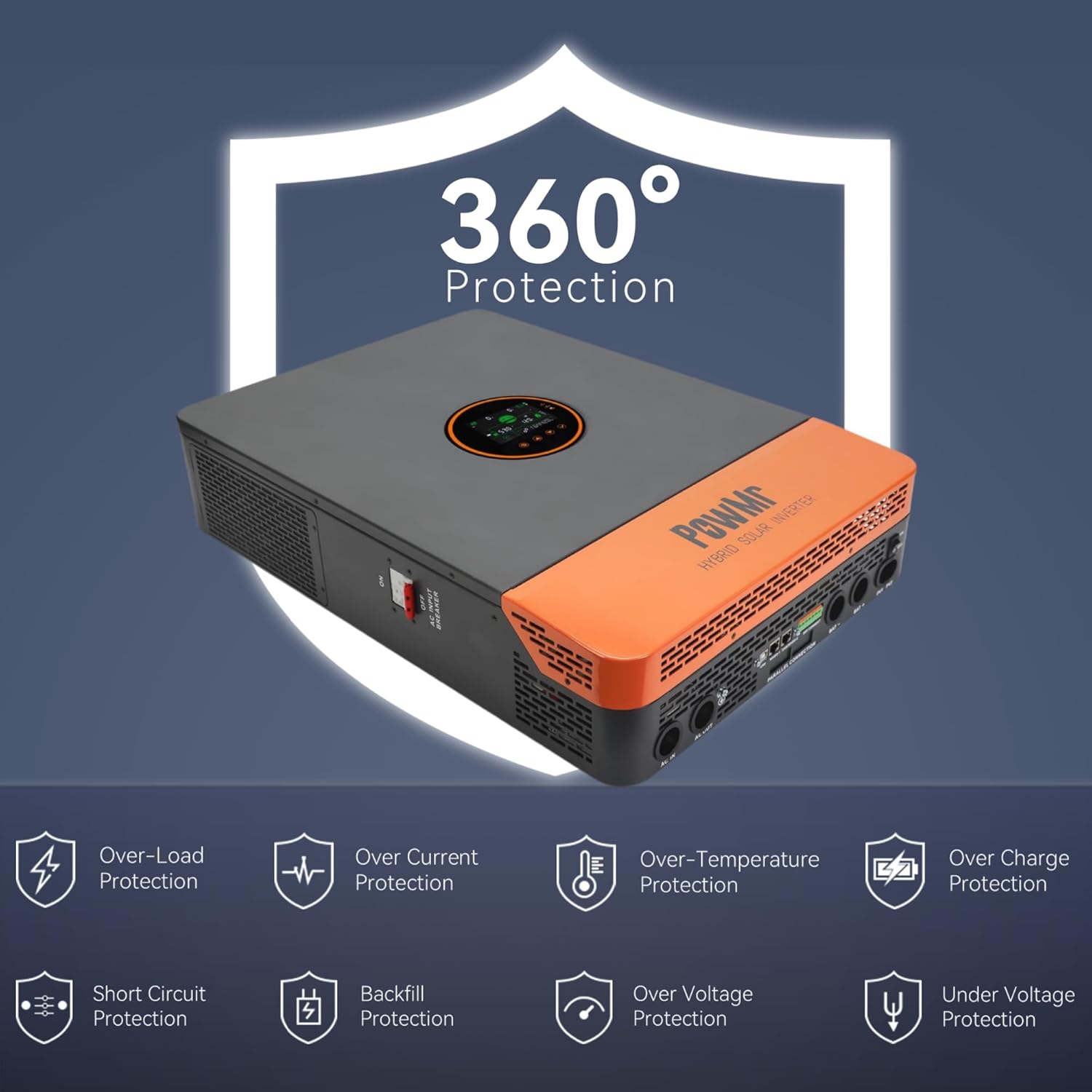
Figure 2.1: The inverter features comprehensive protection against over/under voltage, overload, short circuit, over-temperature, and anti-backfeed.
3. 제품 오버view
3.1 주요 특징
- 산출: 12000W continuous (24000W peak), 120/240Vac split-phase output.
- PV 입력: Maximum 6600W PV input power, 500V DC maximum, 22A. PV starting voltage: ≥150V.
- MPPT Charger: Dual 100A MPPT chargers, max 200A charge current.
- 배터리 호환성: Supports 48V Li-ion, Lead-Acid, and user-defined battery types.
- Battery-Less Mode: Capable of powering loads directly from PV/AC without a battery connected.
- 병렬 작업: Supports up to 6 units in parallel for increased power output.
- 모니터링: Large LCD display, dynamic flow diagrams, and optional WiFi for remote monitoring via mobile app.
- 통신 포트: RS485, CAN, USB interfaces for integration with battery BMS, generator ATS, and smart home systems.

그림 3.1: 이상view of the 12KW Split-Phase Hybrid Solar Inverter's main features and capabilities.
3.2 Product Appearance and Components
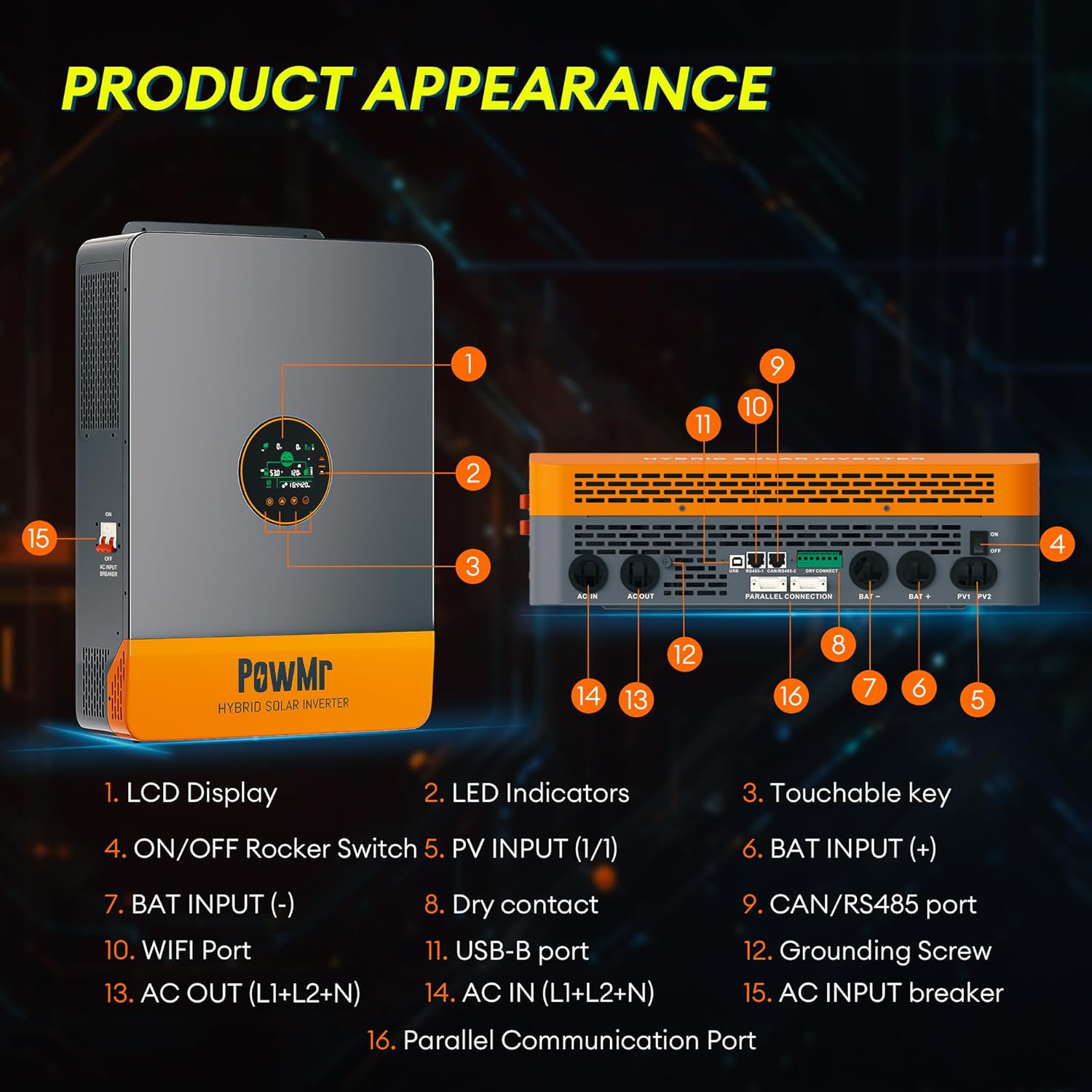
그림 3.2: 앞면과 측면 view 인버터의 구성 요소에 라벨이 붙어 있습니다.
- LCD 디스플레이
- LED 표시등
- Touchable Key
- ON/OFF 로커 스위치
- PV 입력(1/1)
- 배트 입력(+)
- 배트 입력(-)
- 건조 접촉
- CAN/RS485 포트
- 와이파이 포트
- USB-B 포트
- 접지 나사
- AC OUT (L1+L2+N)
- AC IN (L1+L2+N)
- AC INPUT Breaker
- 병렬 통신 포트
4. 설정 및 설치
4.1 풀기 및 검사
Upon receiving the inverter, carefully unpack it and inspect for any shipping damage. Ensure all components listed in the package contents are present:
- Solar inverter unit
- 병렬 통신 케이블
- 2 × battery terminal lugs
- 2 × M5 나사
- 사용자 설명서
Note: WiFi module, batteries, adapters, solar/battery wires/cables are excluded and require additional purchase if needed.
4.2 인버터 장착
The inverter is designed for indoor (IP20) installation. Choose a mounting location that is:
- Vertical, on a solid surface capable of supporting the inverter's weight (approximately 27kg / 59.5lbs).
- 열을 잘 발산할 수 있도록 통풍이 잘 되어야 합니다.
- Protected from direct sunlight, moisture, and dust.
- 배선 및 유지보수가 용이하도록 설계되었습니다.
4.3 배선 연결
All wiring must comply with local electrical codes. Use appropriate wire gauges for all connections.
- 접지: Connect the grounding screw (12) to a reliable earth ground.
- 배터리 연결: Connect the 48V battery bank to the BAT INPUT (+) (6) and BAT INPUT (-) (7) terminals. Ensure correct polarity.
- PV 입력: Connect the solar panel array to the PV INPUT (1/1) (5) terminals. Observe correct polarity and ensure PV voltage is within specified limits (Max 500V DC, starting voltage ≥150V). Use 10AWG PV wire.
- AC 입력: Connect the utility grid or generator AC input to the AC IN (L1+L2+N) (14) terminals.
- AC 출력: Connect your loads to the AC OUT (L1+L2+N) (13) terminals. The inverter provides 120/240Vac split-phase output.
- Parallel Communication (Optional): If installing multiple inverters in parallel, connect the Parallel Communication Port (16) between units using the provided cable.
- 기타 연결: Utilize RS485, CAN, USB, and dry contact ports (8, 9, 10, 11) for external communication and control as needed.

그림 4.1: 예ample of multiple inverters connected in parallel. Professional guidance is required for actual connections.
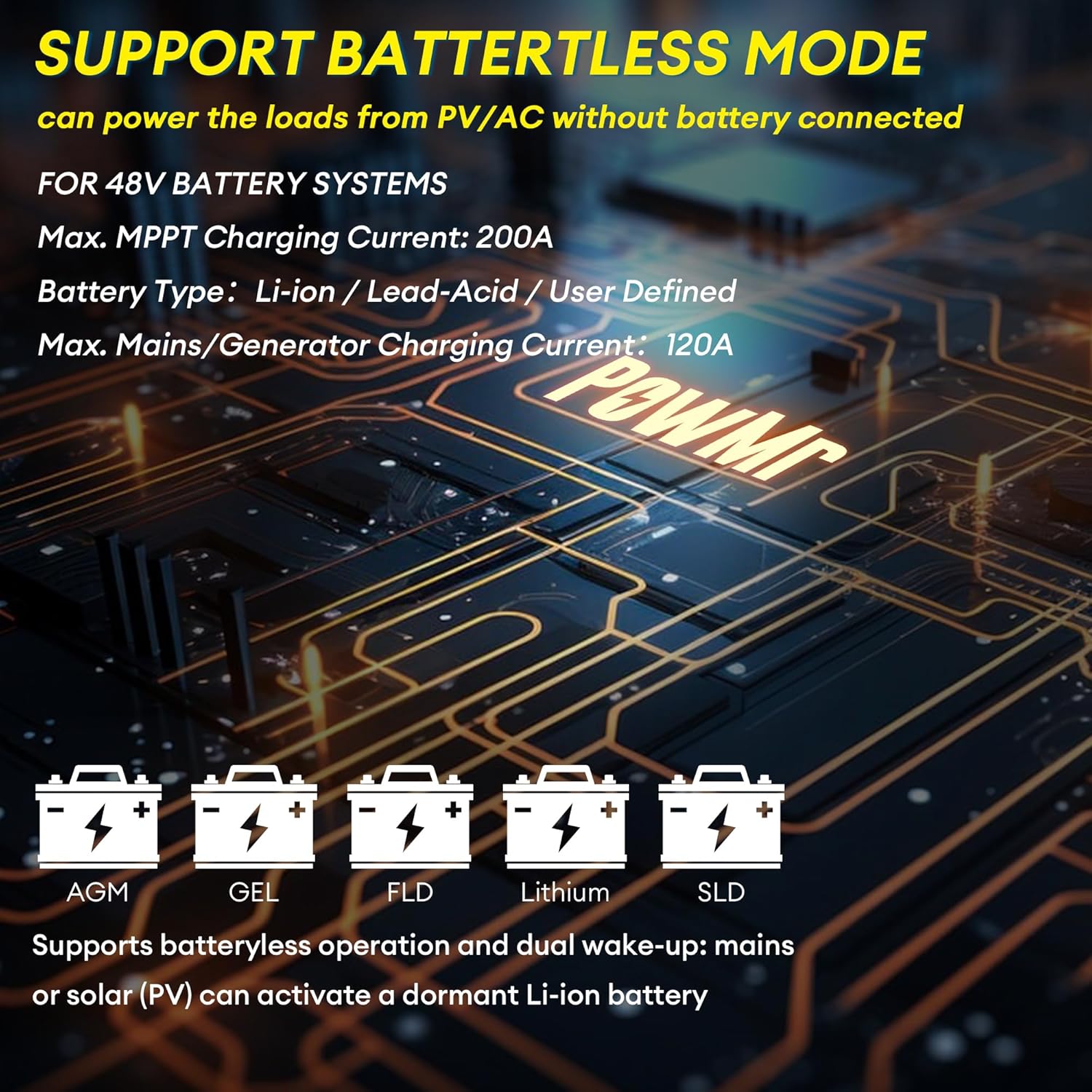
Figure 4.2: The inverter supports various 48V battery systems, including battery-less operation.
5. 사용 설명서
5.1 전원 켜기/끄기
- 모든 배선 연결이 안전하고 올바른지 확인하십시오.
- Switch on the battery breaker, then the PV breaker.
- Flip the ON/OFF Rocker Switch (4) to the 'ON' position.
- Switch on the AC INPUT Breaker (15).
- To power off, reverse the sequence: AC INPUT Breaker off, ON/OFF Rocker Switch off, PV breaker off, battery breaker off.
5.2 LCD 디스플레이 및 설정
The large LCD display (1) provides real-time energy visualization and system status. Use the touchable keys (3) to navigate menus and adjust settings. Refer to the detailed settings section in the full user manual for specific parameter configurations, including:
- Battery charging parameters (voltag전자, 현재)
- 출력 볼륨tage와 주파수
- Operating modes (e.g., Solar First, Utility First, Battery First)
- Time-of-Use (TOU) control for smart charging/discharging
5.3 Battery-Less Mode
The inverter supports battery-less operation, allowing it to power loads directly from solar PV and/or AC input without a connected battery. This mode is useful for specific applications or during battery maintenance. Ensure proper configuration through the LCD settings.
6. 유지관리
정기적인 유지관리는 인버터의 수명과 최적의 성능을 보장합니다.
- 청소: 인버터 외부와 통풍구를 주기적으로 청소하여 먼지 축적을 방지하십시오. 먼지가 쌓이면 냉각 성능이 저하될 수 있습니다. 마른 부드러운 천을 사용하십시오.
- 사이: 매년 모든 전기 연결부의 조임 상태와 부식 여부를 점검하십시오. 필요하면 다시 조이십시오.
- 환경: 설치 환경이 지정된 온도 및 습도 범위 내에 유지되도록 하세요.
- 펌웨어: 제조사 확인해보세요 website for any available firmware updates. Firmware updates can improve performance and address known issues.
WARNING: Always disconnect all power sources before performing any cleaning or inspection.
7. 문제 해결
이 섹션에서는 일반적인 문제에 대한 해결 방법을 제공합니다. 여기에 나와 있지 않은 문제는 고객 지원팀에 문의하십시오.
| 문제 | 가능한 원인 | 해결책 |
|---|---|---|
| 인버터 전원이 켜지지 않습니다 | 배터리가 연결되지 않았거나 배터리 전압이 낮습니다.tage; DC breaker off; ON/OFF switch off. | 배터리 연결 및 용량 확인tage; ensure DC breaker is on; turn ON/OFF switch to 'ON'. |
| AC 출력 없음 | Overload; short circuit; AC output breaker tripped; inverter fault. | Reduce load; check for short circuits; reset AC output breaker; check LCD for error codes. |
| PV input not charging batteries | PV 볼륨tage too low or too high; PV polarity reversed; PV breaker off; MPPT fault. | PV 볼륨 확인tage and polarity; ensure PV breaker is on; check LCD for PV error codes. |
| Unstable output in parallel mode | Incorrect parallel communication wiring; mismatched firmware versions; incompatible settings. | Ensure only one parallel communication cable is used between units. Verify all inverters have the same, latest firmware version. Check parallel settings on each inverter. Contact support if issues persist. |
| Inverter displays error code | Internal fault; external condition (e.g., over-temperature, over-voltag이자형). | Refer to the full manual's error code section for specific meanings and solutions. Address environmental conditions if applicable. |
8. 사양
| 매개변수 | 값 |
|---|---|
| 모델명 | BI-POW-SunSmart 12KP |
| 정격 출력 전력 | 12000W(12KW) |
| 피크 파워 | 24000와트 |
| 정격 출력 Voltage | 120/240Vac (Split-Phase/Single-Phase) |
| 배터리 용량tage | 48V |
| 최대 PV 입력 전력 | 6600와트 |
| 최대 PV 입력 Voltage | 500V 직류 |
| 최대 PV 입력 전류 | 22A |
| PV 시작 볼륨tage | ≥150V |
| MPPT 충전 전류 | Dual 100A (Max 200A total) |
| 최대 주전원/발전기 충전 전류 | 120A |
| 통신 포트 | RS485, CAN, USB |
| 치수(L×W×H) | 24.41 × 17.52 × 5.12 인치 (62 × 44.5 × 13cm) |
| 무게 | 59.5파운드(27kg) |
| 보호 등급 | IP20(실내 사용) |
9. 보증 및 지원
For warranty information, please refer to the documentation provided with your purchase or contact PowMr customer service. For technical support, troubleshooting assistance, or inquiries regarding parts and service, please visit the official PowMr web사이트를 방문하거나 고객 지원 채널에 문의하세요.
온라인 리소스:
- PowMr Store on Amazon: Visit PowMr Store