1. 서론
The Shelly BLU H&T is a compact, water and dust-resistant Bluetooth sensor designed to accurately measure temperature and humidity. This device is an integral part of a smart home ecosystem, enabling users to monitor environmental conditions and automate climate control when integrated with other Shelly devices. This manual provides essential information for the safe and effective use of your Shelly BLU H&T sensor.

Image 1: Introduction to the Shelly BLU H&T sensor, highlighting its precision and durability.
2. 안전 정보
- 설치 및 사용 전에 이 사용 설명서를 주의 깊게 읽으십시오.
- 장치를 분해하거나 개조하지 마십시오.
- 직사광선, 열원 및 화염으로부터 기기를 멀리하십시오.
- 배터리가 극성 표시에 따라 올바르게 삽입되었는지 확인하십시오.
- 사용한 배터리는 현지 규정에 따라 책임감 있게 폐기하십시오.
- The device is IP54 rated for dust and splash water resistance; however, it is not designed for submersion in water.
3. 상자 안에 무엇이 들어있나요?
제품 포장을 열면 다음과 같은 품목이 들어 있습니다.
- 1 x Shelly BLU H&T Sensor (Black)
- 1 x CR2032 3V Battery (pre-installed)
- 1 x 사용자 매뉴얼(이 문서)

Image 2: The Shelly BLU H&T sensor and its packaging.
4. 디바이스 오버view
The Shelly BLU H&T sensor is designed for discreet placement and reliable performance. It features a compact square design with a central sensor opening and a small LED indicator.
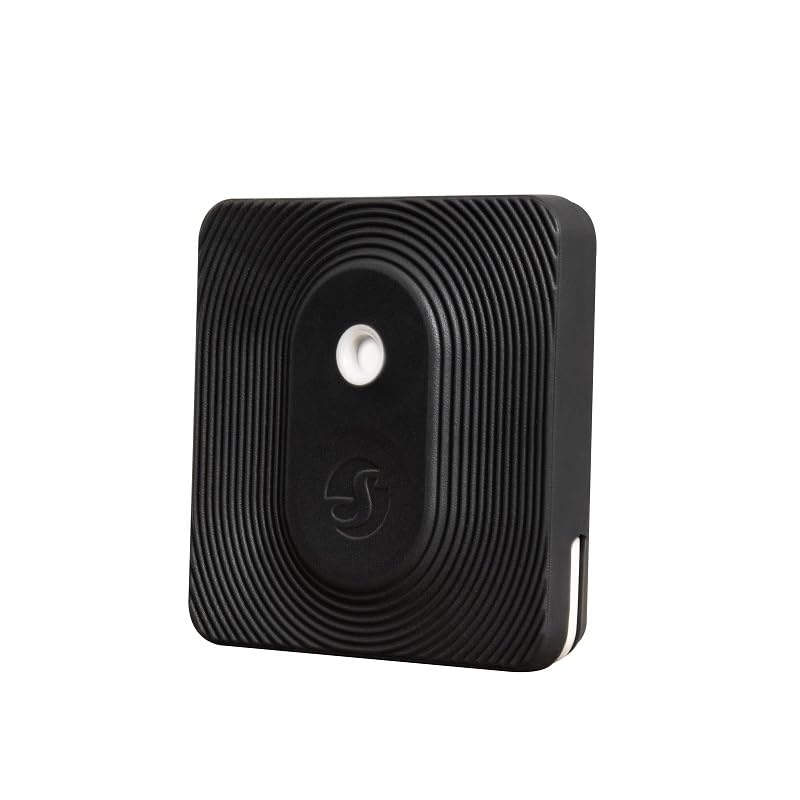
이미지 3: 상세 view of the Shelly BLU H&T sensor.
주요 특징은 다음과 같습니다.
- Bluetooth Low Energy (BLE) Technology: Ensures quick response and extended battery life.
- IP54 등급: Provides resistance against dust and splashing water, suitable for both indoor and outdoor use.
- 정확한 측정: Accurately monitors temperature and humidity levels.
- 데이터 기록: Access historical data for environmental trends.
- 비콘 모드: Allows for proximity-based automations.

Image 4: Features of the Shelly BLU H&T, emphasizing Bluetooth operation.

Image 5: The Shelly BLU H&T's IP54 durability and suitability for various environments.
5. 설정
5.1. 배터리 설치
The Shelly BLU H&T comes with a pre-installed CR2032 3V battery. To activate the device, remove the small plastic tab if present. If you need to replace the battery, gently open the device casing를 누르고 새 CR2032 배터리를 삽입하되, 극성이 올바른지 확인하십시오.
5.2. Shelly Smart Control App Installation & Pairing
To utilize the full functionality of your Shelly BLU H&T sensor, you need to pair it with the Shelly Smart Control app. The app is available for both iOS and Android devices.
- 다운로드 셸리 스마트 컨트롤 기기의 앱 스토어에서 앱을 다운로드하세요.
- Create an account or log in to your existing Shelly account.
- 스마트폰에서 Bluetooth가 활성화되어 있는지 확인하세요.
- In the app, follow the on-screen instructions to add a new device. The app will scan for nearby Shelly BLU devices.
- Select your Shelly BLU H&T from the list and complete the pairing process.
5.3. Gateway Requirement
The Shelly BLU H&T sensor requires a compatible Shelly gateway device (e.g., Shelly BLU Gateway, Shelly Plus, Pro, or Gen3 device) to connect to the Shelly Smart Control app and enable remote monitoring and automation features. Without a gateway, the sensor will operate locally but cannot communicate with the app or cloud services.
6. 운영
6.1. 온도 및 습도 모니터링
Once paired with the Shelly Smart Control app via a gateway, you can view real-time temperature and humidity readings from your sensor. The app provides a dashboard to monitor current conditions and access historical data.

Image 6: The Shelly BLU H&T offers data history and secure communication.

Image 7: The sensor's role in climate control by tracking temperature and humidity.
6.2. 스마트 장면 및 자동화
The Shelly BLU H&T sensor can be used to trigger automated actions (Smart Scenes) with other Shelly devices. For examp르 :
- 온도 조절: If the temperature drops below a set threshold, automatically activate a Shelly-controlled heater.
- 습도 관리: If humidity exceeds a certain level, turn on a fan connected to a Shelly relay.
- Window/Blind Control: Based on outdoor temperature, automatically adjust blinds or open/close windows (with compatible Shelly devices).

Image 8: The sensor enables scene activation and automation with other Shelly devices.
Video 1: An official Shelly video demonstrating how Shelly devices can create a smart home environment. This video showcases various smart home applications, including lighting, security, energy saving, and daily routine simplification, highlighting the benefits of integrating Shelly products into your life.
7. 유지관리
7.1. 배터리 교체
The Shelly BLU H&T uses a single CR2032 3V battery. The battery life can vary depending on usage and environmental conditions. When the battery level is low, you will receive a notification via the Shelly Smart Control app. To replace the battery:
- 기기를 부드럽게 여세요asing.
- 기존 CR2032 배터리를 제거하세요.
- Insert a new CR2032 3V battery, ensuring the positive (+) side faces up.
- 기기 c를 닫으세요asing 안전하게.
7.2. 청소
To clean the device, use a soft, dry cloth. Do not use abrasive cleaners, solvents, or immerse the device in water. Ensure the sensor opening remains clear of dust and debris for accurate readings.
8. 문제 해결
| 문제 | 가능한 원인 | 해결책 |
|---|---|---|
| Device not detected during pairing | Bluetooth is off; device out of range; low battery. | Ensure Bluetooth is on, move device closer to phone/gateway, check/replace battery. |
| 부정확한 판독 | Sensor opening blocked; device placed in extreme conditions. | Clean sensor opening, relocate device to a suitable environment. |
| No remote access/automation | No Shelly gateway connected or configured. | Ensure a compatible Shelly gateway is set up and connected to the internet. |
| 배터리 수명이 짧음 | Frequent data updates; extreme temperatures. | Adjust reporting frequency in app settings, avoid extreme temperatures. |
9. 사양
Detailed technical specifications for the Shelly BLU H&T sensor:
| 특징 | 사양 |
|---|---|
| 모델 번호 | 3800235266809 |
| 연결성 | Bluetooth 저에너지 (BLE) |
| 전원 공급 장치 | 1 x CR2032 3V Battery (included) |
| 배터리 수명 | Up to 5 years (depending on usage) |
| 온도 범위 | 0°C ~ 60°C(32°F ~ 140°F) |
| 습도 범위 | 0% ~ 100% RH (비응축) |
| 정확성 | Temperature: ±0.5°C; Humidity: ±5% RH |
| IP 등급 | IP54 (방진 및 방수 등급) |
| 치수 | 1.46 x 1.46 x 1.46인치(37 x 37 x 13mm) |
| 무게 | 0.46 온스(13그램) |
| 장착 유형 | 패널 실장 |
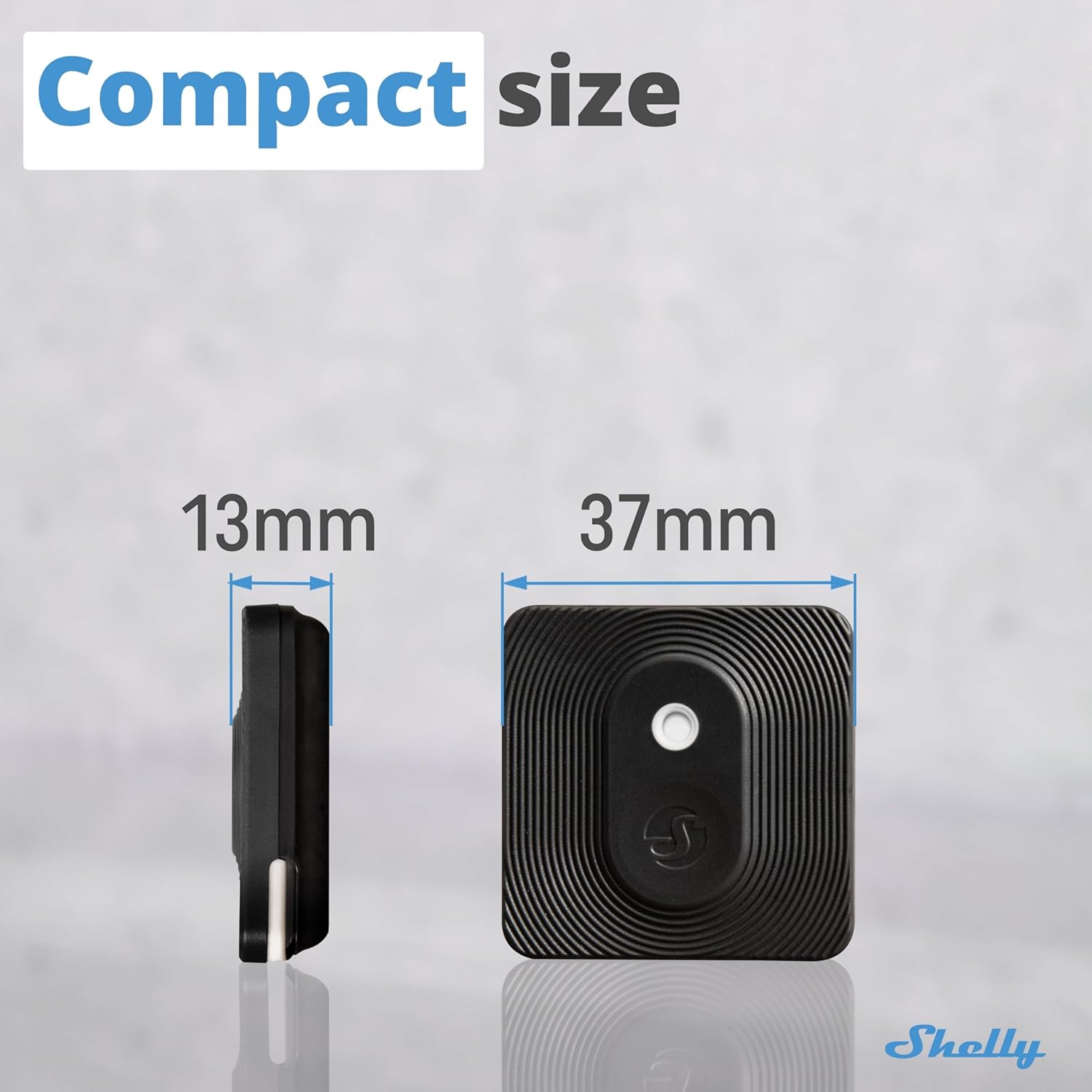
Image 9: Dimensions of the Shelly BLU H&T sensor.
10. 보증 및 지원
Shelly provides a 2-year device warranty. For technical support, product information, or warranty claims, please refer to the official Shelly support resources.
- 온라인 지원: 방문하세요 셸리 지원 홈 for a knowledge base, FAQs, and community forums.
- 전문가 지원: Contact Shelly customer service for direct assistance.

Image 10: Scan the QR code for quick access to Shelly's support resources.
11. Related Shelly Products
Enhance your smart home experience by integrating the Shelly BLU H&T with other Shelly devices:


