소개
구매해주셔서 감사합니다asing the Klipsch ProMedia Lumina 2.1 Computer Gaming Speaker System. This manual provides essential information for setting up, operating, and maintaining your new speaker system to ensure optimal performance and longevity. The ProMedia Lumina system is designed to deliver powerful audio with deep bass and customizable RGB lighting, enhancing your gaming, music, and movie experiences.
안전 정보
본 제품을 사용하기 전에 모든 안전 지침을 읽어 주십시오. 나중에 참조할 수 있도록 이 설명서를 보관하십시오.
- 전원: Connect the system only to the type of power source indicated on the marking label.
- 통풍: Ensure proper ventilation around the speakers and subwoofer. Do not block any ventilation openings.
- 물과 습기: Do not expose the system to water, rain, or moisture. Do not place objects filled with liquids on the system.
- 열: 라디에이터, 난방기, 스토브 또는 기타 열을 발생시키는 기기와 같은 열원으로부터 시스템을 멀리 두십시오.
- 청소: 마른 천으로만 닦으십시오.
- 서비스: 이 제품을 직접 수리하려고 하지 마십시오. 모든 서비스는 자격을 갖춘 서비스 담당자에게 문의하십시오.
패키지 내용
패키지에 모든 품목이 들어 있는지 확인하세요.
- 1 x Klipsch ProMedia Lumina Subwoofer
- 위성 스피커 2개 (좌우)
- 1 x Bluetooth Speaker (This is listed as "Included Components" in the product data, but typically refers to the system's Bluetooth capability rather than a separate speaker unit. The system itself has Bluetooth functionality.)
- 전원 케이블
- Speaker Connection Cables
- USB-C 케이블
- 3.5mm AUX 케이블
- 사용 설명서 (본 문서)
제품 끝view
The Klipsch ProMedia Lumina system consists of a powerful subwoofer and two satellite speakers, designed for a rich 2.1 audio experience. The system features integrated controls and multiple connectivity options.

그림 1: The complete Klipsch ProMedia Lumina 2.1 speaker system, showing the central subwoofer unit flanked by two satellite speakers. The speakers are black with silver accents and sit on small stands.
위성 스피커
The two satellite speakers feature a re-envisioned cabinet design with tiltable stands for optimal sound projection. They are equipped with Microtractrix horn tweeters for pinpoint clarity.
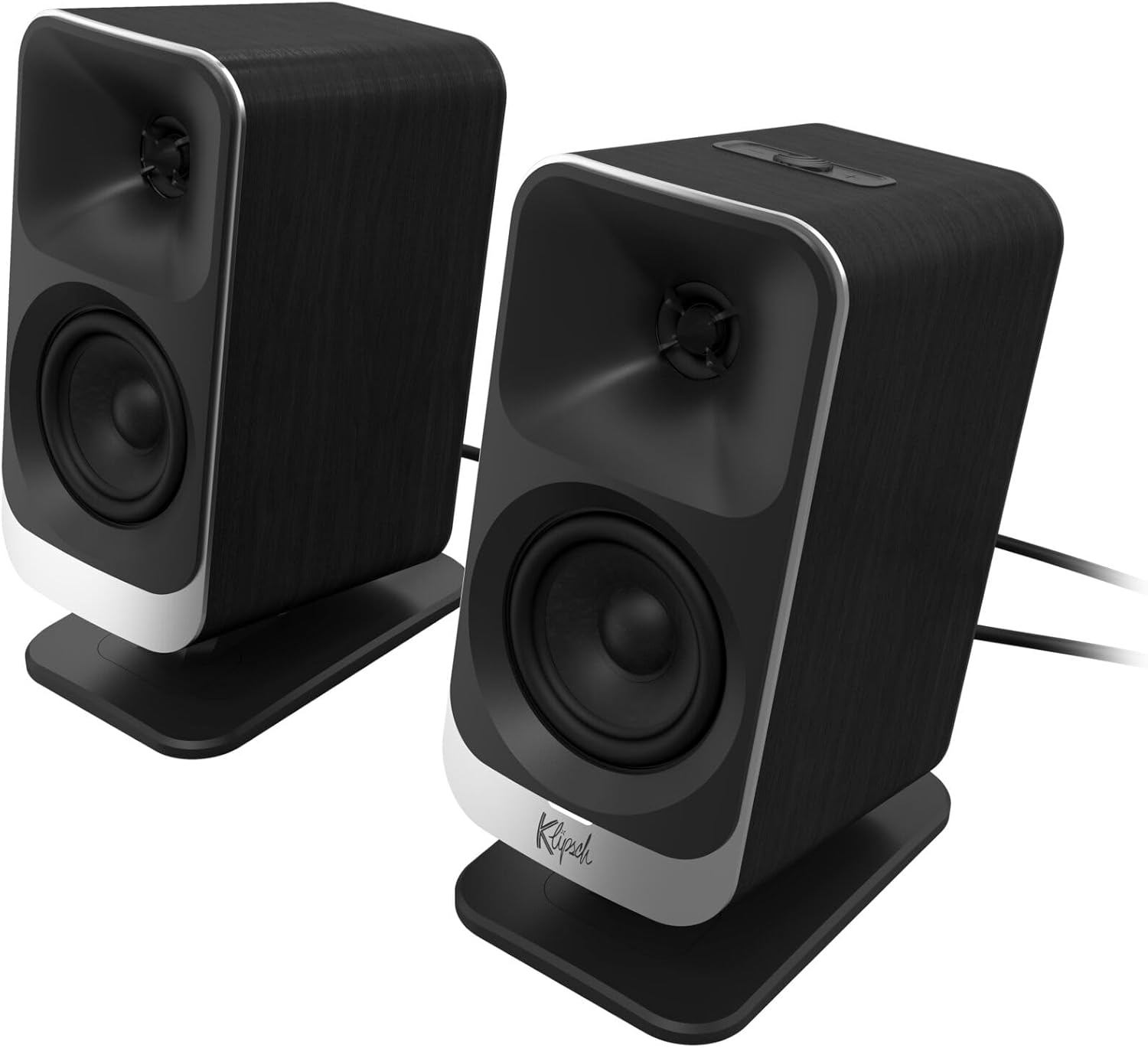
그림 2: 클로즈업 정면 view of the two Klipsch ProMedia Lumina satellite speakers, highlighting their black finish, silver base, and speaker cones.

그림 3: 뒤 view of the two Klipsch ProMedia Lumina satellite speakers, showing the various ports and controls on their back panels. The left speaker has a settings button and a headphone jack, while the right speaker has a USB-C port and a power/Bluetooth button.
서브우퍼
로우 프로file subwoofer delivers powerful low-end punch. It features an adjustable gain knob and cable management design for minimal floor space and maximum impact.
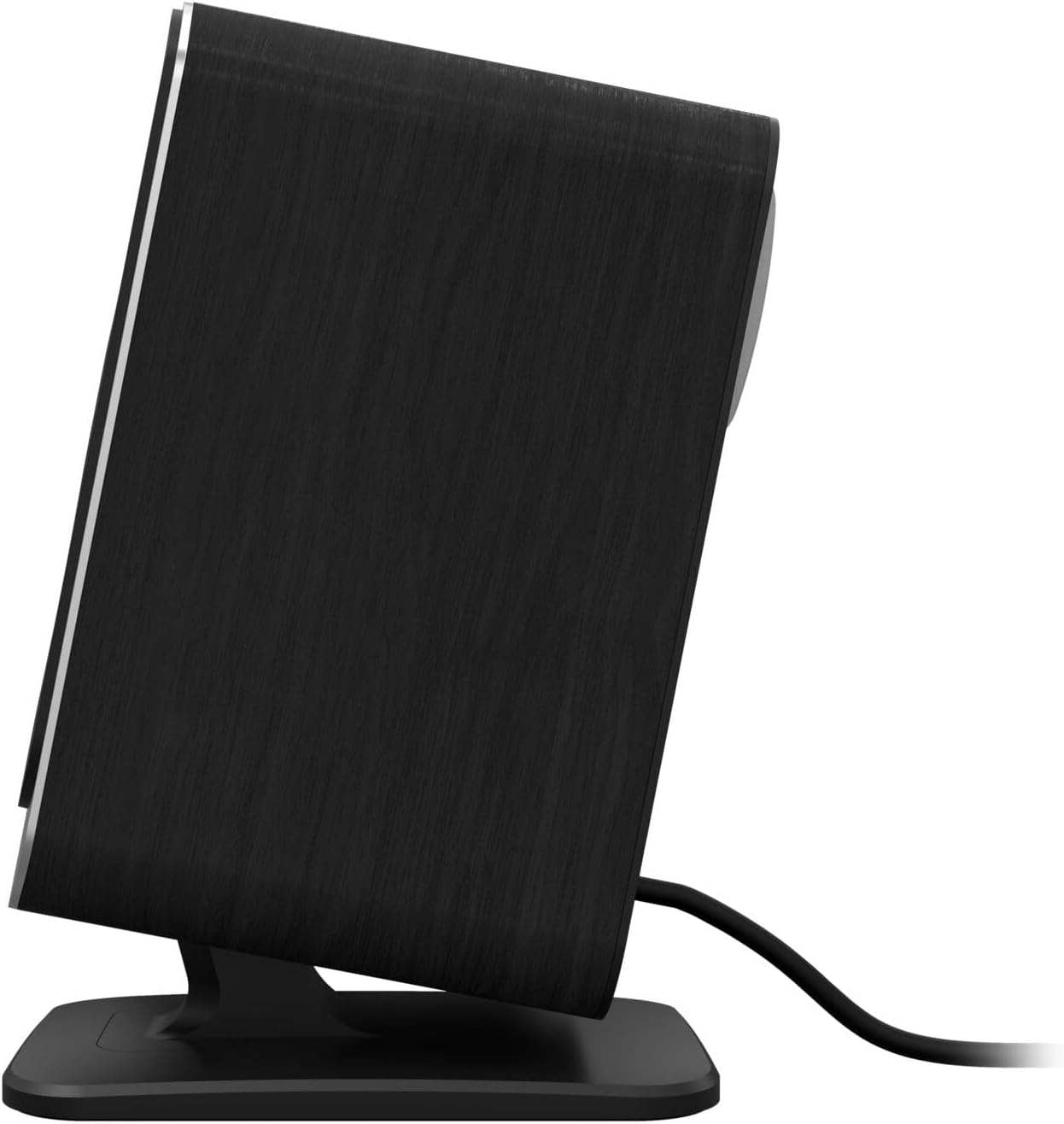
그림 4: 측면 view of the Klipsch ProMedia Lumina subwoofer, showcasin컴팩트한 디자인과 질감 있는 검은색 마감이 특징입니다.
동영상 1 : An official product video from Klipsch showcasing the ProMedia Lumina Computer Speakers with LED Lighting. The video highlights the design and lighting features of the speaker system.
설정
Follow these steps to set up your Klipsch ProMedia Lumina speaker system:
- 놓기: Place the subwoofer on the floor or a sturdy surface near your computer. Position the satellite speakers on either side of your monitor, ensuring they are at ear level for the best audio experience.
- 위성 스피커 연결: Connect the left and right satellite speakers to the corresponding outputs on the back of the subwoofer using the provided speaker cables. Ensure a secure connection.
- 오디오 소스에 연결:
- USB-C : Connect the USB-C cable from your computer to the USB-C input on the right satellite speaker.
- AUX (3.5mm): Connect the 3.5mm AUX cable from your audio source (e.g., computer, smartphone) to the AUX input on the left satellite speaker.
- 블루투스: For wireless connection, ensure Bluetooth is enabled on your device and the speaker system. Press and hold the power/Bluetooth button on the right satellite speaker to enter pairing mode. Select "Klipsch ProMedia Lumina" from your device's Bluetooth settings.
- 전원 연결: Connect the power cable to the subwoofer and then plug it into a wall outlet.
- 전원 켜기: Press the power/Bluetooth button on the right satellite speaker to turn on the system.

그림 5: The Klipsch ProMedia Lumina speaker system integrated into a gaming desktop setup, showing the satellite speakers flanking a monitor and the subwoofer placed discreetly.
운영
Once your system is set up, you can begin enjoying your audio. The main controls are located on the subwoofer and the right satellite speaker.
기본 제어
- 용량: Use the volume knob on the subwoofer to adjust the overall sound level.
- 고음/저음: Adjust the treble and bass knobs on the subwoofer to fine-tune your audio preferences.
- 입력 선택: Use the input button (if available on the subwoofer or remote) to switch between connected sources (USB-C, AUX, Bluetooth).
Klipsch Control App
Enhance your experience with the Klipsch Control desktop app, available on all app stores. The app allows for precision command over various settings:
- EQ 사용자 정의: Adjust equalization settings to match your audio content.
- 조명 모드: Customize RGB lighting effects, including night mode and music react mode.
- 기능 제어: 개인 맞춤형 오디오를 위한 추가 기능 및 설정에 액세스하세요.

그림 6: A laptop screen displaying the Klipsch Control App interface, with a satellite speaker visible next to it, illustrating the app's role in customizing the speaker system.

그림 7: The rear of the Klipsch ProMedia Lumina satellite speakers displaying different customizable light patterns, showcasing the RGB lighting effects.
유지
To ensure the longevity and optimal performance of your Klipsch ProMedia Lumina system, follow these maintenance guidelines:
- 청소: Use a soft, dry cloth to clean the surfaces of the speakers and subwoofer. Avoid using abrasive cleaners, waxes, or solvents.
- 가루 살포: Regularly dust the speaker grilles and vents to prevent dust buildup, which can affect sound quality and ventilation.
- 케이블 관리 : Keep cables organized and untangled to prevent damage and ensure a tidy setup.
- 환경 조건: 시스템을 극한의 온도, 높은 습도 또는 직사광선에 노출시키지 마십시오.
문제 해결
If you encounter any issues with your speaker system, refer to the following common troubleshooting steps:
| 문제 | 해결책 |
|---|---|
| 소리가 나지 않습니다 |
|
| Static or Distortion |
|
| 블루투스 페어링 문제 |
|
명세서
| 특징 | 세부 사항 |
|---|---|
| 모델명 | Klipsch ProMedia Lumina |
| 품목 모델 번호 | 1073625 |
| 스피커 유형 | 컴퓨터 스피커 |
| 오디오 출력 모드 | 둘러싸다 |
| 연결 기술 | Bluetooth (5.3), USB-C, AUX (3.5mm) |
| 특징 | LED 조명 (RGB 설정 가능) |
| 스피커 최대 출력 전력 | 10 와트 |
| 주파수 응답 | 20Hz |
| 제품 치수 | 6.5인치 깊이 x 4인치 너비 x 9.75인치 높이 |
| 품목 무게 | 13.1 파운드 |
| 색상 | 검은색 |
보증 및 지원
Klipsch products are designed for years of enjoyment. For warranty information and technical support, please refer to the official Klipsch web사이트를 방문하거나 고객 서비스에 문의하세요. 보증 청구를 위해 구매 증빙 자료를 보관하세요.


