1. 서론
This manual provides essential information for setting up, operating, and maintaining your DOOGEE Note 56 X PRO Android 16 smartphone. Please read this guide thoroughly to ensure proper usage and to maximize the device's capabilities. Keep this manual for future reference.
2. 상자 안에 무엇이 들어있나요?
패키지를 열면 아래 나열된 모든 품목이 들어 있는지 확인하세요.
- 1x DOOGEE NOTE 56 X PRO Cell Phone
- 1x 타입 C USB 케이블
- 1x 충전기
- 1x 전화 케이스
- 1x 보증 카드
- 1x 사용자 매뉴얼(이 문서)
- 카드 제거 핀 1개
- 보호 필름 1개 (미리 부착됨)

Image: Contents of the DOOGEE Note 56 X PRO retail box.
3. 디바이스 오버view
Familiarize yourself with the physical components of your DOOGEE Note 56 X PRO smartphone.

이미지: 앞면과 뒷면 view of the DOOGEE Note 56 X PRO.
이미지: 사이드 프로file of the DOOGEE Note 56 X PRO, demonstrating its slim design.

이미지: 상단 및 하단 view of the DOOGEE Note 56 X PRO, indicating port locations.
4. 설정
4.1. SIM 카드 및 TF 카드 설치
- 휴대폰 측면에서 SIM 카드 트레이를 찾으세요.
- 제공된 카드 제거 핀을 트레이 옆에 있는 작은 구멍에 꽂아 카드를 꺼냅니다.
- Place your Nano-SIM card(s) and/or TF (microSD) card into the tray according to the diagram. The phone supports dual SIM (SIM1 + SIM2) or one SIM card and one TF card for expandable storage up to 2TB.
- 트레이가 기기 본체와 평평해질 때까지 조심스럽게 휴대폰에 다시 삽입하십시오.
4.2. 초기 전원 켜기 및 충전
- 측면에 있는 전원 버튼을 DOOGEE 로고가 나타날 때까지 길게 누르세요.
- 화면의 지시에 따라 언어 선택, Wi-Fi 연결, Google 계정 설정을 포함한 초기 설정을 완료하세요.
- To charge the phone, connect the Type-C USB cable to the phone's charging port and the other end to the provided charger. Plug the charger into a power outlet. The phone supports 10W fast charging.
- 배터리 수명을 최적화하려면 처음 사용하기 전에 기기를 완전히 충전하십시오.
5. 휴대전화 작동
5.1. 안드로이드 16 운영체제
The DOOGEE Note 56 X PRO runs on the Android 16 operating system, offering an intuitive user experience with enhanced features:
- 게임 공간: Optimize gaming performance and manage notifications during gameplay.
- 스마트 신체 감지: Utilize advanced sensor capabilities for various applications.
- Screen Sense: Intelligent screen features for improved interaction.
- 동영상 화면 표시 향상: Optimized visual quality for video playback.
- Live Subtitles: Real-time captioning for audio content.
- 개인 공간: Create a secure, isolated environment for sensitive apps and data.
- 듀얼 시스템 모드: Run two separate system environments for enhanced privacy or work/personal separation.
- 슈퍼 클립보드: Advanced clipboard functionality for efficient copy-pasting.
- 분할 화면: Use two applications simultaneously on the same screen for multitasking.

이미지: 이상view 안드로이드 16의 주요 기능.
5.2. Calls, Messages, and Internet
- 전화 걸기: 전화 아이콘을 탭하고, 전화번호를 입력한 후 통화 버튼을 탭합니다.
- 메시지 보내기: 메시지 아이콘을 탭하고 새 대화를 시작한 다음, 받는 사람과 메시지를 입력하고 보내세요.
- 인터넷 연결: Connect to Wi-Fi via Settings > Network & internet > Wi-Fi. Ensure mobile data is enabled via Settings > Network & internet > Mobile network for cellular internet access.
5.3. 카메라 기능
The phone features a 13MP main camera and an 8MP front camera, enhanced by Google intelligent camera features.
- 사진 찍기: 카메라 앱을 열고 사진 구도를 잡고 셔터 버튼을 탭합니다.
- 카메라 전환: Tap the camera switch icon to toggle between the main and front cameras.
- 구글 인텔리전트 카메라: Utilize features like homework analysis, view search, and e-commerce search directly from the camera interface.

Image: Camera specifications and capabilities.
5.4. 보안 기능
- 얼굴 인식 잠금 해제: 빠르고 안전한 잠금 해제를 위해 얼굴을 등록하세요.
- 측면 지문 인식: Use the side-mounted fingerprint sensor for convenient access.
5.5. NFC 및 GPS
- NFC(근거리 무선 통신): Enable NFC in settings to use features like Google Pay for contactless payments.
- GPS: The phone supports Beidou, Galileo, Glonass, and GPS navigation systems for accurate location services.
5.6. Google Gemini AI Assistant
The integrated Google Gemini AI assistant offers advanced functionalities:
- 제미니 라이브: Engage in real-time conversations with the AI.
- 창의력을 마음껏 발휘하세요: Generate ideas and creative content.
- Smarter Insights: Gain deeper understanding from information.
- Language Partner: Assist with language learning and translation.

Image: Key connectivity and security features.
6. 유지관리
6.1. 배터리 관리
The DOOGEE Note 56 X PRO is equipped with a 6150mAh Silicon-Carbon battery.
- 손상을 방지하기 위해 제공된 충전기와 케이블만 사용하십시오.
- 휴대전화를 극한 온도에 노출시키지 마세요.
- The phone supports OTG reverse charging, allowing it to act as a power bank for other devices.

이미지: 배터리 용량 및 사용량 예상치.
6.2. 기기 청소
부드럽고 보풀이 없는 천으로 화면과 본체를 부드럽게 닦으세요. 강한 화학 물질이나 연마재는 사용하지 마세요.
7. 문제 해결
기기에 문제가 발생하면 다음의 일반적인 해결 방법을 시도해 보세요.
- 전화가 켜지지 않습니다: 배터리가 충전되었는지 확인하세요. 충전기를 연결하고 몇 분 정도 기다린 후 다시 전원을 켜보세요.
- 앱 충돌: 앱을 종료하고 다시 시작하세요. 문제가 지속되면 앱의 캐시를 삭제하거나 앱을 다시 설치하세요.
- 네트워크 신호가 약함: 유심 카드 설치 상태를 확인하세요. 네트워크 수신 상태가 더 좋은 지역으로 이동하세요.
- 화면이 반응하지 않음: Restart the phone by holding the power button.
- 배터리가 빠르게 소모됨: 화면 밝기를 낮추고, 사용하지 않는 앱을 닫거나, GPS나 블루투스처럼 불필요한 기능은 사용하지 않을 때 비활성화하세요.
보다 복잡한 문제의 경우, DOOGEE 공식 지원 자료를 참조하거나 고객 서비스 센터에 문의하십시오.
8. 사양
Key technical specifications for the DOOGEE Note 56 X PRO:
| 특징 | 사양 |
|---|---|
| 모델명 | DOOGEE NOTE 56 X PRO |
| 운영 체제 | 안드로이드 16 |
| 프로세서 | Unisoc T7225 Octa-Core Chipset |
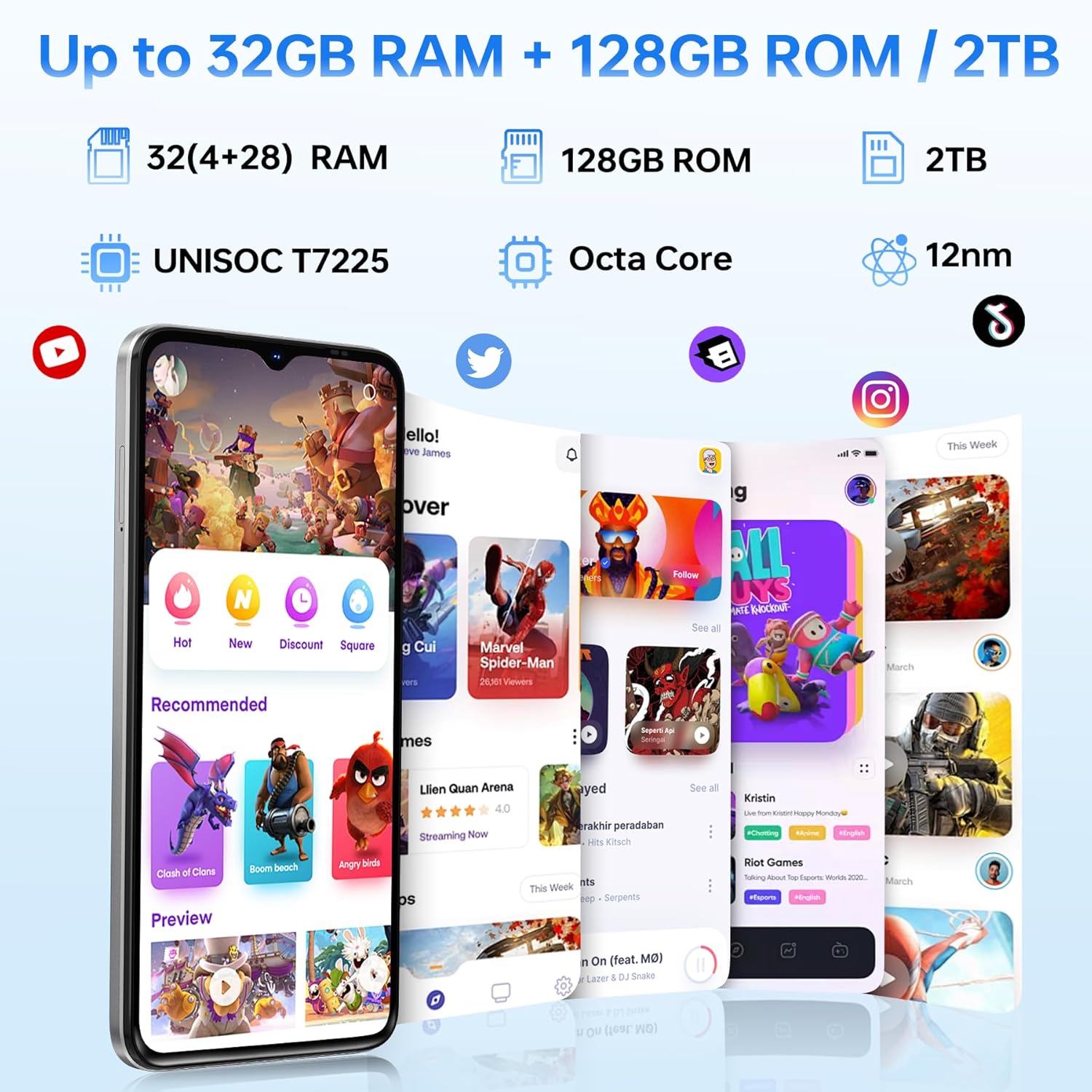
| 숫양 | 32GB (4GB basic + up to 28GB extended) |
| 내부 저장소 | 128GB |
| 확장 가능한 스토리지 | TF 카드를 통해 최대 2TB까지 지원 |
| 화면 크기 | 6.56 인치 |
| 디스플레이 유형 | HD+ IPS Waterdrop Display |
| 해결 | 720*1612 |
| 새로 고침 빈도 | 90Hz |
| 메인 카메라 | 13MP |
| 전면 카메라 | 8MP |
| 배터리 용량 | 6150mAh Silicon-Carbon |
| 충전 중 | 10W 고속 충전, OTG 역충전 |
| 연결성 | 4G, Bluetooth 5.0, NFC, Wi-Fi 2.4G/5G |
| 항해 | GPS, 글로나스, 갈릴레오, 베이두 |
| 오디오 잭 | 3.5mm (XNUMXmm) |
| 치수 | 8.45mm Ultra-Slim |
| 무게 | 195g |
9. 제품 오버view 동영상
이 영상을 시청하여 시각적으로 살펴보세요.view of the DOOGEE Note 56 X PRO's design and key features.
Video: DOOGEE Note 56 X PRO Android 16 Cell Phone Unlocked - Product Overview.
10. 보증 및 지원
DOOGEE provides a 30-day no-reason return policy for this product. Additionally, long-term technical support and 24-hour online customer service are available. If you have any questions or require assistance with your DOOGEE Note 56 X PRO, please contact the DOOGEE customer service team.


