소개
This manual provides essential information for the safe and efficient use of your Volkano Valencia Series Ladies Smart Watch. Please read these instructions carefully before using the device and retain them for future reference.
상자 안에 무엇이 들어있나요?
- Volkano Valencia Series Smart Watch (VK-5050-GD)
- 무선 충전 도크
- 사용자 설명서
제품 끝view
The Volkano Valencia Series Smart Watch features a 1.32" AMOLED touchscreen display and a metal mesh strap. It offers various functionalities including Bluetooth wireless calling, health tracking, multi-sport modes, and smart notifications.

영상: 앞쪽 view of the Volkano Valencia Smart Watch, showing the circular AMOLED display with digital time, heart rate, and step count. The rose gold metal mesh strap is visible.
영상: 뒤쪽에 view of the Volkano Valencia Smart Watch, highlighting the optical heart rate and blood oxygen sensors, along with the wireless charging contacts. The model number VK-5050 is visible.
설정
1. 스마트워치 충전하기
Before first use, fully charge the smart watch. Place the watch onto the included wireless charging dock. Ensure the charging contacts on the watch align with the dock. The watch display will indicate charging status. A full charge typically takes approximately 2 hours.
2. 전원 켜기/끄기
- 전원 켜기: Press and hold the side button for a few seconds until the Volkano logo appears.
- 전원 끄기 : 측면 버튼을 길게 누른 다음 화면에서 '전원 끄기' 옵션을 선택하세요.
3. 스마트폰과 페어링
- Download the companion application from your smartphone's app store (compatible with Android 5.1+ and iOS 8.0+).
- 스마트폰에서 Bluetooth가 활성화되어 있는지 확인하세요.
- Open the application and follow the on-screen instructions to add your device.
- Select "VK-5050-GD" or a similar device name from the list of available Bluetooth devices in the app.
- 시계와 스마트폰 모두에서 페어링 요청을 확인하세요.
작동 지침
1. 기본 탐색
- 터치스크린: 메뉴와 기능을 탐색하려면 왼쪽/오른쪽, 위/아래로 스와이프하세요. 선택하려면 탭하세요.
- 측면 버튼: 눌러서 홈 화면으로 돌아가거나 화면을 켜세요.
2. Bluetooth Wireless Calling
스마트폰과 페어링하면 시계에서 바로 전화를 걸고 받을 수 있습니다.
- 전화 걸기: Access the dialer or contact list on your watch.
- 전화 받기: 시계에 전화 수신 알림이 표시됩니다. 탭하여 전화를 받거나 거절하세요.
3. Built-in Voice Assistant
Activate the voice assistant feature on your watch to perform tasks such as setting reminders, checking weather, or controlling music using voice commands.
4. 스마트 알림
Receive real-time alerts for calls, messages, emails, and app notifications directly on your wrist. Ensure notification permissions are enabled in your smartphone's settings and the companion app.
5. Remote Camera & Music Control
- 카메라 제어: Open the camera function in the companion app on your phone, then use your watch as a remote shutter button.
- 음악 제어: Control playback (play/pause, skip tracks) of music playing on your smartphone through the watch's music control interface.
6. 건강 추적
이 스마트워치는 다양한 건강 지표를 모니터링합니다.
- 심박수 모니터: 심박수를 지속적으로 또는 필요에 따라 측정합니다.
- 혈액 산소 모니터: 혈액 산소 포화도를 측정합니다.
- 보수계: Tracks daily steps taken.
- 칼로리 추적기: 활동에 따라 소모된 칼로리를 추정합니다.
For accurate readings, ensure the watch is worn snugly on your wrist, approximately one finger-width above the wrist bone.
7. 멀티 스포츠 모드
The watch supports over 100 multi-sport modes to track various physical activities. Select the desired sport mode from the watch menu to record specific workout data.
8. 방수 기능 (3 ATM)
The watch is rated 3 ATM water-resistant, meaning it is protected from splashes such as rain or hand washing. It is ~ 아니다 suitable for immersion in water, swimming, or sauna use.

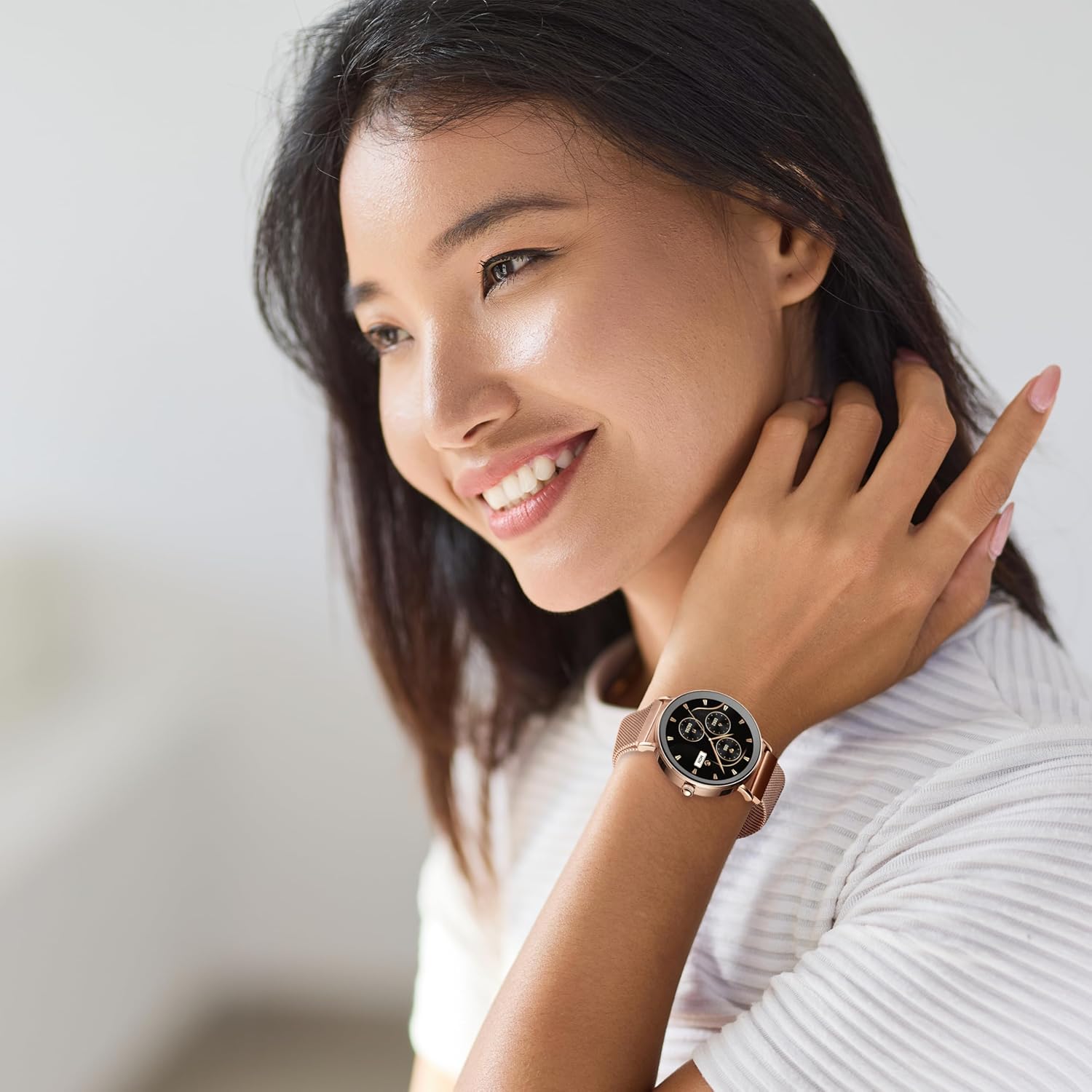
영상: A woman smiling, wearing the Volkano Valencia Smart Watch on her left wrist. The watch features a rose gold finish and a metal mesh strap.
유지
1. 청소
Wipe the watch screen and body with a soft, dry, lint-free cloth. For the strap, use a slightly damp cloth if necessary, then dry thoroughly. Avoid using harsh chemicals or abrasive materials.
2. 배터리 관리
To prolong battery life, avoid fully discharging the watch frequently. Charge the watch regularly, especially if it will not be used for an extended period. Store in a cool, dry place.
3. 방수 지침
Adhere strictly to the 3 ATM water resistance rating. Do not immerse the watch in water, expose it to high-pressure water jets, or use it in saunas or steam rooms. Water damage due to improper use is not covered under warranty.
문제 해결
- 시계가 켜지지 않음: Ensure the watch is fully charged. Connect it to the wireless charging dock for at least 30 minutes.
- 스마트폰과 페어링할 수 없습니다:
- 휴대폰에서 Bluetooth가 활성화되어 있는지 확인하십시오.
- 시계가 Bluetooth 범위(일반적으로 10m) 내에 있는지 확인하세요.
- 시계와 스마트폰을 모두 다시 시작하세요.
- Check if the companion app has necessary permissions.
- 부정확한 건강 데이터: Ensure the watch is worn correctly, snugly on the wrist, and the sensors are clean. Avoid excessive movement during measurements.
- 알림이 나타나지 않음: Verify that notifications are enabled in both your phone's settings and the companion application. Ensure the watch is connected via Bluetooth.
명세서
| 모델 번호 | VK-5050-GD |
| 블루투스 버전 | 5.3 Low Energy (JL7012 Chipset) |
| 표시하다 | 1.32인치 AMOLED 터치스크린 |
| 메모리 | 640KB RAM + 128Mb Flash Storage |
| 배터리 | 230mAh (2-3 days active use / up to 15 days standby) |
| 충전 중 | Wireless Dock Included |
| 호환성 | Android 5.1+ | iOS 8.0+ |
| 방수성 | 3 ATM (Splash-proof, not for immersion) |
| 색상 | 로즈 골드 |
보증 및 지원
제조업체 보증
이 볼카노 제품은 보증 대상입니다. 1년 한정 보증 from the date of purchase. This warranty covers manufacturing defects and workmanship under normal use. Damage resulting from misuse, accidents, unauthorized modifications, or failure to follow instructions is not covered.
You may be eligible for an additional 12개월 연장 to your warranty, totaling 24 months of coverage, by registering your product. Please refer to the Volkano official website or product packaging for registration details.
고객 지원
For technical assistance, troubleshooting, or warranty claims, please contact Volkano customer support. Refer to the contact information provided on the official Volkano web사이트 또는 제품 포장.


