1. 서론
블랙 제품 사용 설명서에 오신 것을 환영합니다.view Link 2 tablet. This guide provides essential information to help you set up, operate, maintain, and troubleshoot your new device. The Blackview Link 2 is an 8.68-inch Android 15 tablet designed for portability and performance, featuring a powerful Octa-core processor, 12GB RAM, 128GB internal storage (expandable), a 5000mAh battery, and advanced AI capabilities like Gemini AI 2.0.

이미지: 더 블랙view Link 2 tablet showcasing its key features including the 8.68-inch HD screen, 5000mAh battery, lightweight design, AI capabilities, and Android 15 operating system.
2. 패키지 내용
다음 항목에 대한 상자를 체크해 주세요.
- 검은색view 링크 2 태블릿
- USB Type-C 케이블
- 전원 어댑터
- SIM 이젝터 도구
- 사용자 설명서
- 보호 케이스(지역에 따라 다를 수 있음)
- 스크린 보호 필름(사전 적용 또는 포함)
3. 디바이스 오버view
자신이 소유한 블랙 제품의 물리적 구성 요소를 숙지하십시오.view Link 2 tablet.

이미지: 앞면 view 검은색의view Link 2 tablet.
이미지: 뒤로 view 검은색의view Link 2 tablet.
주요 구성 요소:
- 전원 버튼: 길게 눌러 전원을 켜거나 끄거나 다시 시작할 수 있습니다. 짧게 눌러 화면을 켜거나 끕니다.
- 볼륨 버튼: 미디어 볼륨, 벨소리 볼륨 및 알림 볼륨을 조절하세요.
- USB 타입-C 포트: 태블릿을 충전하고 컴퓨터에 연결합니다.
- SIM/SD 카드 슬롯: Insert your Nano-SIM card(s) and/or a microSD card for expanded storage.
- 전면 카메라: 영상 통화 및 셀카 촬영용 (5MP).
- 후방 카메라: For taking photos and videos (8MP).
- 스피커: Dual Box Speakers for audio output.
- 마이크로폰: 통화 또는 녹음 중 음성 입력을 위한 용도입니다.
4. 초기 설정
4.1 배터리 충전
Before first use, fully charge your tablet. Connect the USB Type-C cable to the tablet's charging port and the other end to the power adapter. Plug the adapter into a wall outlet. The charging indicator will appear on the screen.

이미지: 내부 view highlighting the 5000mAh battery and its estimated usage duration for various activities.
4.2 SIM 카드 및 SD 카드 삽입
Use the provided SIM ejector tool to open the SIM/SD card tray. Carefully place your Nano-SIM card(s) and/or microSD card into the designated slots, ensuring correct orientation. Gently push the tray back into the tablet.
4.3 전원 켜기/끄기
- 전원을 켜려면: 전원 버튼을 검은색 화면이 나타날 때까지 길게 누르세요.view 로고가 나타납니다.
- 전원을 끄려면: 전원 옵션 메뉴가 나타날 때까지 전원 버튼을 길게 누른 다음 "전원 끄기"를 선택합니다.
- 재시작하기 위해: 전원 옵션 메뉴가 나타날 때까지 전원 버튼을 길게 누른 다음 "다시 시작"을 선택하십시오.
4.4 초기 설정 마법사
태블릿을 처음 켜면 초기 설정 과정을 안내합니다. 화면의 지시에 따라 다음 단계를 진행하세요.
- 언어를 선택하세요.
- Wi-Fi 네트워크에 연결합니다.
- Google 계정으로 로그인하거나 새 계정을 만드세요.
- 화면 잠금을 설정하세요(PIN, 패턴, 비밀번호 또는 얼굴 인식).
5. 태블릿 작동
5.1 기본 탐색
블랙view Link 2 runs on Android 15, offering an intuitive touch interface.
- 수도꼭지: 항목을 선택하거나 앱을 엽니다.
- 강타: 화면, 목록 또는 콘텐츠를 스크롤합니다.
- 핀치 투 줌: 이미지 확대/축소 및 web 페이지.
- 길게 누르기 : 상황에 맞는 메뉴에 접근하거나 앱 아이콘을 이동합니다.
- 홈 화면: 앱과 위젯을 위한 중앙 허브입니다.
- 알림 패널: 화면 상단에서 아래로 살짝 밀어 알림과 빠른 설정에 접근하세요.
5.2 연결성
Your tablet supports various connectivity options.
- 와이파이: 이동하다 설정 > 네트워크 및 인터넷 > Wi-Fi to connect to available networks. The tablet supports 2.4GHz/5GHz Wi-Fi.
- 블루투스: 이동하다 설정 > 연결된 기기 > 블루투스 to pair with Bluetooth headphones, speakers, or other devices.
- 4G 셀룰러: If a SIM card is inserted, enable mobile data in 설정 > 네트워크 및 인터넷 > 모바일 네트워크. The tablet supports GSM/WCDMA/LTE networks.
- GPS: The tablet supports GPS, Beidou, Galileo, and Glonass for accurate location services.
5.3 카메라 사용
8만 화소 후면 카메라와 5만 화소 전면 카메라로 소중한 순간들을 포착하세요.
- 홈 화면이나 앱 서랍에서 카메라 앱을 엽니다.
- 셔터 버튼을 탭하여 사진을 촬영하세요.
- 카메라 전환 아이콘을 사용하여 전면 카메라와 후면 카메라를 전환합니다.
- Select video mode to record 720P HD videos.
- 활용하다 Smart Google Lens for object recognition and information retrieval directly from your camera view.

Image: Camera features including 8MP rear and 5MP front cameras, Smart Google Lens, and 720P HD video recording.
5.4 스토리지 관리
Your tablet comes with 128GB of internal storage, expandable up to 1TB via a microSD card.
- 에게 view 저장 공간 사용량으로 이동 설정 > 저장소.
- 이동하다 files to the SD card to free up internal space.
- 정기적으로 캐시를 삭제하고 사용하지 않는 앱을 제거하여 성능을 유지하세요.

Image: Details on RAM, ROM, and processor specifications, including storage expansion capabilities.
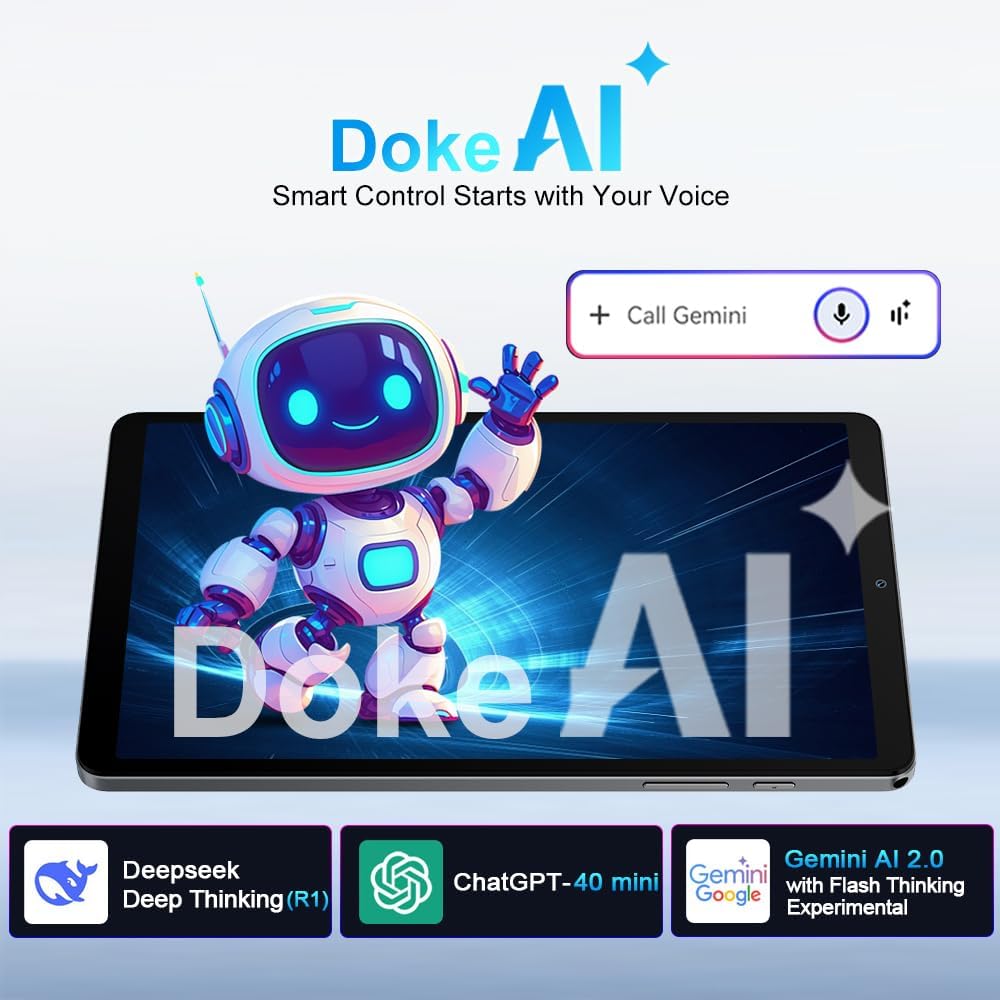
5.5 AI Features: Gemini AI 2.0 & Doke AI
블랙view Link 2 integrates advanced AI for enhanced user experience.
- Gemini AI 2.0: Offers real-time smart assistance for tasks like translation, summarization, scheduling, and learning. Activate by voice command or through designated apps.
- Doke AI: 검은색view's self-developed AI apps provide smart control and adaptive features. Explore these apps for a more personalized experience.

Image: Visual representation of Doke AI and Gemini AI 2.0 functionalities.
5.6 오디오 경험
Enjoy immersive audio with the tablet's dual box speakers.
- The dual speakers provide wider, more detailed, and realistic sound.
- Adjust volume using the physical volume buttons or through the system settings.

Image: The tablet's dual box speakers providing an immersive audio experience.
6. 유지관리
6.1 태블릿 청소
- 부드럽고 보푸라기가 없는 천을 사용하여 화면과 본체를 닦으세요.
- 강한 화학 물질, 연마 세척제 또는 에어로졸 스프레이는 사용하지 마세요.
- 완고한 얼룩의 경우 약간 damp천에 물이나 화면 전용 세척액을 묻혀 닦으세요.
6.2 소프트웨어 업데이트
최적의 성능, 보안 및 새로운 기능에 대한 액세스를 보장하려면 소프트웨어 업데이트를 정기적으로 확인하고 설치하세요. 설정 > 시스템 > 시스템 업데이트.
6.3 배터리 관리
- 극한의 온도는 배터리 수명을 단축시킬 수 있으므로 피하세요.
- 배터리가 자주 완전히 방전되지 않도록 하세요.
- 장기간 보관하려면 태블릿을 약 50%까지 충전하고 전원을 끄세요.
6.4 저장 공간 최적화
- 주기적으로 다시view 그리고 불필요한 것을 삭제하세요 file사진, 비디오.
- 더 이상 사용하지 않는 앱을 삭제하세요.
- Clear app cache data from 설정 > 앱 > [앱 이름] > 저장공간 및 캐시.
7. 문제 해결
일반적으로 발생할 수 있는 문제에 대한 해결책은 다음과 같습니다.
| 문제 | 해결책 |
|---|---|
| 태블릿이 켜지지 않습니다. | 배터리가 충전되어 있는지 확인하십시오. 최소 30분 동안 충전기에 연결하십시오. 그래도 반응이 없으면 전원 버튼을 10~15초 동안 길게 눌러 강제로 재시작하십시오. |
| 화면이 응답하지 않습니다. | 태블릿을 재시작하세요. 문제가 지속되면 공장 초기화를 시도해 보세요(데이터가 손실됩니다). |
| 와이파이/블루투스 연결 문제. | Toggle Wi-Fi/Bluetooth off and on. Restart your router or the paired device. Forget the network/device and reconnect. |
| 태블릿 속도가 느립니다. | Close unused apps. Clear app cache. Free up storage space. Restart the tablet. Consider a factory reset if performance does not improve. |
| 배터리가 빨리 소모됩니다. | Reduce screen brightness. Close background apps. Disable unnecessary features like GPS, Bluetooth, or Wi-Fi when not in use. Check battery usage in settings to identify power-hungry apps. |
| Cannot connect to 4G network. | Ensure SIM card is correctly inserted and activated. Check mobile data settings. Verify network coverage in your area. Note: Not compatible with AT&T, Cricket Wireless, Sprint, Straight Talk, Boost Mobile, or other CDMA-based carriers. |
8. 사양
블랙에 대한 자세한 기술 사양view Link 2 tablet:
| 특징 | 세부 사항 |
|---|---|
| 모델명 | 검은색view 링크 2 |
| 운영 체제 | 안드로이드 15 |
| 디스플레이 크기 | 8.68 인치 |
| 디스플레이 해상도 | 1340x800 픽셀 |
| 프로세서 | Octa-core (Unisoc T310), 1.8GHz max |
| 그래픽 카드 | 이미지8300 |
| 숫양 | 12GB (4GB physical + 8GB virtual RAM) |
| 내부 저장소 | 128GB |
| 확장 가능한 스토리지 | microSD 카드를 통해 최대 1TB까지 |
| 배터리 용량 | 5000mAh (up to 9 hours average usage) |
| 후방 카메라 | 8MP |
| 전면 카메라 | 5MP |
| 무선 표준 | 802.11ac, 802.11ax (5G Wi-Fi) |
| 블루투스 | 블루투스 5.0 |
| 셀룰러 네트워크 | 4G LTE (GSM/WCDMA/LTE), compatible with T-Mobile and MetroPCS. Not compatible with AT&T, Cricket Wireless, Sprint, Straight Talk, Boost Mobile, or CDMA-based carriers. |
| 항해 | GPS, Beidou, 갈릴레오, Glonass |
| 치수(길이 x 너비 x 높이) | 21.3 x 12.6 x 0.85cm |
| 무게 | 329g |
| 색상 | 검은색 |
9. 보증 및 지원
9.1 보증 정보
블랙view Link 2 tablet comes with an industry-leading 24개월 보증 from the date of purchase. This warranty covers manufacturing defects and malfunctions under normal use. Please retain your proof of purchase for warranty claims. The warranty does not cover damage caused by misuse, accidents, unauthorized repairs, or normal wear and tear.
9.2 고객 지원
For technical assistance, warranty claims, or further inquiries, please contact Blackview 고객 지원은 공식 웹사이트를 통해 제공됩니다. website or the retailer where you purchased the device. Have your model number and purchase details ready when contacting support.
You can often find additional resources, FAQs, and software updates on the official Blackview 지원 페이지.


