1. 서론
This manual provides essential information for setting up, operating, and maintaining your XGIMI HORIZON 20 4K RGB Triple Laser Home Projector. Please read it thoroughly to ensure optimal performance and longevity of your device.

Figure 1: The XGIMI HORIZON 20 4K RGB Triple Laser Home Projector with included 3D glasses.
2. 주요 특징
- RGB 트리플 레이저 엔진: Delivers 3200 ISO lumens and a 100,000:1 contrast ratio for vivid and accurate colors.
- Cinematic Certified: Supports IMAX Enhanced, Dolby Vision, HDR10+, and Filmmaker Mode for high-quality visuals.
- 통합 시스템: Features powerful Harman Kardon speakers, built-in Google TV, and an integrated stand.
- Lossless Optics: Flexible lens shift and optical zoom for setup versatility without clarity loss.
- 프로 수준의 게임: Offers 1ms response time, 240Hz refresh rate, VRR, and ALLM for a smooth gaming experience.
- 대형 디스플레이: Capable of projecting visuals up to 300 inches.
- Licensed Netflix: Official Netflix support integrated.
3. 설정
3.1 언박싱
The XGIMI HORIZON 20 comes in premium packaging. Carefully remove the projector and its accessories from the box. A portable box is included for convenient transport and outdoor use.
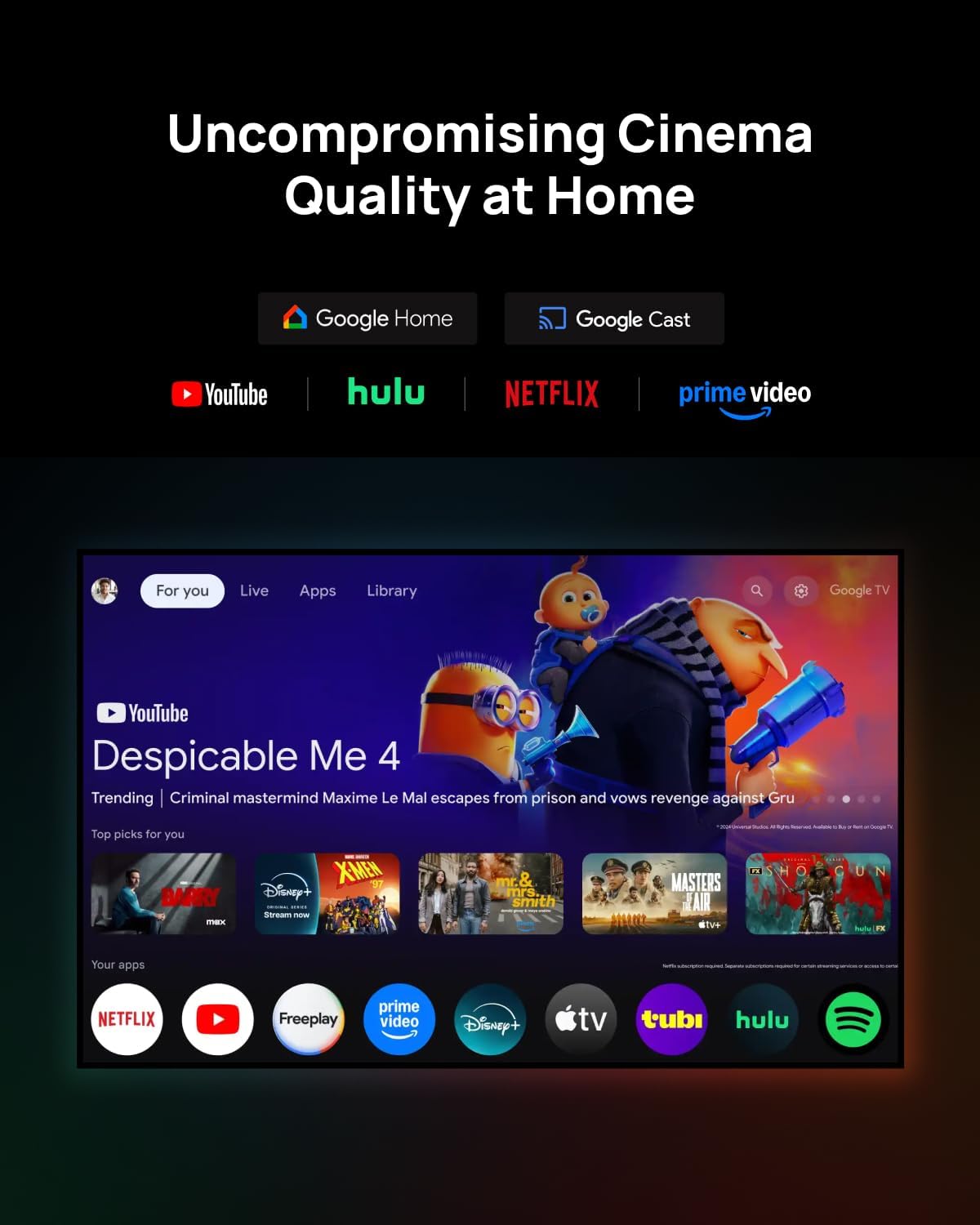
Figure 2: The XGIMI HORIZON 20 projector being unboxed from its protective, portable packaging.
3.2 배치
The projector can be placed on a flat surface or mounted to the ceiling. Ensure the projector is stable and has adequate ventilation. For ceiling mounting, use a compatible mount (sold separately).

Figure 3: The XGIMI HORIZON 20 projector showcasing its flexible installation options, including dynamic lens shift for optimal image placement.
3.3 연결
The rear panel of the projector features various ports for connectivity:
- HDMI 포트: Two HDMI ports, one supporting eARC for enhanced audio return.
- USB 포트: One USB 3.0 port and one USB 2.0 port for media playback and external devices.
- 오디오 출력: Digital audio out and an analog audio output (3.5mm jack).
- 전원 입력: 전원 어댑터를 이 포트에 연결하십시오.

그림 4: 후면 view of the XGIMI HORIZON 20, highlighting its various connectivity ports for external devices.
4. 운영
4.1 전원 켜기/끄기
프로젝터나 리모컨의 전원 버튼을 눌러 장치를 켜거나 끕니다.
4.2 Navigation (Google TV)
The projector runs on Google TV OS, providing a user-friendly interface for accessing apps, streaming services, and settings. Navigate using the provided remote control.

Figure 5: The Google TV interface on the XGIMI HORIZON 20, showing access to popular streaming applications like Netflix, YouTube, and Prime Video.
4.3 영상 설정
Access the picture settings menu to adjust various display parameters:
- 사진 모드: Select from predefined modes (e.g., Standard, Filmmaker).
- 명도: Adjust the overall luminance of the image.
- 차이: 가장 밝은 부분과 가장 어두운 부분의 차이를 조절하세요.
- 포화: Modify the intensity of colors.
- 날카로움: Enhance or soften image edges.
- 고급 설정: Includes options for 11-Point White Balance Correction, 2-Point White Balance Correction, Color Temperature, Dynamic Black Level Enhancer, Gamma, Color Space, and Color Tuner for precise calibration.
4.4 오디오 설정
The projector features an integrated Harman Kardon sound system. Adjust audio settings via the menu:
- 사운드 스타일: 다양한 사운드 프로 중에서 선택하세요files (e.g., Standard, Game).
- 기본 설정: Adjust Balance, Bass, Treble, enable Surround Sound, and fine-tune Equalizer Detail.
- DTS DRC: Digital Theater System Dynamic Range Control.
- 스피커: Toggle internal speakers on/off.
- 스피커 지연: Adjust delay for audio synchronization.
- eARC: Enhanced Audio Return Channel settings.
- 다운믹스 모드: Select stereo or other downmix options.
- Dialog Enhancer: Improve clarity of spoken dialogue.
4.5 스마트 기능
The HORIZON 20 includes several smart features for ease of use:
- 자동 초점 : 최적의 선명도를 위해 이미지를 자동으로 조정합니다.
- 자동 키스톤 보정: Corrects image distortion when the projector is not perfectly aligned with the screen.
- 벽 색상 조정: 벽면에 따라 색상을 조정합니다.
- 화면 회전 : Automatically adjusts image orientation.
- 눈 보호 모드: 눈의 편안함을 위해 청색광 방출량을 줄입니다.
4.6 Lens Shift and Optical Zoom
The projector offers advanced optical adjustments:
- 렌즈 이동: Allows you to move the projected image vertically (up to ±120%) and horizontally (up to ±45%) without moving the projector. This feature maintains image quality without digital scaling or distortion. Note that enabling Lens Shift may disable some automatic smart features like Auto Focus and Auto Keystone Correction.
- 광학 줌: Provides framing flexibility by adjusting the image size optically, avoiding digital scaling and preserving image quality.
4.7 게임 모드
For an enhanced gaming experience, the projector offers a dedicated gaming mode with 1ms response time, 240Hz fluidity, VRR (Variable Refresh Rate), and ALLM (Auto Low Latency Mode). When gaming mode is enabled, Keystone correction may be disabled, but Lens Shift and Optical Zoom can be used to maintain image geometry.
Figure 6: The XGIMI HORIZON 20 delivering a high-performance gaming experience with minimal input lag.
4.8 3D Video Support
The HORIZON 20 supports 3D video playback. Compatible 3D glasses (such as XGIMI Active 3D Glasses) are required for view3D 콘텐츠를 제작합니다.

Figure 7: XGIMI Active 3D Glasses, designed for a brighter and clearer 3D viewing experience with long battery life.
5. 유지관리
5.1 청소
Regularly clean the projector's lens with a soft, lint-free cloth specifically designed for optical surfaces. Use a soft brush or compressed air to remove dust from the vents. Do not use abrasive cleaners or solvents.
5.2 보관
When not in use for extended periods, store the projector in a cool, dry place, ideally in its original packaging or a protective case, to prevent dust accumulation and damage.
6. 문제 해결
If you encounter any issues with your XGIMI HORIZON 20, please refer to the following general troubleshooting steps:
- 전원 없음: 전원 케이블이 안전하게 연결되어 있고 전원 콘센트가 작동하는지 확인하세요.
- 이미지 없음: Check HDMI or other input connections. Verify the correct input source is selected.
- 흐린 이미지: Adjust focus manually or use the auto-focus feature. Ensure the lens is clean.
- 왜곡된 이미지: Use keystone correction or lens shift to adjust the image geometry.
- 소리 없음: Check audio settings, volume levels, and external audio connections.
For more detailed troubleshooting or persistent issues, please contact XGIMI customer support.
7. 사양
| 특징 | 사양 |
|---|---|
| 모델 | 호라이즌 20 |
| 디스플레이 기술 | 4K RGB Triple Laser |
| 명도 | 3200 ISO 루멘 |
| 대비율 | 100,000시 1분 |
| 최대 표시 크기 | 300인치 |
| 운영 체제 | 구글 티비 |
| 프로세서 | MediaTek MT9679 SoC |
| 숫양 | 4GB (XNUMX기가바이트) |
| 저장 | 128GB (XNUMX기가바이트) |
| Input Lag (Gaming Mode) | 1ms |
| Refresh Rate (Gaming Mode) | 240Hz |
| HDR 지원 | HDR10+, 돌비 비전 |
| 오디오 | Harman Kardon Integrated System |
| 연결성 | 2x HDMI (1x eARC), 1x USB 3.0, 1x USB 2.0, Digital Audio Out, Analog Audio Out (3.5mm), Wi-Fi, Bluetooth |
| 특별 기능 | Lens Shift, Optical Zoom, Auto Focus, Auto Keystone, Wall Color Adaption, Screen Rotation, Eye Protection Mode, VRR, ALLM, 3D Video Support, Licensed Netflix |
8. 보증 및 지원
보증 정보 및 기술 지원에 대해서는 XGIMI 공식 웹사이트를 참조하십시오. web사이트 또는 제품에 포함된 설명서를 참조하세요. 또한 XGIMI Store on Amazon 추가 자료가 필요합니다.


