소개
This manual provides essential information for setting up, operating, maintaining, and troubleshooting your HP ProStudio 4 AiO G1i All-in-One Computer. This system integrates a powerful Intel Core Ultra 5 processor, 16 GB DDR5 RAM, and a 512 GB NVMe SSD into a compact 23.8-inch Full HD display, running on Windows 11 Pro. It is designed for business use, offering advanced performance and security features.
이미지: 앞면 view of the HP ProStudio 4 AiO G1i All-in-One Computer, showcasin세련된 디자인이에요.
상자 안에 무엇이 들어있나요?
설치를 진행하기 전에 포장에 모든 구성품이 들어 있는지 확인하십시오.
- HP ProStudio 4 All-in-One G1i 23.8 inch Desktop AI PC Wolf Pro Security Edition
- 전원 어댑터
- HP 125 v2 Wired Keyboard
- HP 125 유선 마우스

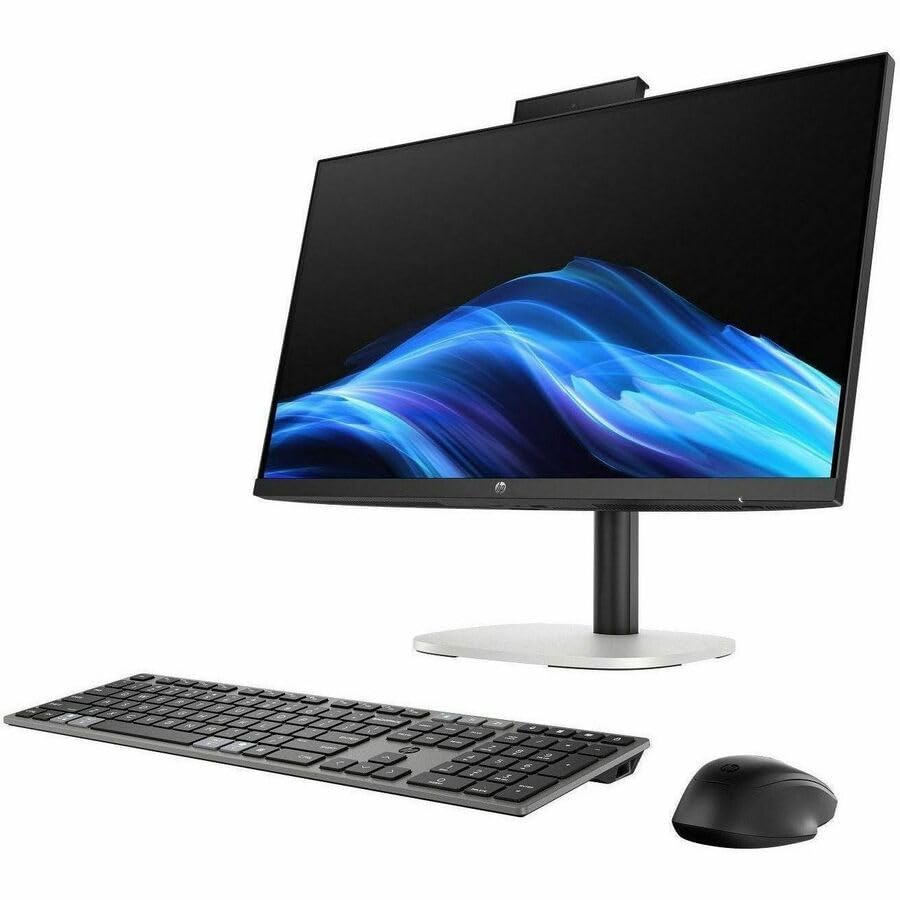
Image: The HP ProStudio 4 AiO G1i All-in-One Computer displayed with its accompanying wired keyboard and mouse.
설치 지침
- 시스템 압축 해제: Carefully remove the All-in-One computer and all accessories from the packaging. Place the computer on a stable, flat surface.
- 키보드와 마우스 연결: Plug the USB cables from the HP 125 v2 Wired Keyboard and HP 125 Wired Mouse into the available USB ports on the rear of the All-in-One computer.
- 전원 연결: Connect the power adapter cable to the power input port on the rear of the computer, then plug the power adapter into a wall outlet.
- 전원 켜기: Press the power button, typically located on the side or bottom edge of the display, to turn on the computer.
- 초기 설정 : 화면의 지시에 따라 언어 선택, 네트워크 연결, 사용자 계정 생성을 포함한 Windows 11 Pro 초기 설정을 완료합니다.

이미지: 후면 view of the HP ProStudio 4 AiO G1i, highlighting the various input/output ports for connecting peripherals and power.
작동 지침
전원 켜기/끄기
- 전원을 켜려면: Press the power button. The system will boot up to the Windows 11 Pro desktop.
- 종료하려면: 시작 버튼을 클릭한 다음 전원을 클릭하고 "종료"를 선택하십시오.
- 재시작하기 위해: 시작 버튼을 클릭한 다음 전원을 클릭하고 "다시 시작"을 선택하십시오.
- 잠들다: 시작 버튼을 클릭한 다음 전원을 클릭하고 "절전"을 선택하세요.
Using Windows 11 Pro
Your HP ProStudio 4 AiO G1i comes pre-installed with Windows 11 Pro. Familiarize yourself with the operating system's interface, including the Start menu, taskbar, and settings. For detailed information on Windows 11 Pro features, refer to the official Microsoft documentation.
AI Capabilities and vPro Technology
This system features an Intel Core Ultra 5 processor with integrated AI capabilities, designed to enhance performance for AI-driven applications and tasks. Intel vPro Technology provides hardware-enhanced security and manageability features, ideal for business environments. Consult your IT administrator for specific vPro functionalities within your organization.

Image: Two individuals interacting with the HP ProStudio 4 AiO G1i in a professional office environment, demonstrating its use in collaborative settings.
유지
- 디스플레이 청소: 부드럽고 털이 없는 천을 살짝 사용하세요.ampened with water or a non-abrasive screen cleaner. Avoid spraying liquids directly onto the screen.
- 섀시 청소: Wipe the exterior surfaces with a soft, dry cloth. Do not use harsh chemicals or abrasive materials.
- 소프트웨어 업데이트: 최적의 성능과 보안을 유지하려면 Windows 업데이트 및 HP 드라이버 업데이트를 정기적으로 확인하고 설치하십시오.
- 통풍: 컴퓨터의 통풍구가 막히지 않도록 하여 과열을 방지하십시오.
문제 해결
일반적인 문제 및 솔루션
- 전원 없음:
- Verify the power adapter is securely connected to both the computer and a working electrical outlet.
- 다른 장치로 콘센트를 테스트하세요.
- 디스플레이 없음:
- 컴퓨터의 전원이 켜져 있는지 확인하세요.
- 화면 밝기 설정을 조정하세요.
- If an external monitor is connected, ensure it is properly configured.
- 키보드/마우스가 응답하지 않음:
- Check USB cable connections to the computer.
- 키보드/마우스를 다른 USB 포트에 연결해 보세요.
- 컴퓨터를 다시 시작합니다.
- 시스템 속도 저하:
- 불필요한 응용프로그램을 닫으세요.
- Check for background processes consuming high resources using Task Manager.
- SSD에 충분한 여유 공간을 확보하세요.
- 시스템에서 악성코드를 검사하세요.
명세서
| 특징 | 세부 사항 |
|---|---|
| 모델 번호 | C72RZUT#ABA |
| 디스플레이 크기 | 23.8 인치 |
| 화면 해상도 | 1920 x 1080(풀HD) |
| 프로세서 | Intel Core Ultra 5 (Tetradeca-core, 14 Core), 5 GHz |
| 숫양 | 16GB DDR5 |
| 저장 | 512 GB PCI Express NVMe SSD |
| 제도법 | 통합 |
| 운영 체제 | 윈도우 11 프로 |
| 무선 연결 | 802.11ax, 블루투스 |
| 치수(길이x너비x높이) | 18.7 x 7.9 x 29.3 인치 |
| 품목 무게 | 13.89파운드 |
보증 및 지원
Your HP ProStudio 4 AiO G1i All-in-One Computer is covered by HP's standard warranty. For detailed warranty information, please refer to the warranty documentation included with your product or visit the official HP support web대지.
For technical assistance, driver downloads, or further support, please visit the HP support website or contact HP customer service. Have your product model number (C72RZUT#ABA) and serial number ready when contacting support.