소개
구매해주셔서 감사합니다asing the Audizio SW80D Active HiFi Subwoofer. This manual provides essential information for the safe and efficient operation of your device. Please read it thoroughly before use and retain it for future reference. The Audizio SW80D is designed to enhance your audio experience by delivering powerful, deep bass for home cinema, gaming, TV, and HiFi systems.
안전 지침
안전한 작동을 위해 다음 주의 사항을 준수하십시오.
- 감전 사고를 방지하기 위해 제품을 비나 습기에 노출시키지 마십시오.
- 본체를 열지 마십시오. 내부에는 사용자가 수리할 수 있는 부품이 없습니다. 모든 수리는 자격을 갖춘 전문가에게 맡기십시오.
- 떨어지지 않도록 장치를 안정적이고 수평인 표면에 놓으세요.
- 장치 주변에 충분한 환기가 이루어지도록 하세요. 환기구를 막지 마세요.
- 장치를 라디에이터, 난방 조절기, 스토브 또는 열을 발생시키는 기타 장치와 같은 열원으로부터 멀리 두십시오.
- 전원 코드가 밟히거나 끼지 않도록 보호하세요. 특히 플러그, 편의용 콘센트 및 기기에서 나오는 부분은 보호하세요.
- 번개가 치거나 장기간 사용하지 않을 때에는 장치의 플러그를 뽑아 두십시오.
상자 안에 무엇이 들어있나요?
Carefully unpack your Audizio SW80D subwoofer and check that all items are present:
- Audizio SW80D Active HiFi Subwoofer
- 전원 케이블
- 사용 설명서(본 문서)
제품 특징
- Delivers rich, room-filling bass with a robust 20cm driver and 80W RMS output.
- 내장 클래스 D amplifier and adjustable crossover (60-250Hz) for distortion-free low frequencies.
- Discreet black design with a removable front grille to suit any decor.
- Versatile RCA and 3.5mm aux connectivity for integration with various audio systems.
- Aux out allows for linking multiple subwoofers or speakers.
- Stable silicone feet and a bass reflex enclosure reduce resonance.
- Optional phase control (0°/180°) for optimal sound harmonization.
제어 및 연결

Close-up of the Audizio SW80D subwoofer's rear control panel, detailing the LED, Power switch, Volume, Low Pass, Phase switch, Line In (RCA), Aux Out, and DC In connections.

직선형 후면 view of the Audizio SW80D subwoofer, highlighting the control panel with various inputs and adjustments.
후면 패널 컨트롤:
- LED 표시등: Illuminates when the subwoofer is powered on.
- 전원 스위치: Toggles the subwoofer's power on or off.
- 볼륨 노브: 서브우퍼의 전체 출력 레벨을 조정합니다.
- LOW PASS Knob (60-250Hz): Controls the upper frequency limit of the subwoofer. Frequencies above this setting will be filtered out.
- 위상 스위치(0°/180°): Adjusts the phase of the subwoofer's output to match the main speakers.
- LINE IN (RCA L/R): Stereo RCA inputs for connecting to an amplifier, AV receiver, or other audio source.
- 보조 출력: 3.5mm auxiliary output for linking to additional subwoofers or other audio devices.
- DC 입력 : Power input for connecting the provided power cable.
전면 패널:
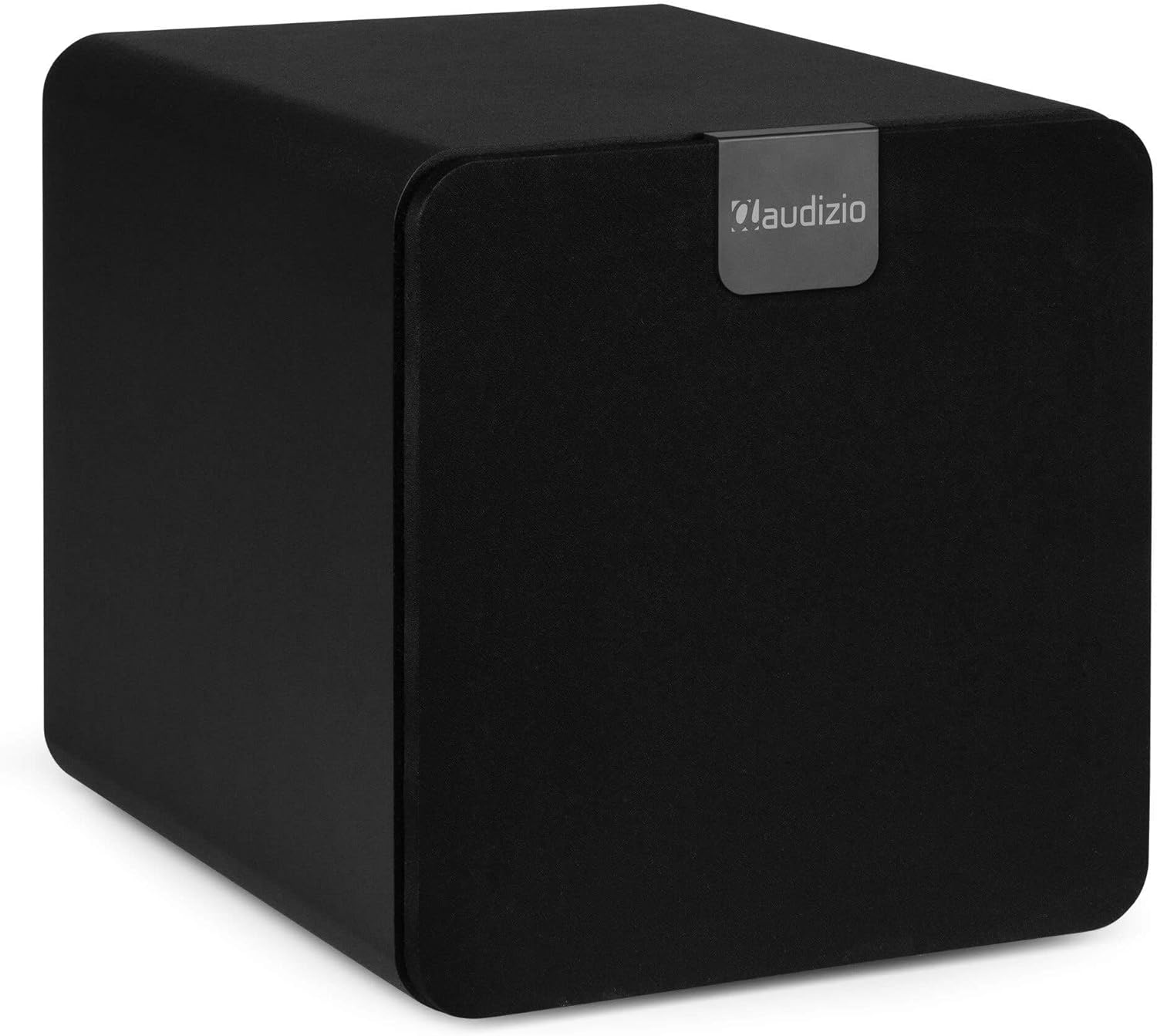
Audizio SW80D subwoofer with its front grille attached, showcasing its discreet black design.
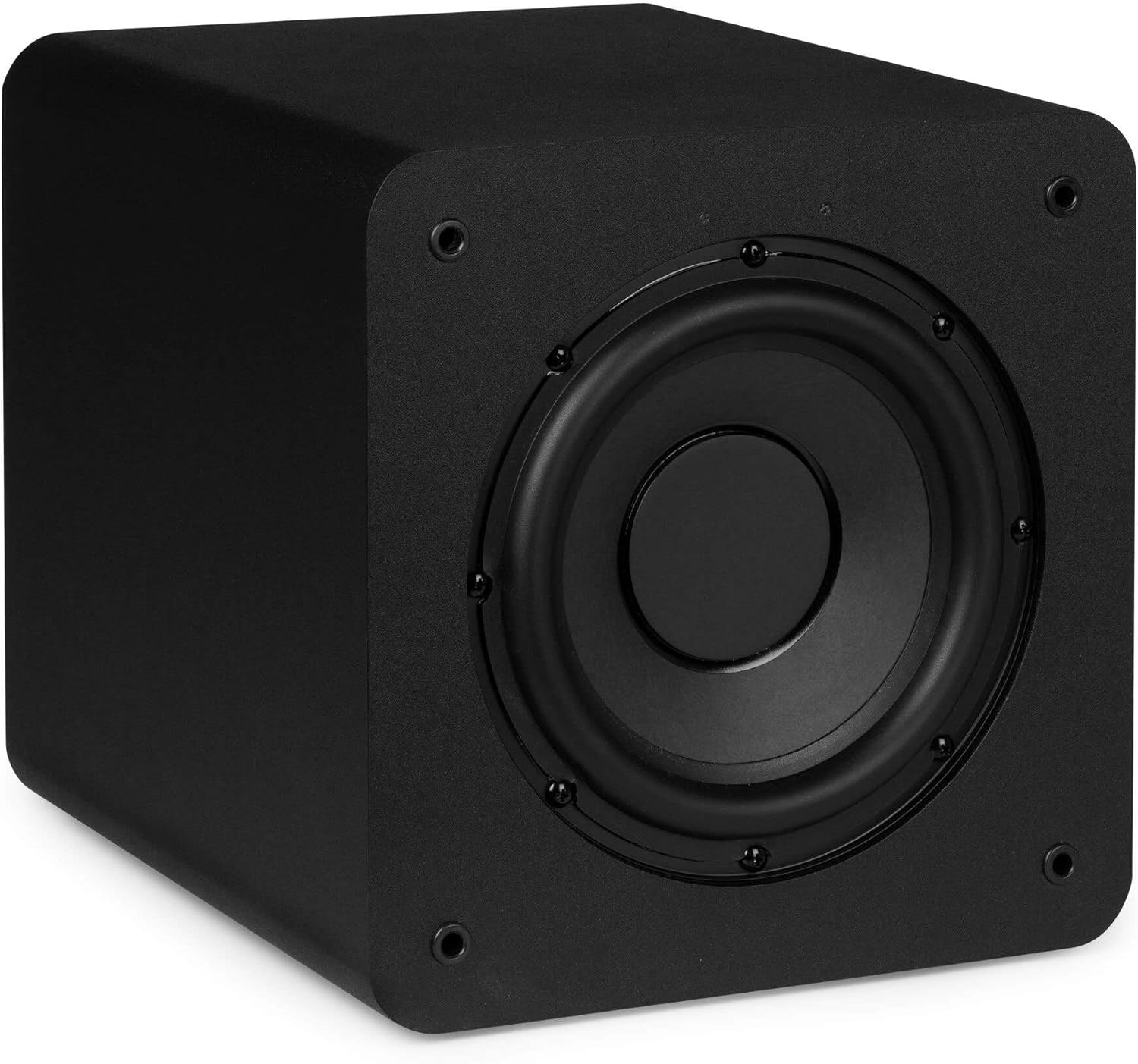
Audizio SW80D subwoofer with the front grille removed, revealing the 20cm driver.
The front of the subwoofer features a removable grille. You can choose to keep the grille on for a discreet look or remove it to expose the 20cm driver.
사이드 패널 :
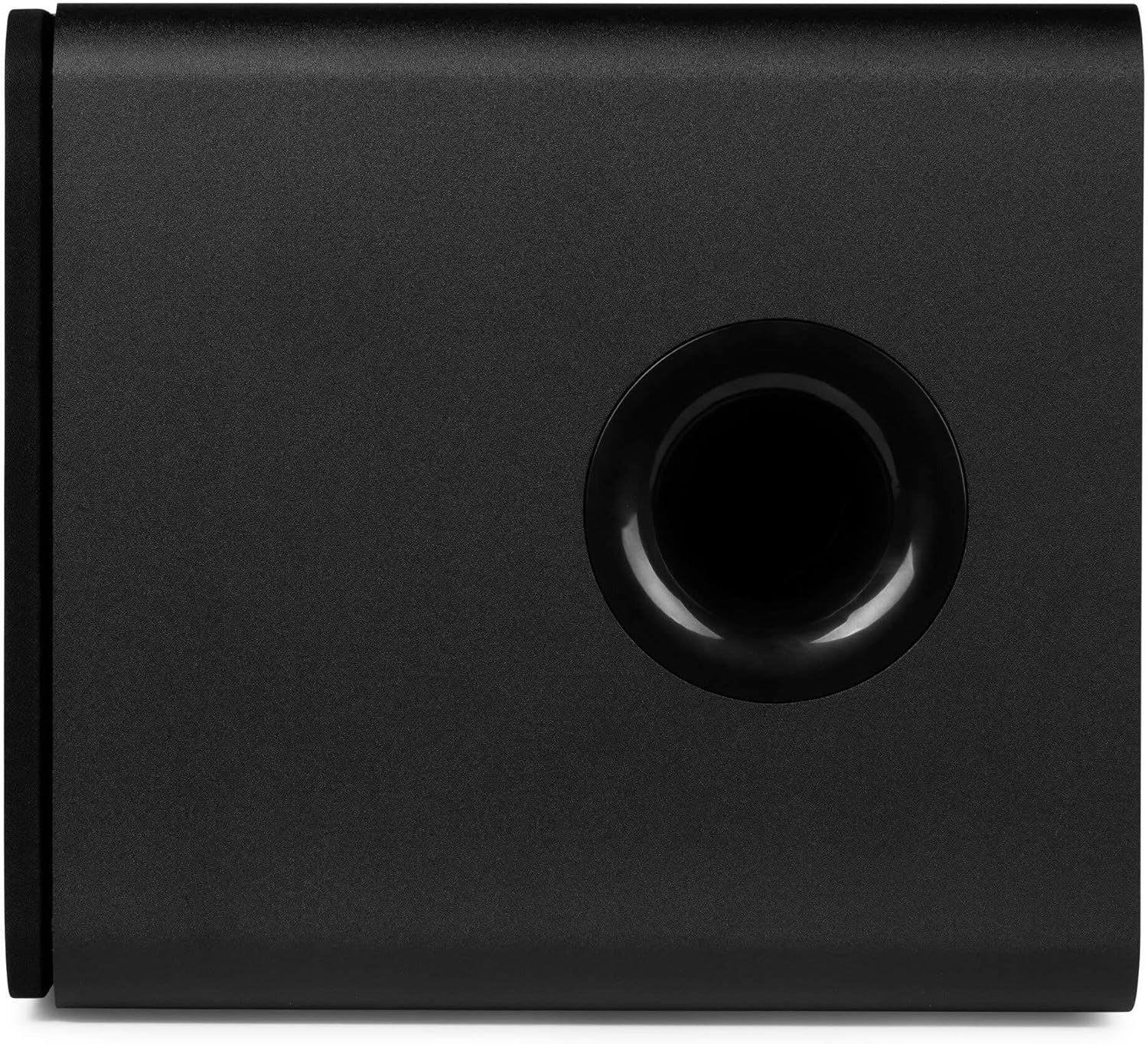
옆 view of the Audizio SW80D subwoofer, featuring the bass reflex port.
The side panel includes a bass reflex port, which enhances low-frequency output.
설정
1. 배치
- Place the subwoofer on a stable, level surface. The front-firing design and bass reflex port allow for flexible placement, even in tight spaces.
- Experiment with different locations in your room to find the best bass response. Corner placement often enhances bass output.
- Ensure there is adequate space around the bass reflex port for optimal air movement.
2. 연결
- 전원 연결: Connect the provided power cable to the DC IN port on the rear panel of the subwoofer and then to a suitable power outlet.
- 오디오 입력:
- RCA 연결: Use RCA cables to connect the LINE IN (Left and Right) ports on the subwoofer to the subwoofer output (LFE or Sub Out) of your amplifier or AV receiver. If your source has only one subwoofer output, connect it to the Left (white) RCA input on the subwoofer.
- 3.5mm AUX 연결: If your source device has a 3.5mm auxiliary output, you can connect it to the LINE IN (Left) port using an appropriate adapter cable (not included).
- 보조 출력(선택 사항): If you wish to connect additional subwoofers or other audio devices in series, use a 3.5mm cable from the AUX OUT port to the input of the next device.
작동 지침
- 전원 켜기: After making all connections, switch the POWER button on the rear panel to the 'ON' position. The LED indicator will illuminate.
- 볼륨 조절: Start with the VOLUME knob set to a low level. Play audio through your main system and gradually increase the subwoofer's VOLUME until the bass blends smoothly with your main speakers.
- Low Pass Crossover Adjustment: The LOW PASS knob (60-250Hz) determines the highest frequency the subwoofer will reproduce. Adjust this setting to match the low-frequency capabilities of your main speakers. A good starting point is typically around 80-100Hz, or slightly above the lowest frequency your main speakers can reproduce.
- 위상 조정: The PHASE switch (0°/180°) helps integrate the subwoofer's output with your main speakers. Listen to music with strong bass and toggle the switch between 0° and 180°. Choose the setting that provides the most impactful and coherent bass response. This often depends on the subwoofer's placement relative to your main speakers.
- 미세 조정: Continue to adjust the VOLUME, LOW PASS, and PHASE settings until the bass sounds natural, powerful, and well-integrated with your overall audio system.
유지
- 청소: Use a soft, dry cloth to clean the exterior of the subwoofer. Do not use abrasive cleaners, waxes, or solvents.
- 그릴 관리: The front grille can be removed for cleaning. Gently wipe it with a soft cloth.
- 통풍: Ensure that the ventilation openings and bass reflex port remain clear of dust and obstructions.
- 저장: 서브우퍼를 장기간 보관할 경우 전원을 차단하고 서늘하고 건조한 곳에, 가급적 원래 포장 상태로 보관하십시오.
문제 해결
서브우퍼에서 소리가 나지 않습니다.
- Check if the subwoofer is powered on and the LED indicator is lit.
- Ensure the power cable is securely connected to both the subwoofer and the power outlet.
- Verify that the audio input cables (RCA) are correctly connected to both the subwoofer and your audio source/receiver.
- Increase the VOLUME knob on the subwoofer.
- 볼륨 설정을 확인하세요 amplifier/receiver and ensure the subwoofer output is enabled.
- 가능하다면 다른 오디오 소스나 케이블을 사용하여 테스트해 보세요.
왜곡된 베이스 또는 부밍 베이스:
- Reduce the VOLUME knob on the subwoofer.
- Adjust the LOW PASS crossover frequency. Try lowering it to prevent the subwoofer from reproducing frequencies that your main speakers are already handling.
- Experiment with the PHASE switch (0°/180°) to find the setting that provides the cleanest bass.
- Try repositioning the subwoofer. Moving it away from corners or walls can sometimes reduce boominess.
윙윙거리는 소리 또는 윙윙거리는 소음:
- 모든 오디오 케이블이 안전하게 연결되어 있는지 확인하세요.
- 서브우퍼를 다른 전원 콘센트에 연결해 보세요.
- Disconnect all audio input cables from the subwoofer. If the hum stops, the issue is likely with the audio source or cables.
- Use shielded audio cables to minimize interference.
명세서
| 특징 | 사양 |
|---|---|
| 모델 번호 | SW80D |
| 스피커 크기 | 8인치(20cm) |
| 스피커 최대 출력 전력 | 160 와트 |
| RMS 출력 전력 | 80 와트 |
| 로우 패스 크로스오버 | 60 - 250 Hz (Adjustable) |
| 위상 제어 | 0° / 180° |
| 연결성 | RCA Line In (L/R), 3.5mm Aux Out |
| 장착 유형 | 탁상 마운트 |
| 제품 크기(D x W x H) | 15.75 x 13.98 x 15.16인치(40 x 35.5 x 38.5cm) |
| 품목 무게 | 15.73파운드(7.15킬로그램) |
| 제조업체 | 트로니오스 BV |
보증 및 지원
Audizio products are designed and manufactured to the highest standards. In the unlikely event that you experience a problem with your product, please contact your retailer for assistance. Please retain your proof of purchase as this will be required for any warranty claims. For further support or inquiries, please refer to the contact information provided by your retailer or visit the official Audizio web대지.


