1. 서론
This manual provides essential information for the safe and efficient operation of your Telefunken 50FTV825 50-inch 4K UHD Smart Fire TV. Please read these instructions thoroughly before using the television and retain them for future reference.
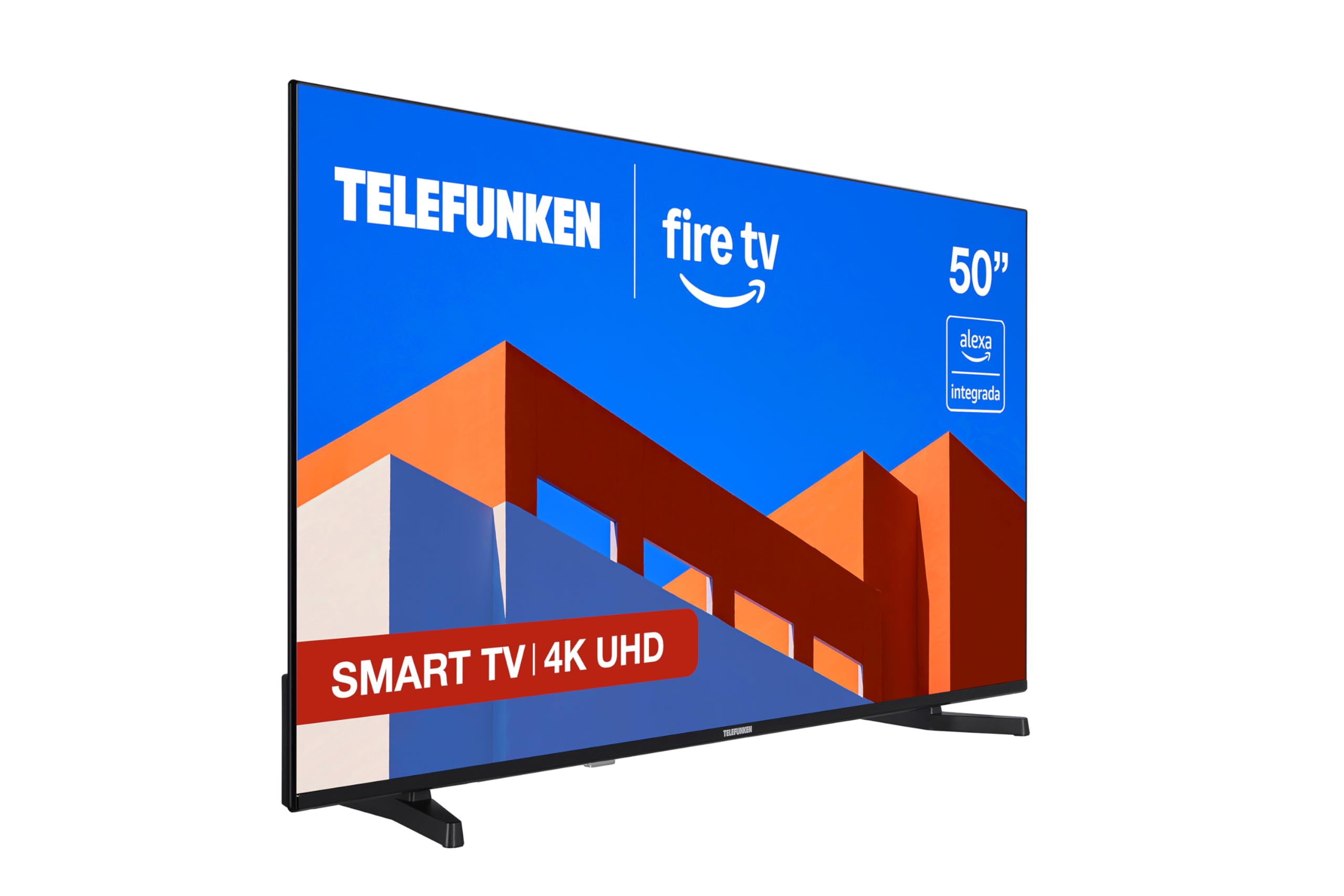
이미지: 앞면 view of the Telefunken 50FTV825 50-inch 4K UHD Smart Fire TV.
2. 안전 정보
화재, 감전, 부상의 위험을 줄이려면 이 텔레비전을 사용할 때 항상 기본적인 안전 예방 조치를 따르세요.
- TV를 비나 습기에 노출시키지 마세요.
- TV 주변의 환기가 잘 되는지 확인하세요.
- 신문지, 식탁보, 커튼 등으로 환기구를 막지 마십시오.
- Do not place the TV on unstable carts, stands, tripods, brackets, or tables.
- 번개가 칠 때나 장기간 사용하지 않을 때는 TV의 플러그를 뽑아 두세요.
- 모든 서비스는 자격을 갖춘 서비스 담당자에게 의뢰하세요.
3. 상자 안에 무엇이 들어있나요?
상자를 풀 때 모든 구성품이 들어 있는지 확인하세요.
- Telefunken 50FTV825 50-inch 4K UHD Smart Fire TV
- 원격 제어
- 배터리(리모컨용)
- 사용 설명서 (본 문서)
4. 설정
4.1. 스탠드 또는 벽면 장착
Carefully place the TV face down on a soft, flat surface. Attach the stand using the provided screws, ensuring it is securely fastened. If wall-mounting, follow the instructions provided with your VESA-compatible wall mount (sold separately).
4.2. 전원과 기기 연결
- 전원 코드를 TV에 연결한 다음 전원 콘센트에 연결하세요.
- Connect external devices (e.g., cable box, gaming console, Blu-ray player) to the HDMI ports.
- For internet access, connect an Ethernet cable to the LAN port or prepare for Wi-Fi setup.
4.3. 초기 전원 켜기 및 설정 마법사
Press the power button on the remote control. The TV will guide you through the initial setup process, including language selection, network connection, and Fire TV account login.
5. Operating Your Telefunken Fire TV
5.1. Fire TV 인터페이스
Your TV features an integrated Fire OS, providing access to a wide range of streaming services and applications. Navigate the home screen using the remote control to browse content from Netflix, Prime Video, Disney+, and more.

Image: The Fire TV home screen displaying available streaming applications.
5.2. 알렉사 음성 제어
The remote control includes an integrated Alexa button. Press and hold this button to activate voice commands. You can ask Alexa to:
- 채널을 바꾸거나 볼륨을 조절하세요.
- 검색 movies, TV shows, or music.
- 호환되는 스마트 홈 장치를 제어하세요.
- Check the weather or get information.

Image: Close-up of the remote control highlighting the Alexa voice button.
5.3. 애플 에어플레이
Utilize Apple AirPlay to stream content directly from your iPhone, iPad, or Mac to the television. This allows for easy sharing of photos, videos, and screen mirroring without complex configurations.
5.4. 화면 및 사운드 향상
- 4K UHD + HDR10: Experience stunning visuals with four times the resolution of Full HD, enhanced by HDR10 for vibrant colors and deep contrasts.
- 돌비 오디오: Enjoy immersive and clear sound quality, bringing movies, series, and games to life.
- MEMC: Motion Estimation, Motion Compensation technology ensures smoother motion in fast-paced scenes.
6. 유지관리
6.1. 화면 청소
부드럽고 마른 보풀 없는 천으로 화면을 부드럽게 닦으세요. 잘 지워지지 않는 얼룩의 경우,amp천에 물이나 특수 화면 세척제를 묻혀 닦아주세요. 강한 화학 물질이나 연마재는 사용하지 마세요.
6.2. 캐비닛 청소
Wipe the TV cabinet with a soft, dry cloth. Do not use liquid or aerosol cleaners directly on the cabinet.
6.3. 소프트웨어 업데이트
Your Fire TV will periodically receive software updates. Ensure your TV is connected to the internet to receive these updates, which improve performance and add new features.
7. 문제 해결
TV에 문제가 발생하면 다음의 일반적인 해결책을 참조하세요.
| 문제 | 가능한 원인 | 해결책 |
|---|---|---|
| 전원이 없습니다 | Power cord not connected, power outlet not working. | 전원 코드 연결을 확인하세요. 다른 기기로 콘센트를 테스트해 보세요. |
| 화면은 나오지 않지만 소리는 나옵니다 | 잘못된 입력 소스를 선택했습니다. | 리모컨의 '입력' 버튼을 눌러 올바른 소스를 선택하세요. |
| 소리는 나지 않지만 화면은 나옵니다 | Volume is muted or too low. External audio device issues. | Unmute or increase volume. Check connections to external audio systems. |
| 리모컨이 작동하지 않습니다 | Batteries are dead or incorrectly inserted. Obstruction between remote and TV. | Replace batteries. Ensure clear line of sight to the TV's IR sensor. |
| Wi-Fi 연결 문제 | Incorrect password, router issues, TV too far from router. | Wi-Fi 비밀번호를 다시 입력하세요. 공유기를 재시작하세요. TV를 공유기에 더 가까이 두거나 이더넷을 사용하세요. |
For further assistance, please contact Telefunken customer support.
8. 사양
| 특징 | 세부 사항 |
|---|---|
| 상표 | 텔레푼켄 |
| 모델 번호 | 50FTV825 |
| 화면 크기 | 50 인치 |
| 디스플레이 기술 | 주도의 |
| 해결 | 4K UHD(3840 x 2160) |
| 새로 고침 빈도 | 120Hz |
| 운영 체제 | 파이어 OS |
| 특별 기능 | Alexa Compatible, Bezel-less Design, VESA Wall Mountable, HDR - HLG, Smart TV |
| 연결 기술 | 블루투스, 이더넷, HDMI, USB, Wi-Fi |
| 종횡비 | 16시 9분 |
| 제품 치수(W x D x H) | 112 x 26.1 x 68.6cm |
| 제품 무게 | 9.56kg |
| 원산지 | 칠면조 |
| Energy Efficiency Rating (SDR) | E |
| Energy Efficiency Rating (HDR) | G |
For detailed energy information, refer to the product information sheet and energy label:

Image: Product Information Sheet detailing technical specifications and energy consumption.
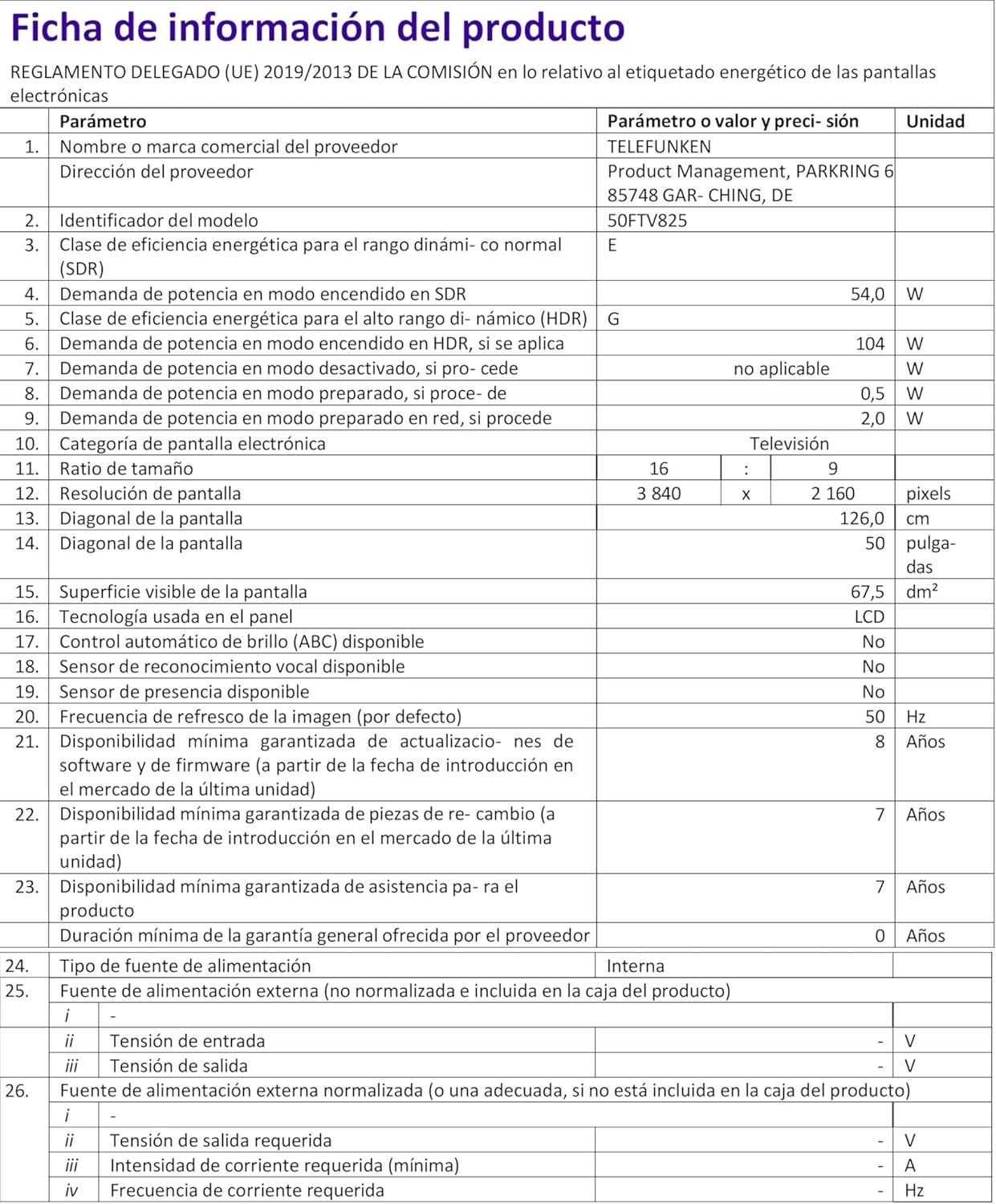
Image: Energy Efficiency Label showing ratings for SDR and HDR modes.
Additional energy information can be found at: https://eprel.ec.europa.eu/qr/2400040
9. 보증 및 지원
Your Telefunken 50FTV825 television comes with a standard manufacturer's warranty. Please refer to the warranty card included in your packaging for specific terms and conditions, including warranty duration and coverage details.
For technical support, troubleshooting assistance beyond this manual, or warranty claims, please contact Telefunken customer service through their official web사이트 또는 보증서에 제공된 연락처 정보를 참조하세요.


