1. 서론
This manual provides detailed instructions for the setup, operation, and maintenance of your Eyoyo 2D Barcode Scanners. This package includes two distinct models: the compact Eyoyo Mini Pocket Bluetooth Scanner and the robust Eyoyo EY-041 Industrial Wireless Barcode Scanner. Please read this manual thoroughly to ensure proper use and to maximize the lifespan of your devices.
2. 설정
2.1 Eyoyo Mini Pocket Bluetooth Scanner
2.1.1 스캐너 충전
Before initial use, fully charge the Mini Pocket Scanner. Connect the scanner to a USB power source using the provided charging cable. The battery level indicator lights will illuminate to show charging progress.
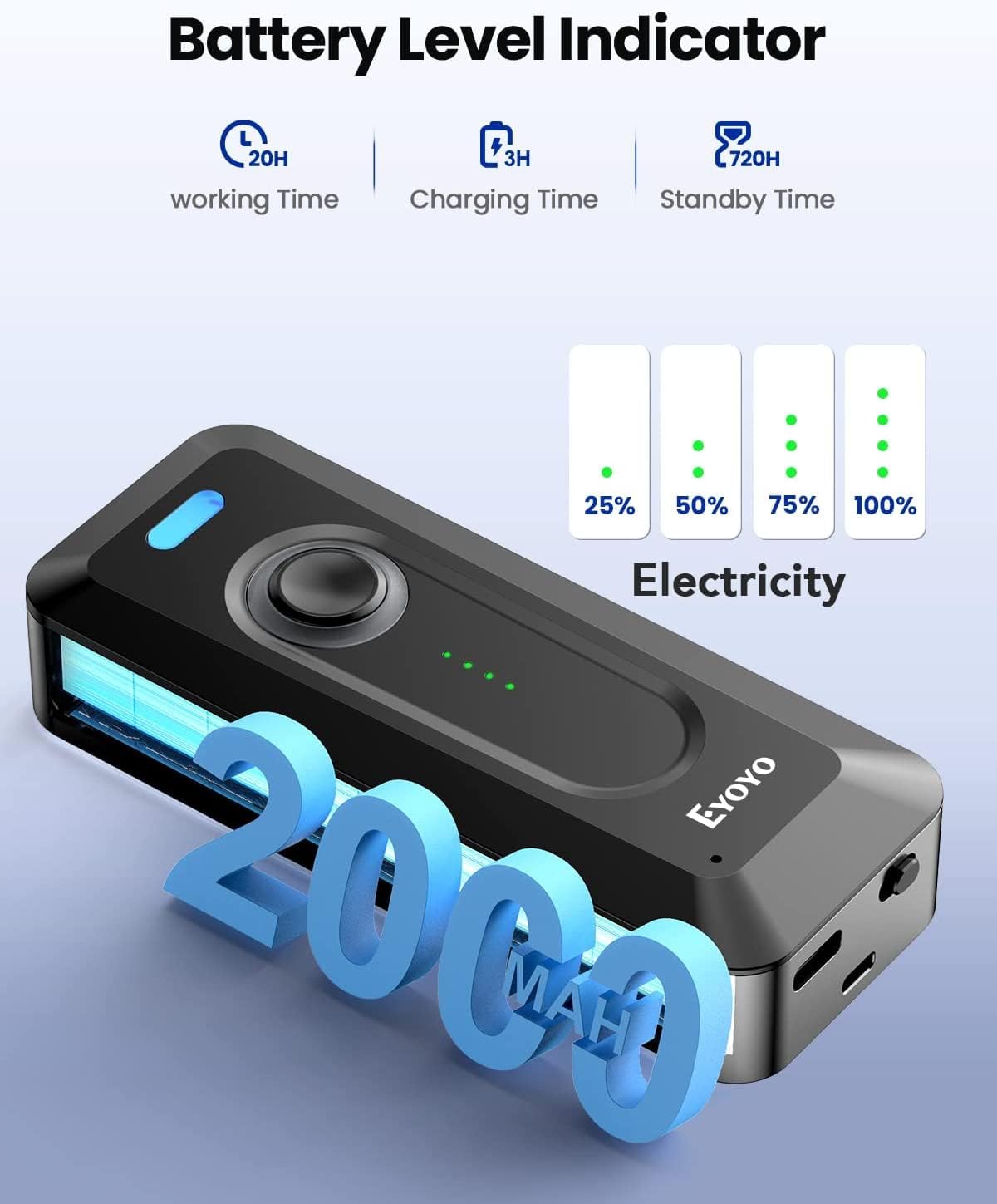
Image: The Mini Pocket Scanner features a battery level indicator. A full charge provides approximately 20 hours of working time, with a charging time of 3 hours and a standby time of 720 hours.
2.1.2 블루투스 페어링
- Power on the Mini Pocket Scanner.
- 호스트 장치(예: 스마트폰, 태블릿, 컴퓨터)에서 Bluetooth를 활성화합니다.
- 검색 available Bluetooth devices and select the Eyoyo scanner from the list.
- 연결이 완료되면 스캐너에서 확인음이 울립니다.
2.1.3 스캐너 착용하기
The Mini Pocket Scanner is designed for portability and can be clipped to various locations for convenient access.

Image: The Mini Pocket Scanner can be easily clipped to a shirt pocket, belt, or pants for hands-free portability.
2.2 Eyoyo EY-041 Industrial Wireless Scanner
2.2.1 스캐너 충전
Place the EY-041 scanner into its charging dock. Ensure the scanner is properly seated for charging to begin. The LED indicators on the scanner and/or base will show the charging status.

Image: The EY-041 scanner in its charging base. The LED indicators provide real-time battery status. A full charge provides approximately 13 hours of working time, with a charging time of 5 hours and a standby time of 720 hours.
2.2.2 무선 연결
The EY-041 scanner connects wirelessly via its dedicated base. Plug the base into your computer or host system. The scanner will automatically connect to the base when powered on and within range.
2.2.3 핸즈프리 작동
For high-throughput tasks, the EY-041 can be placed in its charging dock for continuous, hands-free scanning. This mode is ideal for checkout counters or assembly lines where items are presented to the scanner.
3. 사용 설명서
3.1 일반 스캔 절차
Both Eyoyo scanners are capable of reading both 1D and 2D barcodes from various surfaces, including paper labels and digital screens. To scan a barcode:
- Point the scanner's light beam at the barcode.
- Press the trigger button (for EY-041) or the central button (for Mini Pocket Scanner).
- 바코드 전체가 스캐닝 영역 내에 있는지 확인하세요.
- A successful scan will be indicated by a beep and/or a green light.

Image: The Mini Pocket Scanner demonstrates its capability to scan various 1D and 2D barcodes.

Image: The EY-041 Industrial Scanner effectively scans both 1D and 2D barcodes, even those displayed on digital screens.
3.2 Continuous Scanning Function (EY-041)
The EY-041 Industrial Scanner supports a continuous scanning function. To enable this, refer to the specific configuration barcodes in the full user manual (not provided here). Once enabled, the scanner will continuously emit its scanning beam, allowing for rapid, hands-free scanning when placed in its base.
4. 유지관리
4.1 청소
To maintain optimal performance, regularly clean the scanner's lens and exterior. Use a soft, dry, lint-free cloth. For stubborn dirt, a slightly damp 순한 비누를 묻힌 천을 사용하여 액체가 기기에 들어가지 않도록 주의하세요. 연마성 세척제나 용제는 사용하지 마세요.
4.2 배터리 관리
To prolong battery life, avoid fully discharging the scanner frequently. Store the scanner in a cool, dry place when not in use for extended periods. Recharge the battery periodically if stored for a long time.
4.3 Durability and Protection (EY-041)
The Eyoyo EY-041 Industrial Scanner is designed for rugged environments.
- IP65 등급: This scanner is rated IP65 for dust and water resistance, making it suitable for dusty production floors and wet outdoor conditions. Note that the charging base is not waterproof.
- 낙하 방지 보호: The EY-041 is built to withstand drops from up to 3 meters (10 feet) onto concrete, reducing the risk of damage from accidental falls.

Image: The EY-041 Industrial Scanner is engineered for industrial-grade ruggedness, featuring 3M anti-drop and dust-proof capabilities.
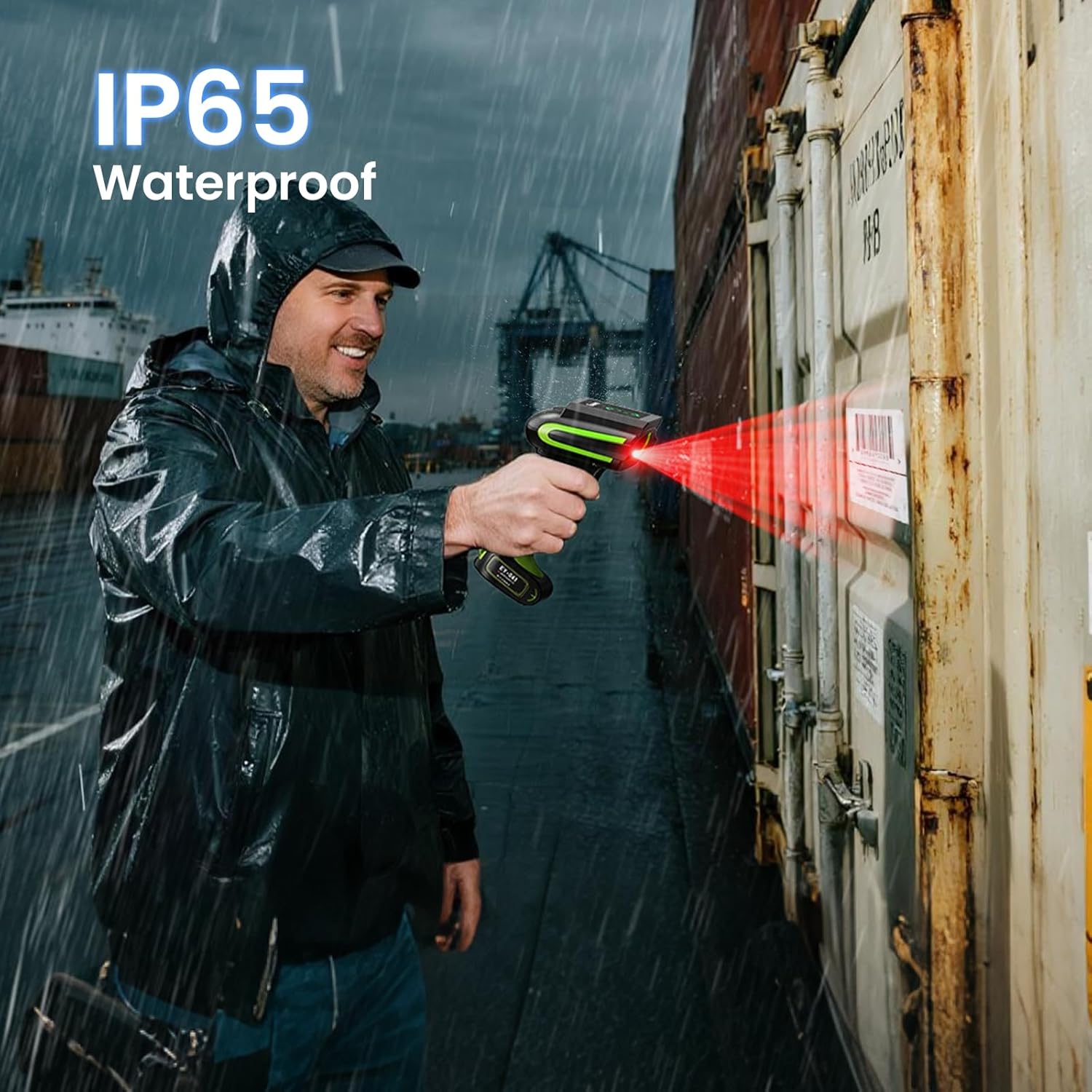
Image: The EY-041 Industrial Scanner is IP65 waterproof, allowing for reliable operation in wet conditions.
5. 문제 해결
5.1 스캐너가 응답하지 않음
- 배터리 수준을 확인하고 필요한 경우 충전하세요.
- 스캐너의 전원이 켜져 있는지 확인하세요.
- For Bluetooth models, verify pairing with the host device.
- For wireless models, ensure the base is properly connected and the scanner is within range.
5.2 바코드를 스캔할 수 없음
- 바코드가 깨끗하고 손상되지 않았는지 확인하십시오.
- 스캐너와 바코드 사이의 거리와 각도를 조정하세요.
- Verify that the barcode type is supported by the scanner (both models support 1D and 2D).
- Clean the scanner's lens if it appears dirty.
5.3 데이터 전송 문제
- Check the connection between the scanner and the host device (Bluetooth or wireless base).
- Ensure the host device's software or application is correctly configured to receive scanner input.
- 스캐너와 호스트 장치를 모두 재시작하십시오.
6. 사양
6.1 Eyoyo Mini Pocket Bluetooth Scanner
- 배터리: 약 2000mAh
- 근무 시간: 최대 20시간
- 충전 시간: 약 3시간
- 대기 시간: 최대 720시간
- 연결성: 블루투스
- 스캐닝 기능: 1D 및 2D 바코드

Image: The compact design of the Eyoyo Mini Pocket Scanner.
6.2 Eyoyo EY-041 Industrial Wireless Scanner
- 배터리: 2500mAh
- 근무 시간: Over 15 hours (approx. 13 hours with continuous use)
- 충전 시간: 약 5시간
- 대기 시간: 최대 720시간
- 연결성: Wireless (via dedicated base)
- 스캐닝 기능: Superior 1D & 2D barcodes (even damaged/distorted)
- 내구성: IP65 Waterproof & Dustproof, 3m/10ft Anti-Drop
7. 보증 정보
Eyoyo products typically come with a standard manufacturer's warranty. Please refer to the product packaging or the official Eyoyo web해당 지역 및 구매일에 적용되는 구체적인 보증 약관은 웹사이트를 참조하십시오. 보증 청구를 위해 구매 증빙 자료를 보관하십시오.
8. 고객 지원
For technical assistance, troubleshooting beyond this manual, or warranty inquiries, please contact Eyoyo customer support through their official website or the retailer from whom you purchased the product. Have your product model and purchase details ready when contacting support.