1. 서론
This manual provides essential information for the safe and efficient operation of your DOOGEE Fire 3 Max Rugged Smartphone. Please read this manual thoroughly before using your device to ensure proper functionality and to maximize its features. The DOOGEE Fire 3 Max is designed for durability and performance in challenging environments, featuring a robust build, long-lasting battery, and advanced camera capabilities.
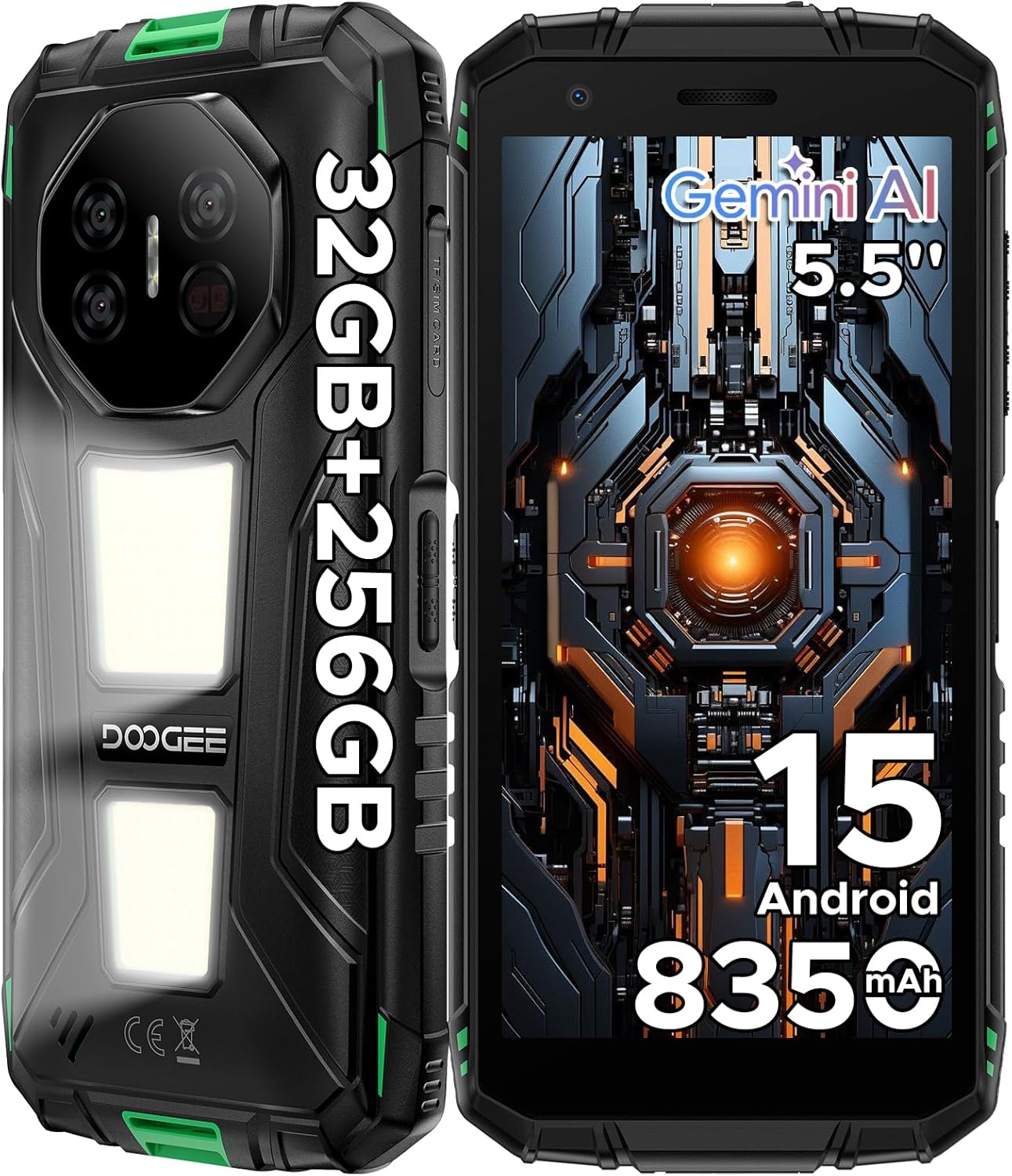
그림 1: 앞면과 뒷면 view of the DOOGEE Fire 3 Max Rugged Smartphone.
2. 상자 안에 무엇이 들어있나요?
제품 패키지에 모든 품목이 들어 있는지 확인하세요.
- 1 x DOOGEE Fire 3 Max Cellphone
- 1 x Type-C USB 케이블
- 1 x 충전기
- 1 x 사용자 설명서
- 1 x 보증 카드
3. 디바이스 오버view
The DOOGEE Fire 3 Max features a compact yet rugged design, engineered for durability and ease of use. It incorporates a 5.5-inch HD+ display and a distinctive rear panel with integrated features.

Figure 2: The DOOGEE Fire 3 Max is available in multiple color accents, showcasin견고한 구조 덕분입니다.
4. 설정
4.1. SIM 및 SD 카드 설치
- 기기 측면에서 SIM 카드 트레이를 찾으세요.
- 제공된 SIM 꺼내기 도구를 사용하여 트레이를 엽니다.
- Place your Nano-SIM card(s) and/or microSD card into the designated slots.
- 트레이를 기기에 조심스럽게 다시 삽입하고, 휴대폰 본체와 평평하게 맞닿도록 하십시오.
4.2. 초기 전원 켜기
- 측면에 있는 전원 버튼을 DOOGEE 로고가 나타날 때까지 길게 누르세요.
- 화면의 안내에 따라 언어 선택, Wi-Fi 연결, Google 계정 설정을 포함한 초기 설정을 완료하세요.
5. 장치 작동
5.1. 안드로이드 15 시스템
The DOOGEE Fire 3 Max operates on Android 15, offering enhanced privacy, security, and multitasking capabilities. This system provides a convenient, secure, and user-friendly experience.

그림 3: 이상view of Android 15 features on the DOOGEE Fire 3 Max.
5.2. Secondary Display (MiniScreen)
The rear of the device features a customizable secondary display, also known as MiniScreen. This display can show various information such as time, date, battery status, and notifications. You can customize its appearance and functionality through the device settings.

Figure 4: The secondary display on the rear of the DOOGEE Fire 3 Max.
5.3. Side Key Function
The device features a customizable side key that can be programmed for various functions, such as launching specific applications, activating the flashlight, or taking screenshots. This provides quick access to frequently used features.
5.4. 카메라 기능
Capture moments with clarity using the 48MP main camera. The 20MP Night Vision camera enhances visibility in low-light conditions, allowing for clear images even in darkness. An 8MP front camera is available for selfies and video calls.

Figure 5: Camera setup of the DOOGEE Fire 3 Max.
5.5. 듀얼 Camp조명
The device is equipped with two powerful 1200LM camping lights on the rear. These lights offer three modes: constant lighting, flash, and SOS, with adjustable brightness and operating time, making them useful for outdoor activities.

Figure 6: The dual camping lights provide versatile illumination for various situations.
5.6. 배터리 및 충전
The DOOGEE Fire 3 Max is equipped with a large 8350mAh battery, providing extended usage time. It supports 18W fast charging and features OTG reverse charging, allowing it to act as a power bank for other devices.

Figure 7: Battery and charging features of the DOOGEE Fire 3 Max.
5.7. 성능
The device is powered by a UNISOC T7250 octa-core processor, ensuring smooth performance for daily tasks and multitasking. It comes with 32GB of RAM (8GB physical + up to 24GB extended virtual RAM) and 256GB of internal storage, expandable up to 2TB via TF card.

Figure 8: The UNISOC T7250 chipset provides seamless power for device operations.

Figure 9: Memory and storage configuration of the DOOGEE Fire 3 Max.
5.8. 내구성
The DOOGEE Fire 3 Max is built to withstand harsh conditions, certified with IP68, IP69K, and MIL-STD-810H ratings. This ensures resistance to dust, water immersion (up to 1.5 meters for 0.5-1 hour), and extreme temperatures, making it suitable for outdoor professionals and adventurers.

Figure 10: The DOOGEE Fire 3 Max is IP68, IP69K, and MIL-STD-810H certified for extreme durability.
5.9. 연결성 및 보안
The device supports dual SIM functionality and a wide range of network bands. It includes NFC for Google Pay and access cards, and supports multiple GPS navigation systems (Beidou, Galileo, Glonass, GPS) for accurate positioning. Security features include a side-mounted fingerprint sensor and face unlock.

Figure 11: Connectivity and security features of the DOOGEE Fire 3 Max.
6. 사양
| 특징 | 세부 사항 |
|---|---|
| 모델명 | Fire 3 Max |
| 운영 체제 | 안드로이드 15 |
| CPU 모델 | UNISOC T7250 옥타코어 |
| CPU 속도 | 1.8GHz |
| 설치된 RAM 메모리 크기 | 32GB (실물 8GB + 확장 24GB) |
| 메모리 저장 용량 | 256GB (2TB까지 확장 가능) |
| 화면 크기 | 5.5 인치 |
| 해결 | 1280 x 720 |
| 새로 고침 빈도 | 60Hz |
| 메인 카메라 | 48MP |
| 야간 투시 카메라 | 20MP |
| 전면 카메라 | 8MP |
| 배터리 용량 | 8350밀리amp 시간 |
| 빠른 충전 | 18와트 |
| 내구성 등급 | IP68 / IP69K / MIL-STD-810H |
| 특별 기능 | 듀얼 Camping Lights, NFC, GPS, Side Fingerprint, Face Unlock |
| 치수 | 9.66 x 6.43 x 0.39 인치 |
| 품목 무게 | 1.05파운드(478그램) |
7. 문제 해결
7.1. 기기 지연 또는 멈춤 현상
If your device experiences lagging or freezing, consider the following steps:
- 백그라운드 앱 닫기: Too many apps running simultaneously can consume system resources. Swipe up from the bottom of the screen and close unnecessary applications.
- Uninstall Unused Apps: 정기적으로 다시view and uninstall applications that are no longer needed to free up storage and RAM.
- 기기를 다시 시작하세요: A simple restart can often resolve temporary software glitches. Press and hold the Power button, then select 'Restart'.
8. 보증 및 지원
Your DOOGEE Fire 3 Max comes with a 1-year warranty service. For any inquiries or assistance, DOOGEE offers 7x24 hours customer service.

Figure 12: DOOGEE's commitment to service and support.


