1. 서론
Welcome to the user manual for your SGIN Android Tablet 10.1 Inch, Model GE8300. This manual provides essential information for setting up, operating, maintaining, and troubleshooting your new tablet. Designed with children in mind, this tablet features a durable case, parental controls, and pre-installed educational content through Kidoz software. Please read this manual thoroughly to ensure proper use and to maximize your tablet's potential.
2. 제품 오버view
The SGIN Android Tablet 10.1 Inch is equipped with a 10.1-inch HD IPS display, a quad-core processor, 4GB RAM, and 64GB of internal storage. It runs on Android 13 and includes a protective case with an adjustable bracket.
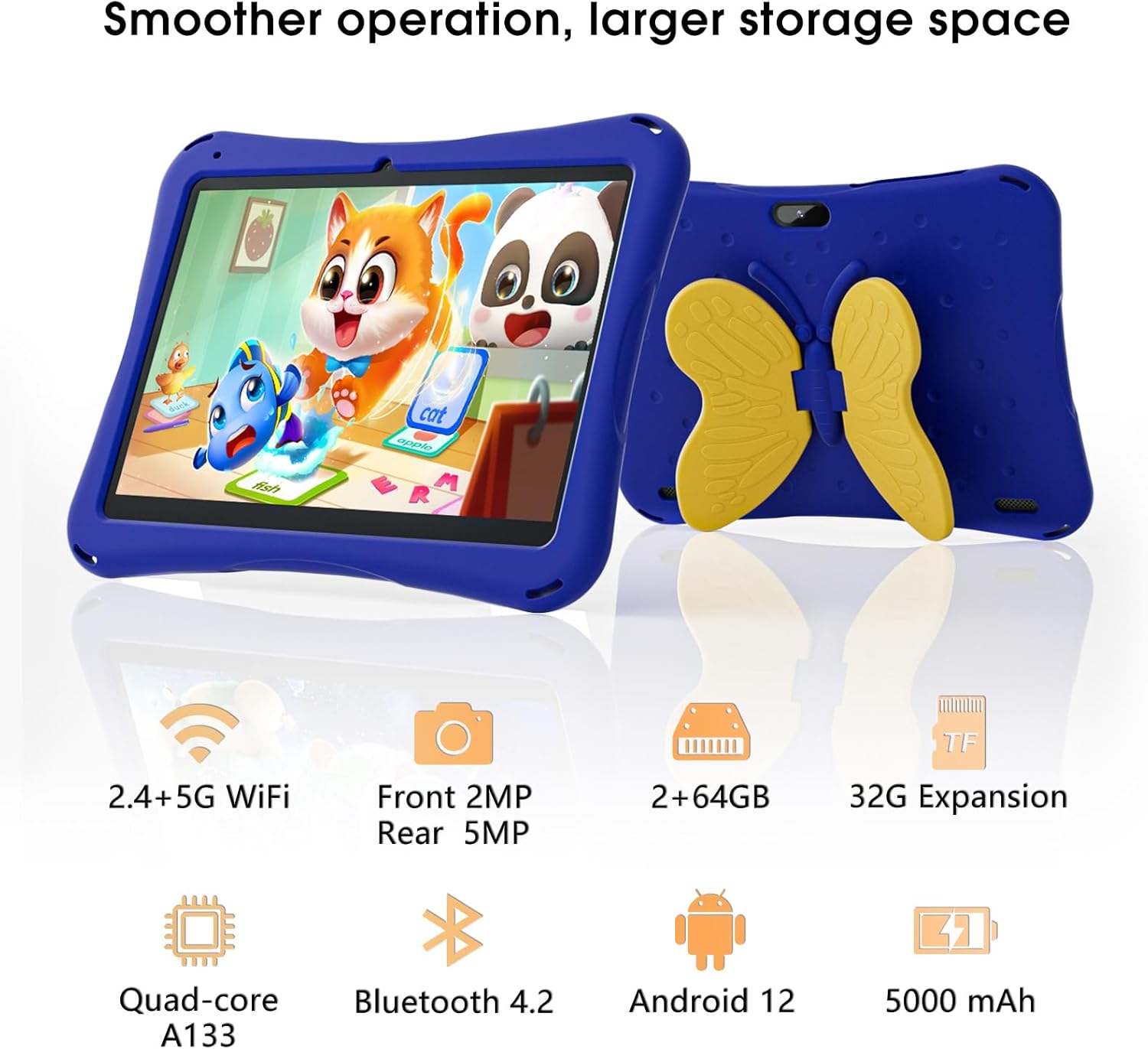
Image: SGIN Android Tablet 10.1 Inch with its protective blue case and yellow butterfly stand.
태블릿 구성 요소

Image: Detailed diagram illustrating the various components and ports of the SGIN Android Tablet.
- 전면 카메라: 영상 통화와 셀카를 위해.
- 후방 카메라: 사진과 비디오를 촬영하기 위해.
- 스피커: 오디오 출력용.
- C 형 포트 : 충전 및 데이터 전송용입니다.
- TF 카드 슬롯 : 확장 가능한 저장 공간.
- 헤드폰 잭: 유선 헤드폰을 연결합니다.
- 볼륨 증가: Button to raise the audio level.
- 볼륨 줄이기: Button to lower the audio level.
- 까치발: Adjustable stand integrated into the protective case.
3. 설정
3.1 태블릿 충전
Before first use, fully charge the tablet using the provided Type-C cable and power adapter. The 5000mAh battery provides approximately 6-8 hours of usage on a full charge. A charging indicator will typically appear on the screen.
3.2 전원 켜기/끄기
- 전원을 켜려면: Press and hold the power button (usually located on the side) until the SGIN logo appears.
- 전원을 끄려면: 전원 버튼을 길게 누른 다음, 화면에 나오는 옵션에서 '전원 끄기'를 선택하세요.
- 재시작하기 위해: 전원 버튼을 길게 누른 다음 옵션에서 '다시 시작'을 선택하세요.
3.3 초기 설정 및 Wi-Fi 연결
Upon first power-on, follow the on-screen prompts to complete the initial Android 13 setup. This includes selecting your language, region, and connecting to a Wi-Fi network. The tablet supports both 2.4G and 5G Wi-Fi for stable internet connectivity.
- 이동하다 설정 > 네트워크 및 인터넷 > 와이파이.
- Wi-Fi 전환 On.
- 목록에서 원하는 네트워크를 선택하세요.
- 메시지가 표시되면 비밀번호를 입력한 다음 탭하세요. 연결하다.
4. 사용 설명서
4.1 기본 탐색
The tablet uses a touch-sensitive screen for navigation. Common gestures include tapping to select, swiping to scroll, pinching to zoom, and long-pressing for additional options.
4.2 카메라 사용
The tablet features a 2MP front-facing camera and a 5MP rear camera. To use the camera:
- 열기 카메라 애플리케이션.
- Select between front and rear cameras using the switch icon.
- 셔터 버튼을 탭하여 사진을 찍거나 비디오 녹화를 시작/중지하세요.
4.3 스토리지 관리
The tablet comes with 64GB of internal storage. If more space is needed, you can expand it by inserting a TF (microSD) card into the TF card slot. The tablet supports expansion up to 34GB.
4.4 블루투스 연결
The tablet supports Bluetooth 4.2 for connecting to wireless accessories such as headphones or speakers.
- 이동하다 설정 > 연결된 장치 > 연결 환경 설정 > 블루투스.
- 블루투스 전환 On.
- 페어링할 수 있는 기기 목록에서 기기를 선택하세요.
5. Parental Control Features
The SGIN tablet includes a built-in parental control security system to manage your child's usage and content access.
- 비밀번호 설정: Create a password to secure parental control settings.
- 화면 사용 시간 제한: Define daily usage limits for the tablet.
- 콘텐츠 필터링: Eliminate unwanted ads and create specific media files or approved websites for your children.
- 여러 계정: Set up individual accounts for each child, allowing personalized settings and content access.
6. Kidoz Kids Software
The tablet comes with the Kidoz Kid's software pre-installed, offering a safe and engaging environment for children.
- Accessing Kidoz: Launch the Kidoz app from the home screen.
- 키즈 스토어: Explore thousands of free games and educational apps available for download within the Kidoz environment.
- 교육적 내용: Kidoz provides content that supports learning in subjects like math, language, music, and painting.
7. 유지관리
7.1 청소
Use a soft, lint-free cloth to clean the screen and the tablet's body. For stubborn smudges, slightly damp천에 물을 묻혀 닦으세요. 강한 화학 물질이나 연마재는 사용하지 마세요.
7.2 배터리 관리
To prolong battery life, avoid exposing the tablet to extreme temperatures. Charge the tablet regularly and avoid letting the battery completely drain frequently.
7.3 소프트웨어 업데이트
최적의 성능과 보안을 위해 시스템 업데이트를 주기적으로 확인하세요. 설정 > 체계 > 시스템 업데이트.
7.4 보호 케이스
The included kid-proof case is designed to protect the tablet from dust, bumps, and drops. It also features a hollow design for heat dissipation. Ensure the tablet is properly seated within the case for maximum protection.

Image: The durable anti-drop protective case with its adjustable bracket.
8. 문제 해결
If you encounter issues with your SGIN tablet, refer to the following common solutions:
- 태블릿의 전원이 켜지지 않음: Ensure the tablet is charged. Connect it to the charger and wait a few minutes before attempting to power it on again.
- 응답하지 않는 화면: If the screen becomes unresponsive, try restarting the tablet by holding down the power button for approximately 10-15 seconds until it powers off, then power it on normally.
- Wi-Fi 연결 문제: Check if other devices can connect to the Wi-Fi network. Restart your Wi-Fi router. On the tablet, forget the network and reconnect.
- 느린 성능: Close unused applications running in the background. Clear cache data for apps. Consider performing a factory reset if performance issues persist (back up important data first).
- 앱 충돌: Ensure apps are updated to their latest versions. Clear the app's cache and data via 설정 > 앱 > [앱 이름] > 저장소 및 캐시.
이러한 단계를 거쳐도 문제가 해결되지 않으면 고객 지원팀에 문의하세요.
9. 사양
Key technical specifications for the SGIN Android Tablet 10.1 Inch Model GE8300:
| 특징 | 사양 |
|---|---|
| 모델 번호 | GE8300 |
| 화면 크기 | 10.1 인치 |
| 디스플레이 해상도 | 1280 x 800 픽셀(HD IPS) |
| 프로세서 | 1.6 GHz Quad-core (Allwinner A133) |
| 숫양 | 4GB (실물 2GB + 확장 가능 2GB) |
| 내부 저장소 | 64GB 롬 |
| 확장 가능한 스토리지 | TF 카드를 통해 최대 34GB까지 |
| 운영 체제 | 안드로이드 13 |
| 배터리 용량 | 5000mAh |
| 전면 카메라 | 2MP |
| 후방 카메라 | 5MP |
| 무선 연결 | 2.4G/5G WiFi, Bluetooth 4.2 |
| 색상 | 딥블루 |
| 소포 크기 | 32.2 x 20.4 x 4.7cm; 1.04kg |
10. 보증 및 지원
10.1 제품 보증
The SGIN Android Tablet 10.1 Inch Model GE8300 comes with a 1년 보증 구매일로부터. 본 보증은 정상적인 사용 중 발생한 제조상의 결함에 적용됩니다. 보증 청구를 위해 구매 증빙 서류를 보관해 주십시오.
10.2 고객 지원
If you require further assistance or have questions not covered in this manual, please contact SGIN customer support. Refer to the product packaging or the official SGIN web최신 연락처 정보는 사이트에서 확인하세요.