1. 서론
This manual provides essential information for the proper use and maintenance of your HOTWAV R9 Ultra 5G Rugged Tablet. Please read it thoroughly before operating the device to ensure optimal performance and longevity. The HOTWAV R9 Ultra is designed for durability and high performance, featuring 5G connectivity, a large display, and robust construction.
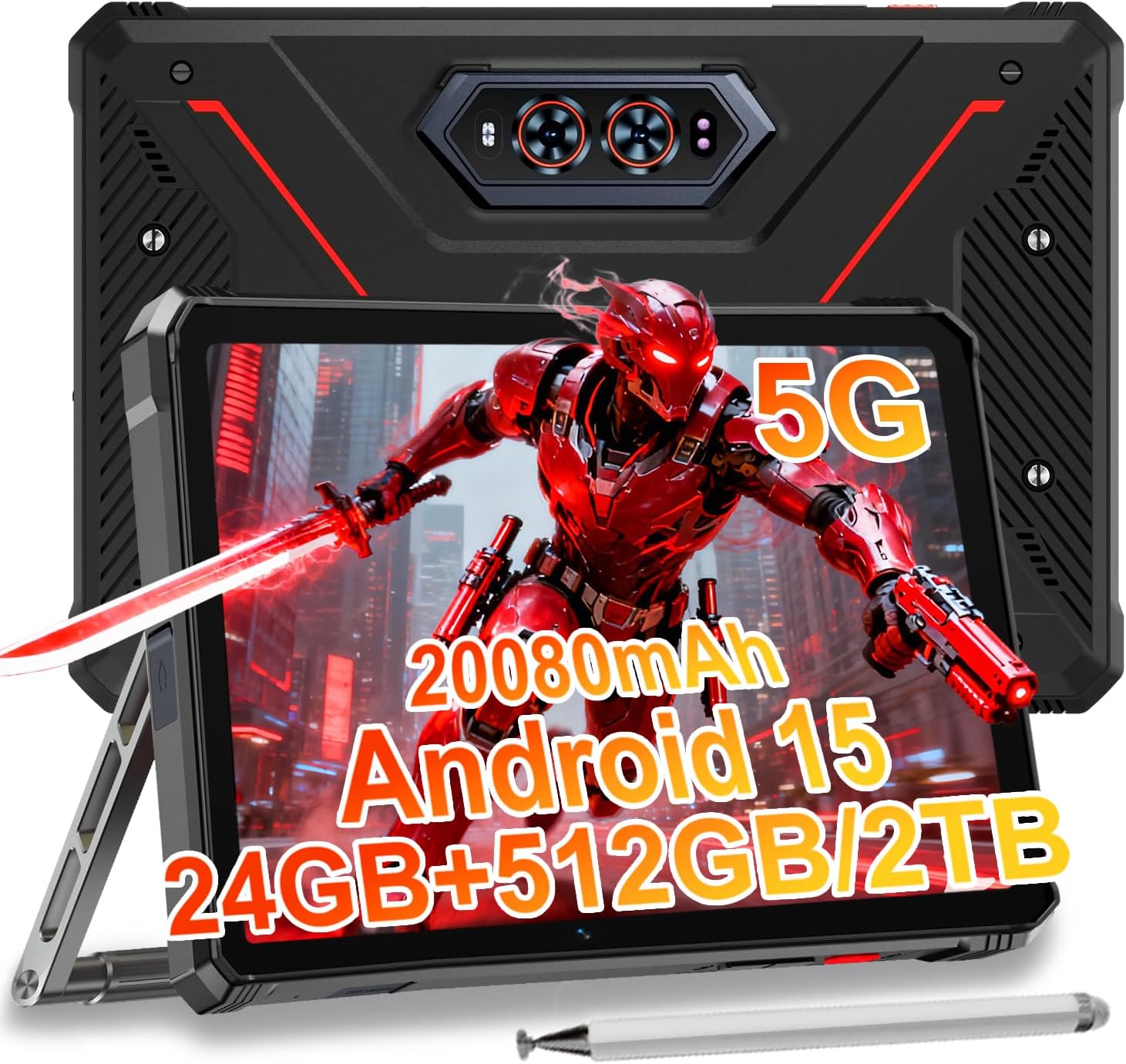
Image 1.1: The HOTWAV R9 Ultra 5G Rugged Tablet with its included stylus and stand.
2. 상자 안에 무엇이 들어있나요?
상자를 풀 때 모든 품목이 들어 있는지 확인하세요.
- 1 x R9 Ultra Tablet
- 1 x 사용 설명서
- 1 x Tablet Protective Film (pre-installed or separate)
- 1 x Tablet Charger Accessory
- 1 x Tablet Stand + Strap + Electronic Pen
3. 디바이스 오버view
태블릿의 물리적 구성 요소를 숙지하세요.
3.1 물리적 구성 요소
- 표시하다: 11-inch FHD+ 2K screen.
- 전면 카메라: 화상 통화와 셀카를 위한 16MP.
- 후방 카메라: 64MP main camera, 20MP night vision camera.
- 포트: USB-C charging/data port, Dual SIM/MicroSD card slot.
- 버튼: 전원 버튼, 볼륨 높이기/낮추기 버튼.
- 스피커: 내장형 스테레오 스피커.
- Camping 빛: Integrated high-performance light on the rear.

이미지 3.1: 후면 view of the tablet highlighting the camera system and integrated camp잉 라이트.
4. 설정
4.1 SIM 카드 및 MicroSD 카드 설치
- 태블릿 측면에 있는 SIM/MicroSD 카드 슬롯을 찾으세요.
- 제공된 SIM 꺼내기 도구를 사용하여 트레이를 엽니다.
- Carefully place your Nano-SIM cards (up to two) and/or a MicroSD card (up to 2TB) into the tray, ensuring correct orientation.
- 트레이를 태블릿에 딸깍 소리가 날 때까지 다시 삽입하십시오.
Important Notice Before Purchase: HOTWAV rugged tablets are not compatible with AT&T, Cricket, or Verizon networks. They fully support T-Mobile, Mint, Boost, and Google Fi. Verify your carrier compatibility to ensure seamless connectivity.
4.2 초기 전원 켜기 및 Android 15 설정
- Press and hold the Power button until the HOTWAV logo appears.
- 화면의 안내에 따라 언어 선택, Wi-Fi 연결, Google 계정 로그인, 보안 설정 등 초기 설정을 완료하세요.
- The tablet runs on Android 15, offering enhanced features and security.

이미지 4.1: 이상view 안드로이드 15 운영체제 인터페이스의 일부입니다.
5. 태블릿 작동
5.1 기본 탐색
- 터치 제스처: Use taps, swipes, and pinches to interact with the screen.
- 홈 화면: Access apps and widgets.
- 알림: 화면 상단에서 아래로 스와이프하여 view 알림 및 빠른 설정.
5.2 연결성
- 5G 네트워크: Insert a compatible 5G SIM card for high-speed mobile data.
- 와이파이 5: 인터넷 접속을 위해 무선 네트워크에 연결하세요.
- 블루투스 5.0 : 헤드폰이나 스피커와 같은 블루투스 장치와 페어링하세요.
- GPS: Utilize multi-system navigation (Beidou, GPS, Galileo, Glonass) and a geomagnetic sensor for accurate positioning.

Image 5.1: The tablet's GPS functionality in use for navigation.
5.3 카메라 사용
The tablet features a versatile camera system:
- 64MP 메인 카메라: 고해상도 사진을 위해.
- 20MP 야간 투시 카메라: 어두운 환경에서도 선명한 이미지를 얻기 위해.
- 16MP 전면 카메라: For video calls and self-portraits.
Camera modes include Night Mode, Pro Mode, Panorama Mode, and Underwater Mode for diverse shooting scenarios.

Image 5.2: Demonstrating the tablet's underwater and night vision camera capabilities.
5.4 배터리 관리
The tablet is equipped with a 20080mAh battery for extended use.
- 충전 중: Use the included 20W fast charger for efficient power replenishment.
- OTG 역충전: The tablet can act as a power bank to charge other devices.

Image 5.3: Visual representation of the 20080mAh battery and 20W fast charging.
5.5 스타일러스 사용법
The included stylus allows for precise interaction with the screen, ideal for drawing, note-taking, or navigating with gloves on.

Image 5.4: The stylus pen, designed for precise input.
5.6 특수 기능
- Camping 빛: Activate the rear camping light for illumination in dark environments.
- 제미니 AI: Utilize Gemini AI for advanced reasoning, creative solutions, and deeper conversations.
- 장갑 모드: The display supports operation while wearing gloves.
- 페이스 ID: 얼굴 인식을 사용하여 태블릿 잠금을 해제하세요.
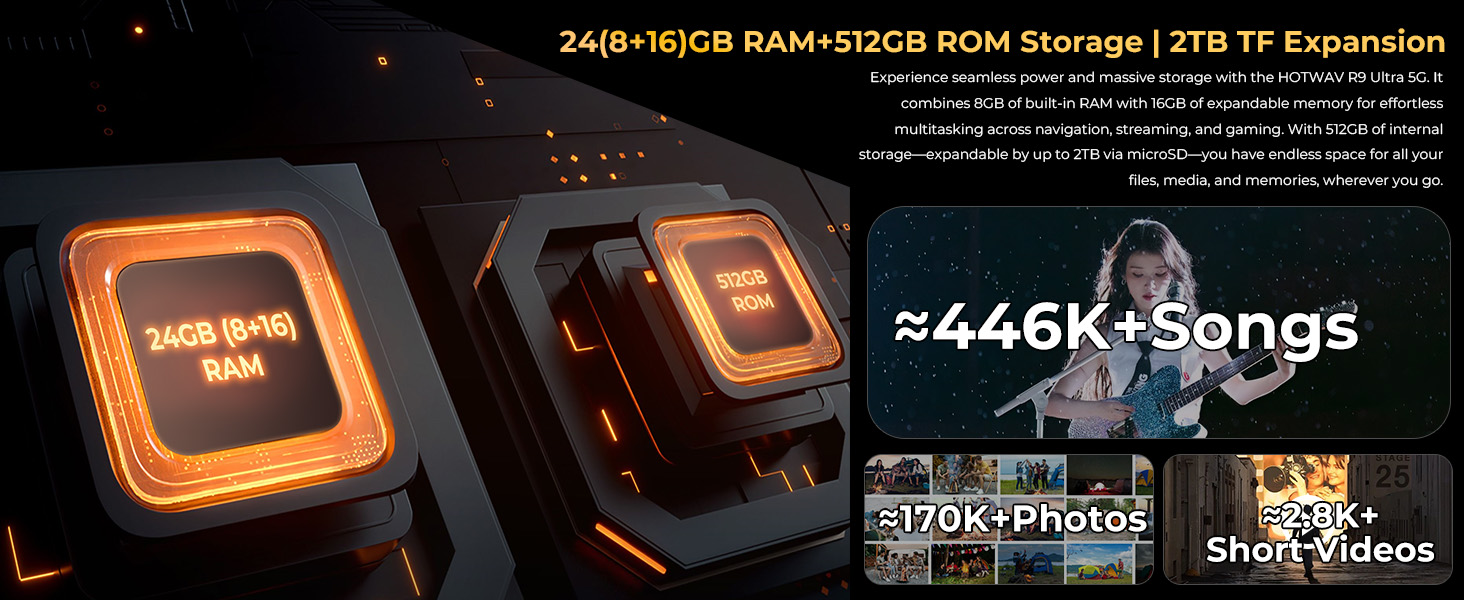
Image 5.5: The tablet's integrated camping light providing illumination.
5.7 내구성 특징
The HOTWAV R9 Ultra is built to withstand challenging conditions:
- IP68 및 IP69K 등급: Fully dust-tight and protected against high-pressure, high-temperature water jets.
- MIL-STD-810H 인증: Meets military standards for shock and drop resistance.
- 코닝 고릴라 글래스 3: Provides enhanced screen protection against scratches and impacts.

Image 5.6: The tablet's robust design, highlighting its resistance to drops, water, and dust.
6. 유지관리
6.1 청소
To clean your tablet, use a soft, lint-free cloth. For stubborn dirt, slightly damp천에 물을 묻혀 닦으세요. 강한 화학 물질이나 연마재는 사용하지 마세요.
6.2 소프트웨어 업데이트
Regularly check for and install software updates to ensure your tablet has the latest features, security patches, and performance improvements. Navigate to 설정 > 시스템 > 시스템 업데이트 사용 가능한 업데이트를 확인하세요.
6.3 스토리지 관리
주기적으로 다시view your tablet's storage. Delete unnecessary files, 사용하지 않는 앱 제거 및 대용량 미디어 전송 files to external storage or cloud services to maintain optimal performance. The tablet supports up to 2TB of expandable storage via MicroSD.
7. 문제 해결
태블릿에 문제가 발생하면 다음의 일반적인 해결 방법을 참조하세요.
- 태블릿 전원이 켜지지 않음: 배터리가 충전되어 있는지 확인하십시오. 태블릿을 충전기에 연결하고 몇 분 정도 기다린 후 다시 전원을 켜보세요.
- 느린 성능: 사용하지 않는 애플리케이션을 닫거나, 캐시를 삭제하거나, 태블릿을 재시작하세요. 사용 가능한 소프트웨어 업데이트가 있는지 확인하세요.
- 연결 문제(Wi-Fi/5G): Toggle Wi-Fi or mobile data off and on. Restart your router for Wi-Fi issues. Verify SIM card installation and carrier compatibility for 5G issues.
- 화면이 반응하지 않음: 전원 버튼을 약 10~15초 동안 길게 눌러 강제로 재시작하십시오.
- 앱 충돌: 앱의 캐시와 데이터를 지웁니다. 설정 > 앱또는 앱을 다시 설치하세요.
문제가 지속되는 경우 고객 지원팀에 문의하세요.
8. 사양
| 특징 | 사양 |
|---|---|
| 상표 | 핫웨이브 |
| 모델명 | R9 울트라 |
| 운영 체제 | 안드로이드 15 |
| 화면 크기 | 11 인치 |
| 화면 해상도 | 1200 x 1920 픽셀 (2K FHD+) |
| 프로세서 브랜드 | 유니소크 |
| 그래픽 코프로세서 | 말리-G57 MC2 |
| 숫양 | 24GB(물리적 8GB + 가상 16GB) |
| 내부 저장소 | 512GB |
| 확장 가능한 스토리지 | MicroSD를 통해 최대 2TB |
| 뒤쪽 Web캠 해상도 | 64 MP (Main) + 20 MP (Nightvision) |
| 앞쪽 Web캠 해상도 | 16 MP |
| 배터리 용량 | 20080mAh |
| 충전 중 | 20W 고속 충전, OTG 역충전 |
| 내구성 등급 | IP68, IP69K, MIL-STD-810H |
| 연결성 | 5G, Wi-Fi 5, Bluetooth 5.0, GPS (Beidou, Galileo, Glonass) |
| 품목 무게 | 2.64파운드 |
| 제품 치수 | 10.6 x 7.1 x 0.7 인치 |
9. 보증 및 지원
9.1 보증 정보
The HOTWAV R9 Ultra comes with a comprehensive 2-year hardware warranty. This warranty covers manufacturing defects and ensures the reliability of your device. Please retain your proof of purchase for warranty claims.
9.2 고객 지원
For technical assistance, troubleshooting, or warranty inquiries, please contact HOTWAV customer support. Support options typically include:
- 24/7 온라인 지원
- 평생 기술 지원
Refer to the official HOTWAV web구체적인 연락처 정보는 해당 사이트나 구매 문서를 참조하세요.

Image 9.1: Representation of HOTWAV's customer support services.


