소개
This manual provides detailed instructions for the setup, operation, and maintenance of your Zebronics Juke Bar 4120 200W Soundbar. Please read this manual thoroughly before using the product to ensure proper functionality and to maximize your audio experience. Keep this manual for future reference.

Image: The Zebronics Juke Bar 4120 Soundbar system, including the soundbar unit, subwoofer, wireless microphone, and remote control.
상자 안에 무엇이 들어있나요?
내용물을 조심스럽게 풀어서 모든 품목이 들어 있는지 확인하세요.
- Sound Bar - 1 unit
- Subwoofer - 1 Unit
- Wireless Mic - 1 Unit
- Remote Control - 1 Unit
- Input Cable - 1 Unit
- Wall Mount Fasteners - 1 Unit
- QR Code Guide - 1 Unit
주요 특징
- 강력한 출력: Delivers an impressive total output power of 200W RMS, with 120W from the subwoofer and 80W (40W x 2) from the soundbar.

Image: A soundbar and subwoofer setup in a modern living room, illustrating the powerful 200W RMS output with visual sound waves.
- Incredible Audio: The soundbar features two (5 cm x 9 cm) drivers that provide balanced audio across a wide range of frequencies. Complementing this, the subwoofer houses a single 13.33 cm driver, specially designed to deliver deep, powerful bass that enhances the overall sound experience.
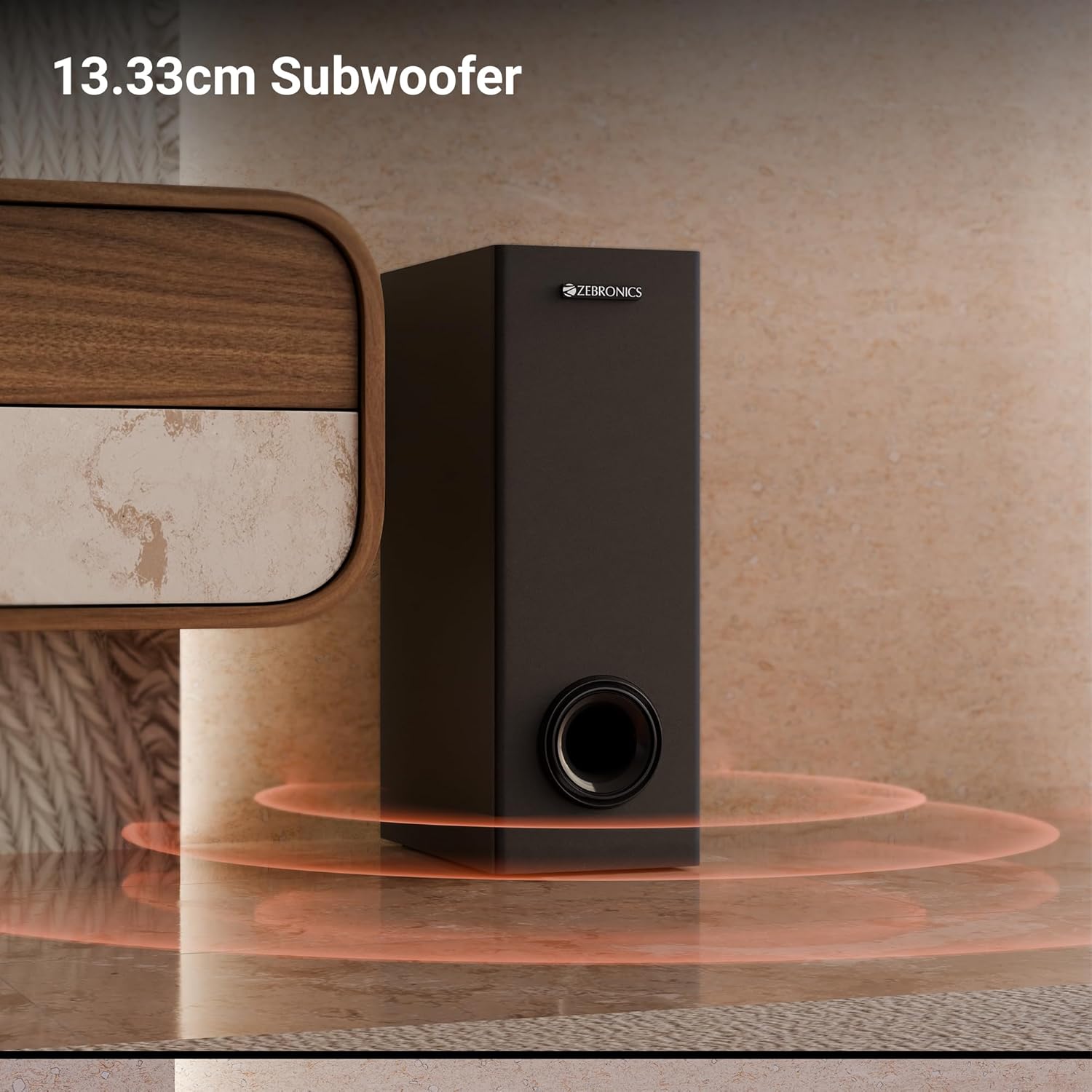
이미지: 클로즈업 view of the 13.33cm subwoofer, highlighting its design and bass output.

Image: The soundbar mounted below a television, with visual cues indicating sound projection from its dual drivers.
- 가상 5.1 서라운드: To elevate your audio experience, this soundbar features virtual 5.1 surround sound, simulating multi-channel audio for immersive, cinematic sound.
- 다중 연결성: The soundbar comes with multi-connectivity, such as BT v5.3 support, and options like TV (ARC), USB, and AUX inputs.
- 벽걸이형: Designed for space efficiency, this soundbar is wall-mountable, which allows you to save floor space and maintain a clean, organized look in your living areas.
- LED 디스플레이: The LED display shows real-time information such as power status, volume levels, and connectivity modes, offering clarity and convenience.
- 노래방 기능: Enjoy fun sing-alongs with the wireless mic and built-in karaoke function, perfect for parties, gatherings, or solo performances.
설정
1. 배치
Position the soundbar centrally below your television for optimal sound projection. The subwoofer can be placed on the floor near the soundbar, ideally in a corner for enhanced bass response.
2. 벽 장착
The soundbar can be wall-mounted to save space. Use the provided wall mount fasteners and follow these steps:
- Mark the desired mounting position on the wall, ensuring it is level and centered with your TV.
- 표시된 위치에 파일럿 구멍을 뚫습니다.
- Insert wall anchors (if necessary) and secure the mounting brackets using the screws.
- 사운드바를 장착된 브래킷에 조심스럽게 부착하십시오.
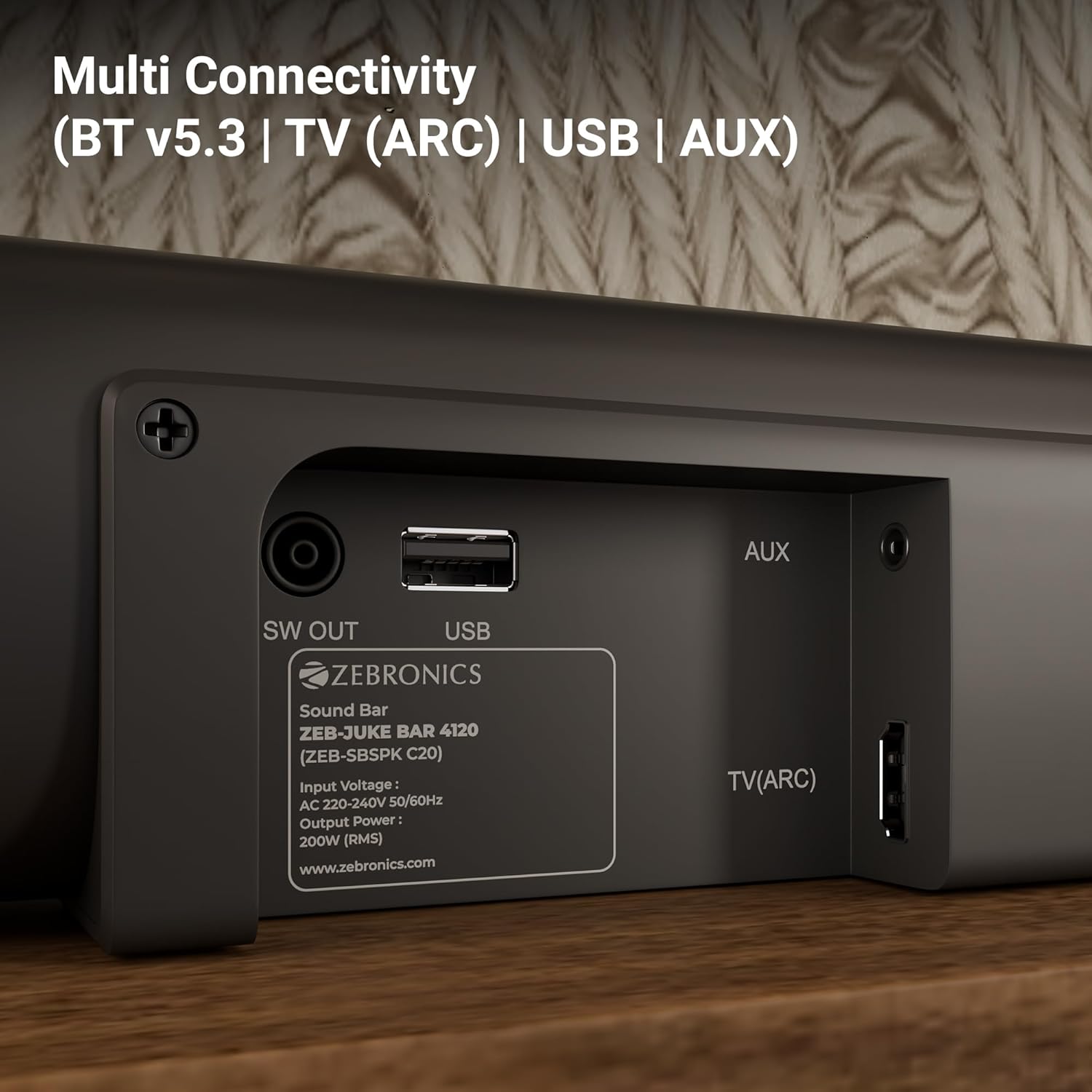
Image: The soundbar is shown securely mounted on a wall beneath a television, demonstrating its space-saving design.
3. 전원 연결
Connect the power cable to the soundbar and then plug it into a suitable power outlet. Ensure the subwoofer is also connected to its power source.
연결성
The Zebronics Juke Bar 4120 offers multiple connectivity options:
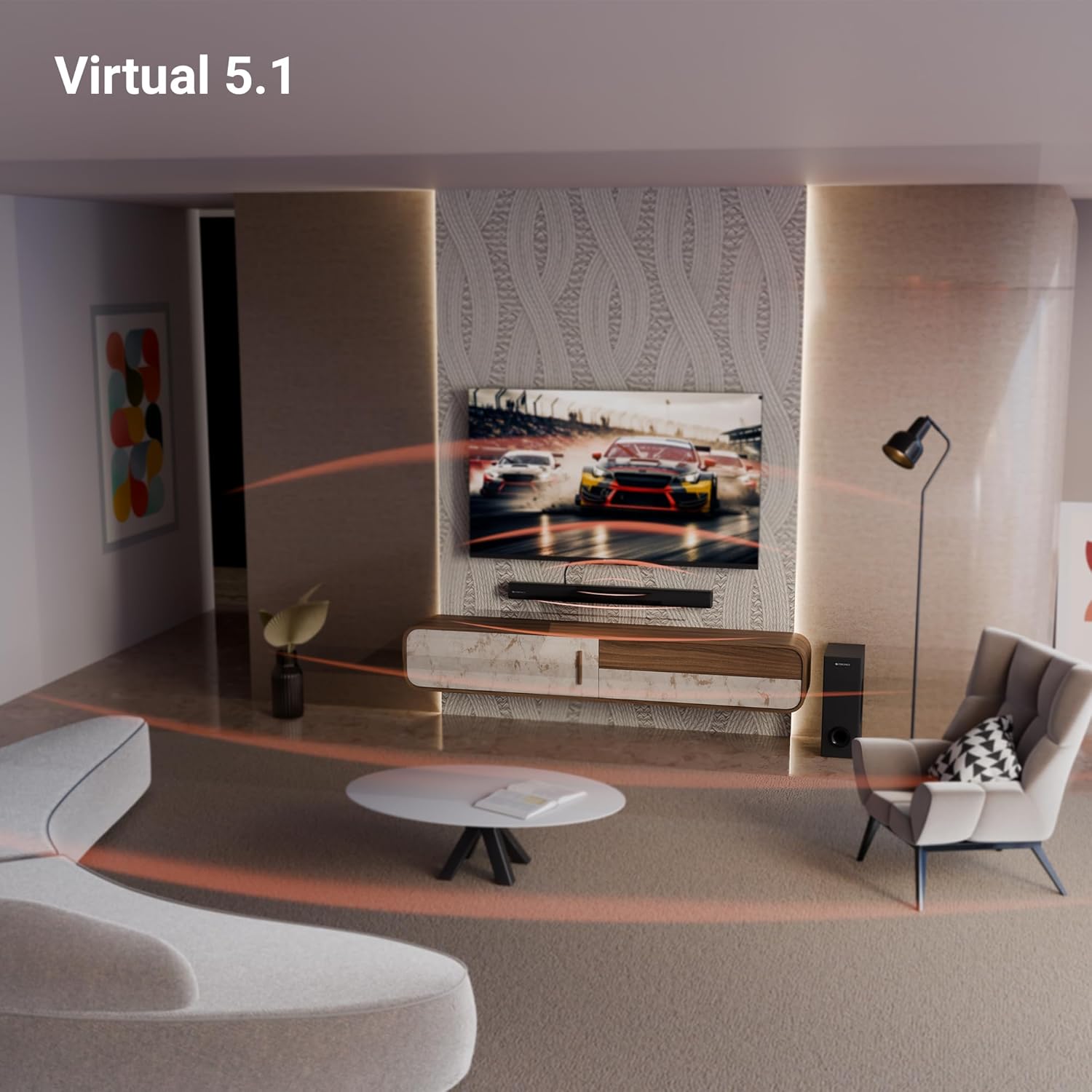
Image: A close-up of the soundbar's rear panel, displaying the SW OUT, USB, AUX, and TV (ARC) input ports for various connections.
1. Bluetooth (BT v5.3)
블루투스를 통해 연결하려면:
- Turn on the soundbar and select Bluetooth mode using the remote or unit controls.
- 기기(스마트폰, 태블릿 등)에서 Bluetooth를 활성화하세요.
- 검색 "ZEB-JUKE BAR 4120" in your device's Bluetooth list and pair.
- 페어링이 완료되면 사운드바에 연결 성공 표시가 나타납니다.
2. TV (ARC)
For optimal audio quality and control, connect your TV using the HDMI ARC port:
- Connect an HDMI cable from the TV (ARC) port on the soundbar to the HDMI ARC port on your television.
- Select the HDMI ARC input on the soundbar.
- Ensure your TV's audio output settings are configured for HDMI ARC.
3. USB
USB 드라이브에서 미디어를 재생하려면:
- 사운드바의 USB 포트에 USB 드라이브를 삽입하세요.
- Select USB mode using the remote or unit controls.
- 사운드바는 호환되는 오디오를 자동으로 감지하고 재생합니다. files.
4. 보조
To connect via an auxiliary cable:
- Connect a 3.5mm audio cable from your device's audio output to the AUX input on the soundbar.
- Select AUX mode using the remote or unit controls.
작동 지침
1. 전원 켜기/끄기
사운드바 또는 리모컨의 전원 버튼을 눌러 장치를 켜거나 끕니다.
2. 볼륨 조절
사운드바 또는 리모컨의 볼륨 높이기(+) 및 볼륨 낮추기(-) 버튼을 사용하여 오디오 레벨을 조절하세요.
3. 입력 선택
Press the 'Input' or 'Mode' button on the soundbar or remote control to cycle through available input sources (BT, TV ARC, USB, AUX).
4. LED 디스플레이
The integrated LED display provides visual feedback on the current status of the soundbar, including selected input mode, volume level, and other settings.

이미지: 자세한 view of the soundbar's LED display, showing a clear indicator for current status or mode.
5. 노래방 기능
The soundbar includes a wireless microphone for karaoke. Simply power on the microphone, and it will automatically connect to the soundbar. Use the remote control to adjust microphone volume and echo effects.

Image: The wireless microphone, designed for use with the soundbar's karaoke function.
6. 원격 제어
The included remote control provides full functionality for the soundbar, allowing you to power on/off, switch inputs, adjust volume, control playback, and manage karaoke settings.

Image: The remote control for the Zebronics soundbar, showing various buttons for function control.
7. Virtual 5.1 Surround Sound
The soundbar's virtual 5.1 surround sound technology creates an immersive audio experience, simulating multi-channel sound without the need for additional speakers. This enhances movie watching and gaming by providing a wider soundstage.

Image: A living room scene with the soundbar and subwoofer, visually representing the expansive sound field created by virtual 5.1 surround sound.
유지
사운드바의 수명 연장 및 최적의 성능을 보장하려면 다음 사항을 준수하십시오.
- 부드럽고 마른 천으로 표면을 닦으세요. 연마성 세제나 용제는 사용하지 마세요.
- 사운드바와 서브우퍼를 직사광선, 열원 및 과도한 습기로부터 멀리하십시오.
- 과열을 방지하기 위해 장치 주변의 적절한 환기를 확보하세요.
문제 해결
문제가 발생하면 다음의 일반적인 문제와 해결 방법을 참조하세요.
| 문제 | 가능한 해결책 |
|---|---|
| 전원이 없습니다 | Check if the power cable is securely connected to both the soundbar/subwoofer and the power outlet. Ensure the power outlet is functional. |
| 소리가 나지 않습니다 | Verify the correct input source is selected. Check volume levels on both the soundbar and the connected device. Ensure all audio cables are properly connected. |
| 블루투스가 연결되지 않습니다 | Ensure the soundbar is in Bluetooth pairing mode. Turn off and on Bluetooth on your device. Move your device closer to the soundbar. |
| 리모컨이 작동하지 않습니다 | Check the remote control batteries and replace if necessary. Ensure there are no obstructions between the remote and the soundbar. |
명세서
| 특징 | 세부 사항 |
|---|---|
| 모델명 | ZEB-JUKE BAR |
| 스피커 유형 | 사운드바 |
| 특징 | 내장 마이크 |
| 호환 장치 | Television, mobile |
| 서라운드 사운드 채널 구성 | 2.1 (Virtual 5.1) |
| 색상 | 검은색 |
| 제품 치수 | 7.7D x 86W x 7.7H 센티미터 |
| 품목 무게 | 5300그램 (5kg 300g) |
| 제어 방법 | 원격 |
| 무선 통신 기술 | 블루투스 |
| 스피커 크기 | 13.33 Centimetres (Subwoofer) |
| 전원 | 코드식 전기 |
| 신호 대 잡음 비율 | 66데시벨 |
| 우퍼 직경 | 13.33 센티미터 |
| 오디오 드라이버 유형 | 동적 드라이버 |
| 오디오 드라이버 크기 | 5 Centimetres (Soundbar) |
| 스타일 | ZEB-JUKE 바 4120 |
| 블루투스 버전 | 5.3 |
| 스피커 Amp화형 | 활동적인 |
| 왓tage | 200 와트 |
| 장착 유형 | 벽걸이형 |
| 연결 기술 | 보조 입력, 블루투스, HDMI, 광 입력, USB |
보증 및 지원
This product comes with a standard brand warranty. For specific warranty details, claims, or technical support, please refer to the warranty card included in the packaging or visit the official Zebronics web대지. 다음을 방문할 수도 있습니다. ZEBRONICS Store on Amazon 자세한 내용은.


