1. 서론
This manual provides essential information for the safe and efficient use of your Dyness 12V 100Ah Bluetooth LiFePO4 Battery. This deep cycle lithium battery is designed for various applications including RV camping, home solar systems, and off-grid power solutions. Please read this manual thoroughly before installation and operation.

Image 1.1: Dyness 12V 100Ah Bluetooth LiFePO4 Battery
2. 안전 정보
WARNING: RISK OF FIRE, EXPLOSION, or BURN.
- 배터리 단자를 단락시키지 마십시오.
- Do not immerse the battery in water or expose it to excessive heat.
- 배터리를 분해하거나, 부수거나, 구멍을 뚫지 마십시오.
- LiFePO4 충전기만 사용하십시오.
- 충전 및 방전 중에는 적절한 환기가 이루어지도록 하십시오.
- 어린이의 손이 닿지 않는 곳에 보관하세요.
배터리를 다룰 때는 항상 적절한 개인 보호 장비(PPE)를 착용하십시오.
3. 제품 오버view
3.1 주요 특징
- Real-Time Monitoring via Bluetooth 5.0: 모니터 볼륨tage, current, capacity, and system performance via the "Dyness" app within 10 meters.
- 긴 수명: 4000+ deep cycles with A+ Grade LiFePO4 cells, offering up to 10 years of service life.
- 100A 통합 BMS: Provides comprehensive protection against overcharging, over-discharging, over-current, overheating, and short circuits. Includes low-temperature cut-off protection.
- Expandable Energy Storage: Can be expanded up to 4S4P with 16 batteries, forming a 51.2V 400Ah power system (Max. 20.48kWh).
- 가볍고 컴팩트함: Significantly lighter and smaller than traditional lead-acid batteries.
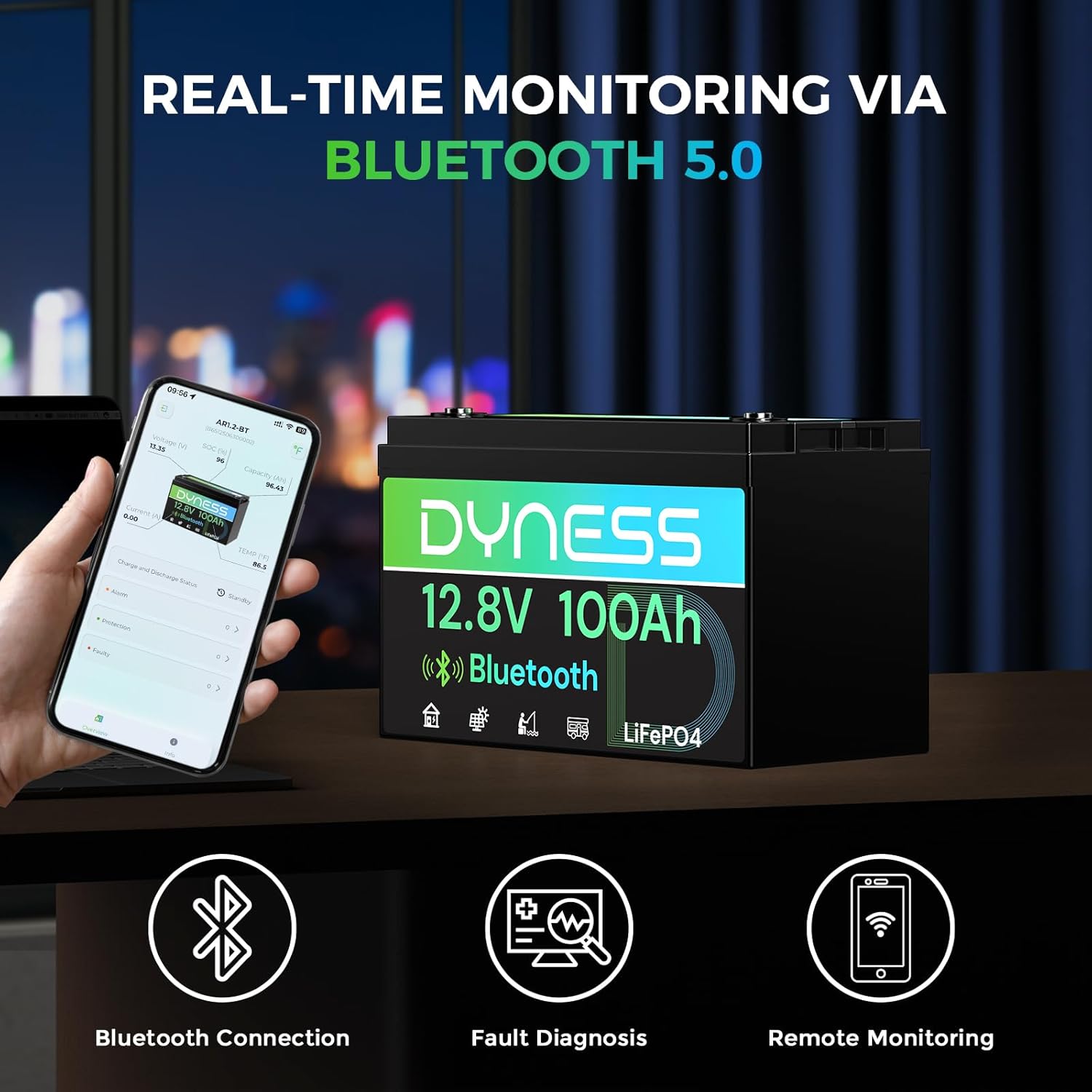
Image 3.1: Real-time monitoring via Bluetooth 5.0

Image 3.2: Dyness Intelligent 100A BMS with 20+ protections

Image 3.3: Long-lasting A+ Grade Cells for durability
3.2 상자 내용물
- 1 x Dyness 12V 100Ah Bluetooth LiFePO4 Battery (Model AR1.2-BT)
- M8 터미널 볼트
- 사용자 설명서
3.3 제품 비디오 끝view
Video 3.1: Dyness 12V 100Ah Group 31 Bluetooth Lithium Battery overview, demonstrating unboxing, M8 terminals, user manual, Bluetooth app connection, dimensions, waterproof test, and portability.
4. 설정
4.1 설치
- 짐 풀기: Carefully remove the battery from its packaging. Inspect for any damage.
- 터미널 연결: Connect your cables to the M8 terminals. Ensure connections are tight and secure to prevent arcing and overheating. The M8 terminals are standard for easy installation.
- 직렬 및 병렬 연결: The Dyness 12.8V 100Ah battery can be connected in series (up to 4S) and parallel (up to 4P) for a maximum system of 51.2V 400Ah (20.48kWh). Consult the detailed wiring diagrams in the included user manual for specific configurations.
- 설치: Secure the battery in a well-ventilated area, away from direct sunlight, heat sources, and flammable materials.

Image 4.1: Battery dimensions (12.99"W x 6.77"D x 8.43"H) and M8 terminal details.
4.2 초기 충전
It is recommended to fully charge the battery before its first use. Use a LiFePO4-specific charger. For optimal battery health, recharge at 0.2C (20A for a 100Ah battery).
5. 사용 설명서
5.1 블루투스 앱 모니터링
The Dyness battery features Bluetooth 5.0 for real-time monitoring. Download the "Dyness" app from your smartphone's app store. Once installed, open the app and connect to your battery. The app allows you to monitor:
- 권tag전자 (V)
- 현재 (A)
- State of Charge (SOC %)
- 용량(Ah)
- 온도 (°F/°C)
- Charge and Discharge State
- Alarm and Protection Status
Ensure your device is within 10 meters of the battery for a stable Bluetooth connection.

Image 5.1: Dyness App interface for monitoring battery status.
5.2 저온 보호
The integrated Battery Management System (BMS) includes low-temperature protection:
- Charging automatically disconnects when the battery temperature drops below 32°F (0°C).
- Charging resumes when the temperature rises to 41°F (5°C).
- Power output automatically cuts off at -4°F (-20°C) to prevent cell damage.

Image 5.2: Battery operating in cold conditions with low-temperature protection.
6. 유지관리
- 정기 검사: 배터리 단자에 부식이나 연결 불량이 있는지 주기적으로 점검하고 필요에 따라 청소하십시오.
- 저장: 배터리를 장기간 보관할 경우, 배터리 충전량을 약 50%로 유지하고 서늘하고 건조한 곳에 보관하십시오.
- 충전 중: Always use a charger specifically designed for LiFePO4 batteries. Avoid overcharging or deep discharging to prolong battery life.
- 청소: 배터리를 보관하세요asing clean and free of dust and debris. Use a dry cloth for cleaning.
7. 문제 해결
If you encounter issues with your Dyness LiFePO4 battery, consider the following:
- 배터리가 충전되지 않음: Verify charger compatibility and connection. Check the battery temperature; charging is disabled below 32°F (0°C).
- 전원 출력 없음: Check all cable connections for tightness. Ensure the battery is sufficiently charged. The BMS may have activated a protection mode (e.g., low temperature, over-discharge). Refer to the Dyness app for protection status.
- 블루투스 연결 문제: Ensure your smartphone is within 10 meters of the battery. Restart the app and try reconnecting.
- 비정상적인 행동: If the battery exhibits unusual heat, smell, or sound, immediately disconnect it from all loads and charging sources and contact Dyness customer support.
For further assistance, utilize the diagnostic tools and help center within the Dyness app or contact customer support.
8. 사양
| 사양 | 값 |
|---|---|
| 상표 | 다이네스 |
| 모델 | AR1.2-BT |
| 배터리 용량 | 100 Amp 시간 |
| 공칭 권tage | 12.8V |
| 제품 크기(D x W x H) | 6.77인치 깊이 x 12.99인치 너비 x 8.43인치 높이 |
| 품목 무게 | 25.3파운드 |
| 터미널 유형 | M8 터미널 |
| 자동차 적합 유형 | 유니버설 핏 |
| Max. Series Connection | 4S |
| Max. Parallel Connection | 4P |
| Low-Temp Charge Cut-off | 화씨 32도(섭씨 0도) |
| Low-Temp Discharge Cut-off | -4° 화씨 (-20° 섭씨) |
9. 보증 및 지원
Dyness provides professional technical support and online customer service with fast response within 24 hours. If you have any product-related issues or questions, do not hesitate to contact the Dyness support team directly.
This product may be eligible for additional protection plans. Please refer to your purchase documentation for details on available warranty and service options.