1. 제품 오버view
This manual provides instructions for the ELEGOO Mini Heater for Resin 3D Printers and the ELEGOO 3D Stainless Steel Funnel with Filter and Brush. These tools are designed to enhance your resin 3D printing experience by optimizing resin temperature and ensuring clean resin handling.
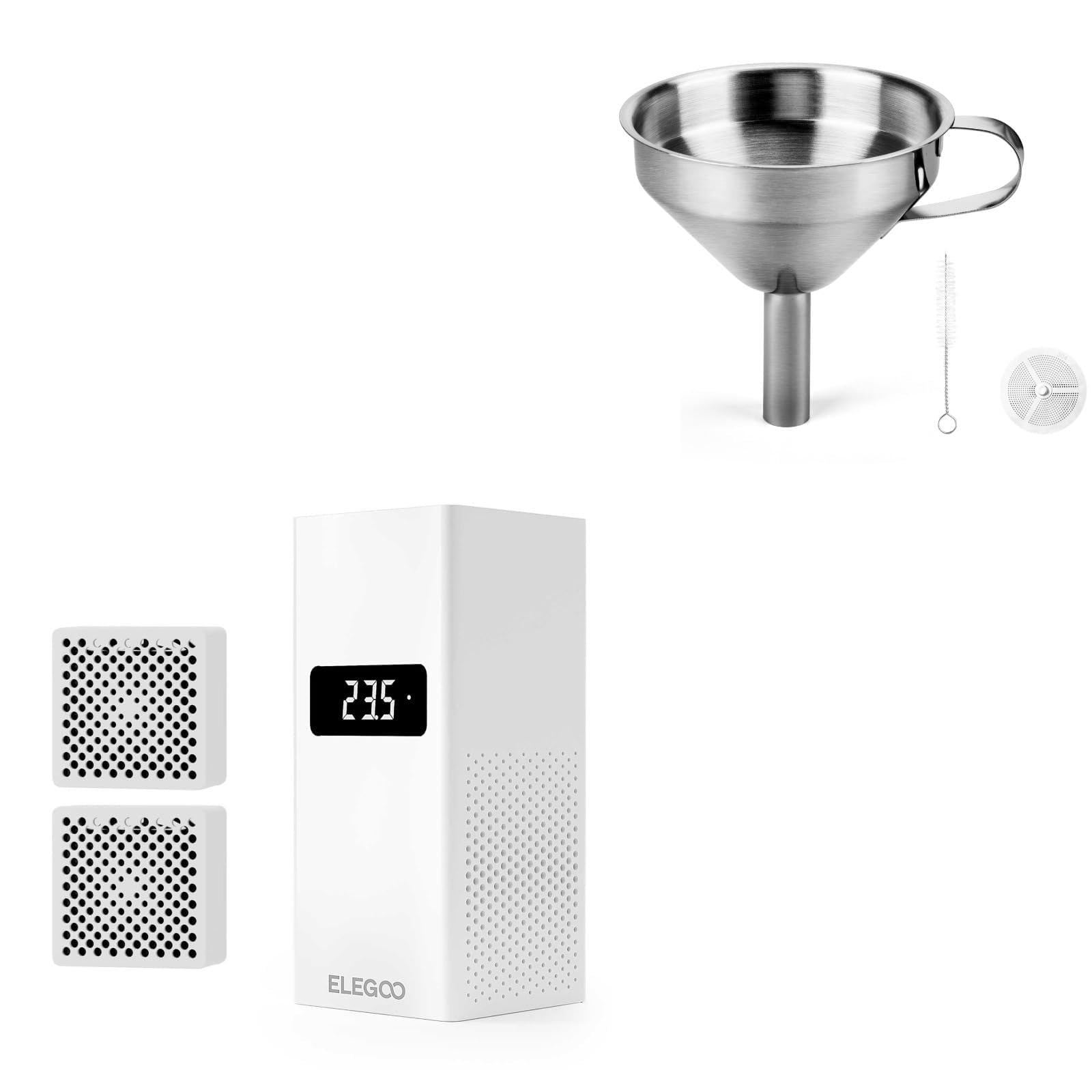
Image: The ELEGOO Mini Heater, two replacement air filters, a stainless steel funnel, a mesh filter, a cleaning brush, and a pair of gloves.
2. 안전 정보
- Always wear appropriate personal protective equipment (PPE) such as gloves and eye protection when handling resin.
- Ensure proper ventilation when operating the 3D printer and heater.
- Keep the Mini Heater away from water or other liquids.
- Do not attempt to disassemble or modify the Mini Heater or Funnel.
- 어린이와 애완동물의 손이 닿지 않는 곳에 보관하세요.
3. 설정 지침
3.1 ELEGOO Mini Heater Installation
- Prepare the Printer Casing: Identify a suitable flat surface inside your resin 3D printer's casing for mounting the heater.
- Secure Adapter to Printer Casing: Use the provided screws (labeled 1 and 2 in the diagram) to secure the mounting adapter plate to the inside wall of your 3D printer's casing. Ensure it is firmly attached.
- Secure Adapter to Heater: Attach the other part of the mounting adapter to the back of the Mini Heater using the designated screws (labeled 3 and 4 in the diagram).
- 히터 장착: Slide the Mini Heater, with its attached adapter, onto the adapter secured to the printer casing. Ensure it clicks into place securely.
- 전원 연결: Plug the power cable into the DC socket (labeled 2 in the diagram) on the heater. Connect the other end to a power source.
- 전원 켜기: Flip the power switch (labeled 1 in the diagram) to turn on the heater.

Image: Step-by-step installation guide for the Mini Heater, detailing how to secure the adapter and connect power.
3.2 ELEGOO Stainless Steel Funnel Preparation
The stainless steel funnel is ready for use out of the box. Ensure the mesh filter is clean before first use. The included brush can be used for cleaning.

Image: Components of the ELEGOO Stainless Steel Funnel kit, including the funnel, filter, brush, and gloves.
4. 사용 설명서
4.1 Using the ELEGOO Mini Heater
The Mini Heater is designed to maintain optimal resin temperature for consistent 3D printing results. It features smart temperature control and an air filtration system.
- 스마트 온도 조절: The heater automatically activates when the internal temperature drops below 25°C and stops heating when it reaches or exceeds 25°C. This ensures the resin maintains optimal fluidity, reducing issues like warping and cracking during printing.
- Rapid and Even Heating: Equipped with a PTC heating block and a 10000R/MIN high-speed fan, the heater quickly and uniformly raises the temperature inside the printer chamber to 25°C.
- 공기 여과: The self-contained air filtration module helps to reduce resin odors and airborne particles, contributing to a fresher printing environment.

Image: Illustration of the Mini Heater's smart temperature control, showing automatic heating below 25°C and stopping at or above 25°C.

이미지: 시각적 examples of how proper resin temperature, facilitated by the heater, helps maintain resin fluidity and prevents common printing issues like warping and cracking.
4.2 Using the ELEGOO Stainless Steel Funnel
The stainless steel funnel is essential for safely and cleanly filtering unused resin back into its bottle after printing, or for transferring resin between containers.
- 장갑을 착용하세요: Always wear the provided gloves or other suitable protective gloves when handling resin.
- 장소 필터: Insert the fine mesh filter into the funnel.
- 포지션 퍼널: Place the funnel securely into the opening of the resin bottle or container you wish to pour into.
- 레진 붓기: Carefully pour the resin through the filter and funnel. The filter will catch any cured resin bits or debris, ensuring clean resin for future prints.
- 정리: After use, clean the funnel and filter immediately with isopropyl alcohol (IPA) or a suitable resin cleaner.
5. 유지관리
5.1 ELEGOO Mini Heater Maintenance
- 에어 필터 교체: The Mini Heater includes a self-contained air filtration module. Replace the air filter periodically (e.g., every 1-3 months depending on usage) to maintain optimal air purification performance. Two replacement filters are included.
- 청소: Gently wipe the exterior of the heater with a dry or slightly damp 천으로 닦으세요. 강한 화학 물질을 사용하거나 기기를 물에 담그지 마세요.

Image: The Mini Heater displaying its temperature, with an inset showing the multi-layer air filtration system.
5.2 ELEGOO Stainless Steel Funnel Maintenance
- 청소: After each use, clean the funnel and mesh filter thoroughly with isopropyl alcohol (IPA) or a resin cleaner. Ensure all resin residue is removed to prevent clogging and cross-contamination.
- 솔 청소: Use IPA to clean the included brush after cleaning the funnel and filter.
- 저장: Store the clean and dry funnel and filter in a safe place to prevent damage or contamination.
6. 문제 해결
6.1 Mini Heater Issues
- 히터가 켜지지 않음: Check if the power cable is securely connected and the power switch is in the 'ON' position. Ensure the power outlet is functional.
- Resin still too cold/printing issues: Verify the heater is correctly installed and operating. Ensure the ambient room temperature is not excessively low, which might challenge the heater's ability to maintain 25°C.
- 특이한 냄새: Check if the air filter needs replacement. Ensure the printer's ventilation system is adequate.
6.2 Funnel Issues
- Slow resin filtration: The mesh filter may be partially clogged with cured resin or debris. Clean the filter thoroughly with IPA and the included brush.
- Resin leaking: Ensure the funnel is properly seated in the resin bottle opening and that there are no cracks or damage to the funnel.
7. 사양
7.1 ELEGOO Mini Heater
- 온도 조절: Smart automatic heating below 25°C, stops at or above 25°C.
- 가열 요소: PTC Heating Block.
- 팬 속도: 10000R/MIN High-Speed Fan.
- 특징: Air Filtration Module.
- 호환성: ELEGOO Saturn Series, Mars Series, Jupiter SE 3D Printers.
7.2 ELEGOO 3D Stainless Steel Funnel
- 재료: 스테인리스 스틸.
- Funnel Dimensions: Approximately 110mm (4.3in) top diameter, 100mm (3.9in) height.
- Spout Diameter: Approximately 15.7mm (0.6in).
- 필터 크기: Approximately 48mm (1.9in) diameter, 51mm (2in) height.
- 브러시 크기: Approximately 95mm (3.7in) length, 51mm (2in) brush head length.
- 포함된 액세서리: Fine mesh filter, cleaning brush, disposable gloves.

Image: Detailed dimensions for the stainless steel funnel, filter, and brush.
8. 보증 및 지원
8.1 보증 정보
For detailed warranty information regarding your ELEGOO products, please refer to the official ELEGOO website or the warranty card included with your purchase. Warranty terms typically cover manufacturing defects under normal use conditions.
8.2 고객 지원
If you encounter any issues or have questions about your ELEGOO Mini Heater or Stainless Steel Funnel, please contact ELEGOO customer support through their official web사이트 또는 제품 포장에 제공된 연락처 정보를 참조하세요. 또한 아마존에서 ELEGOO 스토어를 방문하세요 자세한 제품 정보와 지원 리소스를 확인하세요.


