1. 서론
This manual provides instructions for the KODAK 10.1-inch Digital Photo Frame, Model 1028c. Please read this manual thoroughly before using the device to ensure proper operation and to maximize your experience. This digital photo frame is designed to display photos and videos without requiring a Wi-Fi connection, offering a simple and direct way to enjoy your digital memories.
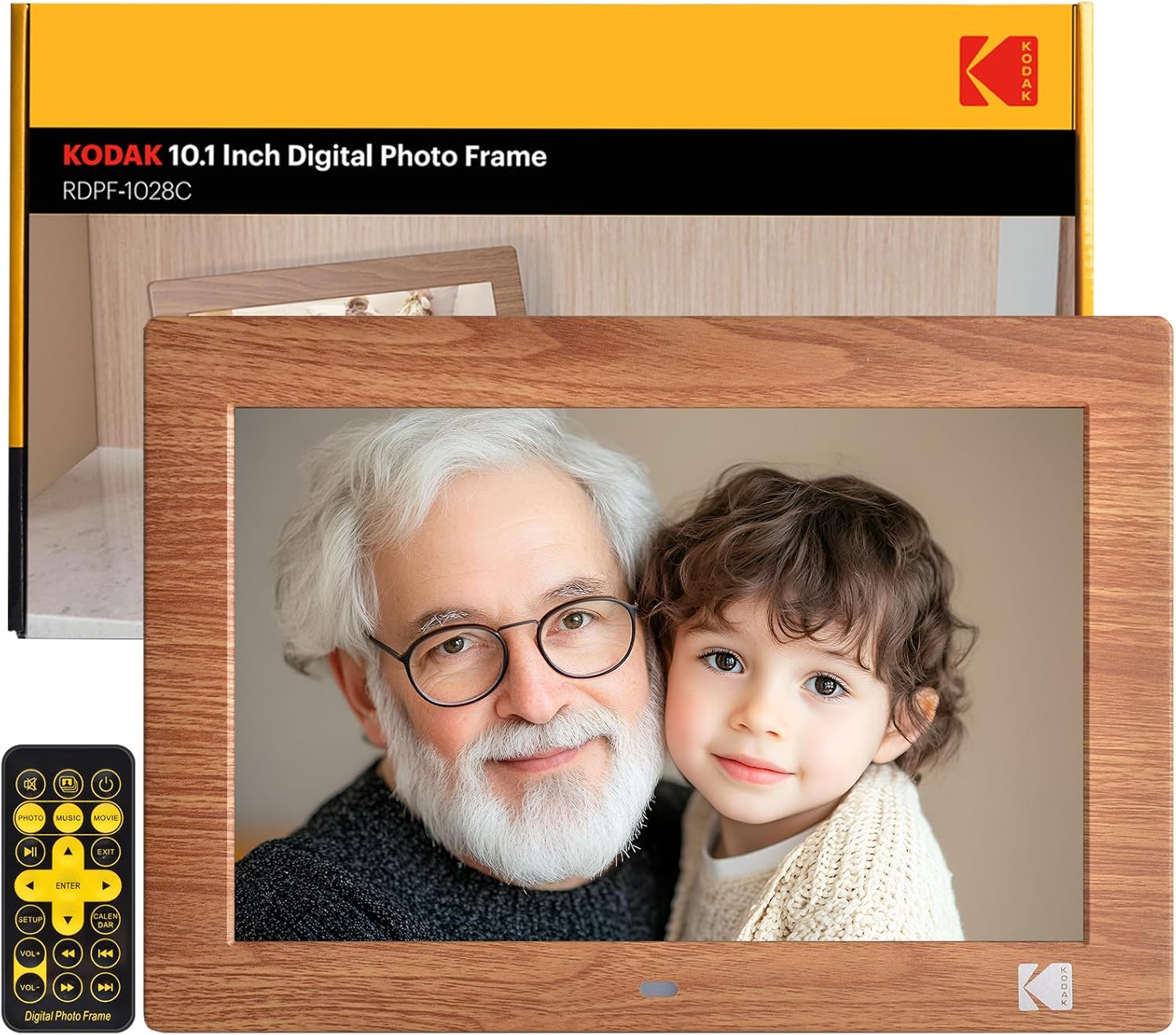
Image: The KODAK 10.1-inch Digital Photo Frame showcasing its vibrant display with a family photo.
2. 제품 오버view
2.1 주요 특징
- 10.1인치 HD IPS 디스플레이: Features a 1280x800 resolution screen with a 16:10 aspect ratio and 178° ultra-wide view선명한 이미지를 위해 각도를 조절하세요.
- Wi-Fi 필요 없음: Operates independently without internet connection or app downloads.
- 사용자 친화적인 작동: Simple plug-and-play functionality with USB drives or SD cards (up to 256GB). Includes a remote control for easy navigation.
- 다기능: Supports photo, video, and music playback. Includes calendar, clock, and alarm functions.
- 자동 켜기/끄기: Programmable power schedule for convenience.
- 유연한 배치: Supports horizontal or vertical orientation with auto-rotation, and can be wall-mounted.

Image: Visual representation of the frame's display specifications.
2.2 패키지 내용
패키지에 모든 품목이 들어 있는지 확인하세요.
- 코닥 10.1인치 디지털 액자
- 원격 제어
- 사진 액자 스탠드
- 사용 설명서 (본 문서)
- DC 전원 케이블

이미지: 제품 패키지에 포함된 모든 구성품.
2.3 장치 인터페이스
The frame is equipped with multiple ports for connectivity:
- SD 카드 슬롯: 최대 256GB의 SD 카드를 지원합니다.
- USB 포트: For connecting USB flash drives up to 256GB.
- 3.5mm 헤드폰 잭 : 오디오 출력용.
- DC 전원 커넥터: 전원 어댑터를 연결합니다.

이미지: 상세 view of the various ports and interfaces on the back of the digital photo frame.
3. 설정
3.1 초기 전원 켜기
- Connect the DC power cable to the DC power connector on the back of the frame.
- 전원 어댑터를 벽면 콘센트에 꽂으세요.
- The frame will automatically power on. If not, press the power button on the back of the frame or on the remote control.
3.2 Inserting Storage Devices
To display photos and videos:
- Insert a USB flash drive or SD card (pre-loaded with your media files) into the corresponding port on the frame.
- Ensure the storage device is formatted to a compatible file 시스템(예: FAT32, exFAT).
- The frame will automatically detect the device and begin playing media.
Image: Demonstrating the simple process of inserting an SD card and USB drive into the frame.
3.3 Frame Placement
The frame can be placed horizontally or vertically, and supports wall mounting:
- 데스크탑 배치: Attach the included photo frame stand to the designated slot on the back for stable desktop use.
- 벽면 장착: Use the wall hanging hole on the back of the frame. Ensure appropriate wall anchors and screws are used (not included). The frame features auto-rotation to adjust orientation based on gravity sensing.

Image: Details of the frame's stand and wall mounting options, with examples of display orientation.
4. 사용 설명서
4.1 리모컨 사용하기
The included remote control provides full functionality for navigating menus and controlling playback.

Image: Illustrating the use of the remote control for convenient operation.
4.2 미디어 재생
- 사진: The frame supports JPG, BMP, PNG, GIF, and WEBP formats. Photos will display in a slideshow format.
- 비디오: The frame supports MP4, MKV, MOV, and AVI formats.
- 음악: The frame supports MP3, WMA, OGG, AAC, and FLAC formats. Music can be played as background audio during photo slideshows.
Use the remote control to navigate through files, adjust volume, and control playback (play, pause, next, previous).
4.3 다기능 특징
Beyond media display, the frame offers additional utilities:
- 달력 및 시계: 현재 날짜와 시간을 표시합니다.
- 경보: 알림을 위해 알람을 설정하세요.
Image: The frame's versatility, showing calendar, automatic on/off, and media playback.
4.4 자동 켜짐/꺼짐
You can program the frame to turn on and off at specific times:
- 리모컨을 사용하여 설정 메뉴에 액세스합니다.
- Navigate to the 'Auto On/Off' option.
- Set your desired power-on and power-off times.
Image: Demonstrating the automatic on/off scheduling feature for convenient use.
5. 유지관리
- 화면 청소: 부드럽고 보풀이 없는 천을 사용하여 화면을 부드럽게 닦으세요. 잘 지워지지 않는 얼룩은 가볍게 닦아주세요.amp천에 물이나 화면 세척액을 묻혀 닦아주세요. 강한 화학 물질은 피하세요.
- 프레임 청소: 마른 부드러운 천으로 프레임 외부를 닦으세요.
- 저장: 장기간 사용하지 않을 경우 전원 어댑터를 분리하고 프레임을 서늘하고 건조한 곳에 보관하십시오.
- 액체를 피하세요: Do not expose the frame to water or excessive moisture.
6. 문제 해결
| 문제 | 가능한 원인 | 해결책 |
|---|---|---|
| 프레임의 전원이 켜지지 않습니다. | 전원 케이블이 제대로 연결되지 않았습니다. 전원 콘센트 문제입니다. | Ensure power cable is securely connected to both the frame and the outlet. Test the outlet with another device. |
| No pictures or videos displayed. | Storage device not inserted; incompatible file 형식; 손상됨 files. | Ensure SD card or USB drive is correctly inserted. Verify media files are in supported formats (JPG, MP4, etc.). Try another storage device or reformat the current one. |
| Frame shuts off unexpectedly. | Automatic On/Off schedule enabled; power supply issue. | Check the 'Automatic On/Off' settings in the menu. Ensure the power adapter is functioning correctly and providing stable power. |
| 리모컨이 작동하지 않습니다. | 배터리 방전; 장애물; 리모컨 작동 범위 이탈. | Replace remote control batteries. Ensure no obstructions between the remote and the frame's IR receiver. Operate within a reasonable range. |
| Some photos not displaying. | 호환되지 않음 file format (e.g., PNG not recognized); file 부패. | Ensure all photos are in supported formats like JPG. Convert problematic file필요한 경우 s. |
7. 사양
- 제품 크기: 8 x 10 x 0.99 인치
- 품목 무게: 2.12파운드
- 모델 번호: 1028도
- 상표: 코닥
- 화면 크기: 10.1 인치
- 해결: 1280 x 800 (WXGA)
- 종횡비: 16시 10분
- View각도: 178° 시야각
- 호환 장치: Personal Computer, SD Card, USB Flash Drive
- 지원되는 사진 형식: JPG, BMP, PNG, GIF, WEBP
- 지원되는 비디오 형식: MP4, MKV, MOV, AVI
- 지원되는 음악 형식: MP3, WMA, OGG, AAC, FLAC
- 스토리지 지원 : SD Card (up to 256GB), USB Flash Drive (up to 256GB)
8. 보증 및 지원
KODAK provides professional technical support and after-sales service for this product. For assistance, please refer to the contact information provided with your purchase or visit the official KODAK support web대지.
8.1 제품 비디오
For visual guidance on setup and features, please refer to the following official product videos:
영상: 장군님view and features of the KODAK Digital Photo Frame.
Video: Detailed demonstration of the frame's functionalities.
Video: Vertical orientation display and usage examp레.
Video: Quick guide to setting up and using the frame.
Video: Exploring the various display modes and settings.
Video: Tips for optimizing your photo and video display.
Video: Comprehensive guide to all features and controls.
Video: Extended tutorial on advanced settings and customization.
Video: Short demonstration of key features in vertical mode.
영상: 빠르게view of the frame's user interface.


