1. 서론
Thank you for choosing the Cecotec Cremmaet Cube Automatic Coffee Machine. This compact super-automatic coffee machine is designed to deliver high-quality espresso and coffee with convenience. Featuring 1350W power, 19 bar pressure, a 10g pressing system, pre-infusion, Thermoblock technology, 5 grind levels, and a tactile control panel, it ensures a rich and aromatic coffee experience. Please read this manual carefully before first use to ensure proper operation and maintenance.
2. 안전 지침
화재, 감전, 부상의 위험을 줄이려면 전기 제품을 사용할 때 항상 기본적인 안전 예방 조치를 따르세요.
- 볼륨을 확보하세요tag기기에 표시된 e는 귀하의 주 전원에 해당합니다.tag연결하기 전에 e를 누르세요.
- 제품, 전원 코드, 플러그를 물이나 기타 액체에 담그지 마십시오.
- 어린이의 손이 닿지 않는 곳에 보관하세요.
- 손상된 코드나 플러그를 사용하거나, 기기가 오작동하거나 어떤 방식으로든 손상된 후에는 기기를 작동하지 마십시오.
- 뜨거운 표면에 닿지 않도록 하세요. 손잡이나 손잡이를 사용하세요.
- 사용하지 않을 때와 세척하기 전에는 콘센트에서 플러그를 뽑으세요. 부품을 끼우거나 떼기 전과 기기를 세척하기 전에 식히세요.
- 제조업체가 권장하는 액세서리만 사용하세요.
3. 제품 오버view
The Cecotec Cremmaet Cube is designed for ease of use and compact integration into your kitchen. Familiarize yourself with its main components:
- 수조: Located on the side, with a capacity of 1.1 liters.
- 콩 호퍼: Top-mounted, holds up to 110g of coffee beans.
- 제어판: Tactile buttons for power, coffee selection, and hot water.
- 커피 주둥이: Adjustable height for various cup sizes up to 180mm.
- 드립 트레이: 과도한 액체를 모아 세척을 위해 분리할 수 있습니다.
- 커피 찌꺼기 용기: Collects used coffee pucks, located behind the drip tray.
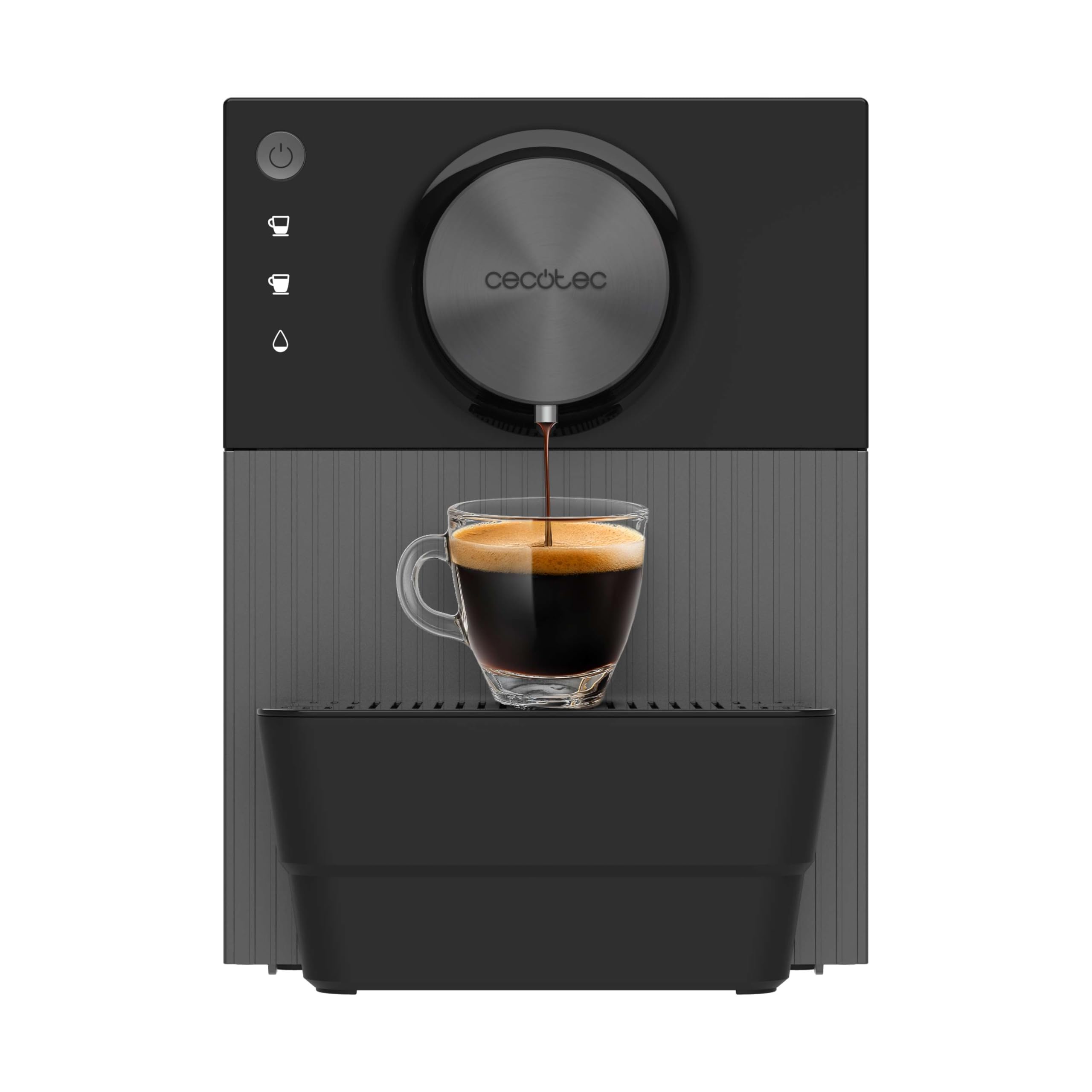
이미지 3.1: 이상view of the Cecotec Cremmaet Cube coffee machine, showing its compact design and main components.
4. 설정
4.1 포장 풀기 및 초기 청소
- 커피 머신의 포장을 조심스럽게 꺼내세요.
- 모든 포장재와 보호 필름을 제거합니다.
- 물탱크, 물받이, 커피 찌꺼기 용기를 따뜻한 물과 순한 세제로 씻으세요. 깨끗이 헹군 후 건조하세요.
- 기계 외부를 광고로 닦으세요.amp 옷감.
4.2 물 탱크 채우기
- 기계 측면에서 물탱크를 제거하세요.
- 탱크에 'MAX' 수위 표시기까지 신선하고 차가운 식수를 채우세요.
- 물탱크를 기계에 다시 넣고 단단히 고정되었는지 확인하십시오.
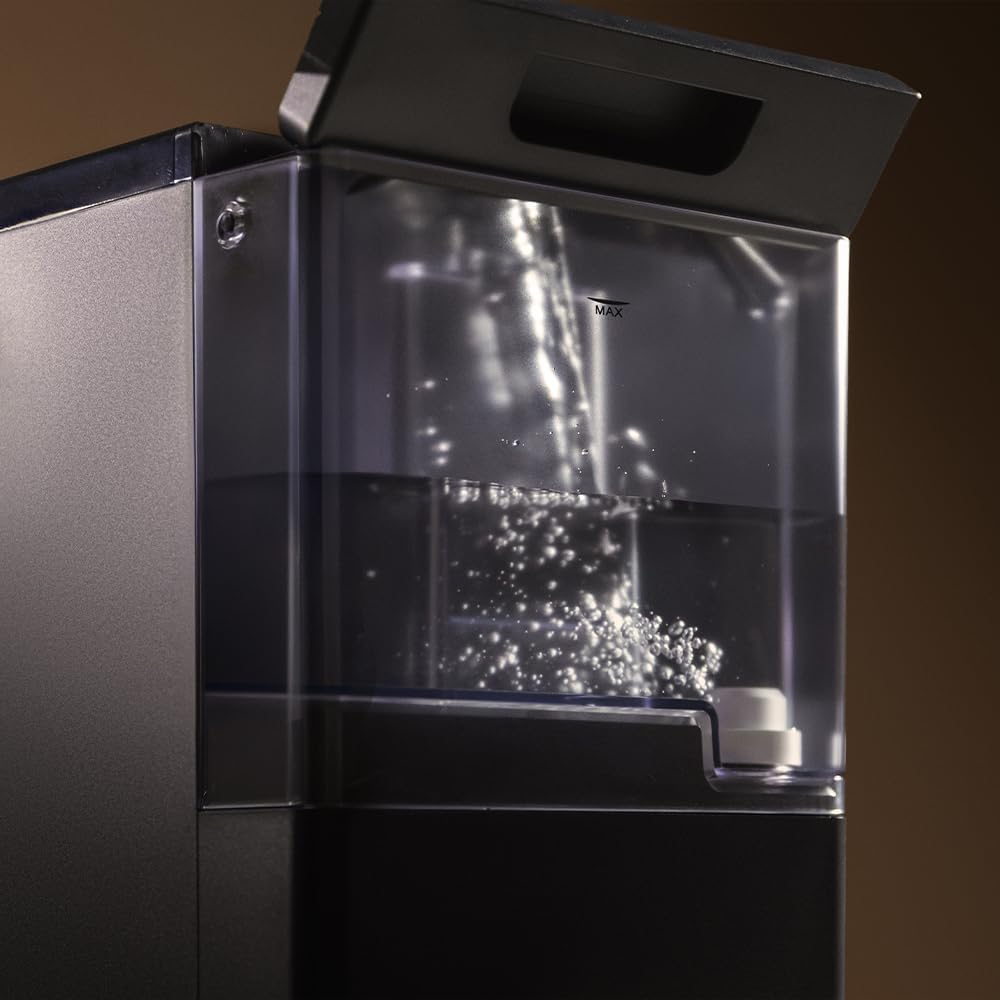
Image 4.1: A hand filling the transparent water tank of the coffee machine with water.
4.3 빈 호퍼 채우기
- 기계 위쪽에 있는 원두 투입구의 뚜껑을 엽니다.
- 신선한 원두를 호퍼에 붓습니다. 너무 많이 채우지 마세요.
- Close the lid securely to preserve bean freshness.
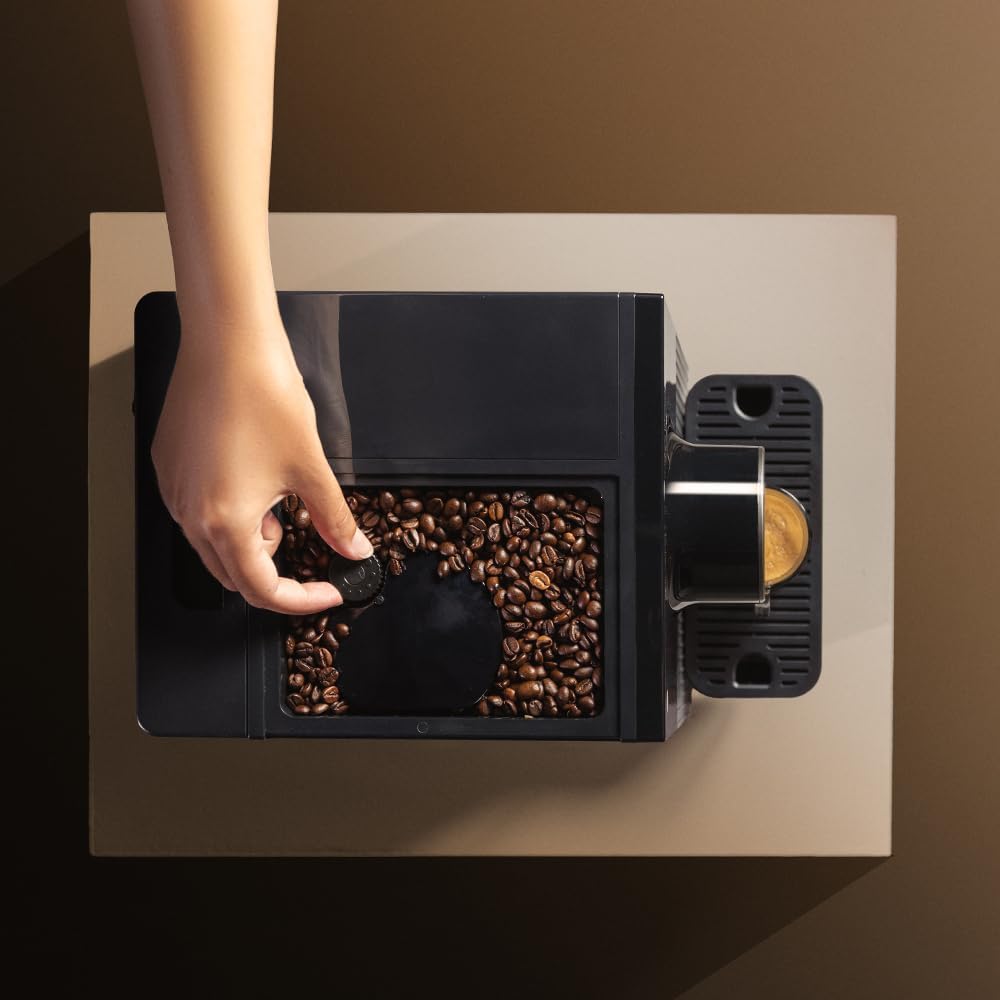
Image 4.2: A hand adding coffee beans into the top-mounted bean hopper of the machine.
4.4 첫 사용 / 프라이밍
- 기계를 접지된 전원 콘센트에 꽂으세요.
- Press the power button to turn on the machine. It will perform an initial rinse cycle.
- 커피 추출구 아래에 용기를 놓습니다.
- The machine may prompt you to run a hot water cycle to prime the system. Follow the instructions on the control panel or refer to the specific hot water function in section 5.3.
- Discard the water from the priming cycle. The machine is now ready for use.
5. 커피머신 작동하기
5.1 켜기/끄기
- 켜려면: 전원 버튼 (O) on the control panel. The machine will heat up and perform an automatic rinse.
- 끄기: 전원 버튼 (O) again. The machine will perform a final rinse before shutting down.

Image 5.1: A finger pressing the power button on the tactile control panel.
5.2 커피 만들기
The machine offers two types of coffee with a single touch.
- Place a cup under the coffee spout. Adjust the spout height if necessary to fit your cup (up to 180mm).
- Press the desired coffee button (e.g., single espresso, double espresso).
- The machine will grind the beans, pre-infuse, and brew your coffee.
- 양조 과정은 자동으로 중단됩니다.

Image 5.2: Freshly brewed coffee pouring into a glass cup from the machine's spout.

Image 5.3: Two different coffee machines, one with a small espresso cup and another with a larger coffee mug, demonstrating versatility.
5.3 분쇄도 조절
The machine features 5 adjustable grind levels to suit your preference. The grind adjustment knob is typically located inside the bean hopper. Turn the knob to select a finer or coarser grind. Adjustments should only be made while the grinder is operating.
5.4 온수 기능
For infusions or tea, the machine provides a hot water option.
- 커피 추출구 아래에 컵을 놓습니다.
- Press the hot water button on the control panel.
- Hot water will dispense. Press the button again to stop the flow.
5.5 Saving Coffee Settings
The machine allows you to save your preferred coffee volume. To do this:
- Press and hold the desired coffee button until the machine starts brewing.
- Release the button when the coffee reaches your desired volume. The machine will remember this setting for future use.
6. 유지관리
정기적인 청소와 유지관리를 통해 커피 머신의 최적의 성능과 수명을 보장하세요.
6.1 일일 청소
- 물받이와 커피찌꺼기 용기: 매일 비우고 헹궈주세요. 커피 찌꺼기 통이 가득 차면 기기에서 알려줍니다.
- 커피 주둥이: 광고로 지우기amp 천으로 커피 잔여물을 제거하세요.
6.2 주간/월간 청소
- 수조: Clean thoroughly with warm water and mild detergent.
- 양조 장치: The brew unit is removable for cleaning. Consult the machine's internal diagrams for removal instructions. Rinse under running water until clean. Allow to air dry before reinserting.
6.3 석회질 제거
The machine features an automatic descaling function. The frequency of descaling depends on water hardness and usage. The machine will indicate when descaling is required.
- When the descaling indicator lights up, prepare a descaling solution according to the descaler manufacturer's instructions.
- 용액을 물 탱크에 붓습니다.
- Follow the on-screen prompts or specific button sequence for initiating the descaling cycle.
- After the descaling cycle, rinse the water tank and run several cycles with fresh water to thoroughly flush the system.
7. 문제 해결
다음은 몇 가지 일반적인 문제와 해결 방법입니다.
| 문제 | 가능한 원인 | 해결책 |
|---|---|---|
| 커피가 나오지 않아요 | Water tank empty; no coffee beans; brew unit clogged. | 물 탱크를 채우세요. 원두 호퍼를 채우세요. 양조 장치를 청소하세요. |
| 커피가 너무 약하다 | 분쇄도가 너무 굵거나, 커피 양이 부족하거나, 원두가 오래된 경우. | Adjust grind to finer setting; check bean quality; ensure hopper is full. |
| 기계에서 물이 새다 | Water tank not seated correctly; internal seal issue. | Re-seat water tank; contact customer support if problem persists. |
| 스케일 제거 표시기 | 기계의 석회질 제거가 필요합니다. | Perform descaling cycle as per section 6.3. |
If you encounter issues not listed here or if solutions do not resolve the problem, please contact Cecotec customer support.
8. 사양
| 특징 | 세부 사항 |
|---|---|
| 상표 | 세코텍 |
| 모델 | Cremmaet Cube (A01_EU01_102811) |
| 힘 | 1350와트 |
| 압력 | 19 바 |
| 물탱크 용량 | 1.1리터 |
| 원두 투입구 용량 | 110g |
| 레벨 올리기 | 5 |
| 치수(D x W x H) | 29.5 x 34.2 x 22cm |
| 품목 무게 | 7.17kg |
| 특별 기능 | Automatic shut-off, Pre-infusion system, Thermoblock system, Tactile control panel |
9. 보증 및 지원
The Cecotec Cremmaet Cube Automatic Coffee Machine comes with a standard manufacturer's warranty. Please refer to the warranty card included in your product packaging for specific terms and conditions.
기술 지원, 문제 해결 또는 보증 청구 관련 문의는 Cecotec 공식 고객 지원 센터로 연락해 주십시오. web구매 시 제공된 사이트 또는 연락처 정보.
메모: No official product videos were found in the provided data for embedding.


