1. 서론
This manual provides detailed instructions for the KOOSMILE Mini PC N150 (Model N80). This device is a compact and portable computer featuring an 8-inch multi-touch display, designed for various applications from daily tasks to light entertainment. Please read this manual thoroughly before using the product to ensure proper operation and to maximize its lifespan.

그림 1.1: The KOOSMILE Mini PC N150, showcasing its integrated 8-inch touchscreen and various connectivity ports.
주요 특징:
- 프로세서: Twin Lake N150 CPU (4 cores, 4 threads, up to 3.6 GHz)
- 메모리: 12GB DDR5 램
- 저장: 256GB M.2 SSD (expandable, other variants available)
- 표시하다: 8-inch HD multi-touch screen
- 연결성: WiFi 6, Bluetooth 5.2, Dual RJ45 Ethernet
- 포트: 2x USB 3.0, 2x USB 2.0, HDMI, DisplayPort, Full-function Type-C, 3.5mm Audio Jack, TF Card Slot
- 운영 체제: 윈도우 11 프로
- 배터리: Integrated 5000mAh battery for portable use
2. 패키지 내용
상자를 풀 때 모든 품목이 패키지에 들어 있는지 확인하세요.
- KOOSMILE Mini PC N150 (Model N80)
- 전원 어댑터
- HDMI 케이블
- DP 케이블
- 사용 설명서 (본 문서)
3. 제품 오버view (Ports and Features)
Familiarize yourself with the various ports and features of your Mini PC for optimal connectivity and usage.

그림 3.1: 상세한 view of the KOOSMILE Mini PC N150's 12-port design, highlighting each port's function.
포트 설명:
- USB 3.0 포트(x2): 호환 장치와의 고속 데이터 전송을 위해.
- USB 2.0 포트(x2): For connecting standard USB peripherals like keyboards and mice.
- HDMI 포트 : Connects to external displays, TVs, or projectors for video and audio output.
- 디스플레이포트(DP): Connects to external displays for high-resolution video output.
- 완전한 기능을 갖춘 Type-C 포트: Supports 4K@60Hz video output, data transfer, and power delivery.
- RJ45 Ethernet Ports (x2): 유선 네트워크 연결의 경우.
- 3.5mm 오디오 잭: 헤드폰이나 외부 스피커를 연결하는 데 사용합니다.
- TF 카드 슬롯 : For expanding storage or transferring data from TF cards.
- 전원 버튼: 장치의 전원을 켜거나 끕니다.

그림 3.2: The integrated adjustable metal bracket allows for flexible view각도를 나타냅니다.
4. 설정 가이드
4.1 전원 연결
- Connect the provided power adapter to the power input port on the Mini PC.
- 전원 어댑터를 벽면 콘센트에 꽂으세요.
- The device is now ready for initial power on.
4.2 초기 부팅 및 Windows 설치
- Press the power button located on the side of the Mini PC.
- The device will boot up, and the 8-inch touchscreen will display the Windows 11 Pro setup wizard.
- 화면의 지시에 따라 언어, 지역, 네트워크 연결, 사용자 계정 생성 등 Windows 초기 설정을 완료합니다.
4.3 주변기기 연결하기
You can connect external devices such as a keyboard, mouse, and external monitors.
- 키보드 및 마우스: Connect USB keyboards and mice to the available USB 2.0 or USB 3.0 ports. Wireless peripherals can be connected via Bluetooth 5.2.
- 외부 모니터: Use the provided HDMI or DP cables to connect to external displays. The full-function Type-C port also supports video output.
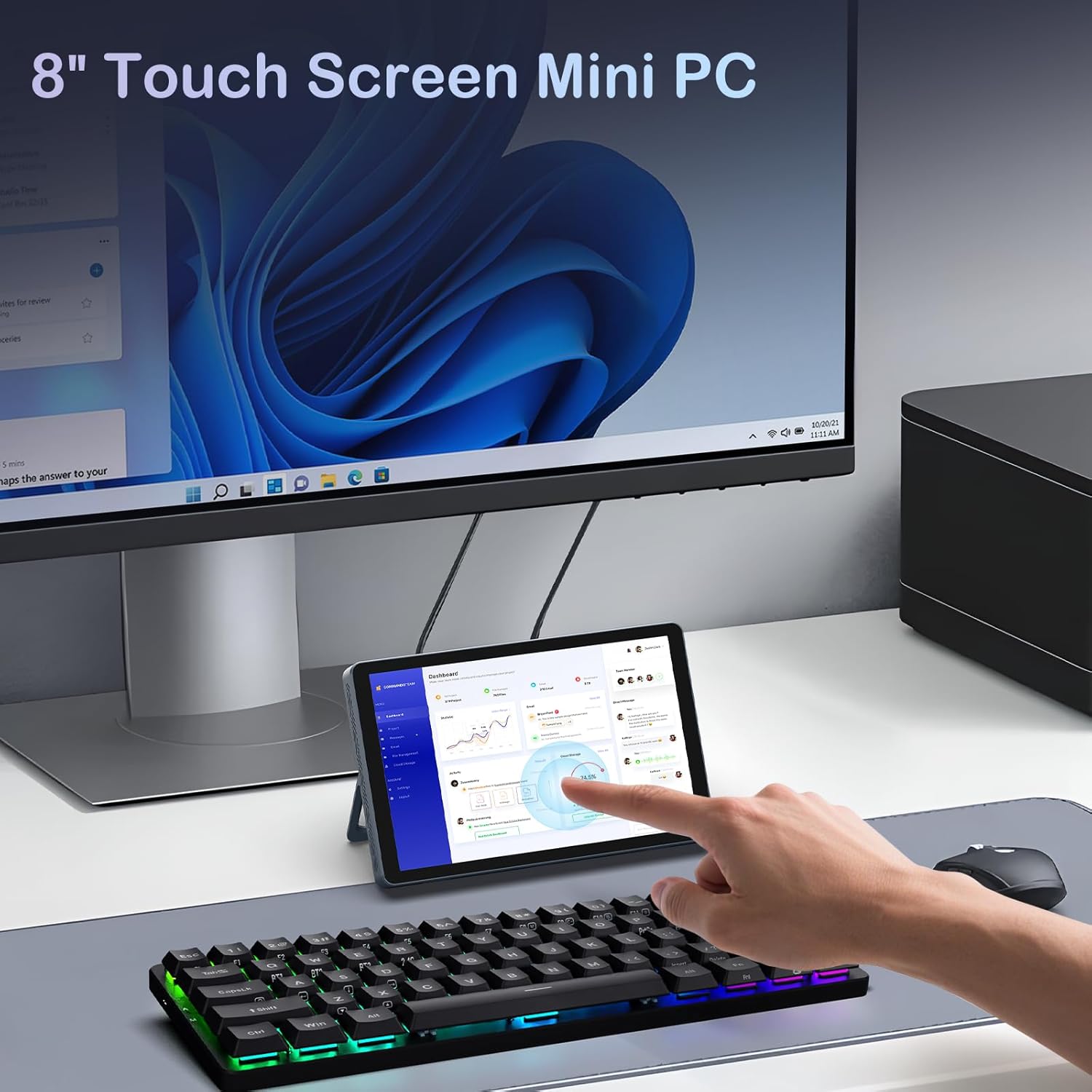
그림 4.1: The Mini PC N150 in a desktop setup, utilizing an external monitor and peripherals.
4.4 네트워크 연결
- 와이파이: During Windows setup or via Windows settings, connect to your preferred Wi-Fi 6 network.
- 이더넷: Connect an Ethernet cable from your router or modem to one of the two RJ45 ports on the Mini PC for a wired network connection.
5. 사용 설명서
5.1 터치스크린 사용
The 8-inch display supports multi-touch gestures, allowing for intuitive interaction with Windows 11 Pro. Use standard touch gestures for navigation, scrolling, zooming, and selecting items.
5.2 Connecting External Displays (Dual Display)
The Mini PC supports dual 4K displays simultaneously via HDMI, DisplayPort, and the full-function Type-C port. This allows for an extended desktop experience.
- Connect your external monitors using the appropriate cables (HDMI, DP, or Type-C).
- Once connected, Windows will automatically detect the displays. You can configure display settings (extend, duplicate, or second screen only) via the Display Settings in Windows.
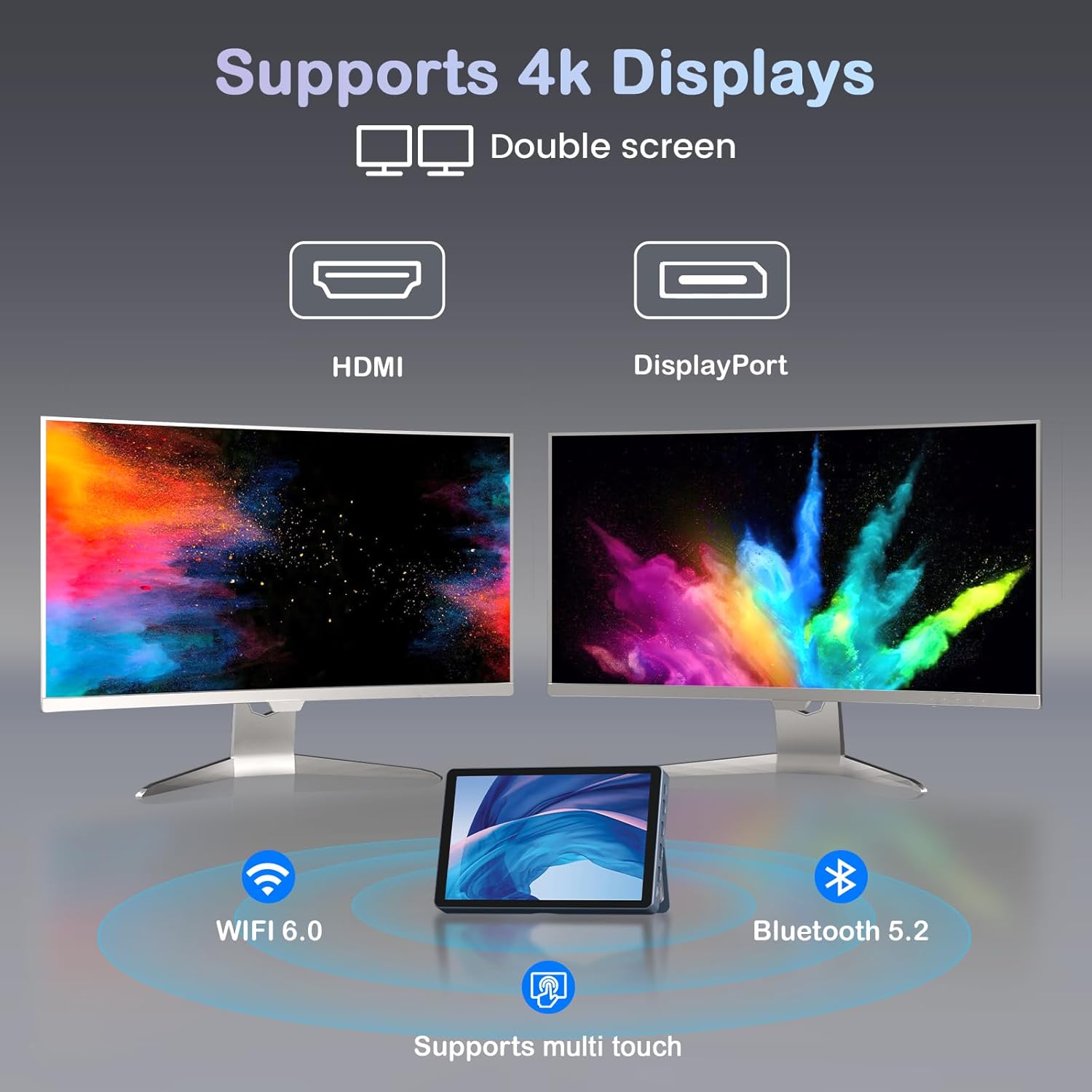
그림 5.1: The Mini PC N150 supporting a dual 4K monitor setup, enhancing productivity.
5.3 배터리 관리
The integrated 5000mAh battery provides power for portable use. The battery also supports charging other devices via its Type-C port.
- Charging the Mini PC: Connect the power adapter to fully charge the internal battery.
- 외부 장치 충전: Use a compatible USB-C cable to connect your smartphone or other devices to the Mini PC's full-function Type-C port for charging. Ensure the Mini PC has sufficient battery charge.

그림 5.2: The Mini PC N150 can provide power to charge other portable devices.
5.4 일체형 스탠드 조정하기
The Mini PC features an adjustable metal bracket on its rear, allowing you to set the device at various view편안한 사용을 위한 각도.
- Gently pull out the metal bracket from the back of the device.
- Adjust the bracket to your desired angle (e.g., 45 degrees or 165 degrees) to prop up the screen.
- Ensure the bracket is stable before releasin장치를 g합니다.
6. 유지관리
6.1 청소
- 부드럽고, 건조하고, 보푸라기가 없는 천을 사용하여 기기 외부를 청소하세요.
- For the touchscreen, use a screen-specific cleaning solution and a microfiber cloth. Avoid harsh chemicals.
- 청소하기 전에 장치의 전원이 꺼져 있고 플러그가 뽑혀 있는지 확인하십시오.
6.2 스토리지 확장
The Mini PC comes with an M.2 SSD, which can be upgraded. Refer to the manufacturer's guidelines or a qualified technician for storage upgrades to avoid voiding the warranty or damaging the device.
- The device supports M.2 SSDs.
- Consult the technical support team for recommended compatible M.2 SSD types and installation procedures.
7. 문제 해결
If you encounter issues with your KOOSMILE Mini PC N150, refer to the following common troubleshooting steps:
- 전원 없음:
- 전원 어댑터가 Mini PC와 작동하는 전원 콘센트에 모두 단단히 연결되어 있는지 확인하세요.
- 다른 장치를 연결하여 전원 콘센트가 작동하는지 확인하세요.
- If using the battery, ensure it is charged.
- 외부 모니터에 디스플레이가 표시되지 않음:
- Check that the HDMI, DP, or Type-C cable is securely connected to both the Mini PC and the monitor.
- 외부 모니터의 전원이 켜져 있고 올바른 입력 소스로 설정되어 있는지 확인하십시오.
- 가능하다면 다른 케이블이나 모니터를 사용해 보세요.
- Wi-Fi/Bluetooth 연결 문제:
- 윈도우 설정에서 Wi-Fi/블루투스가 활성화되어 있는지 확인하십시오.
- 미니 PC와 라우터/모뎀을 재시작하세요.
- Check for updated network drivers in Device Manager.
- 터치스크린이 반응하지 않음:
- 미니 PC를 다시 시작합니다.
- 화면이 깨끗하고 이물질이 없는지 확인하세요.
- Check for updated touchscreen drivers.
If these steps do not resolve the issue, please contact KOOSMILE technical support for further assistance.
8. 사양
The following table outlines the technical specifications for the KOOSMILE Mini PC N150 (Model N80):
| 특징 | 사양 |
|---|---|
| 모델 번호 | N80 |
| 프로세서 | Intel Celeron N150 (4 Cores, 4 Threads, up to 3.6 GHz) |
| 숫양 | 12GB DDR5 |
| 저장 | 256GB M.2 SSD (supports NVMe) |
| 제도법 | 통합 그래픽 |
| 운영 체제 | 윈도우 11 프로 |
| 표시하다 | 8-inch HD Multi-touch Screen |
| 최대 화면 해상도 | 3840 x 2160(4K) |
| USB 포트 | 2x USB 3.0, 2x USB 2.0 |
| 비디오 출력 | HDMI, DisplayPort, Full-function Type-C (4K@60Hz Dual Display Support) |
| 회로망 | WiFi 6 (802.11ax), Bluetooth 5.2, 2x RJ45 Ethernet |
| 오디오 | 3.5mm 오디오 잭 |
| 카드 리더기 | TF 카드 슬롯 |
| 배터리 | 5000mAh(비표준 배터리) |
| 치수 | 7.62 × 4.88 × 0.91인치 (19.36 x 12.4 x 2.31cm) |
| 무게 | 2.42파운드(1.1kg) |
9. 보증 및 지원
KOOSMILE is committed to providing reliable products and customer satisfaction.
- 보증: Each KOOSMILE Mini PC N150 comes with a 1-year limited warranty from the date of purchase. This warranty covers manufacturing defects and hardware malfunctions under normal use.
- 기술 지원: We offer lifetime technical support for your product. Our professional after-sales team is available 24 hours a day to assist you with any technical inquiries or issues.
- 고객 서비스: For responsive customer service, please refer to the contact information provided on the KOOSMILE official web사이트 또는 구매 플랫폼.


