1. 서론
Welcome to your new ECHTPower PC Gaming Controller. This manual provides essential information for setting up, operating, maintaining, and troubleshooting your controller. Please read it thoroughly to ensure optimal performance and longevity of your device.

Image 1: ECHTPower PC Gaming Controller with its dedicated charging dock.
2. 주요 특징
- 홀 효과 조이스틱: Designed to eliminate joystick drift, providing precise and reliable control.
- 1000Hz 폴링 속도: Experience ultra-fast input registration for competitive gameplay via 2.4GHz wireless or wired connection.
- 편리한 충전대: Easily charge your wireless controller by placing it on the included docking station.
- 다중 플랫폼 호환성: Seamlessly works with PC, Nintendo Switch, iOS, and Android devices using Bluetooth, 2.4G wireless, or USB-C wired connections.
- 800mAh 배터리: 한 번 충전으로 최대 15시간 동안 재생할 수 있습니다.
- Customizable Turbo & Vibration: Adjust three turbo levels and four vibration settings for a personalized gaming experience.
- 역동적인 RGB 조명: Choose from 9 colors and 4 lighting modes to customize the controller's appearance.
- Durable Gel Buttons: Conductive gel buttons are tested for 1 million clicks, ensuring long-lasting performance.

이미지 2: 상세 view of the Hall Effect Joysticks, highlighting their precision.

Image 3: Visual representation of the controller's 1000Hz polling rate for fast response.

Image 4: The controller demonstrating universal compatibility with various gaming devices.

Image 5: The controller resting on its charging base, indicating charging functionality.

Image 6: An illustration highlighting the three-level turbo speed feature.
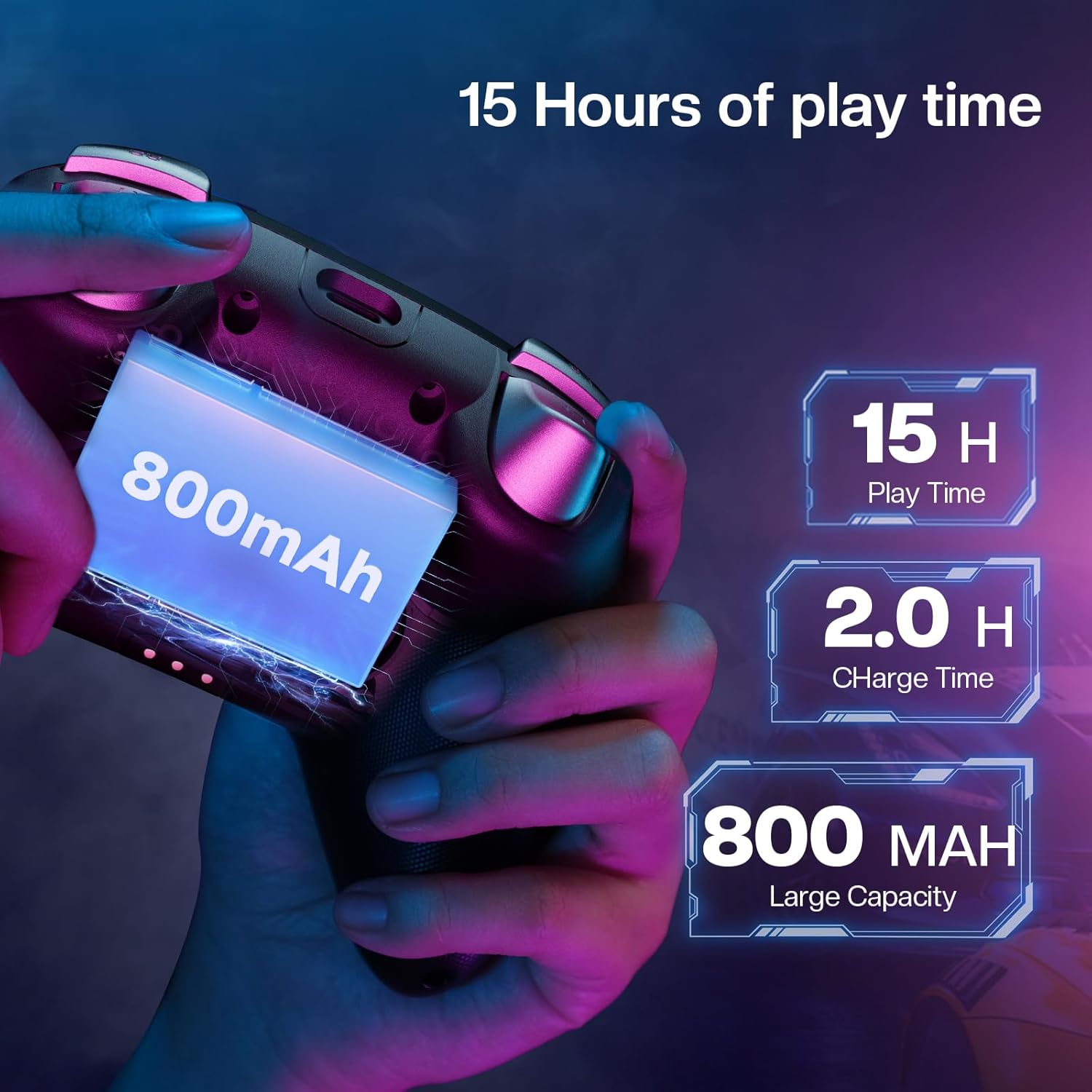
Image 7: Graphic showing the four levels of adjustable vibration feedback.

Image 8: An image illustrating the 800mAh battery and 15-hour playtime.

Image 9: The controller showcasing its dynamic RGB lighting around the joysticks.
3. 설정 가이드
3.1. 패키지 내용
- ECHTPower PC Gaming Controller
- 충전 도크
- USB-C 충전 케이블
- 2.4G 무선 수신기(USB 동글)
- 사용자 설명서
3.2. 컨트롤러 충전
The controller can be charged using the included charging dock or directly via a USB-C cable.
충전 도크 사용
- Connect the USB-C cable to the charging dock and a power source.
- Place the controller onto the charging dock, ensuring the contact points align.
- The indicator light on the dock will illuminate to show charging status.
Direct USB-C Charging
Connect the USB-C cable directly to the controller's port and to a power source. The controller's indicator lights will show charging status.
3.3. 컨트롤러 연결
2.4G Wireless Connection (for PC/Android TV/Laptop/Switch)
- Locate the 2.4G wireless receiver (USB dongle) stored in the charging dock.
- 수신기를 장치의 사용 가능한 USB 포트에 연결합니다.
- Switch the mode button on the back of the controller to the '2.4G' setting.
- Press the Home button on the controller to power it on. The controller will automatically connect.
Bluetooth Connection (for Android/iOS/Steam Deck)
- Switch the mode button on the back of the controller to the 'BT' setting.
- On your device, go to Bluetooth settings and search for "ECHTPower Controller".
- Select the controller to pair.
Wired Connection (for PC/Android TV/Steam Deck)
- Connect the USB-C cable from the controller to your device.
- 컨트롤러는 자동으로 인식됩니다.
Video 1: Official ECHTPower video demonstrating the unboxing, charging, and initial setup of the PC Gaming Controller with its charging dock.
4. 사용 설명서
4.1. 전원 켜기/끄기
Press and hold the Home button located in the center of the controller to power it on or off.
4.2. 모드 전환
Use the physical switch on the back of the controller to select the desired connection mode: 2.4G for wireless dongle, BT for Bluetooth, or Switch for Nintendo Switch compatibility.
4.3. 터보 기능
The controller features three adjustable turbo levels. To activate, press the Turbo button (often labeled 'T') and the desired action button simultaneously. Repeat this action to cycle through turbo speeds (e.g., 8 shots/s, 16 shots/s, 21 shots/s) or to deactivate the turbo function for that button.
4.4. 진동 조정
Four vibration settings are available. Refer to the included quick start guide for specific button combinations to adjust the vibration intensity to your preference.
4.5. RGB 조명 사용자 정의
The controller offers 9 colors and 4 lighting modes (Rainbow Flow, Steady, Breathing, Off) for its dynamic RGB lighting. Use the dedicated RGB button or specific button combinations (refer to the quick start guide) to cycle through these options and personalize your setup.
5. 유지관리
To ensure the longevity and optimal performance of your ECHTPower controller, please follow these maintenance guidelines:
- Keep the controller clean by regularly wiping it with a dry, soft cloth.
- 컨트롤러를 극한 온도, 높은 습도 또는 직사광선에 노출시키지 마십시오.
- Do not use harsh chemicals, solvents, or abrasive materials for cleaning, as these can damage the surface.
- Store the controller in a safe place when not in use, preferably on its charging dock to prevent damage.
- Avoid dropping the controller or subjecting it to strong impacts, which can affect internal components.
6. 문제 해결
6.1. 컨트롤러가 연결되지 않음
- Ensure the mode switch on the back of the controller is set correctly for your target device (2.4G, BT, or Switch).
- For 2.4G connection, verify the USB receiver is securely plugged into an available USB port on your device.
- For Bluetooth connection, ensure Bluetooth is enabled on your device and the controller is in pairing mode.
- 컨트롤러와 장치를 모두 다시 시작해 보세요.
- Ensure the controller battery is sufficiently charged.
6.2. 입력 지연 또는 연결 끊김
- Move closer to the wireless receiver or Bluetooth-enabled device to reduce potential interference.
- Ensure no other wireless devices are operating nearby on the same frequency, which could cause interference.
- For 2.4G connections, try plugging the receiver into a different USB port on your device.
- Ensure the controller is fully charged, as low battery can affect wireless performance.
6.3. Joysticks Drifting
- The Hall-Effect joysticks are designed to prevent drift. If you experience drift, ensure the controller firmware is up to date. Check ECHTPower's official web펌웨어 업데이트가 있는지 확인하려면 해당 사이트를 방문하세요.
- Perform a controller calibration if available through your device's operating system or game settings.
6.4. Lights Not Working
- 컨트롤러의 전원이 켜져 있는지 확인하세요.
- Cycle through the RGB lighting modes using the dedicated button or button combinations (refer to the quick start guide).
- 컨트롤러의 배터리 잔량을 확인하세요.
7. 기술 사양
| 특징 | 세부 사항 |
|---|---|
| 모델 번호 | EP01BK |
| 연결성 | 블루투스, 2.4G 무선, USB-C 유선 |
| 폴링 속도 | 1000Hz (2.4GHz/유선) |
| 조이스틱 | Hall-Effect (No Drift) |
| 배터리 용량 | 800mAh |
| 노는 시간 | 최대 15시간 |
| 충전 시간 | 약 2시간 |
| 호환성 | Windows, Nintendo Switch, iOS, Android, Steam Deck |
| 버튼 | Durable Gel Buttons (1 Million Clicks) |
| 진동 | 4 단계 조절 가능 |
| 터보 | 3 단계 조절 가능 |
| RGB 조명 | 9가지 색상, 4가지 모드 |
| 제품 치수 | 5.91 x 4.33 x 2.36 인치 |
| 품목 무게 | 9.88 온스 |
8. 보증 정보
ECHTPower products typically come with a manufacturer's warranty. For detailed warranty terms and conditions, please refer to the warranty card included in your product packaging or visit the official ECHTPower web사이트. 보증 청구를 위해 구매 증빙 자료를 보관하세요.
표준 제조업체 보증 범위를 넘어 보장 범위를 확장하기 위해 별도로 구매 가능한 선택적 보호 플랜이 제공됩니다.
9. 고객 지원
For further assistance, technical support, or inquiries regarding your ECHTPower PC Gaming Controller, please contact ECHTPower customer service.
- Visit the official ECHTPower store on Amazon: ECHTPower Store
- 제품 포장에 제공된 연락처 정보를 참조하여 직접적인 지원을 받으십시오.
We are dedicated to providing quality game accessories and personalized service to enhance your gaming experience.


