1. 서론
This manual provides essential information for the NIMO 15.6" Gaming Laptop (Model N159). It covers product features, setup procedures, operating instructions, maintenance guidelines, troubleshooting tips, and detailed specifications. Please read this manual thoroughly before using your new laptop to ensure optimal performance and longevity.

Image: The NIMO 15.6" Gaming Laptop, showcasing its display and key features like fingerprint unlock, Type-C PD charger, and backlit keyboard.
2. 상자 안에 무엇이 들어있나요?
모든 품목이 포장에 들어 있는지 확인하세요.
- NIMO N159 노트북 1대
- Type-C 100W PD 고속 충전기 1개
- 1 x 사용자 매뉴얼(이 문서)
- Windows 11 Home Operating System (pre-installed)
- 보증 정보 (2년 보증, 90일 반품 가능)
3. 제품 오버view
3.1 주요 특징
- 프로세서: AMD Ryzen 7 7735HS(8코어, 16스레드, 최대 4.75GHz)
- 제도법: Integrated AMD Radeon 680M GPU
- 표시하다: 15.6" Full HD (1920x1080) IPS Anti-Glare Display
- 메모리: 16GB DDR5 RAM (업그레이드 가능)
- 저장: 1TB PCIe 4.0 SSD (upgradeable)
- 충전 중: 100W 타입C PD 고속 충전기
- 보안: Fingerprint Reader for secure unlock
- 건반: Backlit Keyboard with Numeric Keypad
- 오디오: Dual 2W stereo speakers, dual beamforming microphones
- Web캠: 2MP with physical camera shutter
- 운영 체제: 윈도우 11 홈

Image: An illustration detailing the AMD Ryzen 7 7735HS processor, highlighting its 8 cores, 16 threads, and integrated Radeon 680M graphics for balanced performance.
3.2 포트 및 커넥터
Familiarize yourself with the available ports on your NIMO laptop:

Image: A detailed diagram illustrating the location and type of ports on the NIMO laptop, including USB 2.0, USB 3.2 Gen1, Type-C Gen2 (multifunction), HDMI 2.0, Audio Jack, Micro SD Reader, and Kensington Lock.
- USB 2.0 포트 : 구형 USB 장치 연결용입니다.
- USB 3.2 Gen1 포트(4개): 호환되는 USB 장치와의 고속 데이터 전송에 사용됩니다.
- Type-C Gen2 Ports (x2, Multifunction): Supports data transfer, video output, and power delivery (100W PD fast charging).
- HDMI 2.0 포트: 외부 디스플레이 또는 TV에 연결하기 위한 용도입니다.
- 오디오 잭 : 헤드폰이나 외부 스피커를 연결하는 데 사용합니다.
- 마이크로 SD 카드 리더기: 마이크로 SD 메모리 카드를 읽기 위한 용도입니다.
- 켄싱턴 잠금 슬롯: 호환되는 잠금 장치를 사용하여 노트북을 안전하게 보호하세요.
4. 설정
4.1 초기 전원 켜기
- 상자에서 노트북과 모든 액세서리를 꺼냅니다.
- Connect the 100W Type-C PD Fast Charger to one of the Type-C ports on the laptop and then to a power outlet.
- 노트북 덮개를 여세요. 노트북이 자동으로 켜질 수도 있고, 전원 버튼을 눌러야 할 수도 있습니다.
- 화면의 지시에 따라 언어 선택, 네트워크 연결, 사용자 계정 생성 등 Windows 11 Home 설치를 완료하세요.
4.2 배터리 충전
Before first use, it is recommended to fully charge the laptop battery. The 100W Type-C PD Fast Charger can provide approximately 5 hours of usage time with just 1 hour of charging.

Image: A visual representation of the 100W Type-C lightning-fast charger connected to the NIMO laptop, demonstrating its ability to charge quickly and efficiently.
5. 사용 설명서
5.1 전원 켜기/끄기 및 절전 모드
- 전원 켜기: 키보드에 있는 전원 버튼을 누르세요.
- 전원 끄기 : Windows에서 시작 버튼을 클릭한 다음 전원 > 시스템 종료를 선택합니다.
- 수면 모드 : 시작 버튼을 클릭한 다음 전원 > 절전을 선택하거나 노트북 덮개를 닫습니다.
5.2 Using the Fingerprint Unlock
The fingerprint reader is integrated into the touchpad for quick and secure access.
- During Windows setup or later in Windows Settings, configure your fingerprint for login.
- To unlock, simply place your registered finger on the fingerprint reader on the touchpad.
5.3 Adjusting the Backlit Keyboard
The keyboard backlight can be adjusted for comfortable typing in various lighting conditions.

Image: A visual guide demonstrating the fingerprint unlock feature on the touchpad and the functionality of the backlit keyboard, including how to cycle through brightness settings using the F9 key.
- 를 누르세요 F9 key to cycle through backlight settings:
- 1 Tap: Light (Temporary)
- 2 Taps: Light (Temporary)
- 3 Taps: Light (Constant)
- 4 Taps: Off
5.4 사용 Web캠 셔터
For privacy, the laptop includes a physical camera shutter.
- Slide the shutter to the left to open the camera.
- Slide the shutter to the right to close and cover the camera lens.

Image: A visual guide demonstrating the physical camera shutter, showing both the 'Camera Open' and 'Camera Close' statuses for enhanced privacy.
6. 유지관리
6.1 노트북 청소
- 청소하기 전에는 항상 노트북 전원을 끄고 충전기를 분리하십시오.
- 부드럽고 털이 없는 천을 살짝 사용하세요.amp디스플레이에는 물이나 화면 세척제를 사용하세요.
- 키보드와 본체는 부드럽고 마른 천으로 닦으십시오. 강한 화학 약품이나 연마재는 사용하지 마십시오.
- Use compressed air to clear dust from vents periodically.
6.2 배터리 관리
- 배터리를 자주 완전히 방전시키지 마세요.
- 장시간 사용하지 않을 경우 노트북을 서늘하고 건조한 곳에 보관하세요.
- 노트북을 극한의 온도에 노출시키지 마십시오.
6.3 소프트웨어 업데이트
최적의 성능과 보안을 유지하려면 운영 체제 및 드라이버 업데이트를 정기적으로 확인하고 설치하십시오.
7. 문제 해결
| 문제 | 가능한 원인 | 해결책 |
|---|---|---|
| 노트북의 전원이 켜지지 않습니다. | 배터리 또는 전원 어댑터 문제. | Connect the charger and wait a few minutes before attempting to power on. Ensure the charger is properly connected to both the laptop and the power outlet. |
| 화면이 비어 있거나 검은색입니다. | 노트북이 절전 모드에 있거나, 디스플레이 설정에 문제가 있거나, 하드웨어에 문제가 있는 경우입니다. | Press any key or the power button to wake from sleep. Try connecting an external monitor to check if the display output works. Restart the laptop. |
| 키보드 백라이트가 작동하지 않습니다. | Backlight turned off or at lowest setting. | 를 누르세요 F9 key repeatedly to cycle through brightness levels and turn on the backlight. |
| Fingerprint unlock not working. | Finger not properly placed, or sensor issue. | Ensure your finger is clean and dry and covers the sensor completely. Re-register your fingerprint in Windows Settings if the issue persists. |
| 성능이 느립니다. | Too many applications running, insufficient storage, or outdated drivers. | Close unnecessary applications. Check available storage space. Update Windows and device drivers. |
If you encounter issues not listed here or require further assistance, please contact NIMO customer support.
8. 사양
| 상표 | 니모 |
| 모델명 | 니모 N159B |
| 화면 크기 | 15.6 인치 |
| 화면 해상도 | 1920 x 1080 픽셀 (FHD IPS) |
| 프로세서 | AMD Ryzen 7 7735HS (8 Cores, 4.75 GHz Max Turbo) |
| 숫양 | 16GB DDR5(4800MHz) |
| 하드 드라이브 | 1024GB SSD (PCIe 4.0) |
| 그래픽 코프로세서 | AMD 라데온 680M (내장형) |
| 운영 체제 | 윈도우 11 홈 |
| 무선형 | 802.11a/b/g/n/ac |
| USB 2.0 포트 | 1 |
| USB 3.0 포트 | 4 |
| 평균 배터리 수명 | 5 Hours (54Wh, 11.4V/4700mAh) |
| 품목 무게 | 3.8파운드 |
| 제품 치수 | 14.07 x 8.98 x 0.76 인치 |
| 색상 | 파란색 |
| 뒤쪽 Web캠 해상도 | 2 MP |
| 특별 기능 | 백라이트 키보드, 지문 인식기, HD 오디오, 숫자 키패드 |
9. 보증 및 지원
9.1 제조업체 보증
Your NIMO N159 laptop is covered by a comprehensive 2년 제조사 보증 from Nimo Direct Inc. This warranty covers defects in materials and workmanship under normal use. For warranty claims, please contact customer support.

Image: A technician working on a laptop's internal components, representing the 2-year support provided for Nimo products.
9.2 반품 정책
Nimo Direct Inc. offers a 90일 무조건 반품 정책. You may return any Nimo product for any reason within 90 days of purchase. Please refer to your purchase documentation for specific return procedures.
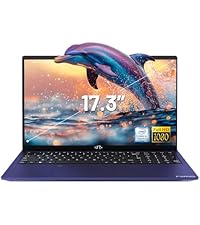
Image: A delivery person handing a package to a customer, illustrating the 90-day return policy for Nimo products.
9.3 고객 지원
For any product-related questions, technical assistance, or warranty claims, please contact our professional after-sales service team. Our dedicated support team is available to resolve issues or facilitate replacements.
- 이메일: service@nimopc.com
- 온라인: NIMO 공식 웹사이트를 방문하세요. website or product page for contact options.

Image: Customer service representatives wearing headsets, indicating professional customer assistance available via phone and live chat.


