소개
This manual provides essential information for the setup, operation, and maintenance of your WalkerFit M6 GPS Smart Watch. Designed for active users, this smartwatch features multi-satellite positioning, a durable full-metal body, long battery life, 5ATM water resistance, Bluetooth calling, and a vibrant 1.43-inch AMOLED screen. Please read this manual thoroughly to ensure proper usage and to maximize your device's capabilities.
패키지 내용
Verify that all items listed below are present in your product box:
- 1x WalkerFit M6 GPS Smart Watch
- 1x Magnetic Base Charger
- 1x 사용자 설명서
- 1x Black Silicone Band
- 1x Camouflage Band

Image: Contents of the WalkerFit M6 GPS Smart Watch package, showing the watch, magnetic charger, user manual, and two interchangeable bands.
설정
초기 충전
Before first use, fully charge your WalkerFit M6 GPS Smart Watch. Connect the magnetic charging cable to the charging points on the back of the watch and plug the USB end into a compatible power source. A full charge typically takes approximately 2.5 hours.
전원 켜기/끄기
- 전원을 켜려면: Press and hold the power button (typically the top right button) until the screen illuminates.
- 전원을 끄려면: 전원 버튼을 길게 누른 다음, 화면에서 '전원 끄기' 옵션을 선택하세요.
Video: Instructions on how to power on the WalkerFit M6 GPS Smart Watch.
앱 다운로드 및 페어링
To unlock the full functionality of your smartwatch, download the companion app. The app is compatible with both Android and iPhone devices.
- Scan the QR code provided in the user manual or on the watch screen to download the 'FitCloudPro' app from your device's app store.
- 'FitCloudPro' 앱을 열고 화면의 지시에 따라 계정을 만들거나 로그인하세요.
- 스마트폰에서 블루투스를 활성화하세요.
- Within the app, navigate to the 'Device' section and select 'Add Device' or 'Scan for Device'.
- Select 'M6 GPS' from the list of available devices to initiate pairing. Confirm the pairing request on both your smartphone and the smartwatch.
작동 지침
탐색 및 디스플레이
- 터치스크린: 왼쪽, 오른쪽, 위 또는 아래로 스와이프하여 메뉴와 기능을 탐색하세요. 탭하여 옵션을 선택하세요.
- 물리적 버튼: The watch features multiple physical buttons for quick access to functions like Sport mode, Menu, and Back.
- 사용자 정의 가능한 시계 화면: Change your watch face directly from the device settings or through the companion app to personalize your display.

Image: The 1.43-inch AMOLED display of the WalkerFit M6 GPS Smart Watch, showcasing different customizable watch faces and the Always-On Display feature.
Multi-Satellite GPS and Outdoor Features
The WalkerFit M6 GPS Smart Watch is equipped with advanced multi-system positioning (GPS, GLONASS, Galileo, BeiDou) for accurate outdoor tracking. It also includes a built-in compass, altimeter, and barometer.
- Route Recording: Activate a sports mode (e.g., hiking, trail running, cycling) to automatically record your route, distance, and other metrics using GPS.
- 환경 인식: Utilize the compass for real-time directional guidance, the altimeter to track elevation changes, and the barometer to monitor air-pressure trends.

Image: A user wearing the WalkerFit M6 GPS Smart Watch while hiking, demonstrating its multi-satellite GPS tracking capabilities, compass, altimeter, and barometer features.
Sports Modes and Health Tracking
Access over 170 indoor and outdoor sports modes directly from your watch. The device continuously monitors various health metrics.
- 스포츠 모드: Select your desired activity (e.g., running, cycling, swimming, strength training) to track performance data such as heart rate, calories burned, and duration.
- Daily Wellness: The watch provides all-day tracking for heart rate, SpO₂, sleep patterns, stress levels, and activity trends. Review detailed insights in the companion app.

Image: A user engaging in water sports while wearing the WalkerFit M6 GPS Smart Watch, highlighting its 5ATM waterproof rating and the availability of over 170 sports modes.
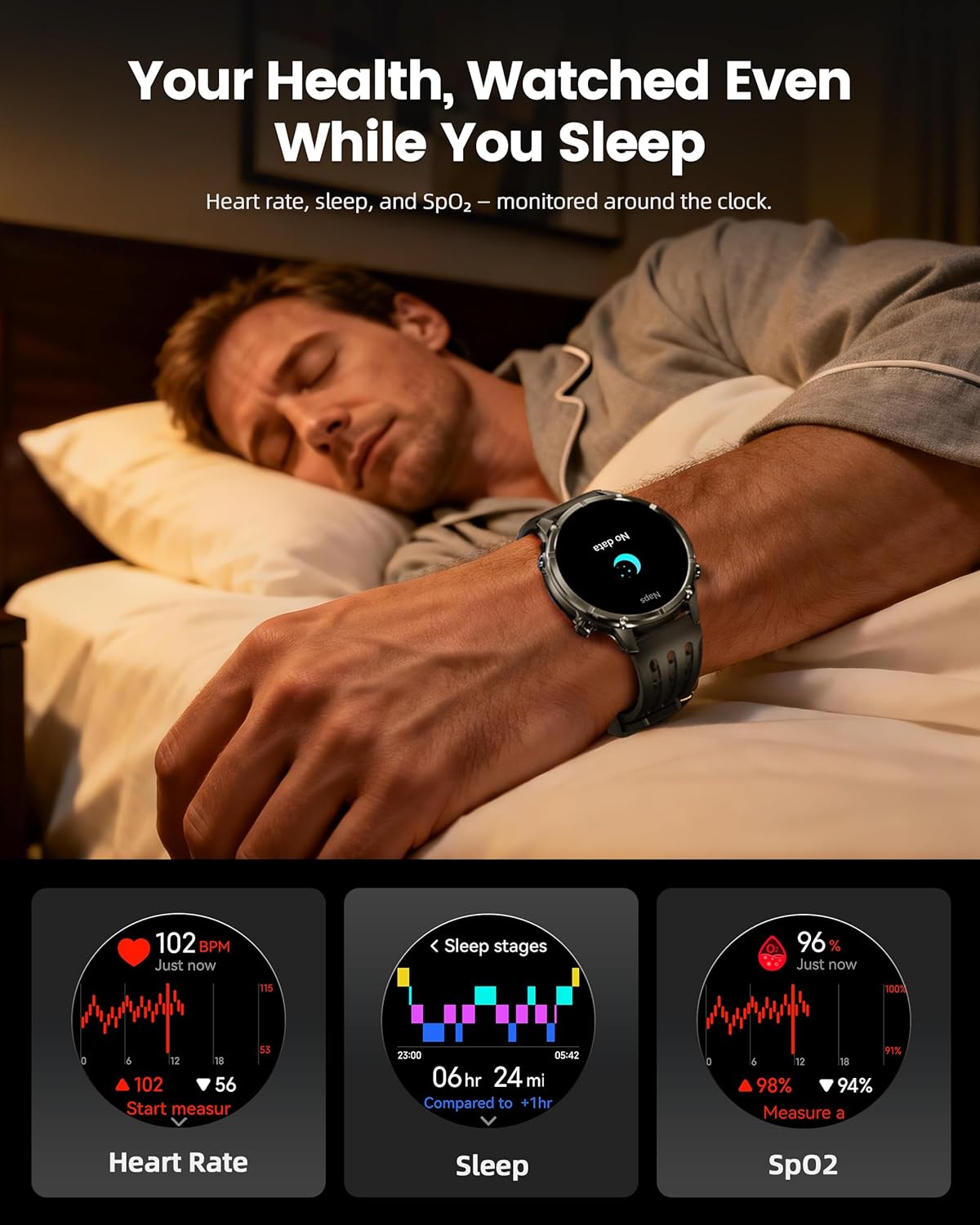
Image: The WalkerFit M6 GPS Smart Watch monitoring health metrics such as heart rate, sleep stages, and SpO₂ levels, even during sleep.
Bluetooth Calling and Smart Notifications
Stay connected with Bluetooth calling and smart notifications directly on your wrist.
- 블루투스 통화: Answer or place calls directly from your smartwatch when connected to your smartphone.
- 알림: Receive alerts for SMS, email, and app notifications (e.g., WhatsApp, Facebook, Instag숫양).
- 추가 도구: Access music control, weather updates, world clock, timer, alarm, calculator, flashlight, find-phone, and camera control.
Video: Demonstration of the smartwatch's communication functions, including Bluetooth calls and smart notifications.

Image: The WalkerFit M6 GPS Smart Watch showing smart notifications from various apps and its AI assistant capabilities for calls and messages.
주요 기능 이상view
견고한 디자인과 디스플레이
The WalkerFit M6 GPS Smart Watch is built with a durable full-metal zinc-alloy body and features a 1.43-inch AMOLED display with Always-On Display (AOD) functionality. The screen is designed for clear visibility even under strong sunlight and is protected with 8H hardness.
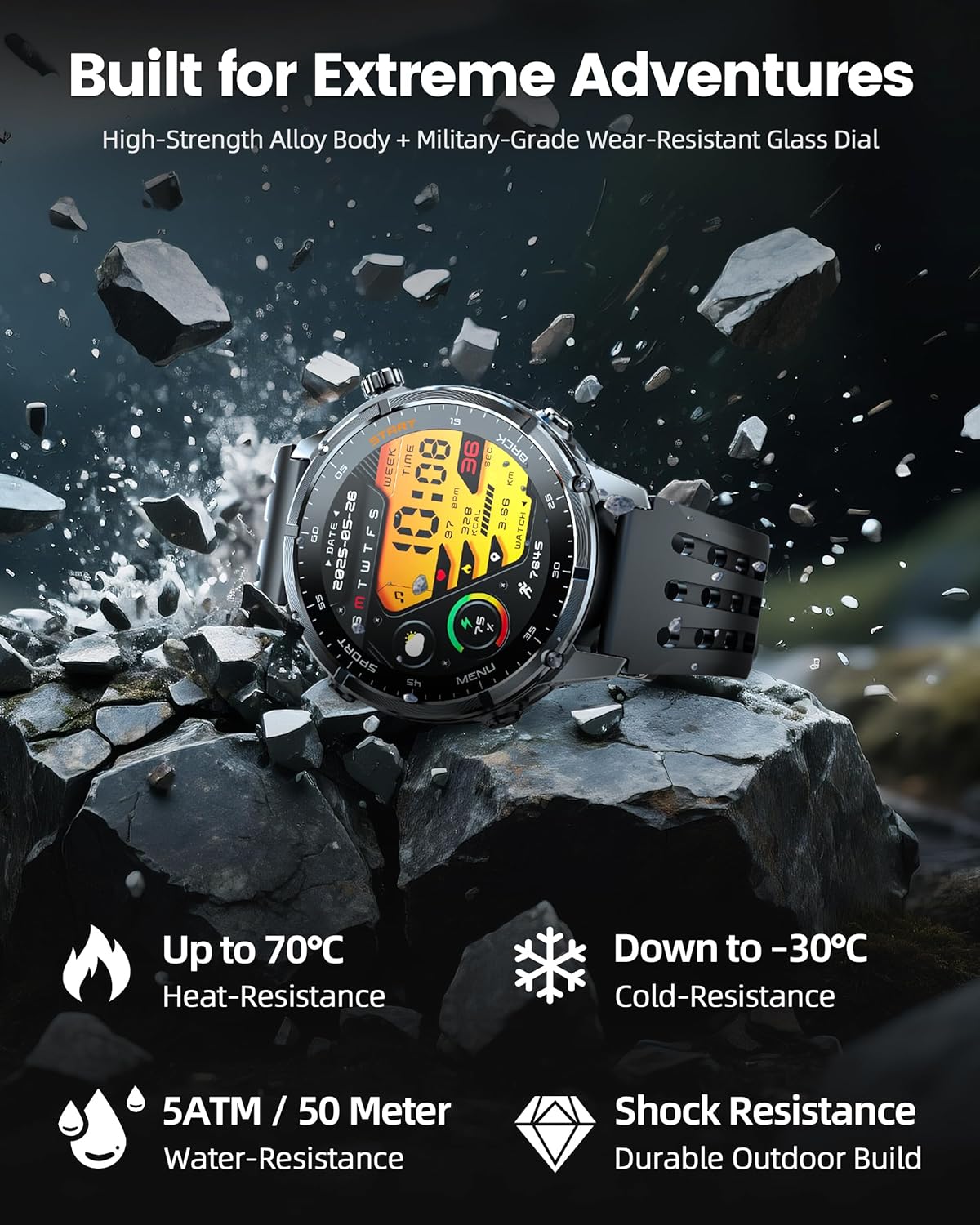
Image: The WalkerFit M6 GPS Smart Watch in a rugged outdoor setting, illustrating its high-strength alloy body, military-grade wear-resistant glass, and resistance to heat, cold, water, and shock.
오래 지속되는 배터리
Equipped with a 520mAh battery, the smartwatch offers extended usage times:
- Up to 14 days for daily use.
- 7+ days during active outdoor training.
- 대기 모드에서 최대 60일 동안 사용 가능합니다.
Recharging to full capacity takes approximately 2.5 hours.

Image: The WalkerFit M6 GPS Smart Watch on its magnetic charger, emphasizing its 520mAh battery capacity and multi-day usage capabilities.
유지
청소 및 관리
- Regularly clean the watch and bands with a soft, damp 옷감.
- 시계의 마감재나 센서를 손상시킬 수 있는 강한 화학 물질이나 연마재의 사용을 피하십시오.
- 부식을 방지하려면 충전하기 전에 충전 접점이 깨끗하고 건조한지 확인하세요.
방수성
The WalkerFit M6 GPS Smart Watch is rated 5ATM, making it suitable for swimming in pools, use in rainy weather, splashes, and sweat during workouts. It is not recommended for diving or high-pressure water activities.
문제 해결
- 시계 전원이 켜지지 않음: Ensure the watch is fully charged. If the issue persists, try connecting it to the charger for a few minutes before attempting to power on again.
- 페어링 문제: Confirm Bluetooth is enabled on your smartphone and the watch is within range. Restart both devices and try pairing again through the 'FitCloudPro' app.
- Inaccurate Heart Rate/SpO₂ Readings: 시계를 손목에 꼭 맞게 착용하세요. 너무 꽉 조이거나 느슨하지 않도록 하세요. 시계 뒷면의 센서를 청소하세요.
- GPS 신호 손실: Move to an open area away from tall buildings or dense foliage for better signal reception.
- 배터리 수명이 짧음: Adjust display brightness, reduce the display duration, or disable features like Always-On Display if not needed to extend battery life.
명세서
| 특징 | 세부 사항 |
|---|---|
| 모델 번호 | M6 GPS |
| 표시하다 | 1.43 Inches AMOLED, 466*466 resolution |
| 배터리 용량 | 520밀리amp 시간 (520mAh) |
| 연결성 | 블루투스 |
| GPS | Built-in GPS (Multi-Satellite Positioning) |
| 방수성 | 5ATM |
| 운영 체제 | OS 1.1을 착용하세요 |
| 품목 무게 | 4.8 온스 |
| 재료 | Full Metal Zinc-Alloy Body |
보증 및 지원
For warranty information, technical support, or service inquiries, please refer to the contact details provided on the product packaging or visit the official WalkerFit web사이트. 보증 청구를 위해 구매 증빙 자료로 구매 영수증을 보관하세요.


