1. 서론
Thank you for choosing the AVMATRIX SD1242-4K HDMI Splitter. This device is designed to distribute a single HDMI 2.0 input signal to four HDMI 2.0 outputs, supporting resolutions up to 4K@60Hz with RGB 4:4:4 color space. It features EDID management and dual power supply options (USB-C and DC) for versatile use in various professional and home environments.
2. 안전 정보
- 과열을 방지하려면 장치를 통풍이 잘 되는 곳에 두십시오.
- 기기를 습기, 비 또는 극한 온도에 노출시키지 마십시오.
- 제공된 전원 어댑터 또는 호환되는 전원만 사용하십시오.
- Avoid disassembling the unit; refer all servicing to qualified personnel.
- 장치를 강한 자기장에서 멀리 두십시오.
3. 패키지 내용
다음 품목이 패키지에 포함되어 있는지 확인하세요.
- AVMATRIX SD1242-4K HDMI Splitter Unit
- 전원 어댑터
- USB Type-C 케이블
- 사용 설명서 (본 문서)
4. 제품 오버view
The AVMATRIX SD1242-4K is a compact and robust HDMI splitter designed for high-quality video distribution. It features one HDMI input and four HDMI outputs, allowing a single source to be displayed on up to four screens simultaneously.
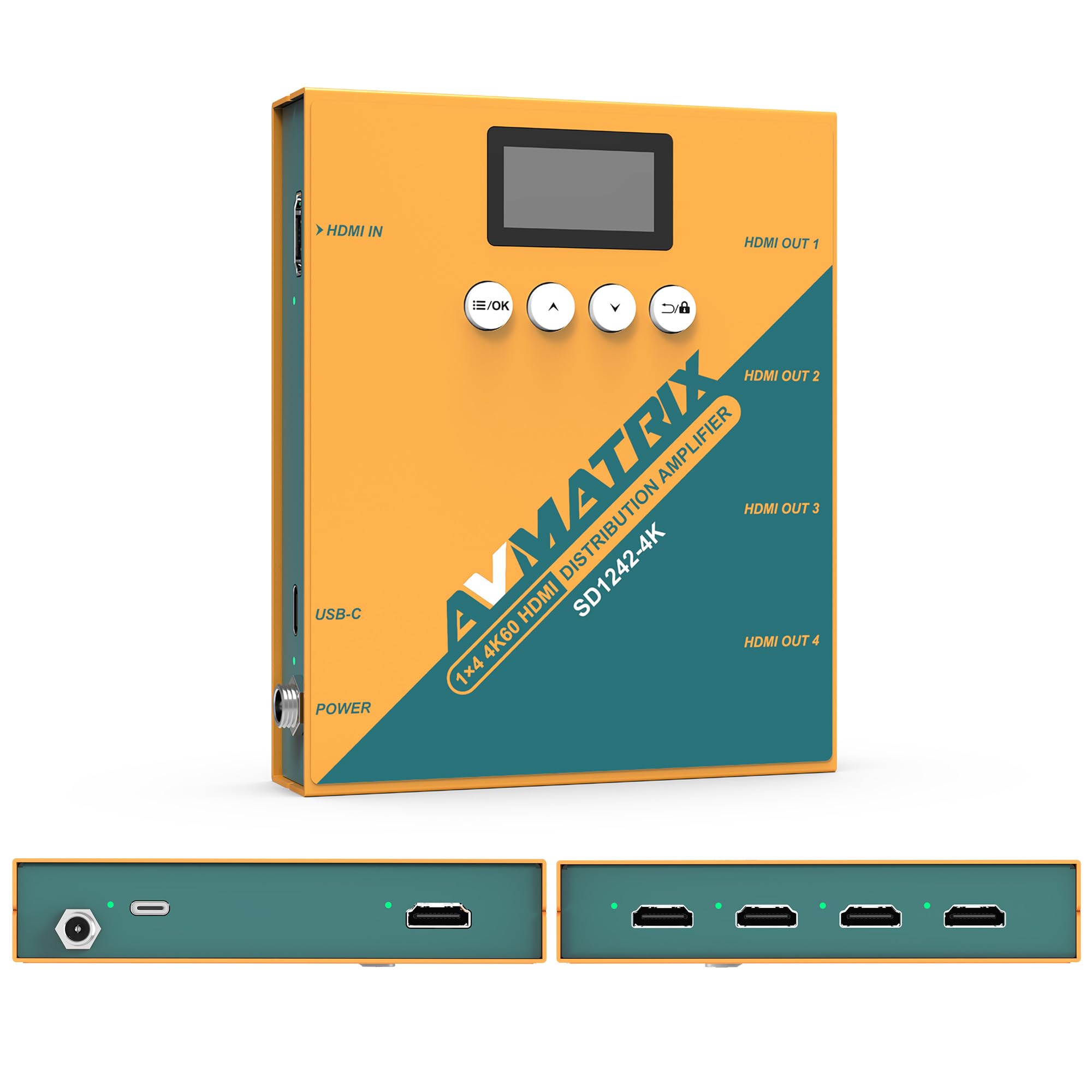
그림 1: 전면 및 후면 view of the AVMATRIX SD1242-4K HDMI Splitter, showing HDMI input, four HDMI outputs, USB-C, and DC power ports.

Figure 2: The AVMATRIX SD1242-4K HDMI Splitter highlighting its HDMI 2.0 inputs/outputs and support for up to 4K@60Hz resolution for ultra-high-definition picture quality.
4.1 특징
- 1 HDMI 2.0 input to 4 HDMI 2.0 outputs.
- Supports resolutions up to 4K@60Hz (RGB 4:4:4).
- EDID management with Auto, Standard, Customize, and EDID Copy modes.
- Dual power supply: USB Type-C and DC 12V.
- Built-in OLED display for real-time status.
- Control via front panel buttons or PC software.
5. 설정
Follow these steps to set up your AVMATRIX SD1242-4K HDMI Splitter:
- HDMI 소스 연결: Connect your HDMI source device (e.g., PS4, Blu-ray player, computer) to the HDMI IN port on the splitter using a high-quality HDMI 2.0 cable.
- HDMI 디스플레이 연결: Connect up to four HDMI display devices (e.g., HDTVs, monitors, projectors) to the HDMI OUT 1-4 ports on the splitter using high-quality HDMI 2.0 cables.
- 전원 연결: Connect the provided power adapter to the DC 12V port on the splitter, or connect a USB Type-C cable to the USB-C port and a compatible USB power source. The device supports both power options.
- 전원 켜기: Ensure all devices (source, splitter, displays) are powered on. The splitter's OLED display will show its status.
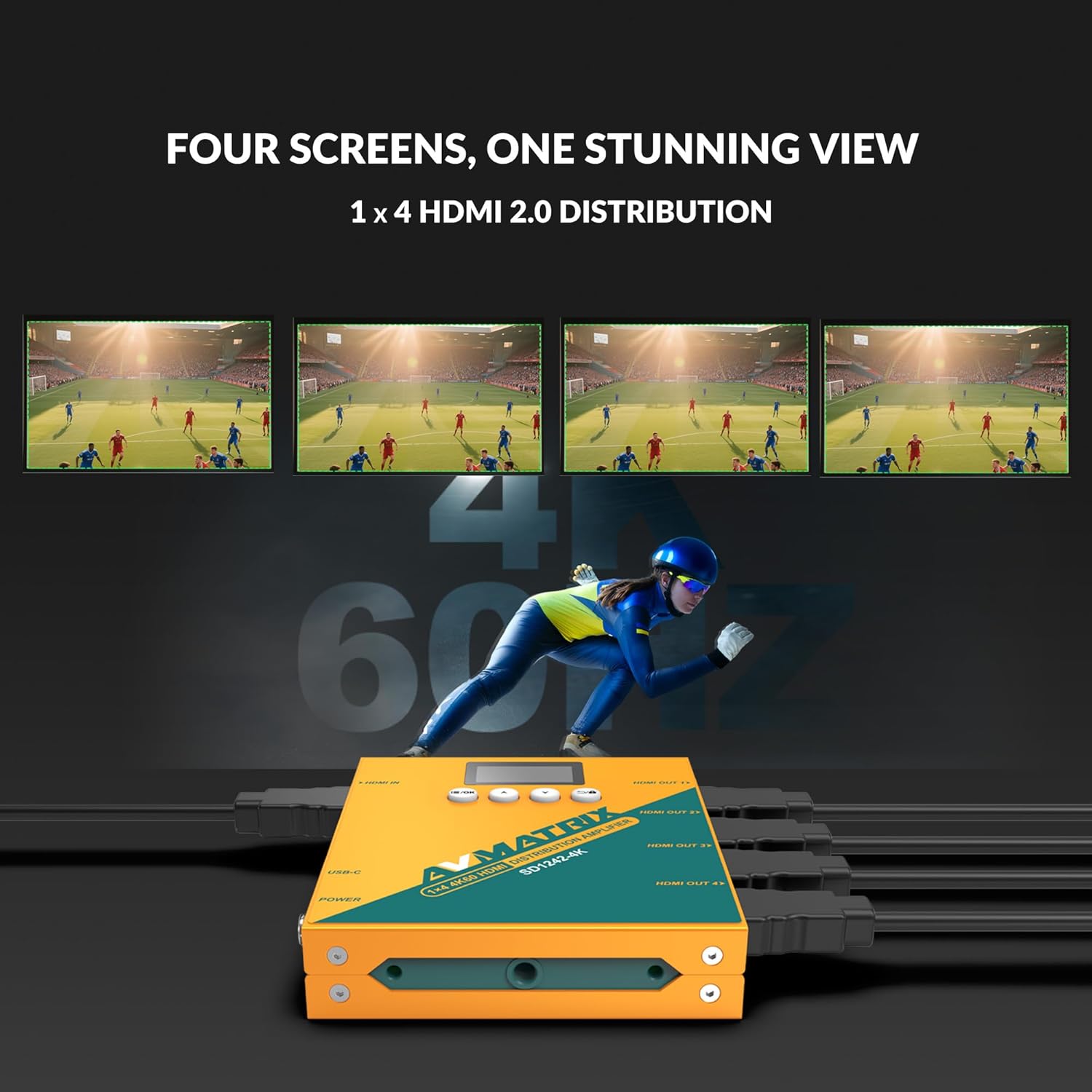
Figure 3: Illustration of the AVMATRIX SD1242-4K HDMI Splitter distributing a single video source to four separate display screens, demonstrating its 1x4 distribution capability.
6. 사용 설명서
6.1 EDID 관리
The SD1242-4K features EDID management to ensure optimal compatibility and performance between your source and display devices. You can configure EDID settings using the front panel buttons or the PC control software.

Figure 4: Comparison of a display without EDID management (left, showing potential compatibility issues) and with EDID management (right, showing seamless communication and optimal display).
There are four EDID modes available:
- 자동: The splitter automatically detects and selects the best EDID settings based on the connected displays.
- 기준: Uses a default, common EDID setting for broad compatibility.
- 사용자 정의: Allows users to upload a custom EDID file via PC software.
- EDID 사본: Copies the EDID from a specific output display (e.g., Output 1) to be used for all outputs.
6.2 제어 옵션
The device can be controlled via its front panel buttons or through dedicated PC software.

Figure 5: Demonstrates the two primary control methods for the AVMATRIX SD1242-4K: direct interaction with the front panel buttons and comprehensive control via PC software interface.
- 앞 버튼: Use the buttons located on the front panel to navigate menus on the OLED display and adjust basic settings, including EDID modes.
- PC 소프트웨어 제어: Connect the splitter to a computer via its USB port. Install the AVMATRIX control software to access advanced settings, customize EDID, and monitor device status.
6.3 전원 공급 옵션
The SD1242-4K offers flexible power options for convenience.

Figure 6: Illustrates the dual power supply capabilities of the AVMATRIX SD1242-4K, showing both the traditional DC power input and the modern USB Type-C power input.
- DC 전원 공급 장치: Use the included 12V DC power adapter for stable and continuous power.
- USB Type-C Power Supply: For portability or when a DC outlet is unavailable, power the device using a standard USB Type-C cable connected to a compatible USB power source (e.g., power bank, computer USB port).
7. 유지관리
- 청소: 부드럽고 마른 천을 사용하여 기기 외부를 닦으세요. 액체나 에어로졸 세척제는 사용하지 마세요.
- 저장: 장시간 사용하지 않을 경우, 직사광선을 피해 시원하고 건조한 곳에 보관하세요.
- 펌웨어 업데이트: Check the AVMATRIX official website periodically for firmware updates to ensure optimal performance and compatibility.
8. 문제 해결
If you encounter issues with your AVMATRIX SD1242-4K, refer to the following common problems and solutions:
| 문제 | 가능한 원인 | 해결책 |
|---|---|---|
| No video output on displays. | Loose HDMI cables, incorrect EDID setting, power issue. | Check all HDMI cable connections. Ensure the splitter is powered on. Try different EDID modes (Auto or Standard). Test with a different HDMI source or display. |
| Video flickering or unstable image. | Poor quality HDMI cables, signal interference, EDID mismatch. | Use certified high-speed HDMI 2.0 cables. Ensure cables are not excessively long. Adjust EDID settings. Reduce cable length if possible. |
| Displays show different resolutions. | EDID setting not optimized for all displays. | Use EDID Copy mode from the lowest resolution display or a custom EDID that all displays can support. |
| 장치의 전원이 켜지지 않습니다. | Power adapter not connected, faulty power source. | Verify power adapter is securely connected to both the splitter and a working power outlet. Try the USB-C power option if DC fails, or vice-versa. |
9. 사양
| 특징 | 세부 사항 |
|---|---|
| 모델 | SD1242-4K |
| 비디오 입력 | 1x HDMI 유형 A |
| 비디오 출력 | 4x HDMI 유형 A |
| HDMI 표준 | HDMI 2.0 |
| 최대 해상도 | 4096x2160p 60/59.94/50/30/29.97/25/24/23.98 |
| Color Space & Precision | RGB 4:4:4 8 bit, YUV 4:2:2 8 bit, YUV 4:4:4 8 bit |
| 전원 공급 장치 | DC 12V / USB-C |
| 전력 소비 | 6W |
| 권tage Range (USB) | USB 5V-5.5V |
| 권tage 범위(DC) | 직류 5.5V-24V |
| 치수(LWD) | 125.5 x 104 x 24.5mm |
| 순중량 | 471g |
| 작동 온도 | -20도 ~ 60도 |
| 보관 온도 | -30도 ~ 70도 |
10. 보증 정보
AVMATRIX products are covered by a limited warranty against defects in materials and workmanship. The warranty period typically begins from the date of purchase. Please retain your proof of purchase for warranty claims. For specific warranty terms and conditions, refer to the warranty card included with your product or visit the official AVMATRIX web대지.
This warranty does not cover damage caused by improper installation, accident, misuse, abuse, natural disaster, or unauthorized modification of the product.
11. 고객 지원
If you require further assistance or have questions not covered in this manual, please contact AVMATRIX customer support:
- Web대지: www.avmatrix.net (for product information, drivers, and firmware updates)
- 이메일: 공식 참조 web특정 지원 이메일 주소를 위한 사이트입니다.
- 핸드폰: 공식 참조 web지역 연락처 사이트.
When contacting support, please have your product model (SD1242-4K) and a detailed description of your issue ready.


