1. 서론
The EWEADN F61 is a compact 60% wired gaming keyboard designed for efficiency and performance. It features vibrant RGB backlighting, durable PBT keycaps, and an ergonomic design for comfortable extended use. This manual provides detailed instructions for setting up, operating, and maintaining your keyboard.
2. 패키지 내용
- EWEADN F61 60% Wired RGB Gaming Keyboard
- 탈착식 USB-C 케이블
- 사용자 설명서
3. 설정
To begin using your EWEADN F61 keyboard, follow these simple steps:
- USB-C 케이블을 연결합니다. Plug the detachable USB-C cable into the Type-C port on the keyboard and the other end into an available USB port on your computer (PC, laptop, gaming console, smartphone, or tablet). The keyboard is plug-and-play, requiring no additional drivers.
- Adjust Ergonomic Kickstands: The keyboard features dual-layer feet support with two adjustable angles (7° and 15°) for enhanced typing comfort. Flip out the kickstands on the underside of the keyboard to your preferred height.
- 시스템 호환성: The keyboard is compatible with both Windows and Mac operating systems. To switch between modes, hold down the 'FN' key and press 'A' for Windows or 'S' for Mac.
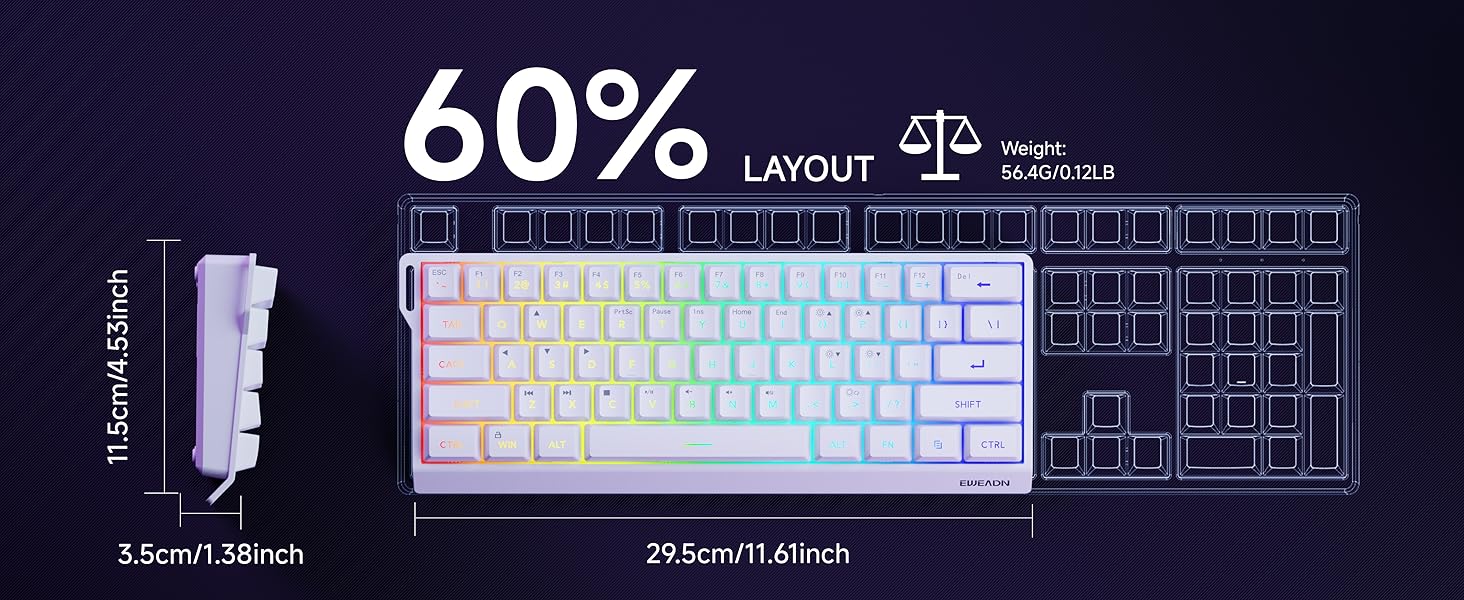
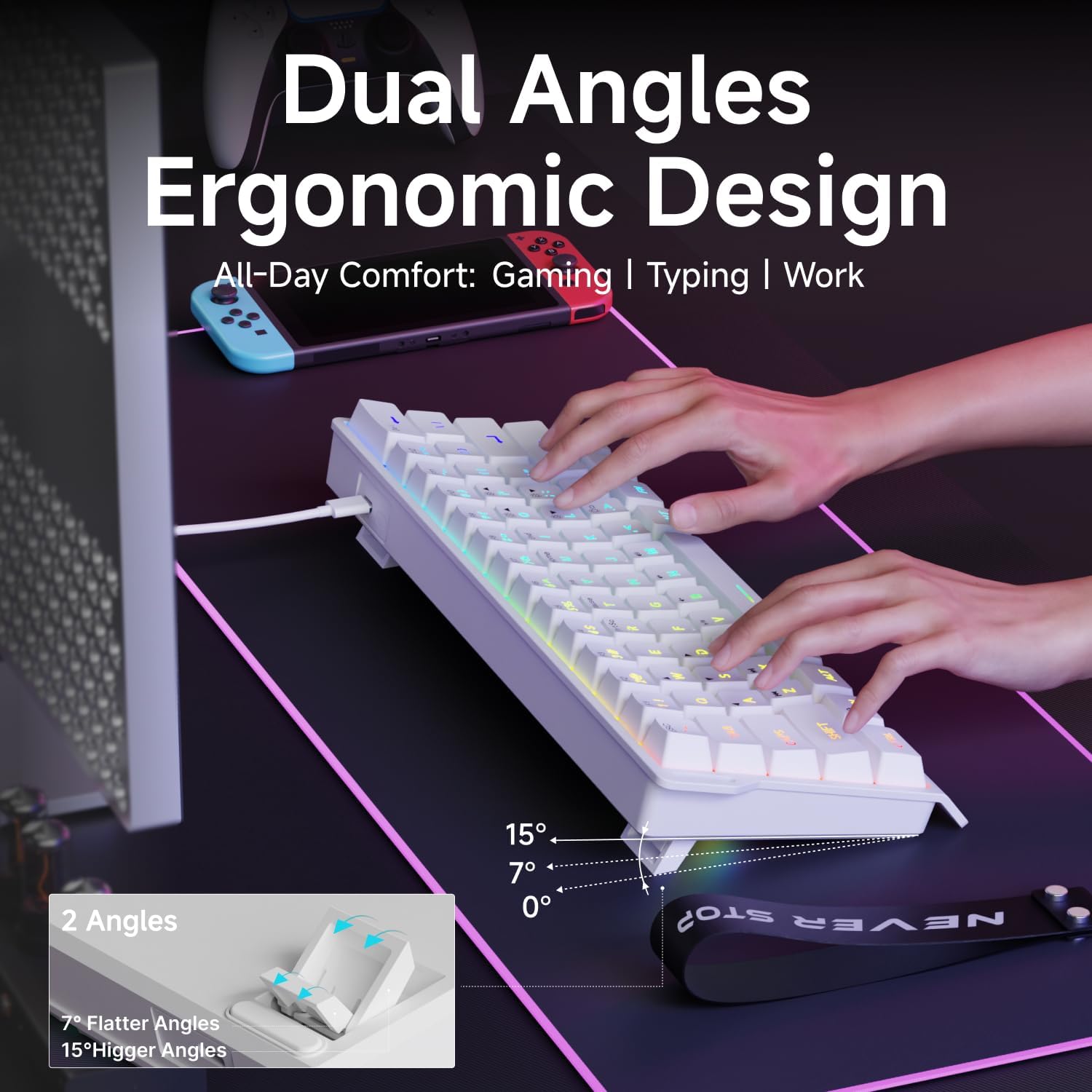
Video: Demonstrates the compact 60% design of the EWEADN F61 keyboard, highlighting its portability and suitability for gaming and travel. Shows the keyboard being connected and used.
4. 사용 설명서
4.1 RGB 조명 제어
The EWEADN F61 features 16.8 million RGB backlight colors with 6 effects and 5 brightness levels. Use the following key combinations to customize your lighting:
- 백라이트 효과 전환: 잡고 있다 FN + 인스 to cycle through the 6 available lighting effects.
- 밝기 조정: 잡고 있다 FN + P (to increase brightness) or FN + ;: (to decrease brightness). There are 5 brightness levels.
- 조명 속도 조절: 잡고 있다 FN + O (to increase speed) or FN + L (to decrease speed).
- 조명 켜기/끄기: 잡고 있다 FN + 역행 키이 백라이트를 켜거나 끕니다.
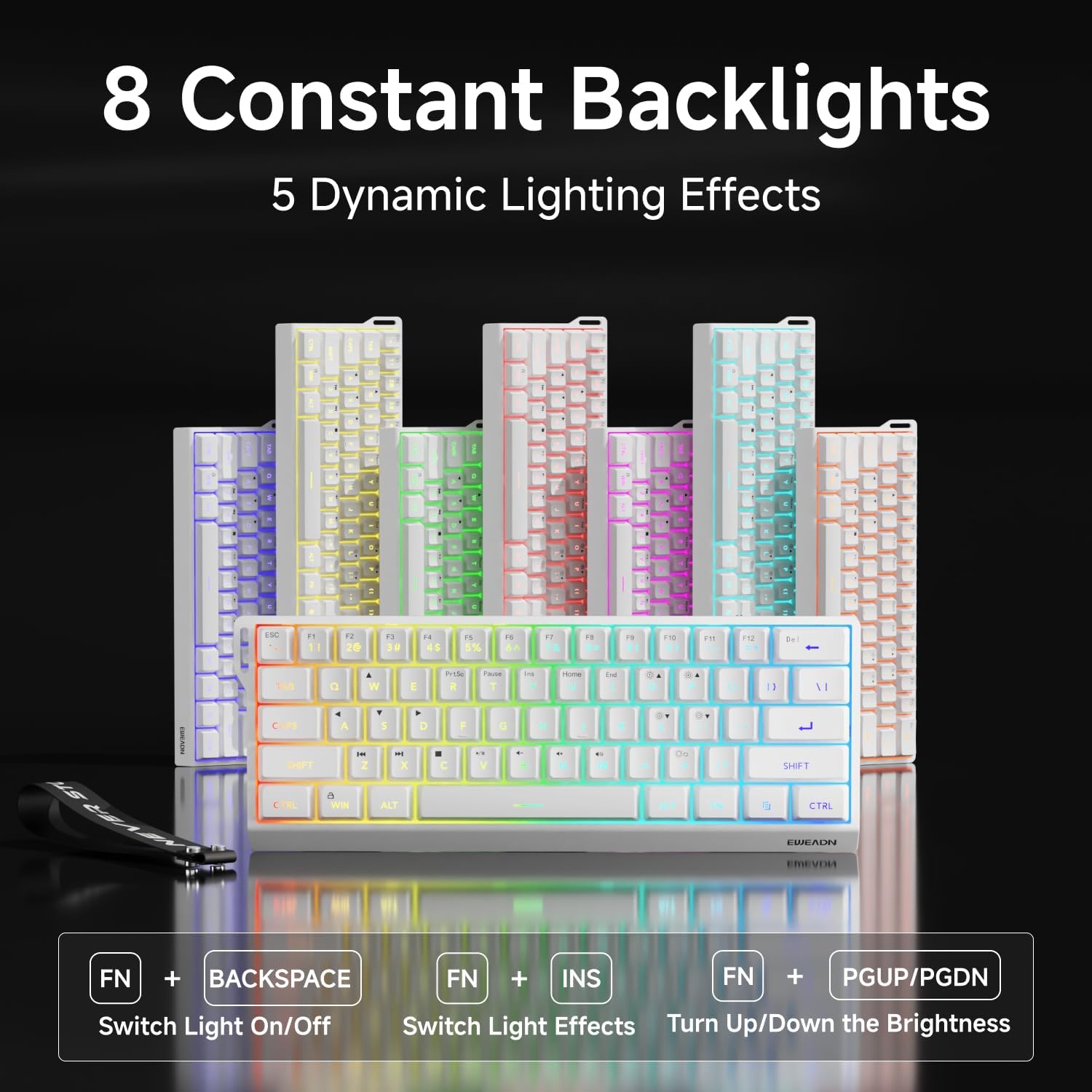

Video: A vertical video showcasing the EWEADN F61 60% Wired RGB Backlit Gaming Keyboard, demonstrating its compact size and various RGB lighting effects.
4.2 주요 기능 및 레이아웃
The F61 features a 60% compact layout, which means some keys are accessed via the 'FN' (Function) key. This design saves desk space while retaining essential functionality.
- Lockable Win Key: Prevent accidental interruptions during gaming by locking the Windows key. Press FN + 이기다 to toggle the Win key lock.
- PBT 키캡: The keyboard is equipped with dual-layer injection PBT keycaps, ensuring durability and clear, translucent characters that resist fading.
- 무소음 멤브레인 스위치: Experience quieter keystrokes for a more comfortable and less disruptive typing or gaming session.


5. 유지관리
To ensure the longevity and optimal performance of your EWEADN F61 keyboard, follow these maintenance guidelines:
- 정기 청소: 부드럽고 마른 천으로 키캡과 키보드 표면을 닦으세요. 더 깨끗하게 청소하려면 압축 공기 캔을 사용하여 키 사이의 먼지와 이물질을 제거하세요.
- 액체 유출을 피하십시오: While durable, direct exposure to liquids can damage the internal components. In case of a spill, immediately disconnect the keyboard and allow it to dry completely before reconnecting.
- 케이블 관리: Handle the detachable USB-C cable with care. Avoid sharp bends or excessive pulling to prevent damage to the cable or port.
6. 문제 해결
If you encounter any issues with your EWEADN F61 keyboard, refer to the following troubleshooting tips:
- 키보드가 응답하지 않음:
- USB-C 케이블이 키보드와 컴퓨터에 모두 단단히 연결되어 있는지 확인하세요.
- 키보드를 컴퓨터의 다른 USB 포트에 연결해 보세요.
- 컴퓨터를 다시 시작하세요.
- RGB 조명이 작동하지 않음/잘못됨:
- 백라이트가 꺼져 있는지 확인하십시오(FN + Backspace).
- Cycle through lighting effects (FN + INS) to see if they respond.
- Adjust brightness levels (FN + P / ;:).
- Keys Not Functioning as Expected (e.g., Esc, Delete):
- Remember that due to the 60% layout, many functions are accessed via the 'FN' key in combination with other keys. Refer to the keycap legends or the user manual for specific combinations.
- Ensure the correct system compatibility mode is selected (FN + A for Windows, FN + S for Mac).
7. 사양
| 특징 | 세부 사항 |
|---|---|
| 제조업체 | 이웨드엔 |
| 모델 번호 | F61 |
| 공들여 나열한 것 | 60% 컴팩트 |
| 연결성 | 유선(USB-C) |
| 키캡 재질 | PBT(이중층 주입) |
| 스위치 유형 | Membrane (Silent) |
| 백라이트 | RGB (6가지 효과, 5단계 밝기 조절) |
| 인간 공학 | Dual-Angle Adjustable Feet (7°, 15°) |
| 호환 장치 | 게임 콘솔, 노트북, PC, 스마트폰, 태블릿 |
| 운영 체제 | 윈도우, 맥 |
| 치수 | 11.61 x 4.53 x 1.93인치(29.5 x 11.5 x 4.9cm) |
| 품목 무게 | 1.32파운드(0.6kg) |
8. 보증 및 지원
For any product inquiries, technical assistance, or warranty claims, please contact EWEADN customer support:
- 이메일 지원: eweadnkeyboard@outlook.com
지원팀에 문의하실 때는 제품 모델 번호(F61)와 구매 세부 정보를 준비해 주세요.
