1. 서론
This manual provides detailed instructions for the setup, operation, and maintenance of your Moultrie Pro Hunter III Deer Feeder Kit. This kit is designed to offer precise and reliable feed distribution with modern control features.
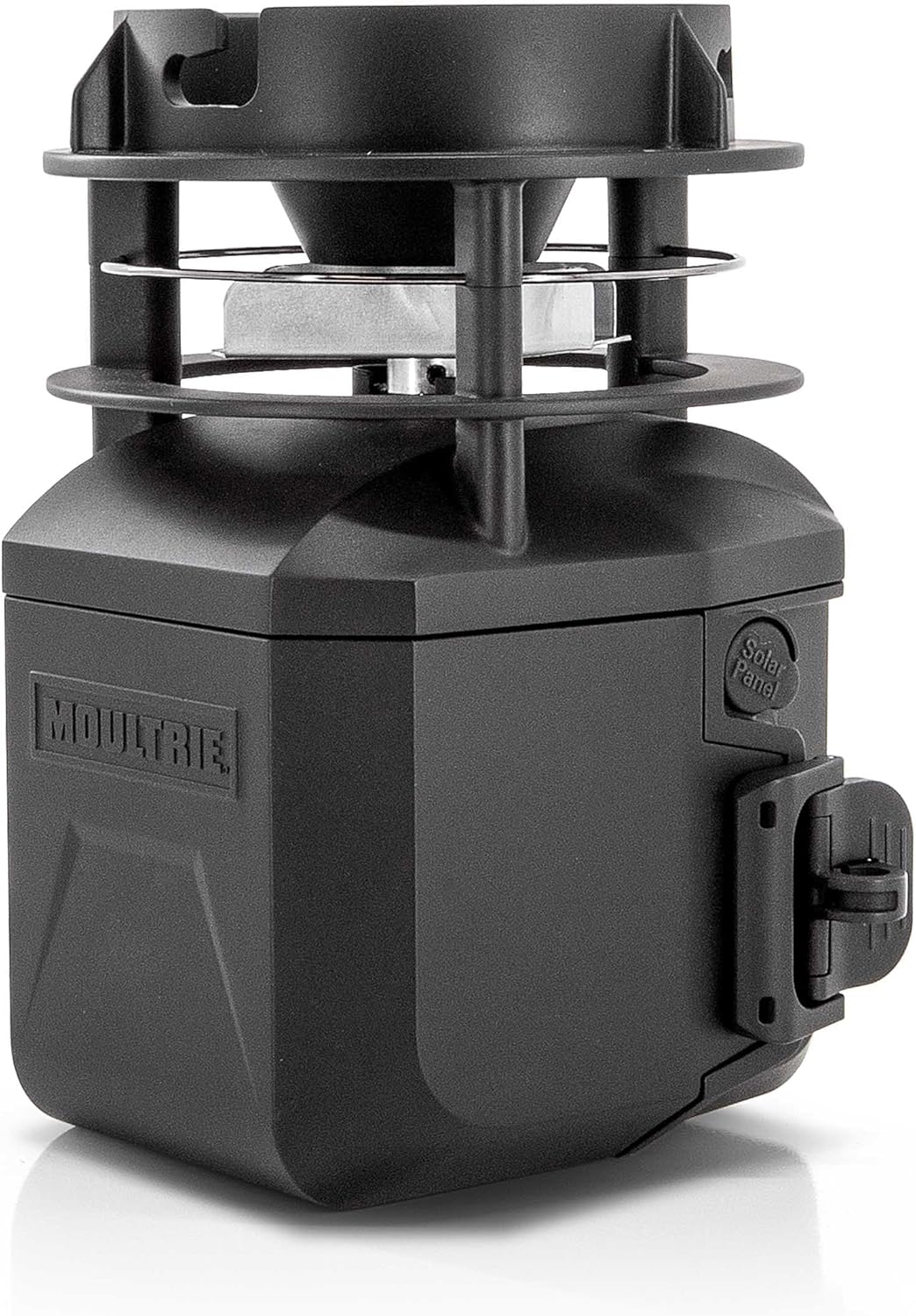
Image 1.1: The Moultrie Pro Hunter III Deer Feeder Kit, a black unit with a spinner plate and control housing.
2. 제품 특징
- 블루투스 제어: Adjust feed times and settings wirelessly via the Moultrie App on your smartphone.
- Moultrie Connect Compatibility: Integrate with an EDGE 3 cellular camera for remote control and monitoring from a distance.
- Digital Timer System: Program up to 10 daily feed times, with durations from 1 to 60 seconds.
- Adjustable Feed Spread: Select High, Medium, or Low RPM settings to control the feed distribution distance.
- 6V Tab-Top Battery Operation: Utilizes a rechargeable 6V tab-top battery (not included) for consistent power.
- 태양열 호환: Designed to work with an optional solar panel for extended field operation.
- Hinged Door & Backlit Screen: Provides easy access to the timer and clear visibility for programming in various light conditions.
- Quick-Lock Compatibility: Enables fast, tool-free installation and removal from most Moultrie feeders.
- Estimated Feed Level Updates: Monitor feed levels through the Moultrie App when paired with compatible devices.

Image 2.1: Visual representation of key features including 10 daily feed times, 360° feed coverage, Quick-Lock compatibility, and Bluetooth connectivity.
3. 패키지 내용
설치를 진행하기 전에 모든 구성 요소가 있는지 확인하세요.
- Moultrie Pro Hunter III Feed Motor
- Quick-Lock Adapter
- 사용 설명서(본 문서)
메모: A 6V tab-top rechargeable battery and solar panel are not included and must be purchased separately.
4. 설정 및 설치
4.1 배터리 설치
- Open the hinged door on the feeder kit to access the battery compartment.
- Insert a fully charged 6V tab-top rechargeable battery into the compartment, ensuring correct polarity.
- Close the hinged door securely.
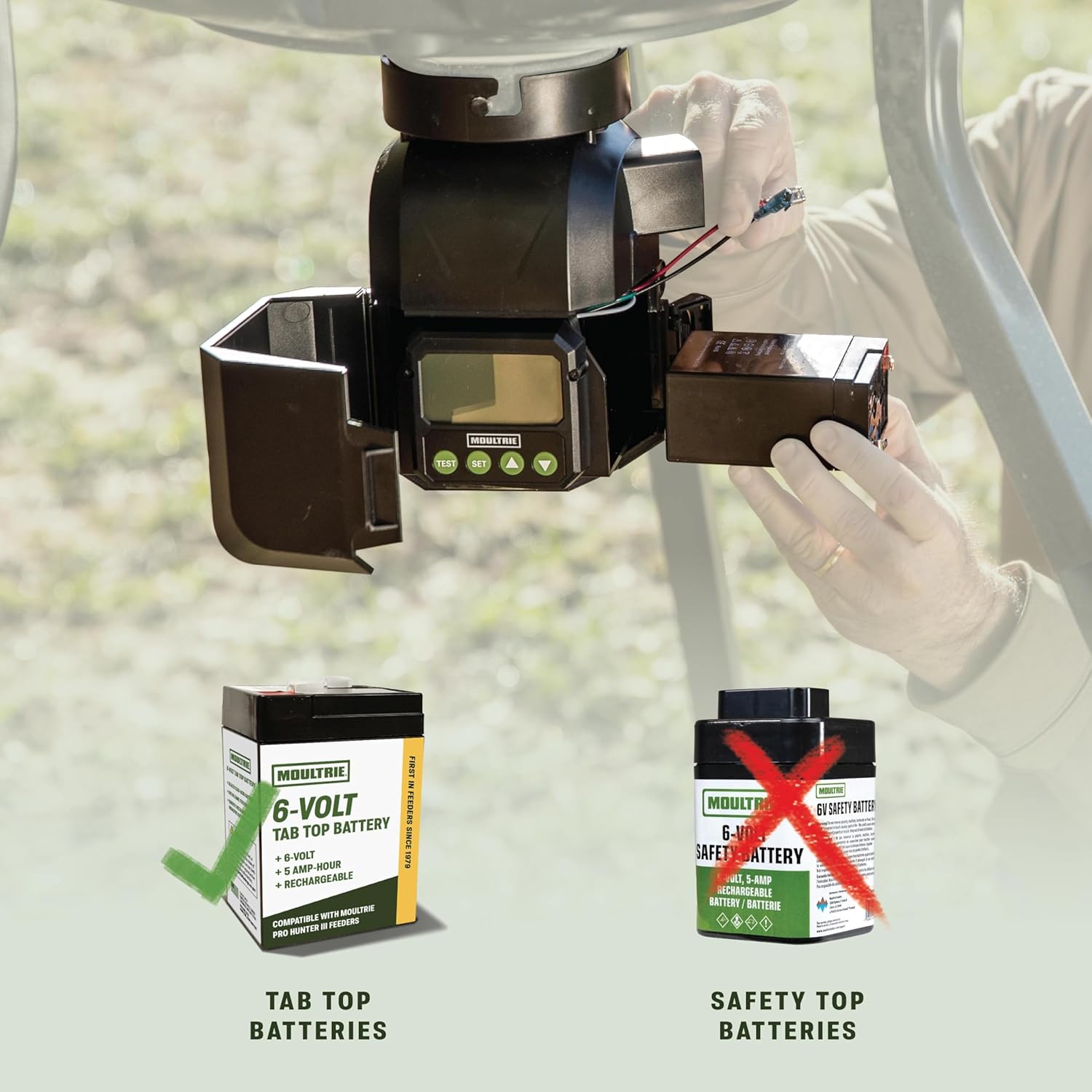
Image 4.1: Illustration showing the correct 6V tab-top battery type for installation and comparison with an incompatible safety-top battery.
4.2 Attaching to a Hopper
The Pro Hunter III Feeder Kit is designed for Quick-Lock compatibility with most Moultrie flat-bottom hoppers.
- Align the Quick-Lock adapter on the feeder kit with the corresponding slot on your Moultrie hopper.
- Twist the feeder kit clockwise until it securely locks into place. No tools are required.
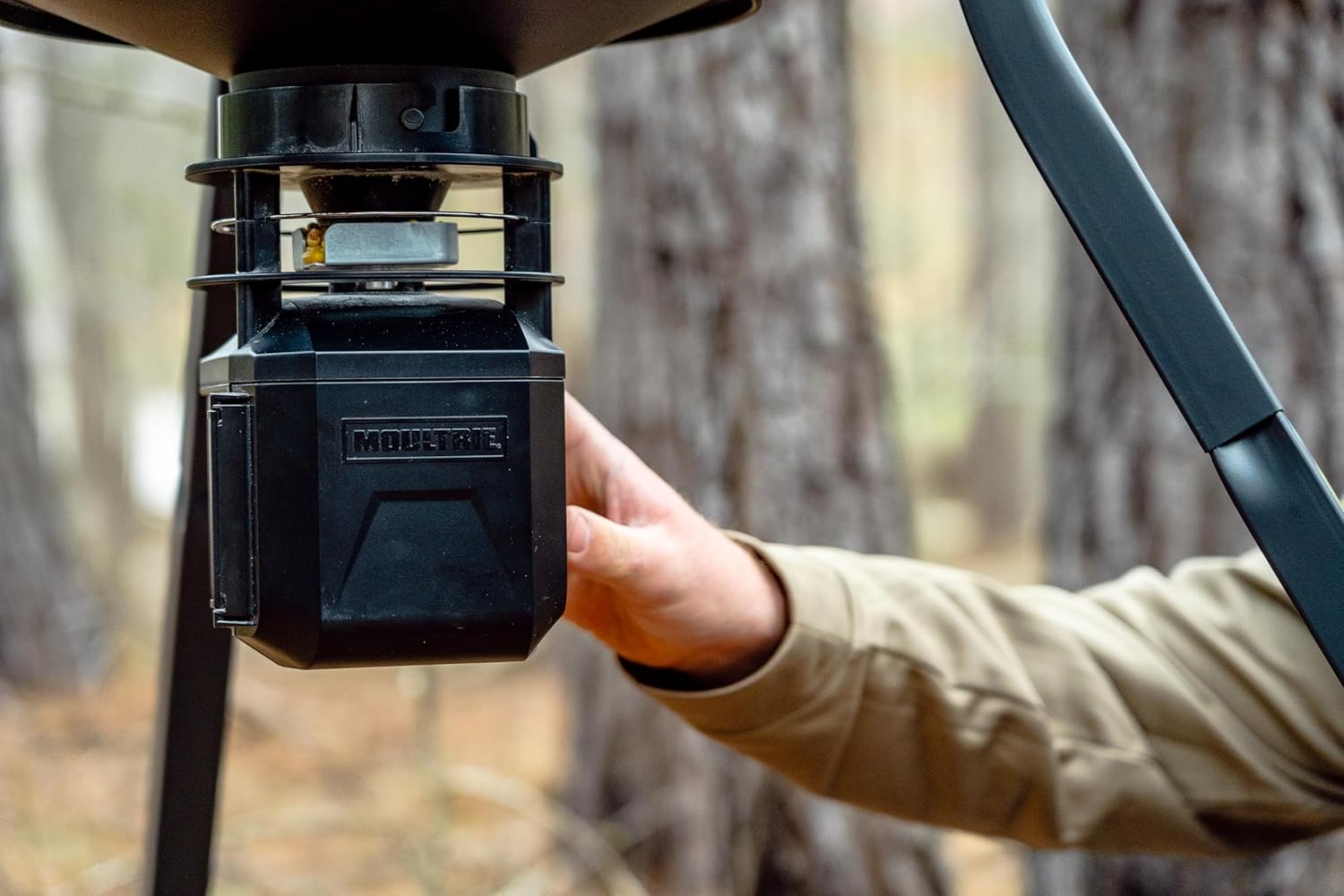
Image 4.2: A hand demonstrating the Quick-Lock installation of the feeder kit onto a hopper.
4.3 Optional Solar Panel Connection
If using an optional Moultrie solar panel, connect its cable to the designated solar panel port on the feeder kit. Ensure the solar panel is positioned to receive maximum sunlight.
5. 사용 설명서
5.1 수동 프로그래밍
To program feed times directly on the unit:
- Open the hinged door to reveal the backlit digital screen and control buttons.
- 사용하세요 세트 button to navigate through settings (Time, Feed Times, Run-Time, Motor Speed).
- 사용하세요 UP 그리고 아래에 버튼을 눌러 값을 조정합니다.
- Program up to 10 daily feed times. Each feed time can be set for a duration of 1 to 60 seconds.
- Adjust the motor speed (High, Medium, Low) to control the feed spread.
- 누르다 시험 to manually activate the feeder for a short duration.

이미지 5.1: 클로즈업 view of the backlit digital timer screen and control buttons for manual programming.
5.2 Bluetooth Control via Moultrie App
For convenient wireless control, download the Moultrie App on your smartphone.
- 스마트폰에서 Bluetooth가 활성화되어 있는지 확인하세요.
- Open the Moultrie App and follow the on-screen instructions to pair with your Pro Hunter III Feeder Kit.
- Once paired, you can adjust feed times, durations, and motor speeds directly from the app.
- The app may also provide estimated feed level updates.

Image 5.2: A user interacting with the Moultrie App on a smartphone to control a feeder in a field setting.
5.3 Moultrie Connect with EDGE 3 Camera (Optional)
For remote control from greater distances, pair your feeder kit with a Moultrie EDGE 3 cellular camera.
- Ensure your EDGE 3 camera is set up and connected to the Moultrie Connect system.
- Follow the instructions within the Moultrie App to link your Pro Hunter III Feeder Kit to your EDGE 3 camera.
- This allows for remote adjustments to feed schedules and monitoring through the app, even when miles away.
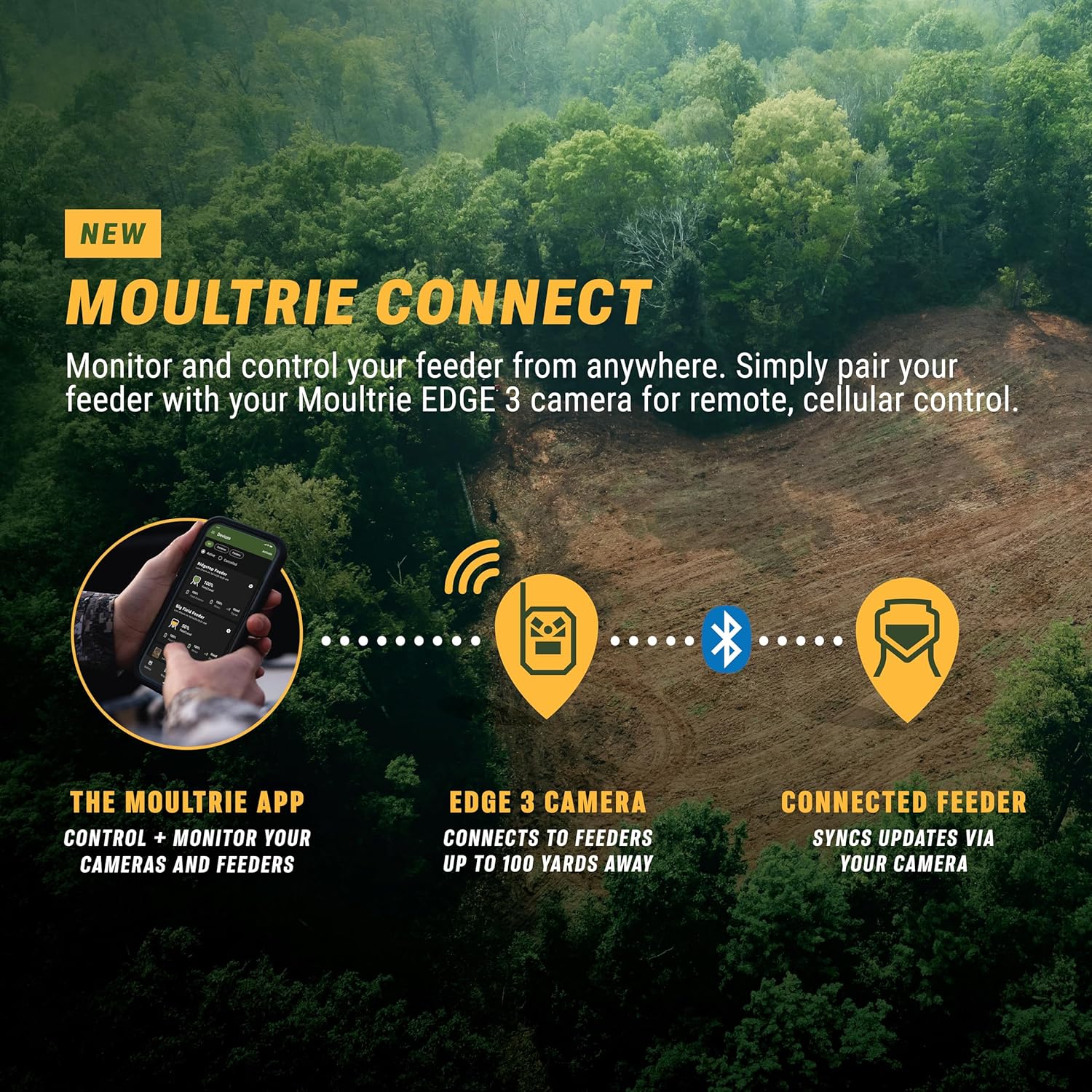
Image 5.3: Diagram illustrating the Moultrie Connect ecosystem, showing how the Moultrie App, EDGE 3 camera, and connected feeder interact for remote control.
6. 유지관리
- 배터리 충전: Regularly check the battery level via the app or on the unit's screen. Recharge the 6V tab-top battery as needed to ensure continuous operation.
- 청소: Periodically remove the feeder kit from the hopper (using the Quick-Lock mechanism) and clean any debris from the motor and spinner plate. This prevents blockages and ensures optimal feed distribution.
- Hopper Refill: Monitor feed levels and refill the hopper as necessary. The app's estimated feed level updates can assist with this.
- 저장: When not in use for extended periods, remove the battery and store the feeder kit in a dry, protected environment.

Image 6.1: The feeder kit actively distributing feed, highlighting the importance of regular cleaning to maintain performance.
7. 문제 해결
| 문제 | 가능한 원인 | 해결책 |
|---|---|---|
| Feeder not dispensing feed. | Low battery, clogged spinner, incorrect programming. | Check battery charge. Clear any obstructions from the spinner plate and chute. Verify feed times and run-times in the app or on the unit. |
| 블루투스 연결 문제. | Feeder out of range, Bluetooth off on phone, app issues. | Ensure you are within Bluetooth range (typically 10-15 feet). Confirm Bluetooth is enabled on your device. Restart the Moultrie App. |
| Feed not spreading far enough. | Motor speed set too low, feed type. | Increase motor speed setting (High). Ensure feed is dry and free-flowing. |
| Feeder runs continuously. | Programming error, faulty switch. | Review programmed feed times and durations. If problem persists, contact customer support. |
8. 사양
- 모델: MFG-15097
- 상표: 몰트리
- 전원: 6V Tab-Top Rechargeable Battery (not included)
- Feed Times: 하루 최대 10개
- 실행 시간: 1-60 seconds per feed
- Motor Speed Settings: 높음, 중간, 낮음
- 연결성: Bluetooth, Moultrie Connect (with optional EDGE 3 camera)
- 호환성: Quick-Lock compatible with most Moultrie flat-bottom hoppers
- 재료: 플라스틱
- 제품 크기: 6.87인치 길이 x 6.87인치 너비 x 9.25인치 높이
- 품목 무게: 3.02파운드
- 한국어: 053695150970
9. 보증 및 지원
The Moultrie Pro Hunter III Deer Feeder Kit comes with a 1년 제조사 보증.
For warranty claims, technical assistance, or additional support, please contact Moultrie Customer Service. Refer to the official Moultrie web최신 연락처 정보는 사이트에서 확인하세요.
온라인 리소스: 방문하세요 Moultrie Store 제품 정보 및 액세서리에 대한 정보는 여기에서 확인하세요.


