소개
Thank you for choosing the SGIN S15 N5100 15.6-inch Laptop. This manual provides essential information for setting up, operating, maintaining, and troubleshooting your new device. Please read it carefully to ensure optimal performance and longevity of your laptop.
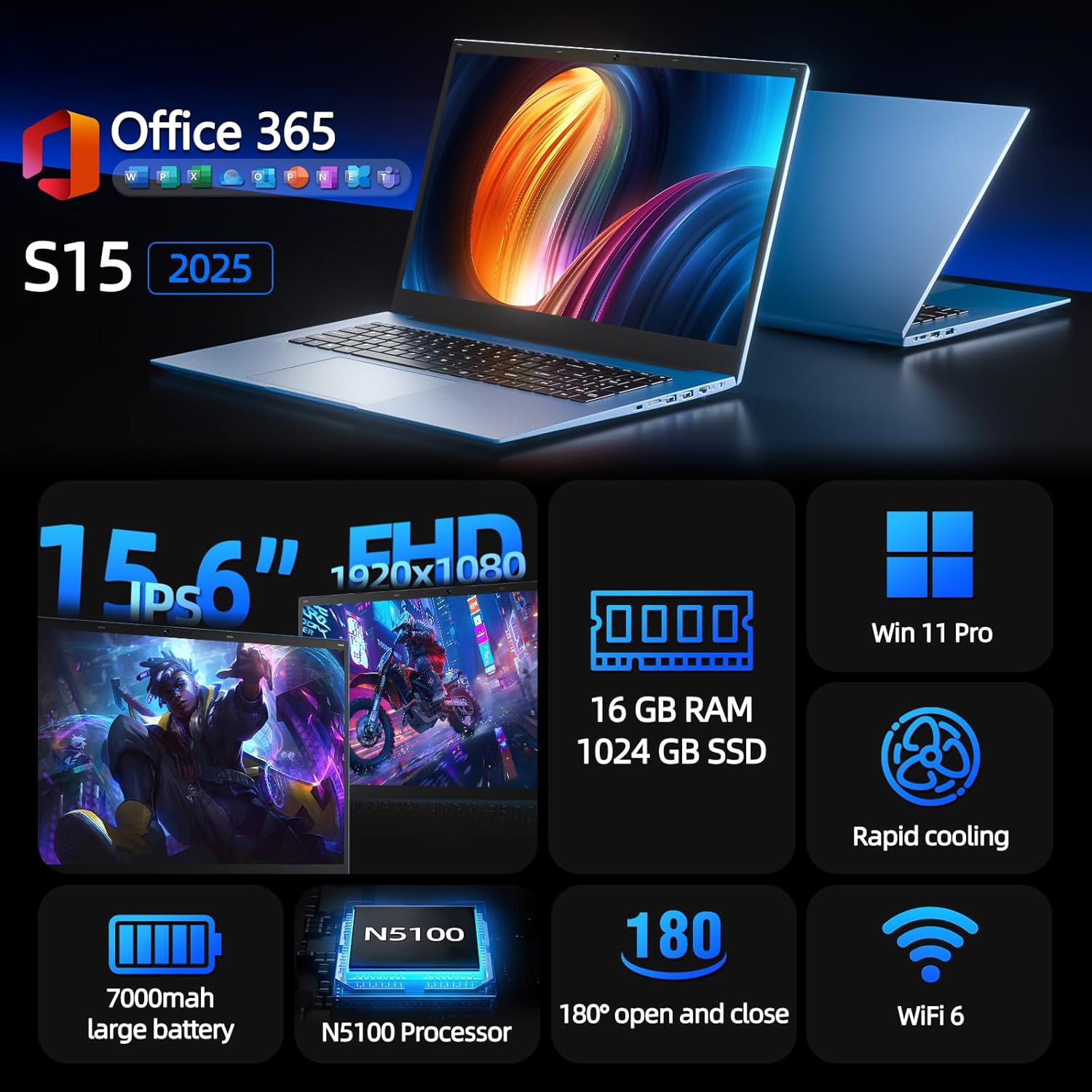
Figure 1: SGIN S15 N5100 Laptop Overview
1. 설정
1.1 언박싱 및 초기 검사
포장에서 모든 구성품을 조심스럽게 꺼내십시오. "구성품 목록"에 나열된 모든 품목이 있는지, 손상되지 않았는지 확인하십시오. 누락되거나 손상된 품목이 있는 경우 즉시 고객 지원 센터에 문의하십시오.
- SGIN S15 N5100 Laptop
- 전원 어댑터/충전기
- 사용 설명서 (본 문서)
영상 1: 언박싱 및 초기 설정view of the SGIN S15 Laptop.
1.2 전원 어댑터 연결
Connect the power adapter to the DC-in port on the side of the laptop. Plug the other end into a power outlet. The battery indicator light will illuminate, indicating that the laptop is charging.

Figure 2: Laptop ports, including the DC-in port for charging.
1.3 첫 번째 전원 켜기 및 Windows 설치
Press the power button to turn on the laptop. Follow the on-screen instructions to complete the Windows 11 Pro setup. This includes selecting your region, language, connecting to a Wi-Fi network, and creating a user account. The laptop comes pre-installed with a 1-year Office 365 subscription, which can be activated during or after the initial setup.
2. 사용 설명서
2.1 디스플레이 기능
The SGIN S15 features a 15.6-inch Full HD IPS (1920x1080) Anti-Glare Display. The 180° viewing angle allows for flexible screen positioning, ideal for sharing content or adjusting to your preferred working posture.

Figure 3: High-resolution IPS display with 180° hinge.
2.2 저장 공간 및 성능
Equipped with 16GB DDR4 RAM and a 1024GB SSD, the laptop offers fast boot-up times and smooth multitasking. The Intel Celeron N5100 processor (4 cores, 4 threads, up to 2.8GHz) provides efficient performance for daily tasks, business applications, and student work.

Figure 4: Internal storage and memory configuration.

Figure 5: Celeron N5100 processor details.
2.3 연결성
The laptop supports WiFi 6 for strong wireless signals and fast connections, and Bluetooth 5.2 for connecting peripherals. It includes various ports for external devices:
- HDMI 포트
- Type-C 포트
- 3.5mm TRRS audio jack
- Memory card slot (TF card up to 1TB)
- USB 3.2 ports (2 ports)

Figure 6: WiFi 6 connectivity for enhanced network performance.
3. 유지관리
3.1 배터리 관리
The laptop is equipped with a 7000mAh battery, providing up to 8 hours of continuous use. To prolong battery life:
- 배터리를 자주 완전히 방전시키지 마세요.
- 노트북을 극한의 온도에 노출시키지 마십시오.
- 장기간 사용하지 않을 경우 노트북을 50% 정도 충전된 상태로 보관하세요.

Figure 7: Laptop battery for extended use.
3.2 노트북 청소
부드럽고 보풀 없는 천으로 화면과 외부를 닦으세요. 잘 지워지지 않는 얼룩은 살짝 두드려 닦아내세요.amp천에 물이나 화면 보호용 세척제를 묻혀 닦으세요. 강한 화학 약품이나 연마성 재질은 사용하지 마세요. 청소하기 전에 노트북 전원을 끄고 전원 케이블을 뽑으세요.
3.3 냉각 시스템
The laptop features dual cooling fans for efficient heat dissipation. Ensure that the vents are not obstructed to maintain optimal airflow and prevent overheating. Avoid using the laptop on soft surfaces like beds or couches that can block the vents.
4. 문제 해결
4.1 전원 문제
- 노트북이 켜지지 않습니다: 전원 어댑터가 제대로 연결되어 있고 콘센트가 정상적으로 작동하는지 확인하십시오. 배터리 충전량이 충분한지 확인하십시오.
- 배터리가 충전되지 않음: Verify the power adapter is correctly plugged into both the laptop and the wall outlet. Try a different outlet if available.
4.2 디스플레이 문제
- 화면이 비어 있습니다. Connect an external monitor via HDMI to check if the issue is with the laptop's display or graphics output. Ensure the laptop is powered on and not in sleep mode.
- 화면이 깜빡거림: Update your display drivers. Adjust the screen refresh rate in Windows display settings.
4.3 연결 문제
- Wi-Fi가 연결되지 않음: Windows 설정에서 Wi-Fi가 활성화되어 있는지 확인하세요. 라우터와 노트북을 다시 시작하세요. 업데이트된 Wi-Fi 드라이버가 있는지 확인하세요.
- Bluetooth 장치가 페어링되지 않음: 노트북과 기기 모두에서 블루투스가 활성화되어 있는지 확인하십시오. 페어링하는 동안 두 기기를 가까이 두십시오.
4.4 성능 문제
- 노트북이 느립니다: 불필요한 애플리케이션을 종료하세요. 작업 관리자에서 CPU/RAM 사용량이 높은지 확인하세요. SSD에 충분한 여유 공간이 있는지 확인하세요. 디스크 정리 도구를 실행하세요.
- 과열: Ensure cooling vents are clear. Use the laptop on a hard, flat surface. Consider reducing heavy workload if persistent.
5. 사양
| 특징 | 세부 사항 |
|---|---|
| 모델명 | S15 |
| 품목 모델 번호 | N5100 |
| 디스플레이 크기 | 15.6 인치 |
| 화면 해상도 | 1920 x 1080 픽셀 (FHD IPS 눈부심 방지) |
| 프로세서 | 인텔 셀러론 N5100 (4코어, 4스레드, 최대 2.8GHz) |
| 숫양 | 16GB DDR4 |
| 저장 | 1024 GB SSD (Expandable with TF card up to 1TB) |
| 운영 체제 | 윈도우 11 프로 |
| 배터리 | 7000mAh (up to 8 hours) |
| 무선 연결 | 와이파이 6, 블루투스 5.2 |
| 포트 | HDMI, Type-C, 3.5mm TRRS Jack, Memory Card Slot, 2x USB 3.2 |
| 치수(길이x너비x높이) | 14.56 x 9.4 x 0.86 인치 |
| 품목 무게 | 4.4파운드 |
6. 보증 및 지원
6.1 제품 보증
Your SGIN S15 N5100 laptop comes with a 1-year repair service warranty 구매일로부터 보증이 적용됩니다. 본 보증은 정상적인 사용 중 제조상의 결함 및 하드웨어 고장에 적용됩니다. 보증 청구를 위해 구매 증빙 자료를 보관해 주십시오.
6.2 반품 정책
A 30일 반품 정책 is offered for this product. Please refer to your retailer's specific return guidelines for detailed information.
6.3 고객 지원
For any technical assistance, troubleshooting, or warranty inquiries, please contact SGIN customer support. We offer 24/7 customer instant help 고객님의 우려 사항을 신속하게 처리해 드리겠습니다.
연락처 정보(예: web웹사이트 주소, 이메일 주소, 전화번호 등의 정보는 일반적으로 제조업체에서 제공합니다.


