소개
This manual provides detailed instructions for the safe and efficient operation, maintenance, and troubleshooting of your HOTO PixelDrive Electric Screwdriver, Model QWLSD014. Please read this manual thoroughly before using the product and retain it for future reference.
제품 끝view

Figure 1: HOTO PixelDrive Electric Screwdriver with included 30-piece bit set and cylindrical storage case.
주요 특징:
- 스마트 디스플레이: Shows real-time torque levels and battery charge.
- 조정 가능한 토크: Six levels from 0.5 N·m to 6 N·m for various tasks.
- 이중 속도 제어: 80 RPM for precision (half-press) and 200 RPM for efficiency (full-press).
- 30피스 비트 세트: Includes 10 C6.3x25mm and 20 C6.3x50mm bits, organized in a triple-layer cylindrical case.
- 통합 LED 조명: 360-degree illumination for dark or confined spaces.
- 충전식 배터리: 2000 mAh Lithium-Ion battery with USB-C charging.
포함된 구성 요소:
- 1 x HOTO PixelDrive Cordless Screwdriver
- 1 x 30-Piece Screwdriver Bit Set (10 x C6.3x25mm, 20 x C6.3x50mm)
- 1 x USB-C Charging Cable (not explicitly listed but implied by USB-C charging)
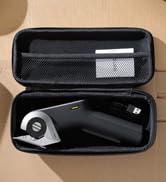
그림 2: 폭발 view illustrating the screwdriver and its organized bit storage system.
설정
1. Charging the Screwdriver:
Before first use, fully charge the HOTO PixelDrive Electric Screwdriver. Connect the provided USB-C cable to the charging port located at the bottom of the screwdriver and plug the other end into a compatible USB power adapter (not included). The smart display will indicate the battery charge status during charging.
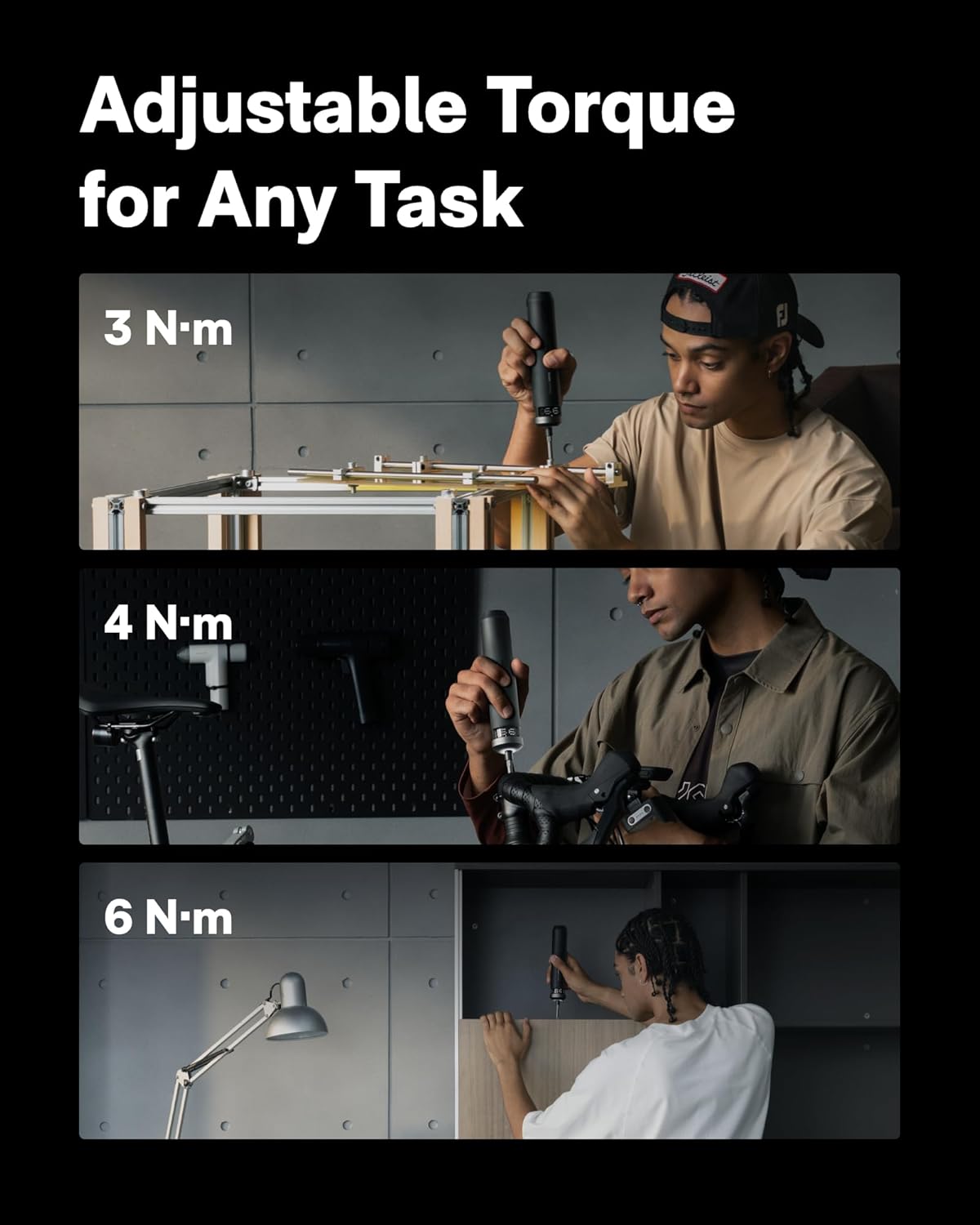
Figure 3: The screwdriver features a 2000 mAh battery and a convenient USB-C charging port.
2. 비트 설치:
- Open the cylindrical bit storage case by rotating the sections.
- 작업에 적합한 드라이버 비트를 선택하십시오.
- Insert the chosen bit into the magnetic bit holder at the tip of the screwdriver. Ensure it is securely seated.
Figure 4: Visual guide for opening the bit cylinder, attaching a bit, and adjusting torque.
작동 지침
1. Power On/Off and Torque Adjustment:
- Rotate the ring at the top of the screwdriver to select one of the six torque levels (0.5 N·m to 6 N·m). The smart display will show the selected torque.
- To turn off the screwdriver, rotate the ring to the "OFF" position.
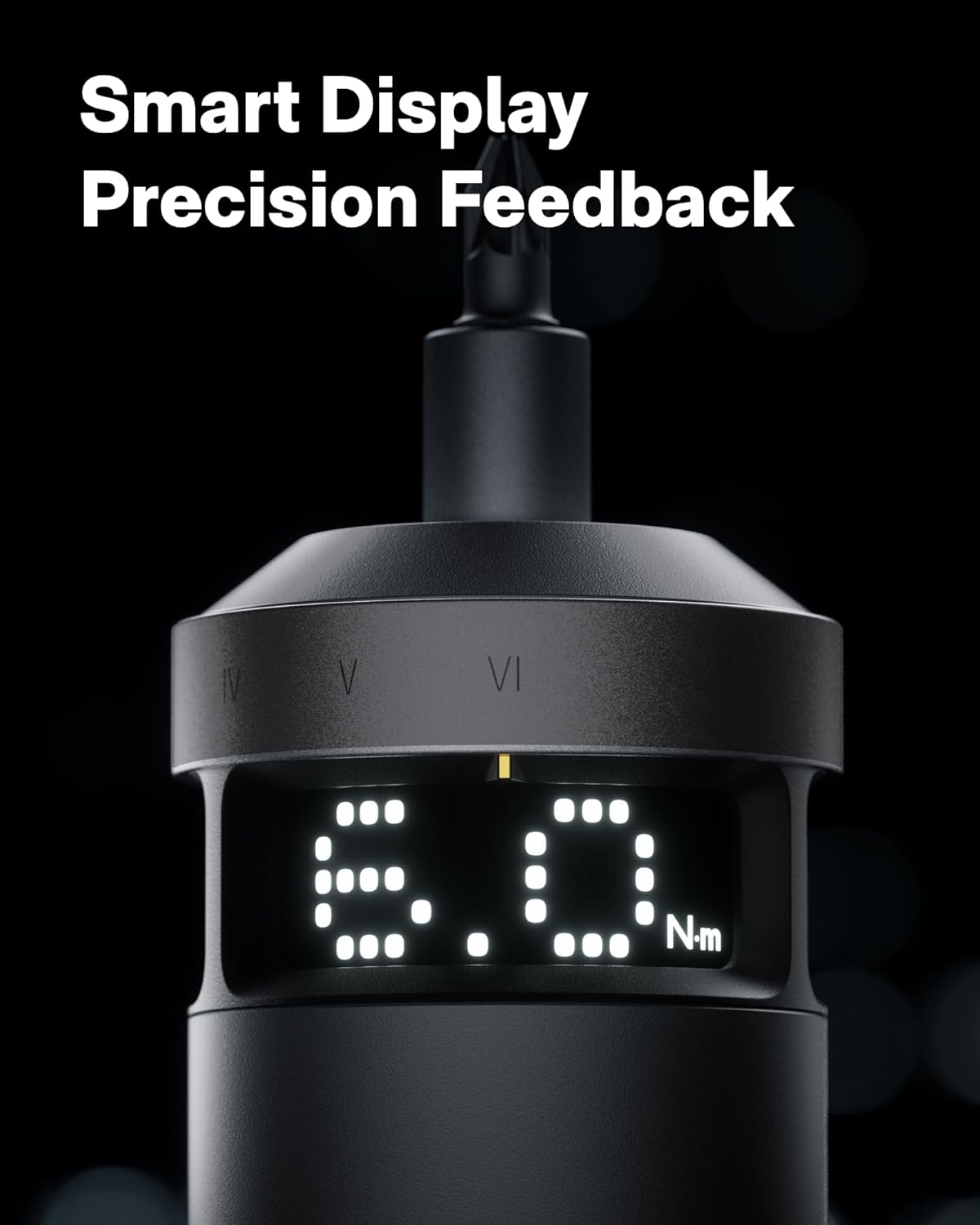
Figure 5: The smart display provides real-time feedback on torque and battery life.
2. Speed Control (Dual Speed):
- The screwdriver features a dual-speed trigger.
- 반쯤 누르기: Activates the low speed (80 RPM) for precision work.
- 풀프레스: Activates the high speed (200 RPM) for faster operation and increased productivity.

Figure 6: Dual-speed control allows for precise or rapid operation based on trigger pressure.
3. Switching Torque Units (N·m / lb-in):
To switch between Newton-meters (N·m) and Inch-pounds (lb-in) on the smart display, press and hold both the forward and reverse buttons simultaneously for 3 seconds. Wake the screen with a forward/reverse press, then adjust torque.
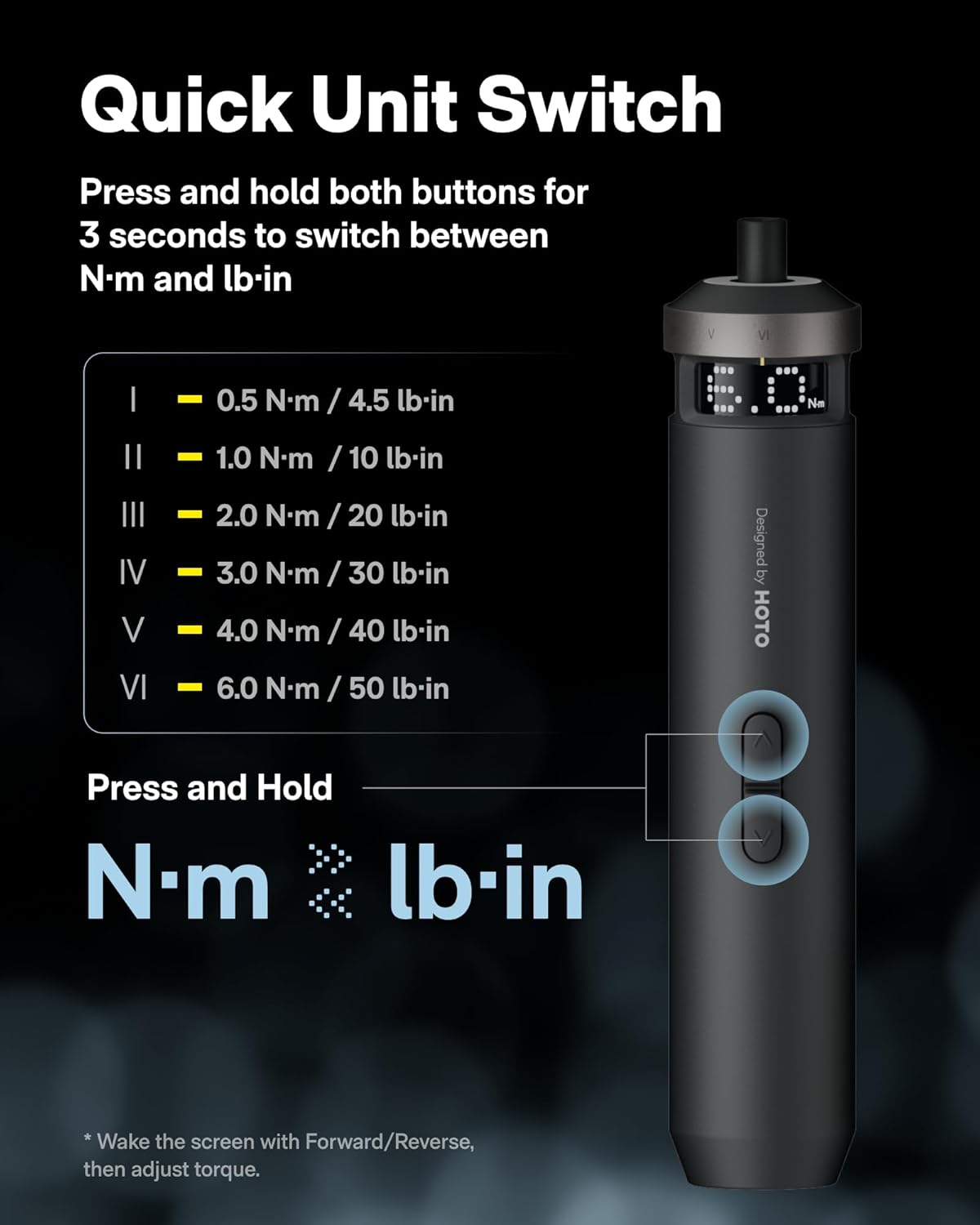
Figure 7: Instructions for switching between N·m and lb-in torque units on the smart display.
4. Recommended Torque Settings for Various Applications:
| 토크 레벨 | 애플리케이션 | Example Bits |
|---|---|---|
| 0.5 N·m (4.5 lb-in) | Delicate electronics repairs, small appliances, thin plates, M1.2-M2 screws. | PH0, SL4, U2.6, Δ2.3 |
| 1 N·m (10 lb-in) | Light repairs, M2.5-M3 machine screws, printer/camera mounts. | PH1, SL6, T10H |
| 2 N·m (20 lb-in) | Everyday fixes, M3-M4 assembly, furniture fittings, 3D printers, plastic parts tightening. | S1, T15H, H3 |
| 3 N·m (30 lb-in) | Flat-pack assembly, M3.5-M4.5 mm wood screws, wall brackets, hardware joints. | PH2, PZ2, T20H, H4 |
| 4 N·m (40 lb-in) | Garage-to-mountain builds, M5-M6 furniture connectors, hinges. | PH3, S2, H5, T28H |
| 6 N·m (50 lb-in) | Heavy fixes, large-size pre-tightening (long wood screws, M6-M8 furniture). Final tightening with larger tools or a torque wrench is recommended. | T30H, H6 |

Figure 8: Torque level guide for various tasks and compatible bit types.
유지
- Keep the screwdriver and bits clean and dry. Wipe with a soft, damp 옷감.
- Store the screwdriver and bits in their original cylindrical case to prevent loss and damage.
- 기기를 극한의 온도, 직사광선 또는 습기에 노출시키지 마세요.
- Regularly check the bits for wear and replace them if they become dull or damaged.
문제 해결
| 문제 | 가능한 원인 | 해결책 |
|---|---|---|
| Screwdriver not turning on. | 배터리가 부족합니다. | Charge the screwdriver using the USB-C cable. |
| 비트가 제대로 고정되지 않습니다. | Bit not fully inserted or magnetic holder is dirty. | Ensure the bit is fully inserted. Clean the magnetic holder if necessary. |
| Insufficient torque for task. | Incorrect torque setting selected. | Increase the torque level using the rotary ring. Refer to the "Recommended Torque Settings" table. |
| Screwdriver stops unexpectedly. | 과부하 보호 기능이 작동 중이거나 배터리 잔량이 부족합니다. | Reduce pressure or check battery level. Allow the tool to cool down if overheated. |
명세서
- 모델 이름: QWLSD014
- 상표: 호토
- 재료: 알류미늄
- 품목 무게: 11.2온스(317그램)
- 제품 크기: 1.5 x 1.5 x 7.8 인치
- 배터리: 리튬 이온 배터리 1개 (포함), 2000mAh
- 전원: 배터리 구동(USB-C 충전식)
- 권tage: 4 볼트
- 토크 범위 : 0.5 - 6 N·m (up to 50 Inch Pounds)
- 속도: Dual-speed (80 RPM / 200 RPM)
- 특별 기능: Adjustable Torque, Dual-Speed Control, LED Light, Smart Display
- 포함된 구성 요소: 1 × PixelDrive Cordless Screwdriver, 30-Piece Screwdriver Bit Set (10 × C6.3 × 25mm, 20 × C6.3 × 50mm)
안전 정보
- Always wear appropriate safety gear, such as safety glasses, when operating power tools.
- 작업 구역을 깨끗하고 밝게 유지하세요. 어수선하거나 어두운 구역은 사고를 초래합니다.
- 가연성 액체, 가스, 먼지 등 폭발 위험이 있는 환경에서는 전동 공구를 작동하지 마세요.
- 전동 공구를 작동하는 동안 어린이와 주변 사람을 멀리하십시오. 주의가 산만해지면 제어력을 잃을 수 있습니다.
- 사용하지 않는 전동 공구는 어린이의 손이 닿지 않는 곳에 보관하고 전동 공구나 본 사용 설명서에 익숙하지 않은 사람이 전동 공구를 작동하지 않도록 하세요.
- Use the correct bit for the application. Forcing the tool may cause damage or injury.
- Do not disassemble or modify the screwdriver. Repairs should only be performed by qualified personnel.
공식 제품 영상
HOTO PixelDrive - Precision Meets Smart Display
비디오 1: 오버view of the HOTO PixelDrive Electric Screwdriver, highlighting its precision features and smart display capabilities.
High-Tech Screwdriver - Power, Precision, Perfection
Video 2: Demonstrates the power and precision of the HOTO PixelDrive screwdriver in various applications.
First Look at the [PixelDrive] | Smart Electric Screwdriver
Video 3: A first look at the HOTO PixelDrive, showcasing its smart features and design.
보증 및 지원
For warranty information and customer support, please refer to the official HOTO web사이트를 방문하거나 고객 서비스에 직접 문의하세요. 보증 청구에 대비해 구매 증빙 자료로 구매 영수증을 보관하세요.
제조사: HOTO


