소개
The Autel MaxiCOM MK808Z-BT is an advanced diagnostic scan tool designed for comprehensive vehicle system analysis and maintenance. This device features an Android 11 operating system, a fast RK3566 CPU, 4GB+64GB memory, and dual 2.4&5GHz Wi-Fi for efficient operation. It offers full bidirectional control, over 28 service functions, and extensive vehicle coverage for 150+ brands from 1996 onwards, including support for 2018+ FCA SGW. This manual provides essential information for setting up, operating, maintaining, and troubleshooting your MK808Z-BT scanner.
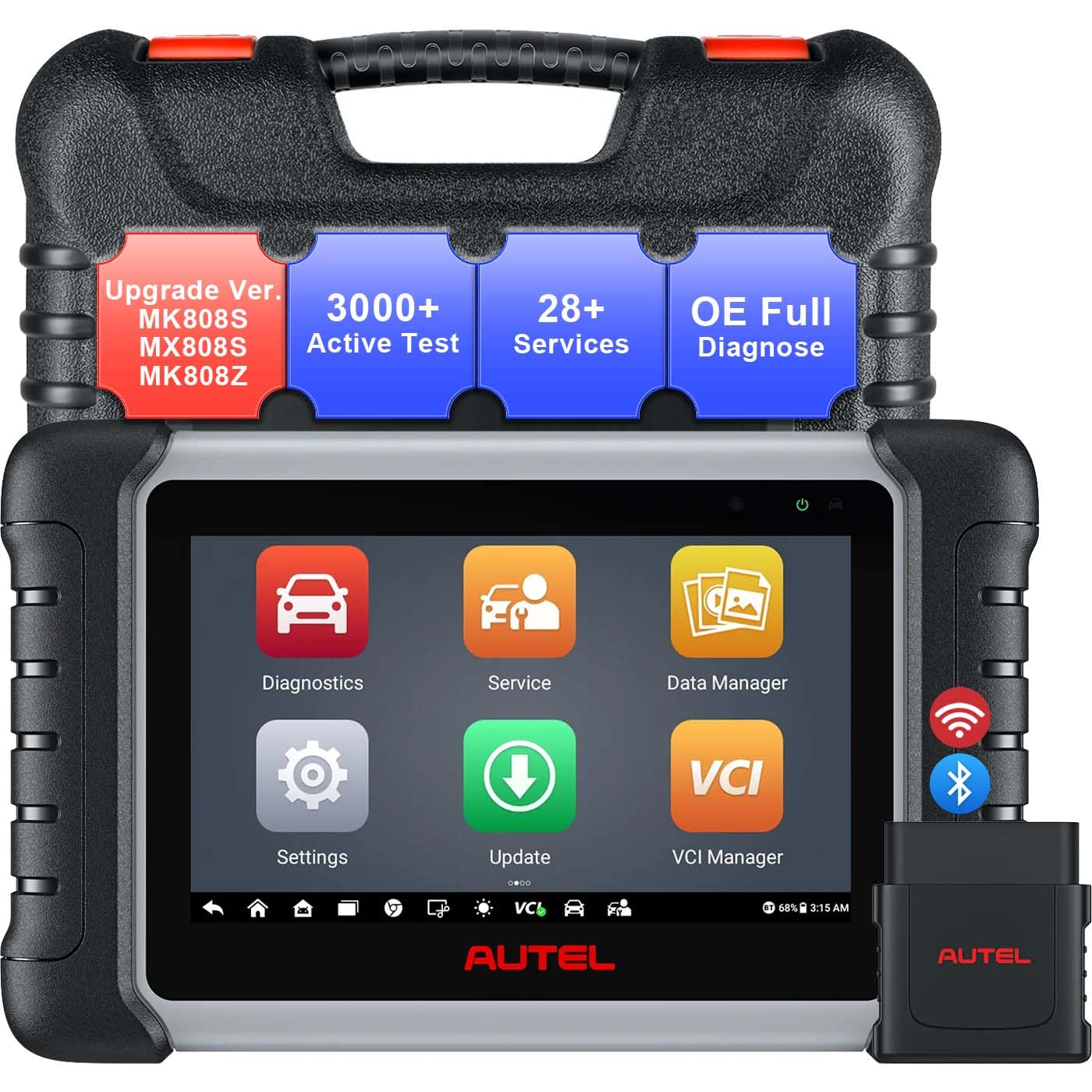
Figure 1: Autel MaxiCOM MK808Z-BT Diagnostic Scanner and VCI Mini.
설치 가이드
1. 포장 해제 및 최초 전원 켜기
- Carefully remove the MaxiCOM MK808Z-BT tablet and VCI Mini from the packaging.
- '구성품 목록'에 나열된 모든 구성품이 있는지 확인하십시오.
- Press and hold the Power button on the tablet to turn it on. The device will boot up to the Android 11 interface.
- Charge the device fully before first use using the provided power adapter.
2. VCI Mini 연결하기
The VCI (Vehicle Communication Interface) Mini connects wirelessly to the MK808Z-BT tablet via Bluetooth, allowing for remote diagnostics.
- Locate the vehicle's OBDII port, typically under the dashboard.
- Plug the VCI Mini securely into the vehicle's OBDII port. The VCI Mini's indicator light should illuminate.
- On the MK808Z-BT tablet, navigate to the 'VCI Manager' application.
- Select 'Bluetooth' as the connection method and pair with the VCI Mini. A stable connection will be indicated on the tablet screen.

Figure 2: The MaxiCOM MK808Z-BT tablet and VCI Mini for wireless diagnostics.
3. Software Updates and Wi-Fi Connection
To ensure optimal performance and access to the latest vehicle coverage and features, regularly update the software.
- Connect the MK808Z-BT tablet to a stable Wi-Fi network (2.4GHz or 5GHz) via the 'Settings' menu.
- 메인 화면에서 '업데이트' 아이콘을 탭하세요.
- Download and install all available system and vehicle software updates.
4. FCA SGW Access Setup (for 2018+ vehicles)
For diagnostics and services on 2018 and newer FCA (Chrysler, Dodge, Jeep, Alfa Romeo, Fiat) vehicles, secure gateway (SGW) access is required.
- Visit the AutoAuth official web사이트 (www.autoauth.com).
- Register for an FCA account.
- Purchase AutoAuth access.
- Follow the on-screen prompts on your MK808Z-BT to link your scanner to your AutoAuth account and begin diagnostics.

Figure 3: Steps for setting up FCA AutoAuth SGW access.
작동 지침
1. All-System Diagnostics
The MK808Z-BT can access all available electronic control modules (ECUs) in a vehicle to read and clear diagnostic trouble codes (DTCs), view 실시간 데이터를 수집하고 ECU 정보를 검색합니다.
- From the main menu, tap 'Diagnostics'.
- Select the vehicle make, model, and year. Use the AutoVIN feature (for 2006+ vehicles) for automatic vehicle identification.
- Choose 'Auto Scan' to perform a comprehensive scan of all systems or select specific modules for diagnosis.
- Review DTCs, view live data streams in text or graph format, and analyze system status.

Figure 4: The scanner's ability to access all vehicle systems for diagnostics.
2. 양방향 제어(활성 테스트)
Bidirectional control allows the scanner to send commands to vehicle actuators and receive feedback, enabling functional testing of components without manual controls. This helps in quickly identifying faulty components.
- Activate radiator fans.
- Modulate throttle.
- Operate windows and mirrors.
- Test fuel injectors.
- Control lights and wipers.
- Perform various other active tests on components like ABS pumps, solenoids, and relays.

Figure 5: Illustrates the bidirectional control functionality, sending commands to vehicle components.
3. 서비스 기능
The MK808Z-BT provides access to over 28 common maintenance and service functions.
- 오일 리셋: 오일 교환 후 오일 수명 시스템을 재설정하세요.
- EPB(전자식 주차 브레이크): Deactivate and activate the brake control system for brake service.
- ABS 블리드: ABS 시스템의 공기 빼기 작업을 수행하십시오.
- SAS(조향각 센서) 보정: 조향 각도 센서를 보정합니다.
- BMS(배터리 관리 시스템): Register new battery replacements.
- 인젝터 코딩: ECU에 새로운 인젝터 번호를 코딩합니다.
- TPMS(타이어 공기압 모니터링 시스템): Perform TPMS sensor relearn procedures.
- And many more, including Throttle Adaptation, Suspension Calibration, and Headlamp 조정.

그림 6: 예amples of the 28+ service functions available on the scanner.
4. Expandable Tools Integration
The MK808Z-BT supports integration with additional Autel tools for enhanced diagnostic capabilities:
- BT506 Battery Test: Connect the BT506 (sold separately) to perform in-vehicle and out-of-vehicle battery, starter, and generator tests.
- MV108S Inspection Camera: Pair with the MV108S (sold separately) to inspect hard-to-reach areas of the vehicle with high-definition imaging.
유지
1. 소프트웨어 업데이트
Regular software updates are crucial for maintaining optimal performance, expanding vehicle coverage, and accessing new features. Connect to Wi-Fi and check for updates frequently via the 'Update' application.
2. 기기 청소
To clean the tablet's screen, use a soft, lint-free cloth. For the rugged rubberized housing, a damp cloth with mild soap can be used. Avoid harsh chemicals or abrasive materials that could damage the device.
3. 배터리 관리
The MK808Z-BT is equipped with a Lithium Ion battery. To prolong battery life:
- 배터리를 자주 완전히 방전시키지 마세요.
- 사용하지 않을 때는 장치를 서늘하고 건조한 곳에 보관하십시오.
- 배터리 상태를 유지하려면 사용하지 않더라도 정기적으로 기기를 충전하세요.
문제 해결
일반적인 문제 및 솔루션
- 장치가 켜지지 않음: 배터리가 충전되어 있는지 확인하십시오. 전원 어댑터를 연결하고 다시 시도하십시오. 문제가 지속되면 기술 지원팀에 문의하십시오.
- VCI Mini가 연결되지 않습니다: Verify the VCI Mini is securely plugged into the vehicle's OBDII port and receiving power. Check Bluetooth settings on the tablet and ensure the VCI Mini is paired. Restart both the tablet and the VCI Mini.
- 차량과 통신이 되지 않음: Confirm the vehicle's ignition is on. Check the OBDII cable and VCI Mini connection. Ensure the correct vehicle make, model, and year are selected in the diagnostic software. Verify the vehicle's battery voltage로 충분합니다.
- 소프트웨어 멈춤 현상 또는 성능 저하: Close unnecessary applications. Ensure the device has sufficient storage space. Perform a software update to the latest version. If issues continue, consider a factory reset (backup data first).
- FCA SGW access issues: Double-check your AutoAuth account registration and subscription status. Ensure your Autel scanner is correctly linked to your AutoAuth account.
For persistent issues or problems not covered here, please refer to the technical support section.
명세서
| 특징 | 사양 |
|---|---|
| 운영 체제 | 안드로이드 11.0 |
| 프로세서 | RK3566 (5X Faster) |
| 메모리 | 4GB RAM + 64GB 스토리지 |
| 표시하다 | 1024x600 해상도의 7인치 LCD 정전식 터치스크린 |
| 연결성 | Wi-Fi (2.4 & 5 GHz), Bluetooth (VCI Mini) |
| 배터리 | 5000mAh 리튬 이온 배터리 |
| 치수(길이 x 너비 x 높이) | 6인치 길이 x 2인치 너비 x 10인치 높이 |
| 품목 무게 | 5.33파운드 |
| 지원되는 프로토콜 | ISO9141-2, ISO14230-2, ISO15765, K/L-Line, Flashing Code, SAE-J1850 VPW, SAE-J1850 PWM, ISO11898 (Highspeed, Middlespeed, Lowspeed and Singlewire CAN, fault-tolerant CAN), SAE J2610, GM UART, UART Echo Byte Protocol, Honda Diag-H Protocol, MPV, GMLAN, Mini-Bus Protocol, TP2.0, TP1.6, etc. |

Figure 7: Key hardware specifications of the MK808Z-BT.
보증 및 지원
보증 정보
The Autel MaxiCOM MK808Z-BT Diagnostic Scanner typically comes with a manufacturer's limited warranty covering defects in materials and workmanship. Please refer to the warranty card included with your product or visit the official Autel website for specific terms and conditions, including warranty duration and coverage details.
기술 지원
For technical assistance, product inquiries, or troubleshooting beyond the scope of this manual, please contact Autel customer support:
- 오텔 공식 웹사이트를 방문하세요. web사이트 (www.autel.com지원 자료, FAQ 및 연락처 정보는 )를 참조하십시오.
- Look for the 'Support' or 'Contact Us' section on the website to find phone numbers, email addresses, or live chat options.
- When contacting support, have your product model (MK808Z-BT) and serial number ready for faster service.


