1. 서론
The Dreame D20 Robot Vacuum Cleaner is an advanced 2-in-1 cleaning device designed to simplify your home maintenance. It features powerful suction, efficient navigation, and smart controls to keep your floors clean. This manual provides essential information for setting up, operating, and maintaining your device.

Image 1.1: Dreame D20 Robot Vacuum Cleaner and its companion mobile application.
2. 상자 안에 무엇이 들어있나요?
모든 구성품을 조심스럽게 꺼내 아래 목록과 비교해 보세요. 누락되었거나 손상된 품목이 있는 경우 고객 지원 센터에 문의하세요.
- 로봇 청소기 1대
- 충전소 x1
- Main Brush and Brush Guard (pre-installed) x1
- 사이드 브러시(사전 설치) x1
- Dustbin (pre-installed) x1
- Water Tank (pre-installed) x1
- 걸레 패드 (사전 설치됨) 1개
- 걸레 패드 홀더 1개
- 사용 설명서 x1
- 빠른 시작 가이드 x1

Image 2.1: All components included in the Dreame D20 package.
3. 설정
3.1 충전소 배치
Place the charging station against a wall on a hard, level surface. Ensure there is at least 0.5 meters (1.6 feet) of clear space on both sides and 1.5 meters (4.9 feet) in front of the station. Connect the power adapter to the charging station and plug it into a power outlet.
3.2 초기 충전
Place the robot vacuum onto the charging station. Ensure the charging contacts on the robot align with those on the station. The robot will automatically power on and begin charging. For first-time use, fully charge the robot before operation.
3.3 앱 다운로드 및 연결
- Scan the QR code in the Quick Start Guide or search for the 'Dreamehome' app in your device's app store.
- 앱을 다운로드하고 설치하세요.
- Follow the in-app instructions to add your Dreame D20 robot vacuum. This typically involves connecting to the robot's Wi-Fi network and then to your home Wi-Fi.
4. 사용 설명서
4.1 청소 시작 및 중지
- 청소 시작: Press the power button on the robot or use the 'Start' function in the Dreamehome app.
- 청소 일시 중지: Press the power button during operation or use the 'Pause' function in the app.
- 충전소로 돌아가기: Press the home button on the robot or use the 'Recharge' function in the app.
4.2 청소 모드 및 사용자 지정
The Dreame D20 offers various cleaning modes and customization options via the Dreamehome app:
- 진공 모드: For dry debris removal. The D20 features a Vormax suction power of 13,000 Pa for effective cleaning.
- 걸레 모드: For wet cleaning. The 350 ml water tank allows for 32 levels of humidity adjustment.
- 진공 및 걸레질 모드: 진공 청소와 걸레질을 동시에 할 수 있습니다.
- Custom Room Cleaning: 청소할 특정 방이나 구역을 선택하세요.

Image 4.1: The Dreame D20's powerful 13,000 Pa Vormax suction.

Image 4.2: The D20's integrated 2-in-1 vacuum and mop system with a 700ml dustbin and 350ml water tank.
4.3 내비게이션 및 지도 제작
The D20 utilizes Smart Pathfinder technology for precise navigation and mapping. It creates intuitive, editable maps of your home for comprehensive coverage.
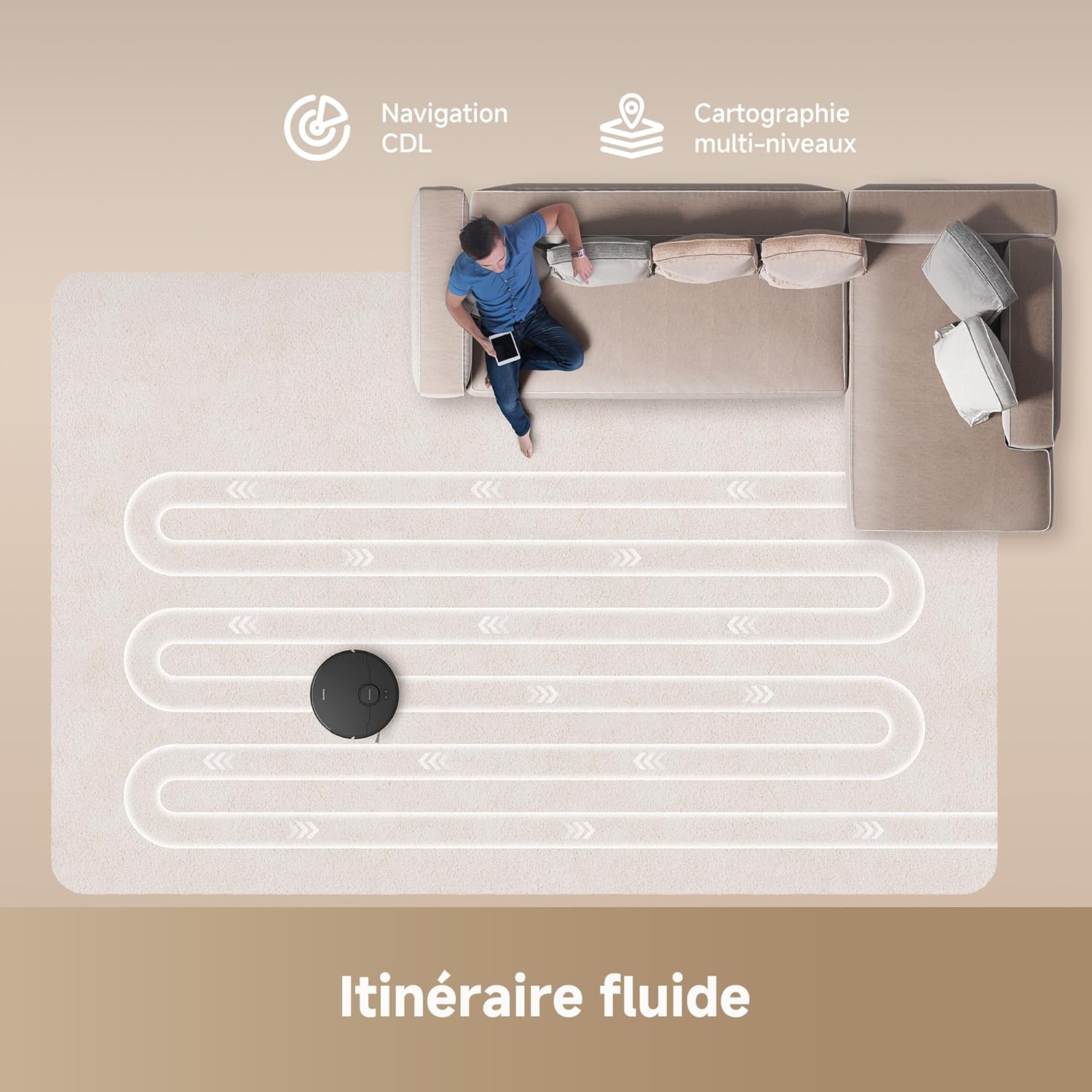
Image 4.3: The D20's Smart Pathfinder navigation creating an efficient cleaning path.
4.4 앱 제어
The Dreamehome app allows you to:
- View 그리고 클리닝 맵을 편집합니다.
- 가상 벽과 출입 금지 구역을 설정하세요.
- 흡입력과 물 유량을 조절하세요.
- 청소 일정을 계획하세요.
- 청소 진행 상황과 배터리 상태를 모니터링하세요.
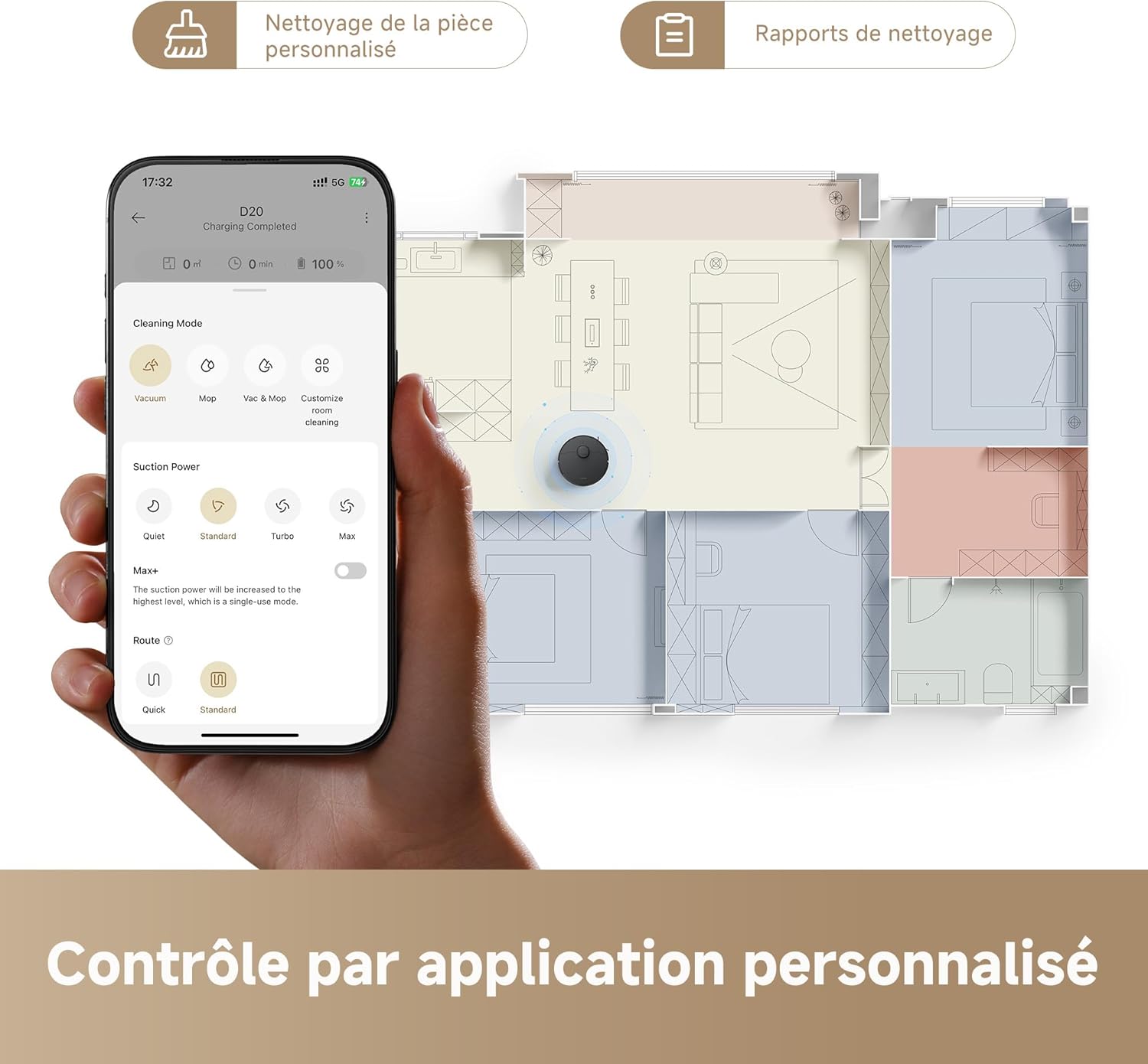
Image 4.4: The Dreamehome app provides personalized cleaning control.
4.5 음성 제어
The Dreame D20 is compatible with popular voice assistants, including Alexa, Apple Siri, and Google Home. Connect your robot to your preferred voice assistant through the Dreamehome app to issue commands such as starting or stopping cleaning.

Image 4.5: Voice control compatibility with Alexa, Google Home, and Siri.
5. 유지관리
Regular maintenance ensures optimal performance and extends the lifespan of your Dreame D20.
5.1 쓰레기통 비우기
Empty the 700 ml dustbin after each cleaning cycle or when prompted by the app. Open the robot's top cover, remove the dustbin, and dispose of the contents.
5.2 Water Tank Refilling
Refill the 350 ml water tank with clean water before mopping. Do not use cleaning solutions not approved by Dreame, as they may clog the system.
5.3 브러시 청소
- 메인 브러시: 메인 브러시 덮개를 제거하고 브러시를 들어 올리세요. 청소 도구를 사용하여 엉킨 머리카락과 먼지를 제거하세요.
- 사이드 브러시: Periodically check the side brush for tangled hair or debris and clean as needed.

Image 5.1: The HyperStream duo brush effectively reduces hair tangling.
5.4 필터 청소
Tap the HEPA filter to remove dust. Rinse the filter with water if necessary, but ensure it is completely dry before re-installing.
5.5 센서 청소
모든 센서(낙하 감지 센서, 벽면 센서, 충전 접점)를 부드럽고 마른 천으로 닦아 정상 작동을 보장하십시오.
6. 문제 해결
If you encounter issues with your Dreame D20, refer to the following common problems and solutions:
| 문제 | 가능한 원인 | 해결책 |
|---|---|---|
| 로봇이 충전되지 않음 | 충전 접점이 더럽거나 제대로 정렬되지 않았습니다. 전원 어댑터가 연결되어 있지 않습니다. | Clean charging contacts. Ensure charging station is powered and robot is properly docked. |
| 로봇이 갇혔거나 길을 잃었습니다. | Obstacles in the path. Sensors are dirty. | Clear obstacles. Clean all sensors. Restart the robot. |
| 흡입 성능이 좋지 않음 | 먼지통이 가득 찼습니다. 필터가 막혔습니다. 메인 브러시가 엉켰습니다. | 먼지통을 비우세요. 필터를 청소하거나 교체하세요. 본체 브러시를 청소하세요. |
| 걸레질이 효과적이지 않음 | Water tank empty. Mop pad dirty. Water outlet clogged. | Refill water tank. Clean or replace mop pad. Clean water outlet. |
| 앱 연결 문제 | Incorrect Wi-Fi password. Router too far. Robot not in pairing mode. | Verify Wi-Fi credentials. Move robot closer to router. Reset Wi-Fi on robot and re-pair. |
7. 사양
- 모델 번호: RLD35GA-BK
- 치수(길이 x 너비 x 높이): 35 x 41 x 98.5cm
- 무게: 5.9kg
- 흡입력: 13,000 Pa (Vormax)
- 배터리 용량: 5200mAh
- 실행 시간: 최대 285분(4시간 45분)
- 쓰레기통 용량: 700ml
- 물탱크 용량: 350ml
- 필터 유형: 헤파
- 항해: Smart Pathfinder (Laser Distance Sensor)
- 제어: Dreamehome App, Voice Control (Alexa, Google Home, Siri)
- 권tage: 14.4 볼트

Image 7.1: The D20's extended battery life of up to 285 minutes with a 5200 mAh battery.
8. 보증 및 지원
The Dreame D20 Robot Vacuum Cleaner comes with a standard manufacturer's warranty. For detailed warranty information, please refer to the warranty card included in your product packaging or visit the official Dreame website. For technical support, troubleshooting assistance, or to inquire about replacement parts, please contact Dreame customer service through their official channels or the Dreamehome app.
Please note that information regarding spare parts availability is not provided in the product specifications.


