1. 중요한 보호 조치
Please read all instructions carefully before using your KEENSTAR ICN1580 Nugget Ice Maker. Keep this manual for future reference.
- 기기가 접지된 콘센트에 연결되어 있는지 확인하십시오.
- 전원 코드, 플러그 또는 기기의 어떤 부분도 물이나 다른 액체에 담그지 마십시오.
- Unplug the ice maker from the outlet before cleaning, servicing, or when not in use.
- Keep children away from the ice maker. This appliance is not intended for use by persons with reduced physical, sensory, or mental capabilities, or lack of experience and knowledge, unless they have been given supervision or instruction concerning use of the appliance by a person responsible for their safety.
- 코드나 플러그가 손상된 상태에서, 또는 기기가 오작동하거나 어떤 방식으로든 손상된 후에는 기기를 작동하지 마십시오. 도움이 필요하면 고객 서비스에 문의하세요.
- 제빙기에는 식수만 사용하세요.
- 제빙기를 열원 근처나 직사광선이 비치는 곳에 두지 마십시오.
- Ensure adequate ventilation around the appliance. Maintain at least 5 inches of space on all sides.
2. 제품 오버view
The KEENSTAR ICN1580 is a countertop nugget ice maker designed to produce soft, chewable ice. It features a stainless steel exterior, a touch screen control panel, and a self-cleaning function. With a 2.1-liter water tank, it can produce up to 40 lbs of ice per day.
주요 특징:
- 부드럽고 씹기 쉬운 너겟 얼음을 만듭니다.
- High ice production capacity: up to 40 lbs per 24 hours.
- 2.1L water tank capacity.
- Intuitive touch screen control panel.
- Automatic self-cleaning function.
- Ice full and add water indicator lights.
- Removable ice basket for easy ice transfer.
제품 구성 :

그림 2.1: KEENSTAR ICN1580 Nugget Ice Maker with its removable ice basket and scoop. This image shows the overall design and key accessories.
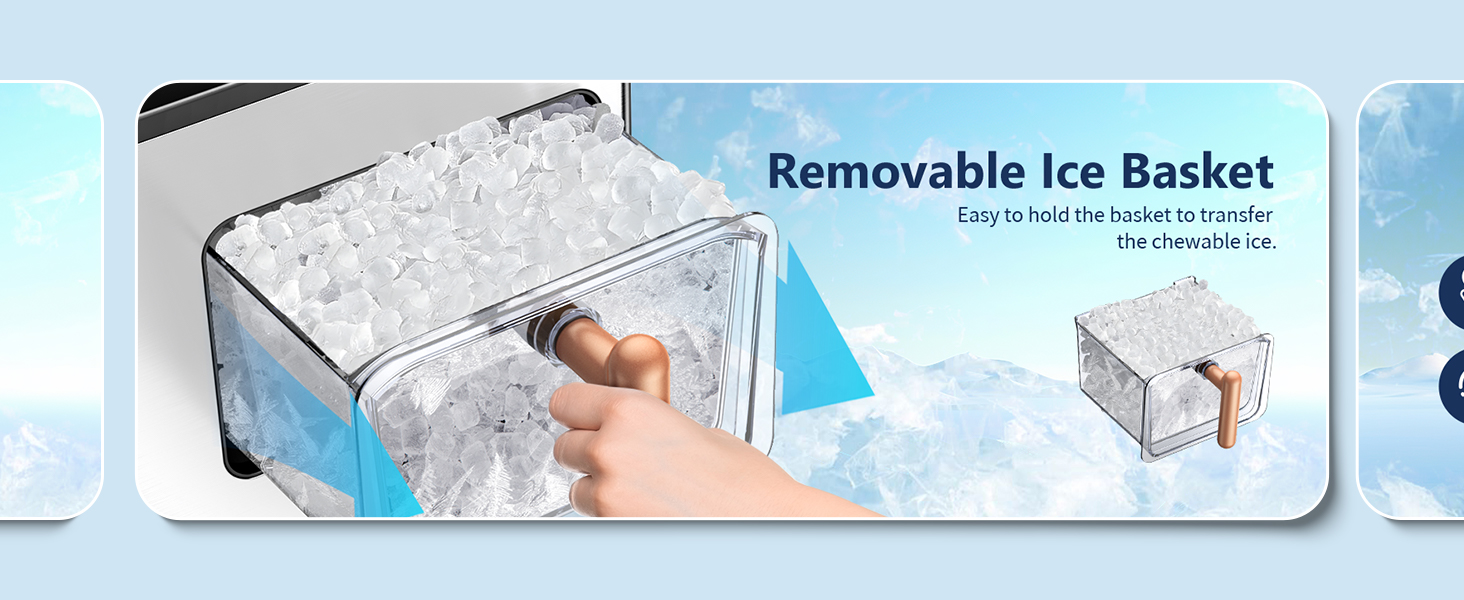
그림 2.2: 클로즈업 view of the removable ice basket, highlighting its design for easy handling and ice transfer.
3. 설정
3.1 풀기
Carefully remove all packaging materials. Inspect the ice maker for any damage. If any damage is found, do not operate the appliance and contact customer service.
3.2 배치
- 제빙기를 평평하고 안정적이며 수평인 표면에 놓으십시오.
- Ensure there is at least 5 inches (12.7 cm) of clear space around the unit for proper ventilation.
- 장치를 열원(예: 오븐, 라디에이터) 근처나 직사광선에 노출시키지 마십시오.
3.3 초기 청소
Before first use, it is recommended to clean the ice maker. Follow these steps:
- 물통에 식수를 MAX 표시선까지 채우십시오.
- Press and hold the 'SELFCLEAN' button for more than 3 seconds to activate the self-cleaning cycle.
- 청소 과정은 약 7분 동안 진행됩니다.
- Once the cycle is complete, drain the water from the unit using the drainage outlet (refer to Section 5.2 for draining instructions).
- 내부를 깨끗한 물로 헹구고 다시 물기를 빼주세요.
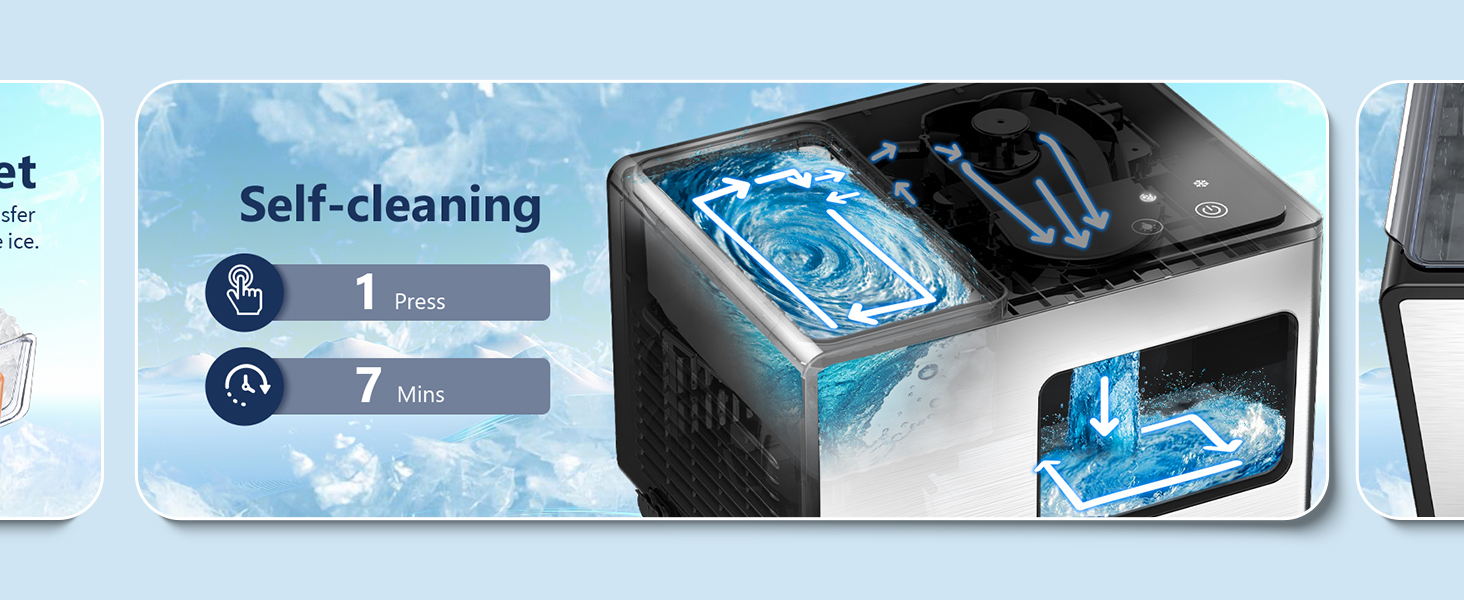
그림 3.1: Illustration of the automatic self-cleaning process, showing water circulation within the unit.
4. 운영
4.1 제어판
The ice maker features an intelligent touch control panel with indicator lights and operation buttons.

그림 4.1: The intelligent touch control panel with indicator lights for 'Add Water', 'Ice Full', 'Cleaning', and 'Power', along with buttons for 'Selfclean', 'LED Light', and 'ON/OFF'.
- Indicator Light Zone: Displays status for 'Add Water', 'Ice Full', 'Cleaning', and 'Power'.
- Operation Touch Zone: Includes 'Selfclean Button', 'LED Light Button', and 'ON/OFF Button'.
4.2 얼음 만들기
To start making ice, follow these simple steps:
- 제빙기가 접지된 콘센트에 연결되어 있는지 확인하십시오.
- Open the top lid and fill the water reservoir with potable water up to the MAX fill line. Do not overfill.
- 상단 덮개를 닫습니다.
- Press the 'ON/OFF' button to turn on the unit. The ice making process will begin automatically.
- The ice maker will produce fresh ice in approximately 12 minutes.

그림 4.2: The ice maker actively producing nugget ice, with an indication of 12 minutes for fresh ice production.
4.3개의 표시등
- 물 표시기 추가: A red light will illuminate when the water reservoir needs refilling. Ice production will pause until water is added.
- 얼음 가득 참 표시기: A red light will illuminate when the ice basket is full. Ice production will pause until ice is removed.
- 전원 표시기: A white light indicates the unit is powered on.
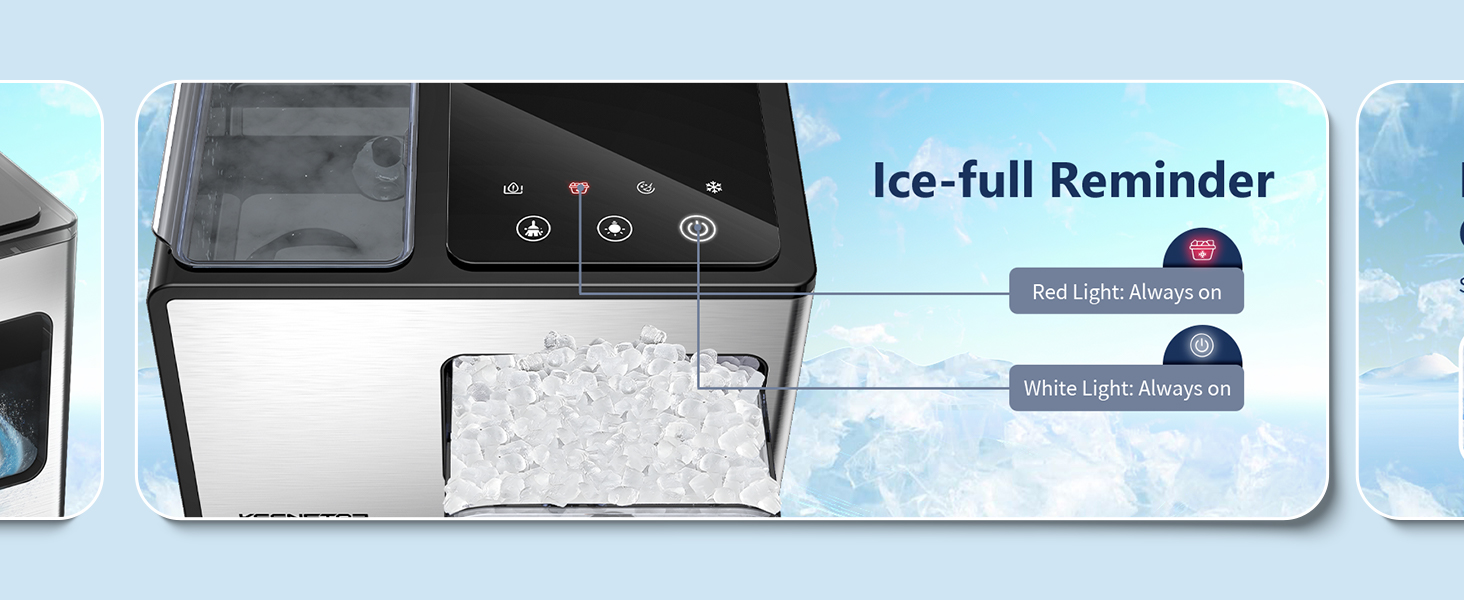
그림 4.3: The 'Ice Full' indicator light, showing a red light when the ice basket is full.

그림 4.4: Illustrates the process of refilling the water reservoir, ensuring water does not exceed the maximum fill line.
5. 유지관리
정기적인 유지관리를 통해 제빙기의 최적의 성능과 수명을 보장할 수 있습니다.
5.1 일일 청소
For daily cleaning, use the automatic self-cleaning function:
- 물통에 마실 수 있는 물이 채워져 있는지 확인하세요.
- Press and hold the 'SELFCLEAN' button for more than 3 seconds.
- The cycle will run for 7 minutes.
- After the cycle, drain the water as described in Section 5.2.
5.2 물 배출
To drain water from the ice maker:
- 제빙기의 플러그를 전원 콘센트에서 뽑으세요.
- Locate the drainage outlet at the bottom or side of the unit.
- Place a container under the outlet to collect the water.
- 배수 플러그를 제거하여 물이 흘러나갈 수 있도록 합니다.
- 물을 모두 빼낸 후 배수 플러그를 단단히 다시 끼웁니다.
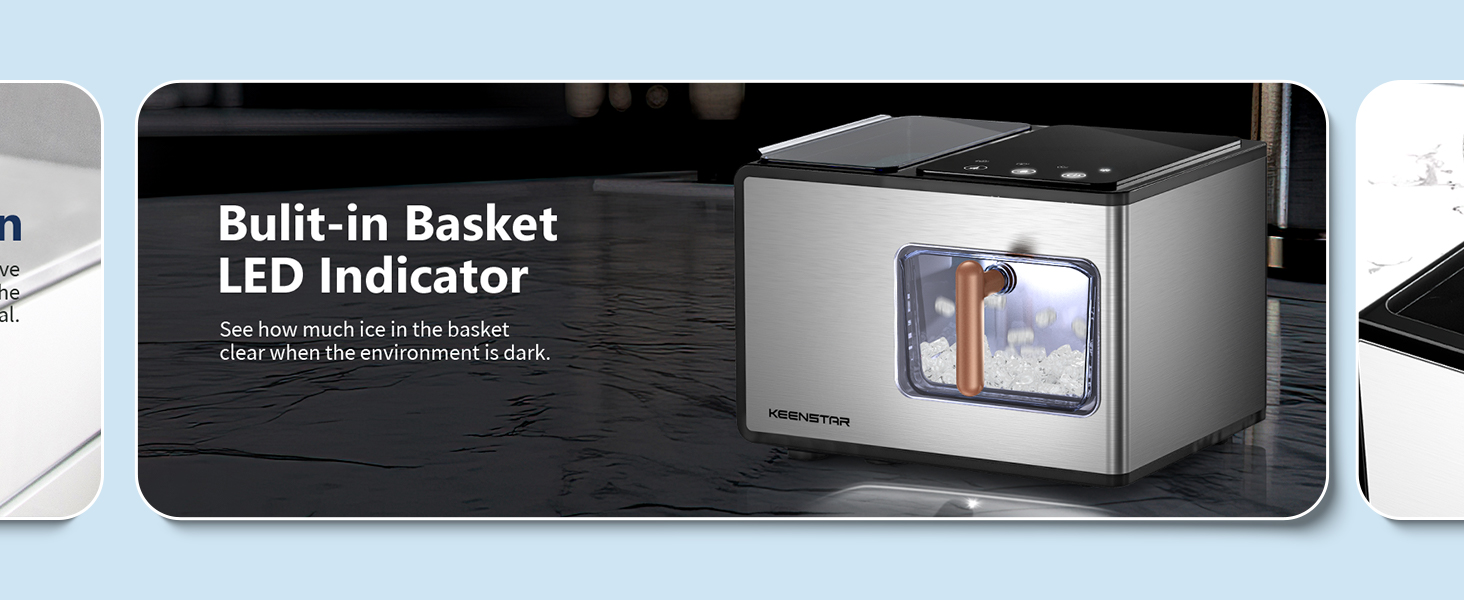
그림 5.1: Shows the drainage outlet located at the back of the ice maker, making it easy to drain water into a sink.
5.3 Descaling (Hard Water Areas)
If you live in an area with hard water, mineral buildup (scale) can affect the ice maker's performance and cause noise. Descale the unit once a week or more often if necessary.
- Stop the machine and allow any internal ice to melt.
- 필터 스크린을 제거하십시오.
- Run a self-clean cycle with a descaling solution (e.g., a mixture of water and vinegar or a commercial descaling agent suitable for ice makers). Follow the descaling solution manufacturer's instructions.
- Clean the front and back sides of the filter screen.
- Rinse thoroughly by running several self-clean cycles with fresh water.
그림 5.2: Illustrates how hard water can affect the ice maker and shows the location of the filter screen for cleaning.
6. 문제 해결
If you encounter issues with your ice maker, refer to the following table for common problems and solutions.
| 문제 | 가능한 원인 | 해결책 |
|---|---|---|
| 제빙기에서 얼음이 나오지 않습니다. | 저수조에 물이 없습니다. 전원 문제입니다. 주변 온도가 너무 높습니다. | Fill water reservoir; check power connection; ensure unit is in a cool, well-ventilated area. |
| Ice production is slow or ice is too thin. | High ambient temperature; poor ventilation; water quality. | Move unit to a cooler location; ensure proper ventilation; use filtered water. |
| 제빙기가 시끄럽습니다. | Mineral buildup (scale); unit not level; internal components. | Perform descaling (Section 5.3); ensure unit is on a level surface; contact customer service if noise persists. |
| '물 추가' 표시등이 켜져 있습니다. | 물통이 비어 있습니다. | 물통에 마실 수 있는 물을 다시 채우세요. |
| '얼음 가득' 표시등이 켜져 있습니다. | 얼음 바구니가 가득 찼습니다. | 바구니에서 얼음을 꺼냅니다. |
| Ice maker stops mid-cycle. | Ice full sensor triggered; water low sensor triggered; internal malfunction. | Check ice basket and water level; if problem persists, contact customer service. |
7. 사양
Technical specifications for the KEENSTAR ICN1580 Nugget Ice Maker.
| 사양 | 값 |
|---|---|
| 상표 | 킨스타 |
| 모델명 | ICN1580 |
| 제품 치수 | 18.5인치 깊이 x 13.7인치 너비 x 11.4인치 높이 |
| 용량(물탱크) | 2.1리터 |
| 왓tage | 150 와트 |
| 권tage | 120 볼트 |
| 냉각제 | R600a |
| 일일 얼음 생산량 | 40 파운드 |
| 재료 | 스테인리스 스틸 |
| 품목 무게 | 20파운드 |
8. 보증 및 지원
KEENSTAR offers a 30-day money-back guarantee and free replacement within 1 year from the date of purchase. Lifetime after-customer service is also provided.
If you experience any issues or have questions regarding your KEENSTAR ICN1580 Nugget Ice Maker, please contact KEENSTAR customer service for prompt assistance. Refer to your purchase documentation for specific contact details.