1. 서론
구매해주셔서 감사합니다asing the TOPTRO TP2 Mini Projector. This manual provides essential information for setting up, operating, and maintaining your projector. Please read it thoroughly before use and keep it for future reference.
2. 안전 정보
- l을 사용할 때 프로젝터 렌즈를 직접 쳐다보지 마십시오.amp 켜져있습니다.
- 과열을 방지하기 위해 적절한 환기를 유지하세요. 환기구를 막지 마세요.
- 기기와 함께 제공된 전원 어댑터만 사용하세요.
- 프로젝터를 물, 습기 및 극한 온도로부터 멀리하십시오.
- 프로젝터를 떨어뜨리거나 강한 충격을 가하지 마십시오.
- 프로젝터를 직접 분해하거나 수리하지 마십시오. 도움이 필요하면 고객 지원 센터에 문의하십시오.
3. 패키지 내용
패키지에 모든 품목이 들어 있는지 확인하세요.
- TOPTRO TP2 Mini Projector
- 원격 제어
- 전원 어댑터
- HDMI 케이블
- 청소 키트
- 사용 설명서 (본 문서)
4. 제품 오버view
The TOPTRO TP2 Mini Projector is a compact and versatile device designed for various entertainment and presentation needs. It features an Android 13 operating system, Wi-Fi 6, Bluetooth 5.4, and automatic image correction.
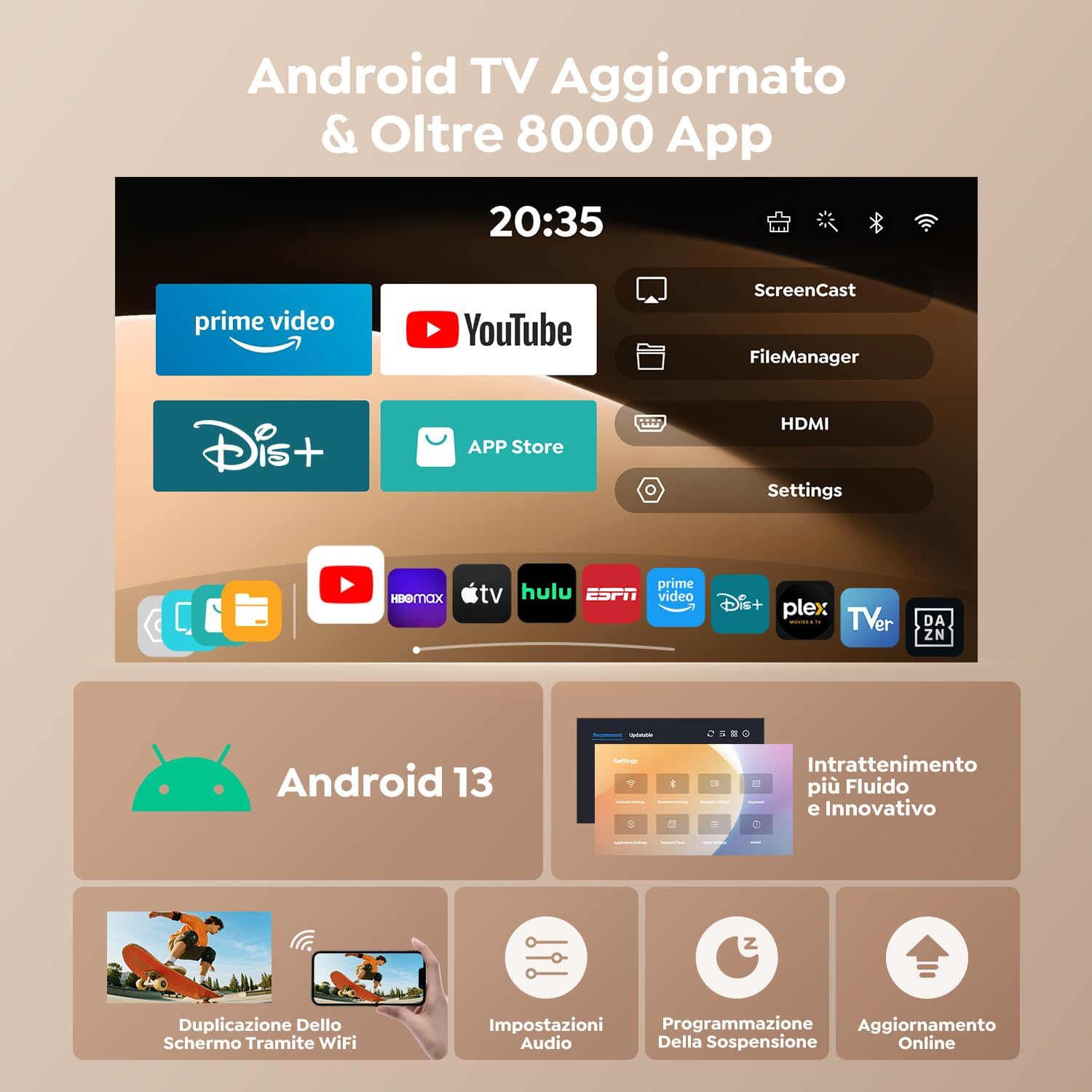
그림 1: 전면 view of the TOPTRO TP2 Mini Projector, showcasin컴팩트한 디자인과 렌즈를 자랑합니다.
4.1. 포트 및 연결
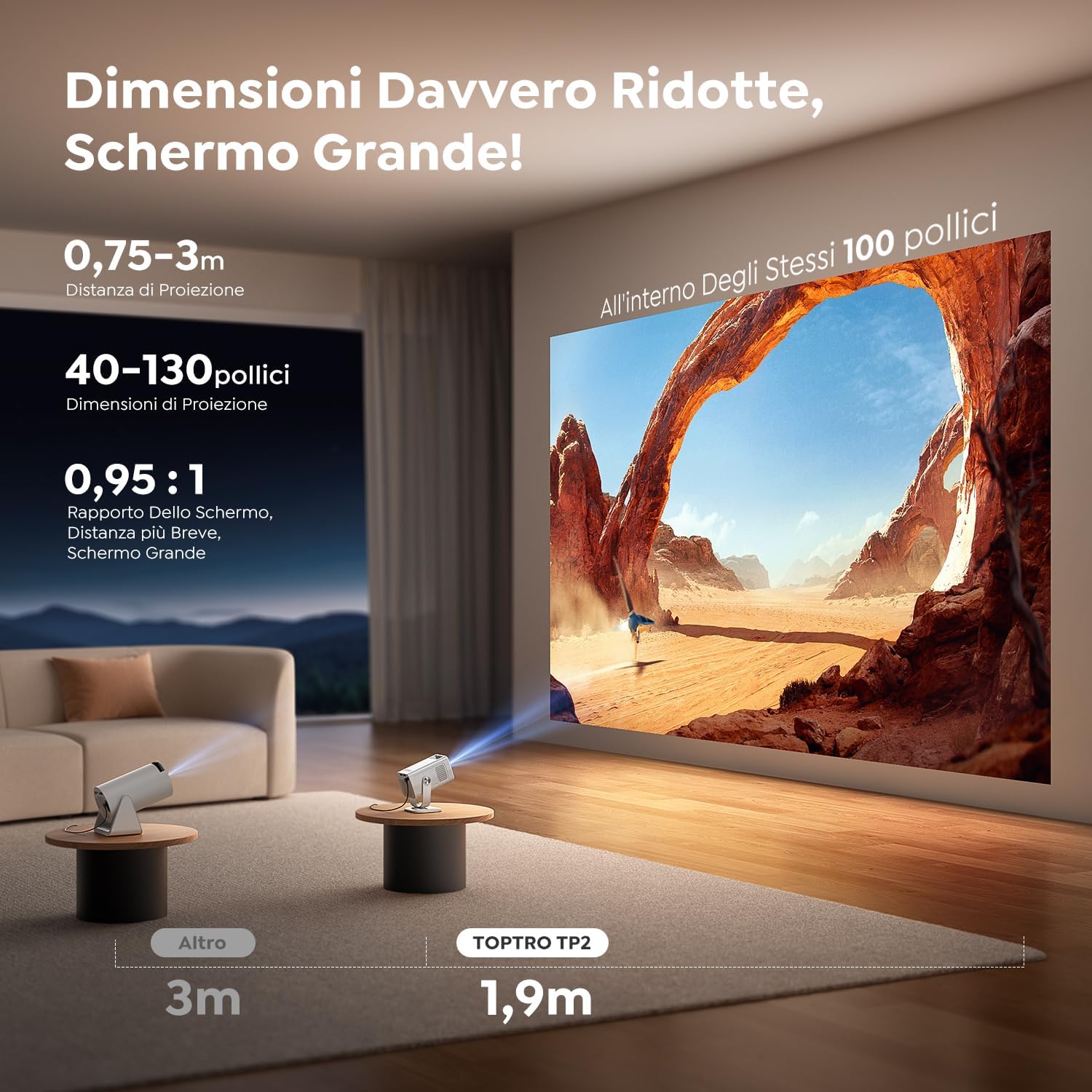
그림 2: 후면 view of the TOPTRO TP2 Mini Projector, showing the various input and output ports.
- HDMI 포트 : Connect to laptops, gaming consoles, TV sticks, etc.
- USB 포트: Connect USB drives for media playback or external devices.
- 3.5mm 오디오 잭: 외부 스피커 또는 헤드폰을 연결하세요.
- 전원 입력: 제공된 전원 어댑터를 연결하세요.
4.2. 주요 특징
- 안드로이드 13 OS: Access to over 8,000 official apps including streaming services.
- 270° 회전 가능한 디자인: Flexible projection angles for various setups.
- Short Throw Ratio (0.95:1): 짧은 거리에서 큰 이미지를 투사합니다.
- 1080P Native Resolution (4K Support): Delivers clear and vivid images.
- Wi-Fi 6 및 블루투스 5.4: Fast and stable wireless connectivity.
- 자동 수직 키스톤 보정: Instantly corrects image distortion.
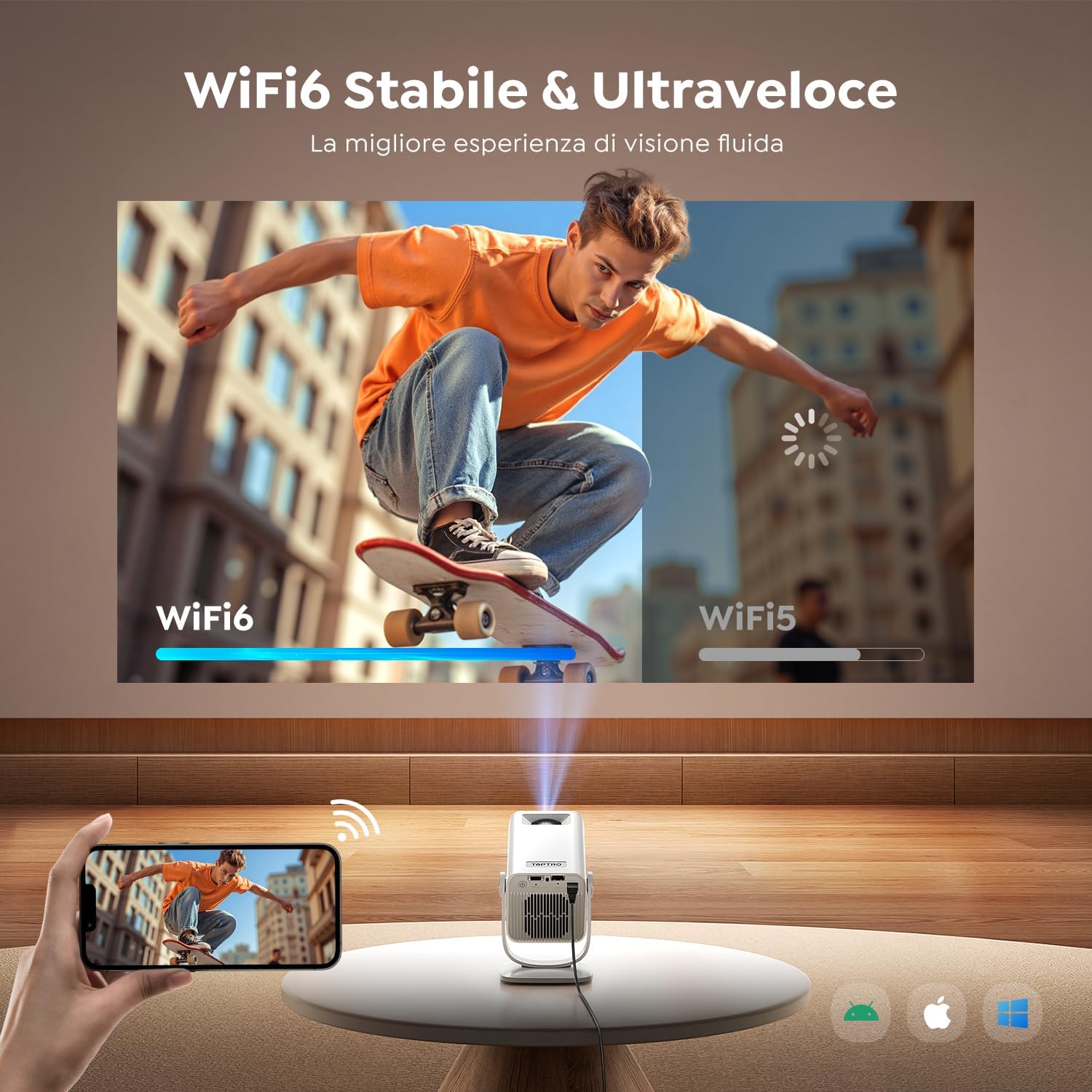
Figure 3: The projector's 270° rotatable design allows for flexible projection onto walls or ceilings.
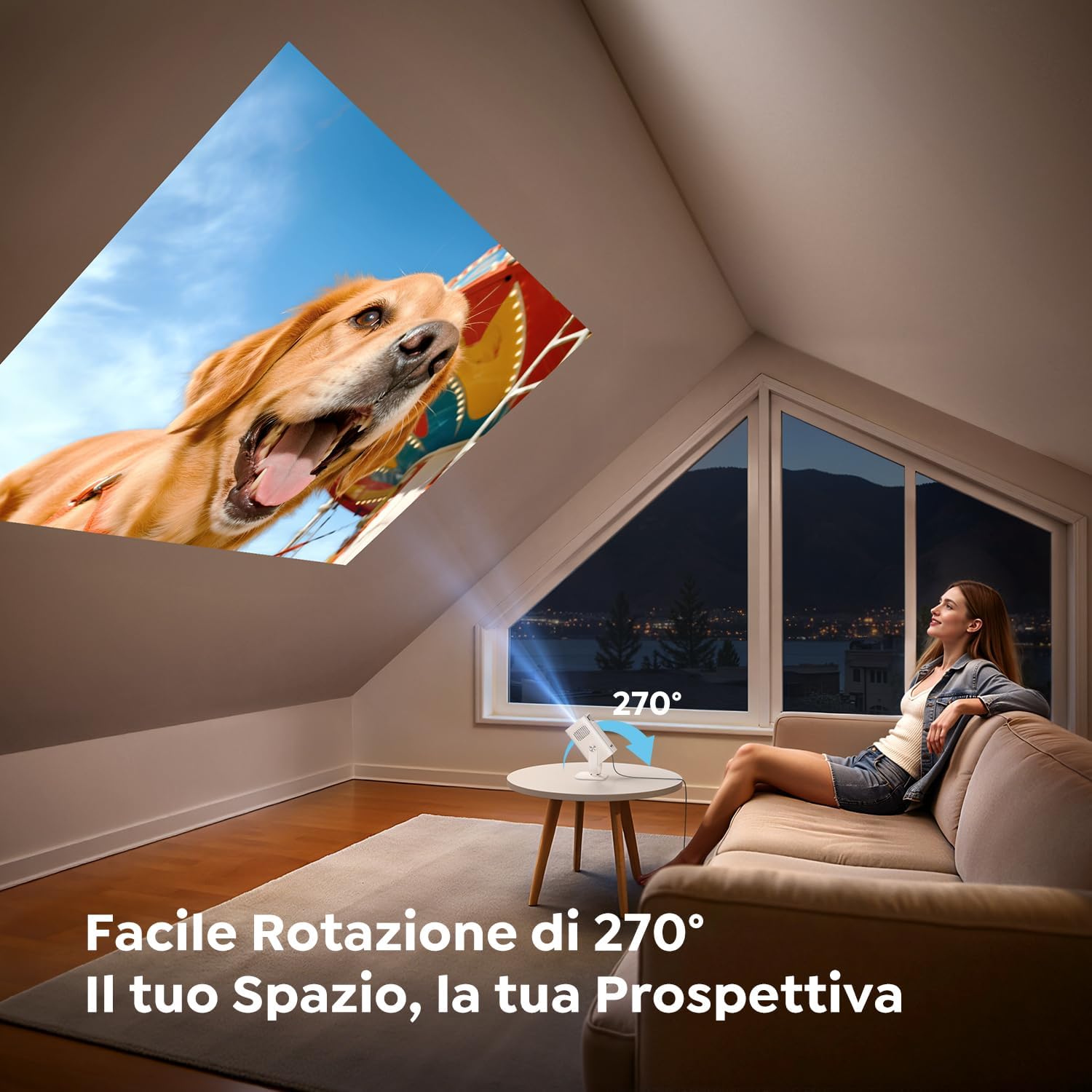
Figure 4: Illustration of the short throw capability, projecting a large image from a close distance.

Figure 5: The compact and portable design of the TOPTRO TP2, shown next to a soda can for size comparison.
5. 설정
5.1. 전원 연결
- 전원 어댑터를 프로젝터의 전원 입력 포트에 연결합니다.
- 전원 어댑터를 벽면 콘센트에 꽂으세요.
5.2. 설치 위치 및 각도 조절
Position the projector on a stable surface. Utilize the 270° rotatable design to adjust the projection angle as needed for wall, ceiling, or table projection.
5.3. 초점 조정
The projector features automatic vertical keystone correction. For fine-tuning, use the manual focus wheel or the remote control.
Video 1: Demonstrates the motorized focus adjustment feature of the projector, ensuring a clear image.
5.4. 연결성
- HDMI : Connect an HDMI cable from your source device (e.g., laptop, game console) to the projector's HDMI port.
- USB: Insert a USB drive into a USB port for direct media playback.
- 와이파이 6: Navigate to the network settings to connect to your Wi-Fi network for online streaming and screen mirroring.
- 블루투스 5.4 : Pair with Bluetooth headphones or external speakers for enhanced audio. The projector can also act as a Bluetooth speaker for your phone.
6. 사용 설명서
6.1. 전원 켜기/끄기
프로젝터나 리모컨의 전원 버튼을 눌러 장치를 켜거나 끕니다.
6.2. Android 13 인터페이스 탐색
The TOPTRO TP2 runs on Android 13, providing a user-friendly interface. Use the remote control to navigate through menus, select apps, and adjust settings.

Figure 6: The Android 13 user interface of the TOPTRO TP2, displaying pre-installed applications like Prime Video and YouTube.
Video 2: Illustrates the Android 14 interface (similar to Android 13) and its functionalities, including app access and navigation.
6.3. App Installation and Streaming
The projector comes with Android TV pre-installed, offering access to over 8,000 official apps. Simply connect to Wi-Fi and download your preferred streaming services (e.g., Dazn, Prime Video, Disney+, YouTube, HBO Max).
6.4. 화면 미러링
Use the Wi-Fi 6 feature to wirelessly mirror content from your smartphone, tablet, or laptop to the projector for a larger display.
6.5. 이미지 조정
- 자동 수직 키스톤 보정: The built-in precision sensor automatically corrects image distortion in less than 2 seconds.
- 줌 기능 : Adjust projection size from 100% to 80% without compromising image quality.
Video 3: Shows automatic focus, keystone correction, and screen adaptation features, enhancing ease of use.
7. 유지관리
7.1. 청소
Use the provided cleaning kit to gently clean the lens and exterior of the projector. Do not use abrasive cleaners or solvents.
7.2. 보관
When not in use, store the projector in a cool, dry place, away from direct sunlight and dust. Ensure the lens is covered to protect it from scratches.
8. 문제 해결
- 전원 없음: Check if the power adapter is securely connected to both the projector and the power outlet.
- 이미지 없음: Ensure the input source is correctly selected (HDMI, USB, or streaming app). Check cable connections.
- 흐린 이미지: Adjust the focus using the manual wheel or remote. Ensure the projector is placed within the recommended projection distance.
- 이미지 왜곡: The projector has automatic vertical keystone correction. If issues persist, check projector placement.
- 소리 없음: Check the volume settings on both the projector and the source device. Ensure Bluetooth audio is correctly paired if using external speakers/headphones.
- Wi-Fi/블루투스 연결 문제: 프로젝터와 라우터/블루투스 장치를 재시작하세요. 프로젝터가 통신 범위 내에 있는지 확인하세요.
9. 사양
| 특징 | 사양 |
|---|---|
| 상표 | 탑트로 |
| 모델 | TP2 |
| 제품 치수 | 13.5 x 9 x 17.8cm |
| 무게 | 400그램 |
| 모델 연도 | 2025 |
| 하드웨어 인터페이스 | 3.5mm 오디오, HDMI, USB |
| 호환 장치 | Speaker, Laptop, Game Console, Smartphone, Tablet |
| 추가 기능 | 단거리 던지기 |
| 화면 기술 | 액정표시장치 |
| 이미지 명암비 | 15000시 1분 |
| 종횡비 | 16:10, 16:9, 4:3 |
| Native Screen Resolution | 1280 x 720(720P) |
| 최대 디스플레이 해상도 | 4096 x 2160 (4K 지원) |
| 소음 수준 | 32데시벨 |
| 왓tage | 60 와트시 |
| 연결 유형 | Bluetooth, HDMI, IR, USB, Wi-Fi |
| 폼 팩터 | 주머니에 넣을 수 있는 크기 |
| 설치 유형 | Ceiling Mount/Floor Mount/Table Mount/Tripod Mount/Wall Mount |
| 추천 용도 | Business, Educational, Home Cinema, Video Games |
10. 보증 및 지원
TOPTRO projectors come with comprehensive support:
- 24/7 지원: 24시간 언제든 도움을 받으실 수 있습니다.
- 2-Year Hassle-Free Return Policy: 마음의 평화를 위해서.
- 3년 보증: 제조상의 결함에 대한 보상.
- 평생 기술 지원: Ongoing assistance for any technical queries.
For any questions or support, please contact TOPTRO customer service.