1. 제품 오버view
The ProtoArc EM03 NL is an ergonomic wireless trackball mouse designed for comfort and efficiency. It features an index finger-controlled trackball, multi-device connectivity, quiet clicking, adjustable DPI settings, and a rechargeable battery, making it suitable for various computing environments.
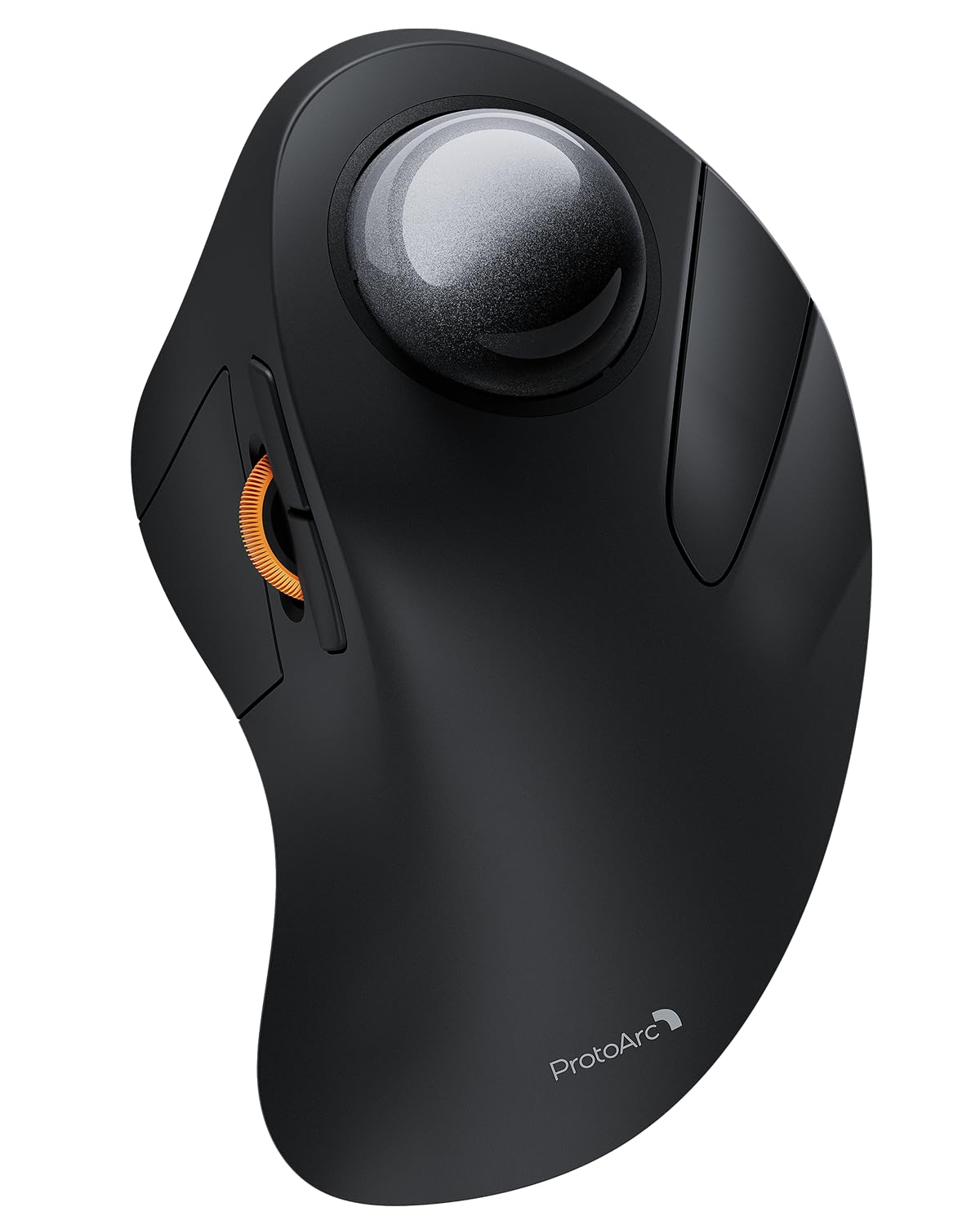
Image 1: The ProtoArc EM03 NL Wireless Bluetooth Trackball Mouse in gray, showcasin인체공학적 디자인입니다.
2. 상자 안에 무엇이 들어있나요?
- ProtoArc EM03 NL 트랙볼 마우스
- 사용자 설명서
- USB 수신기
- 충전 케이블(USB-C)
3. 주요 특징
- Ergonomic Index Finger Trackball: Sculpted to fit the hand naturally, promoting a comfortable wrist posture and precise control with its 44mm trackball.
- 다중 장치 연결: Connects to up to 3 devices via 2.4G USB receiver or Bluetooth (BT1, BT2), allowing seamless switching.
- 조용한 클릭 소리: Smooth frosted surface and quiet clicks for a better user experience without disturbing others.
- 조정 가능한 DPI: 5 DPI levels (200/400/800/1200/1600 DPI) for customizable cursor sensitivity and precise tracking.
- 충전식 배터리: Built-in 930mAh lithium battery provides up to 60 days of power on a single full charge. Features auto-sleep mode to conserve battery.
- 공간 절약: Stationary trackball design frees up desk space, ideal for small workstations or minimalist setups.

Image 2: A hand resting comfortably on the ProtoArc EM03 NL mouse, highlighting its ergonomic design for all-day comfort.

Image 3: Close-up of the ProtoArc EM03 NL trackball mouse, emphasizing the large 44mm trackball designed for index finger control and precise handling.

Image 4: The ProtoArc EM03 NL trackball mouse shown in different usage scenarios: an office desk, an aircraft cabin, and a library, illustrating its versatility and space-saving design.
4. 설정 가이드
4.1. USB Receiver Connection (2.4G Wireless)
- 마우스 하단 수납 공간에 보관된 USB 수신기를 찾으십시오.
- USB 수신기를 컴퓨터의 사용 가능한 USB 포트에 연결합니다.
- 바닥의 전원 스위치를 사용하여 마우스를 켭니다.
- Switch the channel selector on the bottom of the mouse to the '2.4G' position (usually indicated by a USB icon or '1'). The mouse should connect automatically.
4.2. 블루투스 연결(BT1 / BT2)
- 바닥의 전원 스위치를 사용하여 마우스를 켭니다.
- Switch the channel selector on the bottom of the mouse to either 'BT1' or 'BT2' position.
- Press and hold the channel button for 3 seconds until the corresponding indicator light flashes quickly, indicating pairing mode.
- On your device (PC, iPad, Mac, etc.), go to Bluetooth settings and search for new devices.
- Select 'ProtoArc EM03 NL' from the list of available devices to connect. The indicator light will turn solid once connected.

Image 5: Diagram illustrating the multi-device connection options (2.4G, BT1, BT2) on the underside of the ProtoArc EM03 NL mouse, showing how to switch between devices.
5. 사용 설명서
5.1. 버튼 기능

Image 6: Labeled diagram of the ProtoArc EM03 NL mouse, showing the positions of the trackball, left button, right button, scroll wheel, forward button, backward button, DPI button, channel switch, power switch, and USB receiver slot.
- 왼쪽 버튼: 표준 왼쪽 클릭 기능.
- 오른쪽 버튼: 표준 마우스 오른쪽 클릭 기능.
- 스크롤 휠: Scroll up and down pages.
- 앞으로 버튼: 앞으로 이동하세요 web 브라우저 또는 file 탐험가.
- 뒤로 버튼: 뒤로 이동하기 web 브라우저 또는 file 탐험가.
- 트랙볼: Control cursor movement with your index finger.
5.2. DPI 조정
The DPI button is located on the bottom of the mouse. Press it to cycle through the 5 available DPI levels (200/400/800/1200/1600 DPI) to adjust cursor speed and precision according to your preference.
5.3. 다중 장치 전환
Use the channel switch on the bottom of the mouse to seamlessly switch between the 2.4G USB receiver connection and the two Bluetooth connections (BT1, BT2).
6. 유지관리
6.1. 트랙볼 청소
To ensure smooth operation, periodically clean the trackball:
- Gently push the trackball from the bottom opening to remove it.
- Use a soft, lint-free cloth to wipe any dust or debris from the trackball and the inside of the trackball cavity.
- Reinsert the trackball into its slot.

Image 7: Step-by-step visual guide on how to remove, clean with a soft cloth, and reinsert the trackball of the ProtoArc EM03 NL mouse.
6.2. 충전
Connect the provided USB-C charging cable to the charging port on the mouse and to a USB power source. The mouse can be used while charging. A full charge takes approximately 3.5 hours and provides up to 60 days of use.

Image 8: Visual representation of the USB-C charging port on the ProtoArc EM03 NL mouse and an illustration of the 5 adjustable DPI modes.
7. 문제 해결
- 마우스가 응답하지 않습니다. Ensure the mouse is turned on and fully charged. Check the connection mode (2.4G or Bluetooth) and ensure it matches your device's connection. For 2.4G, ensure the USB receiver is securely plugged in. For Bluetooth, re-pair the device if necessary.
- 커서 움직임이 불규칙하거나 멈춥니다. Clean the trackball and its cavity as described in the Maintenance section.
- Bluetooth 연결 문제: Ensure your device's Bluetooth is enabled. Try forgetting the device in your Bluetooth settings and re-pairing. Ensure the mouse is in pairing mode (flashing indicator light).
- DPI가 변경되지 않음: Press the DPI button firmly on the bottom of the mouse to cycle through settings.
8. 사양
| 특징 | 세부 사항 |
|---|---|
| 상표 | 프로토아크 |
| 모델 | EM03 NL |
| 연결 기술 | 2.4G, 블루투스 |
| 움직임 감지 기술 | 트랙볼 |
| DPI 레벨 | 200/400/800/1200/1600 |
| 배터리 용량 | 930mAh 리튬 배터리 |
| 충전 시간 | 약 3.5시간 |
| 대기 시간 | 최대 60일 |
| 특별 기능 | Ergonomic Design, Rechargeable, Soundless |
| 품목 무게 | 13.1 온스 |
| 패키지 크기 | 6.89 x 4.92 x 3.27 인치 |
9. 공식 제품 영상
Video 1: An official product video from ProtoArc showcasing the features and benefits of the Wireless Bluetooth Trackball Mouse. This video highlights the ergonomic design, multi-device connectivity, and overall user experience.
10. 보증 및 지원
For warranty information, technical support, or customer service, please refer to the contact details provided in the included User Manual or visit the official ProtoArc website. ProtoArc aims to deliver innovative workspace solutions that enhance comfort, boost productivity, and foster overall wellness.
또한 방문할 수 있습니다 아마존에서 ProtoArc 스토어를 만나보세요 더 많은 제품과 정보를 확인하세요.


