1. 서론
This manual provides detailed instructions for the safe and effective use of your Retevis EZTalk 4S Waterproof Two Way Radio. Please read this manual thoroughly before operating the device and retain it for future reference.
1.1개 제품 이상view
The Retevis EZTalk 4S is a robust, IP68-rated waterproof and floating GMRS two-way radio designed for outdoor activities such as kayaking, fishing, rafting, and boating. It features long-distance communication, a long-lasting battery, NOAA weather alerts, and an emergency alarm function.

Figure 1.1: Retevis EZTalk 4S Product Details and Components
1.2 패키지 내용
패키지에 모든 구성품이 포함되어 있는지 확인하십시오. 구성품이 누락되었거나 손상된 경우 판매점에 문의하십시오.
- EZTalk 4S walkie talkie *2
- 2000mAh Li-ion Battery & Base charger *2
- Type-C Charging cable & Adapter *2
- Belt clip & Lanyard *2
- 사용설명서 *1

그림 1.2: 패키지 내용물
2. 제품 특징
2.1 IP68 Waterproof & Floating Design
The EZTalk 4S is rated IP68, providing complete protection against dust and water immersion up to 1 meter for 2 hours. Its floating design ensures that if dropped in water, the radio will float to the surface for easy retrieval.
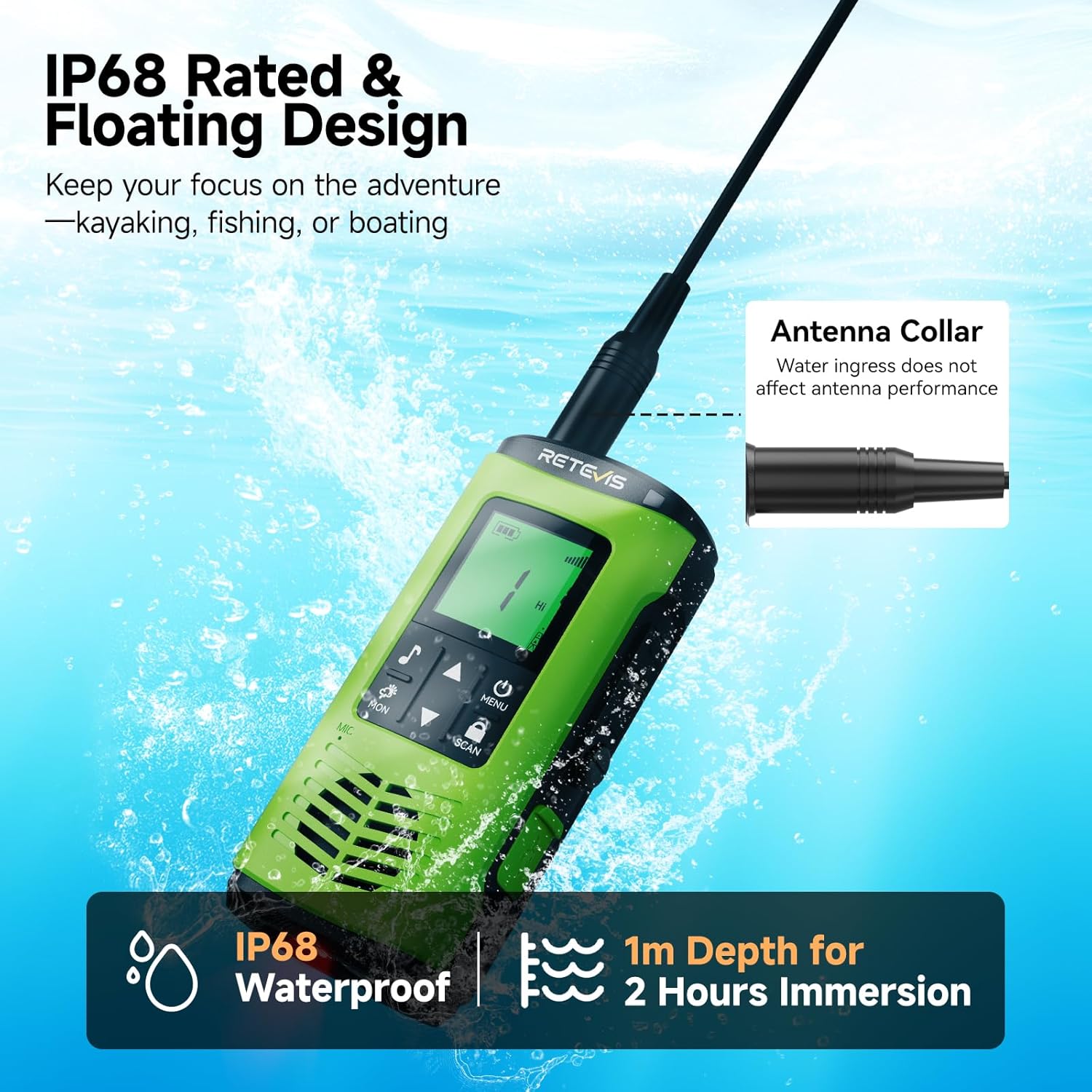
Figure 2.1: IP68 Waterproof and Floating Capability

Figure 2.2: Corrosion-Proof Design for Water Environments
Video 2.1: Demonstration of Retevis EZTalk 4S Waterproof and Floating Capabilities
2.2 장거리 통신
Experience clear and reliable communication over extended distances. The EZTalk 4S offers a communication range of up to 4.7 km in urban areas and an impressive 10 km on open water.

그림 2.3: 확장된 통신 범위
2.3 Long-Lasting Battery & Charging
Equipped with a 2000mAh battery, the radio provides over 17 hours of continuous use and up to 100 hours of standby time. It supports flexible charging options: direct Type-C cable charging or convenient dock charging.

그림 2.4: 배터리 수명 및 충전 옵션
Video 2.2: Demonstration of Dual Charging Options (Type-C and Base Charging)
2.4 NOAA 기상 경보
Stay informed about changing weather conditions with access to 12 NOAA weather channels, providing real-time updates and alerts.

Figure 2.5: NOAA Weather Alert Functionality
2.5 비상 경보
In emergency situations, activate the alarm function to alert others to your location or need for assistance.

Figure 2.6: Emergency Alarm Feature
2.6 손전등
The radio includes a built-in LED flashlight for illumination in low-light conditions. It also features a water-activated LED that lights up automatically if the radio falls into water, aiding in retrieval.

그림 2.7: 내장형 LED 손전등
2.7 진동 배수
After submersion, the vibration drainage function can be activated to expel water from the speaker, ensuring clear audio quality.

Figure 2.8: Vibration Drainage Function
2.8 키 잠금
Prevent accidental changes to settings by activating the key lock feature.

Figure 2.9: Key Lock Feature
2.9 High/Low Power Adjustment
Adjust the transmission power between High (for extended range) and Low (for longer battery life) as needed.

Figure 2.10: High/Low Power Adjustment
2.10 30 Channels
The radio supports 30 GMRS channels, allowing for flexible communication options.

Figure 2.11: 30 Available Channels
비디오 2.3: 끝view of Retevis EZTalk 4S Features and Functions
3. 설정
3.1 배터리 설치 및 충전
- 배터리를 설치하거나 제거하기 전에 라디오의 전원이 꺼져 있는지 확인하세요.
- 배터리를 라디오 뒷면의 배터리 칸에 맞춰 넣고 딸깍 소리가 나면서 제자리에 고정될 때까지 세게 누르십시오.
- To charge, connect the Type-C cable directly to the radio or place the radio in the charging dock. The LED indicator will show charging status.
- A full charge typically takes 3 hours via Type-C.
3.2 Attaching Belt Clip & Lanyard
- 벨트 클립을 라디오 뒷면의 지정된 슬롯에 부착하십시오.
- Thread the lanyard through the loop on the radio for secure carrying.
4. 사용 설명서
4.1 전원 켜기/끄기
- 전원을 켜려면 전원/메뉴 디스플레이에 불이 들어올 때까지 버튼을 누르세요.
- 전원을 끄려면 전원/메뉴 디스플레이가 꺼질 때까지 버튼을 누르세요.
4.2 채널 선택
- 사용하세요 Up 그리고 아래에 arrow buttons to navigate through the available channels.
- 를 누르세요 메뉴 button to confirm your selection or access further channel settings.
4.3 볼륨 조절
- The volume can typically be adjusted using the Up 그리고 아래에 arrow buttons when not in menu mode.
4.4 푸시투토크(PTT)
- 전송하려면 다음을 길게 누르세요. 피티티 라디오 측면에 있는 버튼을 누르세요. 마이크에 대고 또박또박 말하세요.
- 릴리스하다 피티티 버튼을 누르면 수신됩니다.
4.5 Monitoring Channels (MON)
- 를 누르세요 월 button to temporarily disable squelch and listen for weak signals on the current channel.
4.6 Scanning Channels (SCAN)
- 를 누르세요 주사 button to activate channel scanning. The radio will cycle through active channels.
- 누르다 주사 다시 스캐닝을 중지합니다.
4.7 손전등 사용하기
- 짧게 누르세요 손전등 키 (refer to Figure 1.1) to cycle through white light, red light, and off.
4.8 Activating Emergency Alarm
- 전용 버튼을 누르세요 긴급 호출 버튼 (refer to Figure 1.1) to activate the emergency alarm.
4.9 NOAA 기상 라디오
- Access NOAA weather channels through the menu to receive real-time weather updates and alerts. Consult the radio's on-screen menu for specific navigation.
4.10 Adjusting Power Level (High/Low)
- Navigate to the power setting in the menu to switch between High (Hi) and Low (Lo) transmission power.
4.11 키 잠금 기능
- 를 누르고 계세요 Scan/Lock button to lock or unlock the keypad. A lock icon will appear on the display when activated.
4.12 Vibration Drainage Function
- If the radio has been submerged, briefly press the side key (refer to Figure 1.1) to activate the vibration drainage function, which helps expel water from the speaker.
Video 4.1: Detailed Features and Operation of Retevis EZTalk 4S
5. 유지관리
5.1 청소
- 부드러운 d로 라디오를 닦으십시오.amp 옷감. 강한 화학 물질이나 연마성 세제를 사용하지 마십시오.
- 충전 또는 액세서리 사용 전에 모든 포트가 건조한지 확인하십시오.
5.2 보관
- 라디오는 직사광선과 극한의 온도를 피해 서늘하고 건조한 곳에 보관하세요.
- 장기간 보관할 경우 배터리를 분리하십시오.
5.3 배터리 관리
- 배터리를 과충전하거나 완전히 방전시키지 마십시오.
- 라디오를 자주 사용하지 않더라도 배터리 수명을 유지하려면 배터리를 정기적으로 충전하세요.
6. 문제 해결
| 문제 | 가능한 원인 | 해결책 |
|---|---|---|
| 라디오 전원이 켜지지 않습니다 | 배터리 잔량 부족 또는 방전; 배터리가 제대로 설치되지 않음 | 배터리를 충전하세요. 배터리를 올바르게 다시 설치하세요. |
| 전송하거나 수신할 수 없습니다 | Incorrect channel; Out of range; Low battery; Squelch level too high | Verify channel settings; Move closer to other radios; Charge battery; Adjust squelch level |
| 오디오 품질이 좋지 않음 | Water in speaker; Out of range; Obstructions | Use vibration drainage; Move closer; Clear obstructions |
| 키패드가 응답하지 않습니다. | Key lock is active | Deactivate key lock (refer to section 4.11) |
7. 사양
| 특징 | 세부 사항 |
|---|---|
| 모델 번호 | EZTalk 4S |
| 품목 무게 | 9.9 온스 |
| 제품 치수 | 1.61인치 깊이 x 2.44인치 너비 x 5.35인치 높이 |
| 배터리 | C형 배터리 2개 필요(포함) |
| 채널 수 | 30 |
| 주파수 범위 | GMRS |
| 통화 범위 최대 | 3마일 (일반적인 거리이며, 지형에 따라 다를 수 있습니다) |
| 방수 레벨 | IP68 방수 |
| 권tage | 7.4 볼트 |
| 특별 기능 | 2000mAh rechargeable battery, Floating design, IP68 waterproof, Long Range GMRS, NOAA, Emergency Alarm, Type-C Charging |
8. 보증 및 지원
8.1 보증 정보
레테비스는 무전기 본체에 대해 2년, 액세서리에 대해 1년의 보증 기간을 제공합니다. 또한 30일 이내 이유 불문 반품 정책도 이용 가능합니다.
8.2 보증 기간 이후 서비스
Beyond the warranty period, maintenance services are still offered. Buyers are responsible for any corresponding costs.
8.3 고객 지원
문의사항이나 지원이 필요하시면 아마존의 레테비스 고객 서비스 센터로 연락해 주세요. 일반적으로 12시간 이내에 답변을 드립니다.


