1. 제품 오버view
The GardePro X20 Cellular Trail Camera is designed for capturing wildlife activity with advanced features such as 48MP photos, 1296P HD videos, and cellular connectivity. It supports Verizon and AT&T networks, offering real-time monitoring through the GardePro Mobile App.
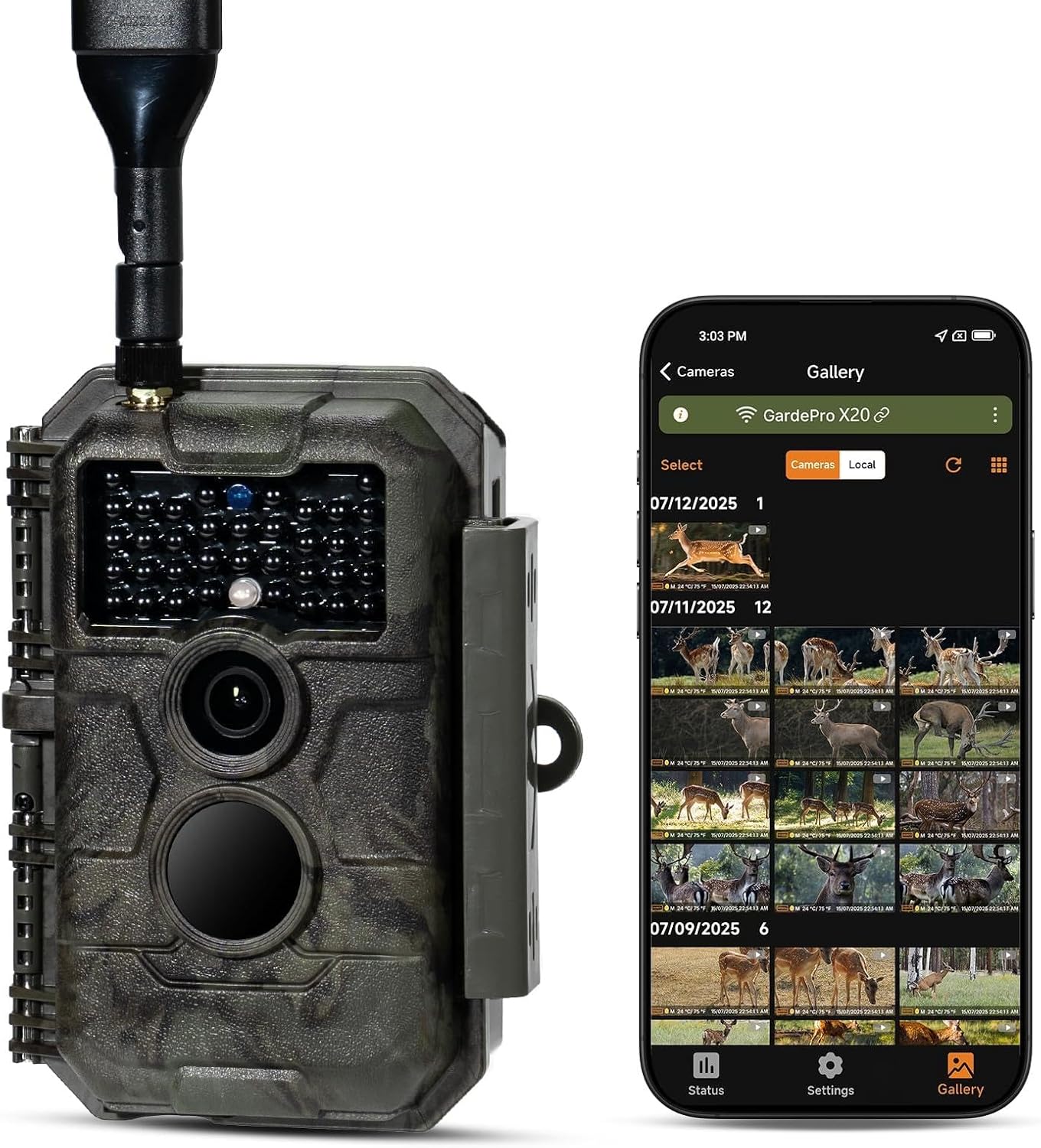
Image 1.1: The GardePro X20 Cellular Trail Camera shown alongside a smartphone displaying its gallery interface.
2. 패키지 내용
패키지에 모든 품목이 들어 있는지 확인하세요.
- 1 x GardePro X20 Cellular Trail Camera
- 1 x 장착 스트랩
- 1 x 안테나
- 1 x Cellular SIM card (pre-installed)
- 1 x 사용 설명서
- 1 x USB 코드
Note: Memory card and batteries are not included and must be supplied by the user.
3. 설정 가이드
3.1. 배터리 설치
- 카메라 배터리함을 여세요.
- Insert 8 AA batteries (not included), ensuring correct polarity.
- Alternatively, connect the GardePro SP350 solar panel (sold separately) for external power.
3.2. SD 카드 설치
- SD 카드 슬롯을 찾으세요.
- Insert a compatible SD card (up to 512GB, not included) into the slot until it clicks.
- It is recommended to format the SD card using the camera's menu or the GardePro App before first use.
3.3. SIM Card and Network Activation
The cellular SIM card is pre-installed. The camera will automatically connect to the strongest available Verizon or AT&T network signal in your area upon activation.
3.4. App Installation and Camera Pairing
- Download the GardePro Mobile App from your device's app store (Android/iOS).
- Follow the in-app instructions to create an account and pair your X20 camera.
- The app facilitates camera setup, viewing, and management of photos and videos.
4. 사용 설명서
4.1. 전원 켜기 / 끄기
Use the power switch located on the camera to turn it on or off. The camera will enter monitoring mode after a brief startup sequence.
4.2. 사진 및 비디오 촬영
- The camera captures 48MP photos and 1296P videos.
- It features a 0.2-second fast trigger speed and a 110° wide-angle lens to capture motion effectively.
- The camera supports 1-3 photo bursts for fast-moving subjects.
- Night vision is provided by 940nm no-glow infrared LEDs, effective up to 75 feet, which are undetectable to wildlife.
4.3. Using the GardePro Mobile App
The GardePro App is central to managing your camera. Key features include:
- 비디오 사전views: Receive 960×540 motion-triggered video previews (3–300 seconds) directly to the app, allowing instant review of events without downloading full files.
- 포토 프리views: Automatically receive 960×540 photo previews.
- Shared Data Plan: Add multiple cameras to a single plan to share data and reduce costs.
- 카메라 공유: Share access to your camera with other users.
- 살다 View: Monitor activity in real-time (if supported by your plan).
- 루프 녹음: Enable continuous recording, overwriting the oldest files SD 카드가 가득 찼을 때.
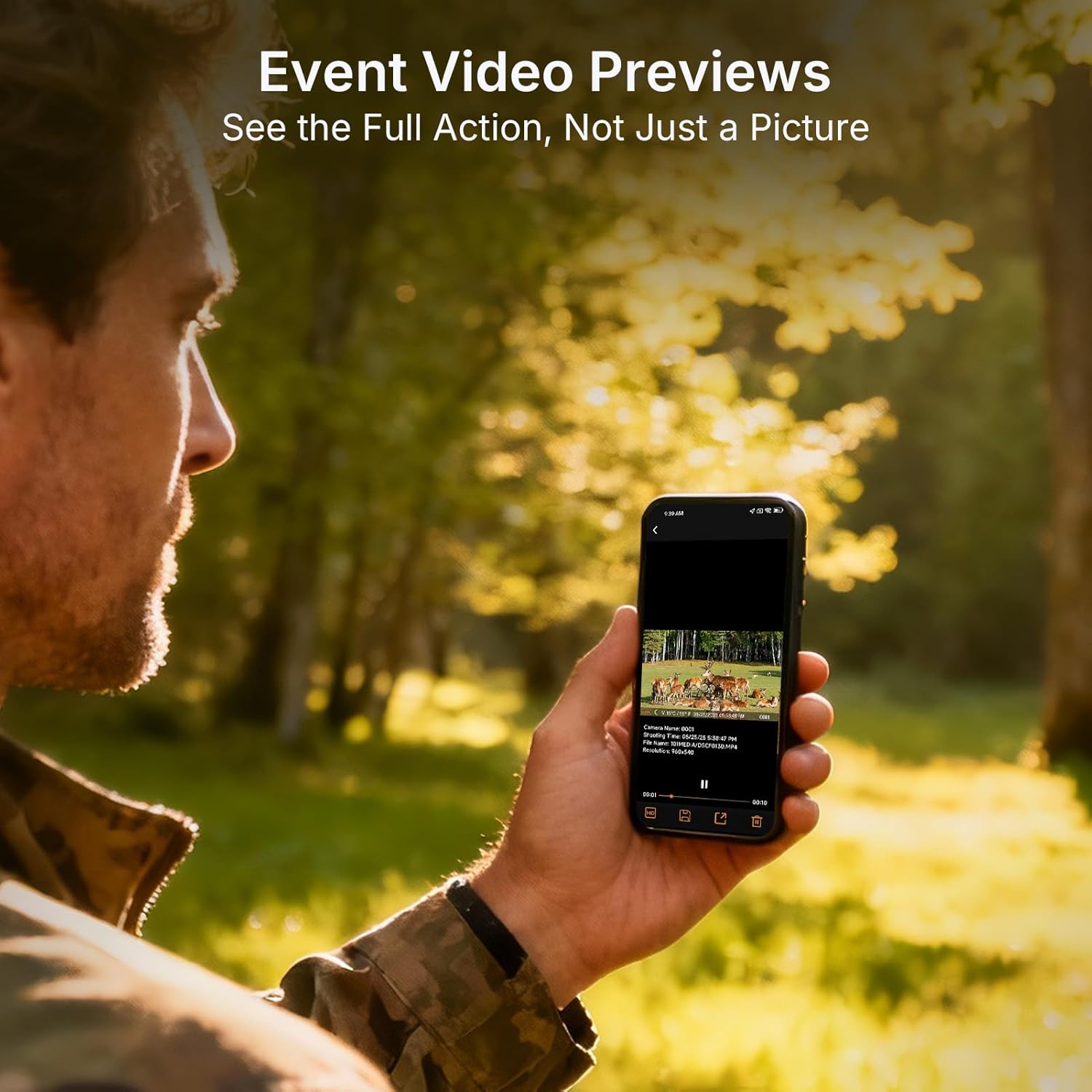
Image 4.1: Event video previews allow users to see full action directly on their smartphone.

Image 4.2: The GardePro App provides clear, auto-sent photo previews and alerts.
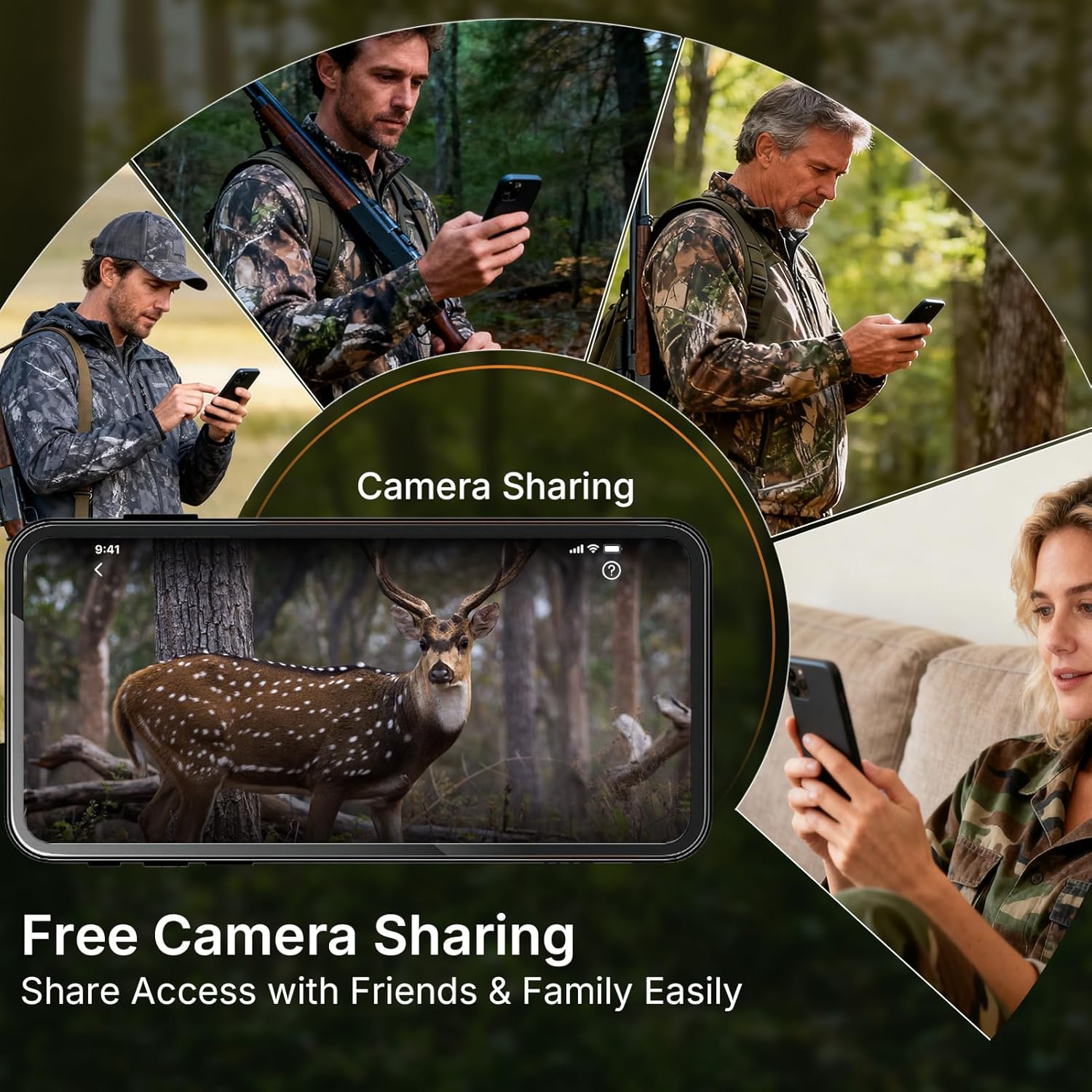
Image 4.3: The camera sharing feature allows multiple users to access the camera's feed.
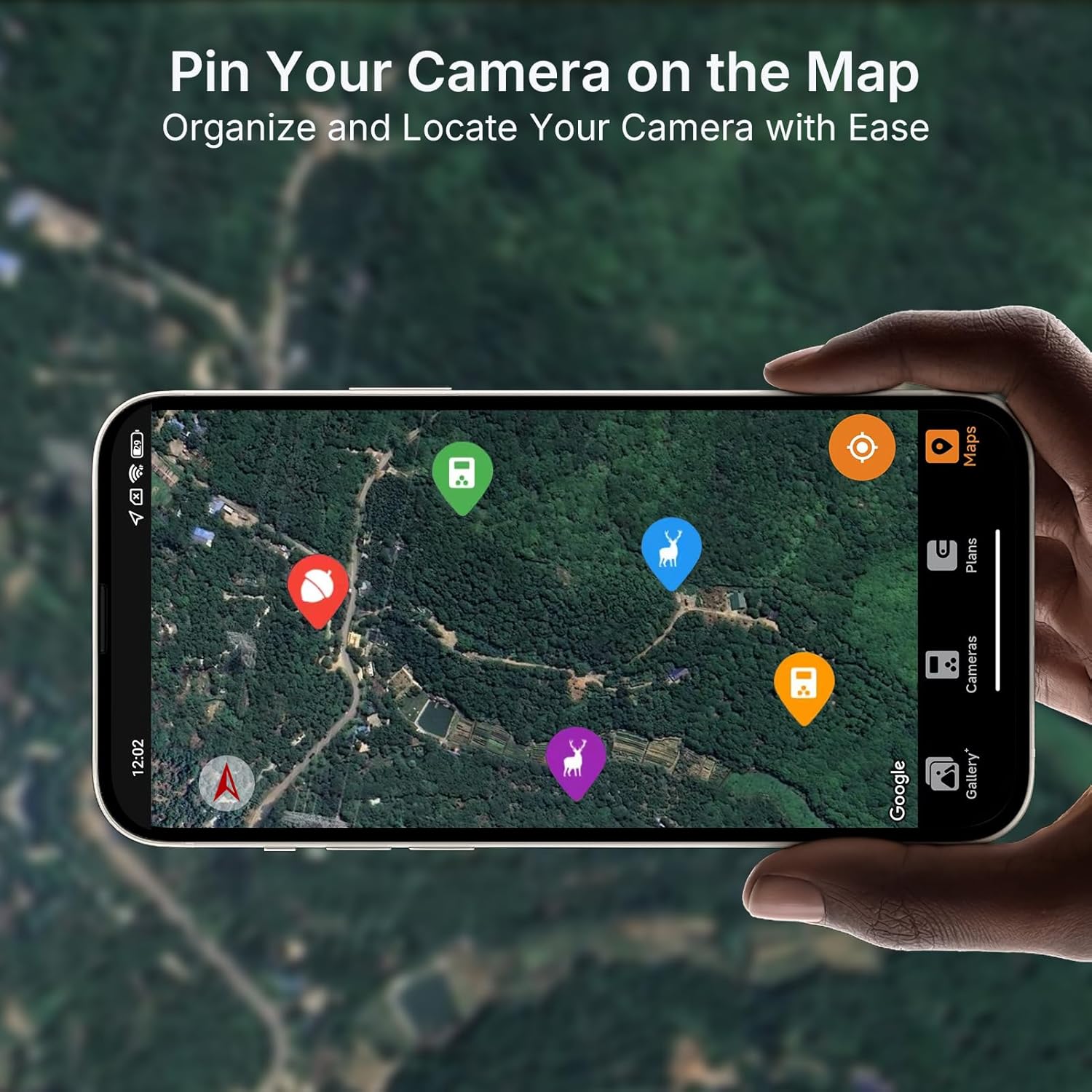
Image 4.4: Pin your camera on the map feature for easy organization and location tracking.

Image 4.5: The 110° ultra-wide view ensures comprehensive coverage of the monitored area.
4.4. 비디오 사전view 데모
The following video demonstrates the full video preview capability of the GardePro Cellular Trail Camera, highlighting its advantage over other systems that offer only short burst GIFs.
Video 4.1: A demonstration comparing GardePro's full video preview feature with other trail cameras that offer limited burst GIFs.
5. 유지관리
- 청소: Gently clean the camera lens and IR sensors with a soft, dry cloth. Avoid abrasive materials.
- 배터리 점검: Regularly check battery levels via the app or on the camera's display. Replace all batteries simultaneously for optimal performance.
- SD 카드 관리 : Periodically format the SD card to prevent data corruption and ensure optimal recording. Back up important files를 포맷하기 전에.
- 날씨 보호: Ensure the camera's latches are securely closed to maintain its IP66 waterproof rating. Avoid submerging the camera.
6. 문제 해결
- 카메라 전원이 켜지지 않음:
- 배터리의 극성을 확인하고 배터리가 완전히 충전되었는지 확인하십시오.
- 전원 스위치가 "켜짐" 위치에 있는지 확인하십시오.
- 사진/동영상이 촬영되지 않았습니다.
- SD 카드가 제대로 삽입되었는지, 충분한 여유 공간이 있는지 확인하십시오.
- Check motion sensor settings and sensitivity in the app.
- Verify that the camera is in an active recording mode.
- 이미지/비디오 품질이 좋지 않음:
- 카메라 렌즈를 청소하세요.
- Ensure adequate lighting for daytime shots; check IR settings for night vision.
- 셀룰러 연결 없음:
- Confirm the camera is in an area with Verizon or AT&T network coverage.
- Check the SIM card status and data plan in the GardePro App.
- 카메라를 다시 시작합니다.
- 앱 연결 문제:
- 스마트폰의 인터넷 연결이 안정적인지 확인하세요.
- Update the GardePro App to the latest version.
- 카메라와 스마트폰을 모두 재시작하세요.
7. 사양
| 특징 | 세부 사항 |
|---|---|
| 모델명 | X20 |
| 효과적인 스틸 해상도 | 48 MP |
| 비디오 캡처 해상도 | 1296p, 1080p |
| 비디오 캡처 형식 | MP4, MOV |
| 연결 기술 | 무선, 셀룰러 |
| 호환 장치 | 안드로이드, iOS |
| 전원 | Battery Powered (8 AA), SP350 Solar Panel (sold separately) |
| View잉 각도 | 110도 |
| 나이트 비전 범위 | 75 Feet (940nm No-Glow IR) |
| 트리거 속도 | 0.2초 |
| 플래시 메모리 지원 크기 최대 | 512 GB (SD card) |
| 방수 레벨 | 방수 (IP66) |
| 품목 무게 | 1.28파운드 |
| 패키지 크기 | 8.46 x 5.47 x 3.27 인치 |
| 제조업체 | 가드프로 |
8. 보증 및 지원
For warranty information and technical support, please contact GardePro customer service. Refer to the official GardePro website or the GardePro Mobile App for contact details and the most up-to-date support resources.
Manufacturer: GardePro