1. 서론
Thank you for choosing the RORSOU C6 Active Noise Cancelling Headphones. These headphones are designed to provide a superior audio experience with advanced noise-cancelling technology, comfortable wear, and versatile connectivity options. This manual will guide you through the setup, operation, and maintenance of your new headphones.

Image: RORSOU C6 Active Noise Cancelling Headphones, Rose Gold variant.
2. 패키지 내용
패키지에 모든 품목이 들어 있는지 확인하세요.
- RORSOU C6 Active Noise Cancellation Bluetooth Headphones
- 3.5mm Backup Audio Cable
- USB 충전 케이블
- 사용 설명서 (본 문서)
- Travel Protective Storage Bag
3. 제품 오버view 및 제어
Familiarize yourself with the physical features and control buttons of your RORSOU C6 headphones.

Image: Detailed diagram illustrating the location and function of control buttons and ports on the RORSOU C6 headphones.
- 볼륨 높이기(+) / 다음 트랙: 한 번 클릭하면 볼륨이 커지고, 길게 누르면 다음 곡으로 넘어갑니다.
- 볼륨 낮추기(-) / 이전 트랙: 클릭하면 볼륨이 줄어들고, 길게 누르면 이전 트랙으로 이동합니다.
- 전원 버튼 / 재생/일시정지: Long press to power on/off, click to play/pause music.
- ANC 버튼: Click to activate/deactivate Active Noise Cancelling.
- C 형 포트 : 헤드폰을 충전합니다.
- 3.5mm 오디오 잭: 유선 오디오 연결용.
4. 설정
4.1. 블루투스 페어링
- 헤드폰의 전원이 꺼져 있는지 확인하십시오.
- Long press the Power Button until the LED indicator flashes blue, indicating pairing mode.
- On your device (smartphone, tablet, PC), enable Bluetooth and search for "RORSOU C6" in the list of available devices.
- Select "RORSOU C6" to connect. The LED indicator will turn solid blue once connected.
4.2. 유선 연결
유선 연결로 헤드폰을 사용하려면:
- 제공된 3.5mm 오디오 케이블의 한쪽 끝을 헤드폰의 3.5mm 오디오 잭에 연결하십시오.
- Connect the other end of the cable to your audio source's 3.5mm port.
- 헤드폰은 자동으로 유선 모드로 전환됩니다.
5. 사용 설명서
5.1. 능동 소음 제거(ANC)
The RORSOU C6 features advanced Active Noise Cancelling technology to reduce ambient noise.

Image: Visual representation of Active Noise Cancelling reducing external noise.
- To activate ANC, click the dedicated ANC button. You will hear an audible confirmation.
- To deactivate ANC, click the ANC button again.
5.2. 오디오 품질
Equipped with 40mm dynamic drivers, the C6 headphones deliver high-fidelity audio with deep bass, rich mids, and crisp highs, ensuring every detail of your music is clear.
5.3. 배터리 수명 및 충전
The headphones offer up to 60 hours of playtime on a single charge. A full charge takes approximately 2 hours using the provided USB charging cable.

Image: Close-up of the RORSOU C6 earcups and adjustable headband, emphasizing comfort.
5.4. 편안함과 휴대성
The RORSOU C6 headphones feature ultra-soft protein leather earcups and an adjustable headband for extended comfortable wear. Their lightweight and foldable design allows for easy storage in the travel protective bag, making them ideal for travel and daily use.
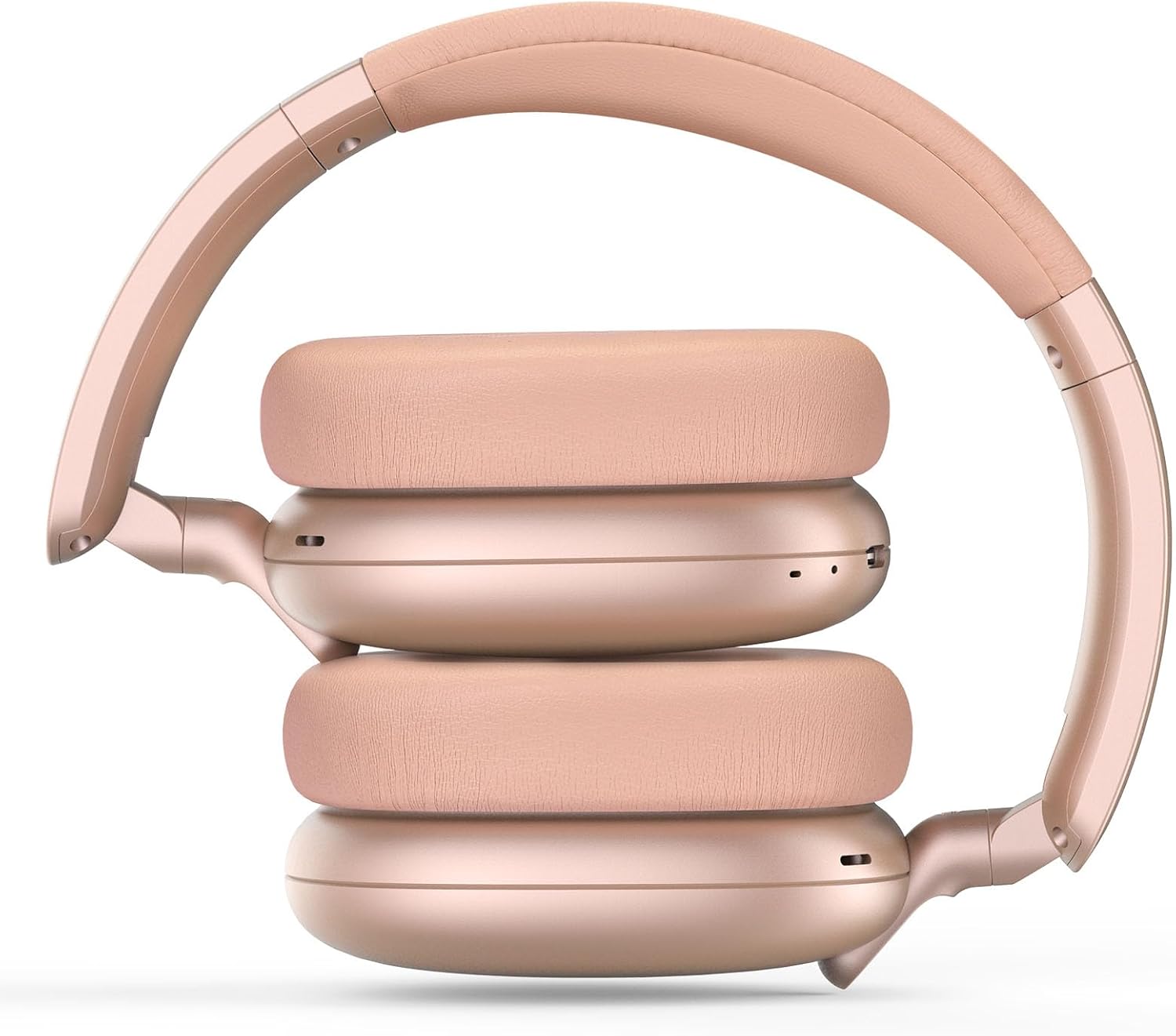
Image: RORSOU C6 headphones shown in their folded configuration, demonstrating portability.
6. 사양
| 특징 | 사양 |
|---|---|
| 모델명 | C6 |
| 상표 | 로르수 |
| 연결 기술 | Bluetooth 5.4, Wired, Wireless |
| 무선 통신 기술 | 블루투스 |
| 소음 제어 기능 | 능동 소음 제거 |
| 헤드폰 잭 | 3.5 mm 잭 |
| 오디오 드라이버 크기 | 40 밀리미터 |
| 배터리 수명 | 60시간 |
| 충전 시간 | 2시간 |
| 품목 무게 | 230그램(8.1온스) |
| 특징 | Adjustable Headband, Detachable Cable, Foldable, Lightweight, Noise Cancellation |
7. 유지관리
To ensure the longevity and optimal performance of your RORSOU C6 headphones, follow these maintenance guidelines:
- 청소: 부드럽고 마른 천을 사용하여 헤드폰을 닦으세요. 강한 화학 물질이나 연마재는 사용하지 마세요.
- 저장: When not in use, store the headphones in the provided travel protective storage bag to prevent dust and scratches.
- 극한의 환경을 피하세요: 헤드폰을 극한의 온도, 습도 또는 직사광선에 노출시키지 마십시오.
- 방수 기능: These headphones are not water resistant. Avoid contact with liquids.
8. 문제 해결
If you encounter any issues with your RORSOU C6 headphones, please refer to the following common solutions:
- 전원 없음: 헤드폰이 완전히 충전되었는지 확인하십시오. USB 충전 케이블을 사용하여 전원에 연결하십시오.
- Bluetooth를 통해 페어링할 수 없습니다. Make sure the headphones are in pairing mode (flashing blue LED). Ensure Bluetooth is enabled on your device and it is within range (10 meters). Try restarting both the headphones and your device.
- 소리 없음: Check the volume levels on both the headphones and your connected device. If using a wired connection, ensure the 3.5mm cable is securely plugged into both ends.
- ANC가 작동하지 않음: Ensure the ANC function is activated by pressing the ANC button.
- 낮은 오디오 품질: Ensure the headphones are within Bluetooth range of your device. If using a wired connection, try a different 3.5mm cable.
9. 보증 및 지원
RORSOU is dedicated to providing high-quality products with excellent after-sale service. Your RORSOU C6 headphones come with a 365-day Hassle-Free Limited Protection. If you have any questions or require support, please contact RORSOU customer service. We aim to respond within 12 hours.


