소개
Thank you for choosing the Vieta Pro Silence 4 Hybrid ANC Bluetooth Headphones. This manual provides essential information for setting up, operating, and maintaining your headphones to ensure optimal performance and longevity. Please read these instructions carefully before use.
상자 안에 무엇이 들어있나요?
다음 품목이 모두 패키지에 포함되어 있는지 확인하세요.
- Vieta Pro Silence 4 Headphones
- USB-C 충전 케이블
- 3.5mm 오디오 케이블
- 사용자 설명서
제품 끝view
The Vieta Pro Silence 4 headphones are designed for comfort and superior audio experience, featuring Hybrid Active Noise Cancellation, Bluetooth 5.4 connectivity, and a long-lasting battery. They are foldable for easy portability and include a built-in microphone for calls.

이미지: 이상view of Vieta Pro Silence 4 headphones highlighting key features like Bluetooth 5.4, 50-hour battery life, low latency mode, USB-C charging, dual connection, foldable design, integrated microphone, and Hybrid ANC up to -35dB.

Image: Close-up of the Vieta Pro Silence 4 headphones emphasizing the 50-hour battery life and ultra-comfortable earpads.
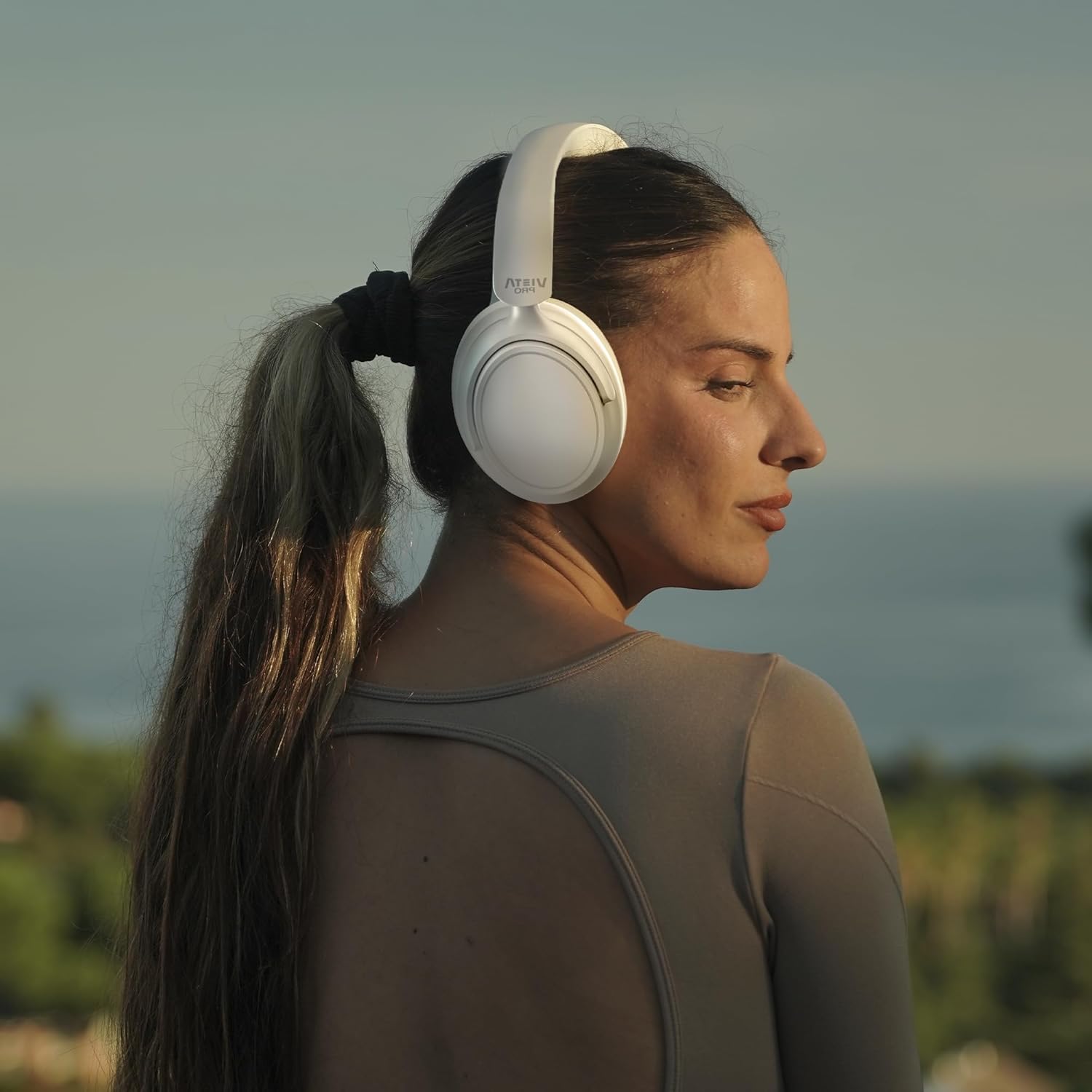
Image: A person wearing the Vieta Pro Silence 4 headphones, demonstrating their comfortable fit and design during outdoor use.
설정
1. 헤드폰 충전
Before first use, fully charge your headphones. Connect the provided USB-C cable to the charging port on the headphones and the other end to a USB power source (e.g., computer, wall adapter). The LED indicator will show charging status and turn off or change color when fully charged.
2. 전원 켜기 / 끄기
- 전원을 켜려면: LED 표시등이 켜질 때까지 약 3초 동안 전원 버튼을 길게 누릅니다.
- 전원을 끄려면: LED 표시등이 꺼질 때까지 약 5초 동안 전원 버튼을 길게 누릅니다.
3. 블루투스 페어링
- 헤드폰의 전원이 꺼져 있는지 확인하십시오.
- Press and hold the Power button for about 5-7 seconds until the LED indicator flashes blue and red, indicating pairing mode.
- 기기(스마트폰, 태블릿, PC)에서 Bluetooth를 활성화하고 사용 가능한 기기를 검색하세요.
- Select "Vieta Pro Silence 4" from the list of devices.
- 연결되면 LED 표시등이 파란색으로 천천히 깜빡이거나 파란색으로 계속 켜져 있습니다.
4. 듀얼 페어링
The Silence 4 headphones support dual pairing, allowing connection to two devices simultaneously (e.g., phone and PC). After pairing with the first device, put the headphones back into pairing mode and connect to the second device. The headphones will intelligently switch between devices based on audio playback.
운영
능동 소음 제거(ANC) 및 투명 모드
The Hybrid ANC feature isolates external noise, while Transparency Mode allows you to hear your surroundings without removing the headphones.
- ANC 활성화: ANC 버튼을 한 번 누르세요.
- 투명 모드를 활성화하세요: ANC 버튼을 다시 누르세요.
- 비활성화: Press the ANC button a third time to return to normal mode.
저지연 모드
For gaming or video playback, activate Low Latency Mode to minimize audio delay.
- 활성화/비활성화: Refer to the specific button on your headphones or use the Vieta Pro Audio App.
Vieta Pro Audio App
Enhance your experience by downloading the Vieta Pro Audio App. The app allows for sound customization (EQ), mode switching, and other settings.

Image: Screenshot of the Vieta Pro Audio App, showing options for EQ, device finding, and game mode settings.
기본 컨트롤(일반)
The headphones feature intuitive controls, typically located on the earcups:
- 볼륨 높이기/낮추기: Short press +/- buttons.
- 다음 / 이전 트랙 : Long press +/- buttons.
- 재생/일시 중지: 다기능 버튼을 한 번 누르세요.
- 전화 받기/종료: 다기능 버튼을 한 번 누르세요.
- 전화 거부: 다기능 버튼을 길게 누르세요.
보조 연결
For wired listening, connect the provided 3.5mm audio cable to the headphone's AUX port and your audio source. This mode does not require battery power.
유지
- 청소: 부드럽고 마른 천을 사용하여 헤드폰을 닦으세요. 강한 화학 물질이나 연마재를 사용하지 마세요.
- 저장: 사용하지 않을 때는 헤드폰을 서늘하고 건조한 곳에 보관하세요. 접이식 디자인으로 컴팩트하게 보관할 수 있습니다.
- 배터리 관리 : 배터리 수명을 연장하려면 이어폰을 자주 완전히 방전시키지 마십시오. 계속 사용하지 않더라도 정기적으로 충전하십시오.
- 방수 기능: The headphones are water-resistant. Avoid submerging them in water or exposing them to heavy rain.
문제 해결
| 문제 | 가능한 해결책 |
|---|---|
| 헤드폰의 전원이 켜지지 않습니다. | 헤드폰이 충전되어 있는지 확인하세요. USB-C 케이블을 사용하여 전원에 연결하세요. |
| 기기와 페어링할 수 없습니다. | 헤드폰이 페어링 모드인지 확인하세요(파란색/빨간색 LED가 깜빡임). 기기의 블루투스를 껐다가 켜세요. 기기에 더 가까이 이동하세요. |
| 소리가 나지 않거나 볼륨이 작습니다. | Check headphone and device volume levels. Ensure headphones are correctly paired. Try restarting both devices. |
| ANC는 효과적이지 않습니다. | ANC가 활성화되어 있는지 확인하세요. 이어컵이 귀에 잘 밀착되는지 확인하세요. |
| 통화 중 마이크가 작동하지 않습니다. | 헤드폰이 블루투스로 연결되어 있는지 확인하세요. 기기의 마이크 설정을 확인하세요. |
명세서
| 특징 | 세부 사항 |
|---|---|
| 모델명 | 침묵 4 |
| 모델 번호 | VHP-NC420WH |
| 연결 기술 | 무선(블루투스 5.4) |
| 소음 제어 | 하이브리드 액티브 노이즈 캔슬링(ANC) |
| 귀 위치 | 귀 전체를 덮는 (통이 전체를 덮는) |
| 오디오 출력 모드 | 스테레오 재생 |
| 평균 배터리 수명 | 최대 50시간 |
| 충전 포트 | USB-C |
| 헤드폰 커넥터 | 3.5 mm 잭 |
| 임피던스 | 32옴 |
| 제어 유형 | Touch Control, Application |
| 방수 레벨 | 방수 |
| 무게 | 460g |
| 제조업체 | 프라마슨 오디오 SA |
보증 및 지원
Vieta Pro products are covered by a manufacturer's warranty. For detailed warranty information, please refer to the warranty card included with your product or visit the official Vieta Pro website. For technical support, troubleshooting assistance, or service inquiries, please contact Vieta Pro customer support through their official channels.
더 많은 정보와 지원은 다음에서 찾을 수 있습니다. Vieta Pro Store on Amazon.


