소개
This manual provides essential information for setting up, operating, maintaining, and troubleshooting your Nokia C300 TA-1515 smartphone. Please read this guide carefully to ensure optimal performance and longevity of your device.
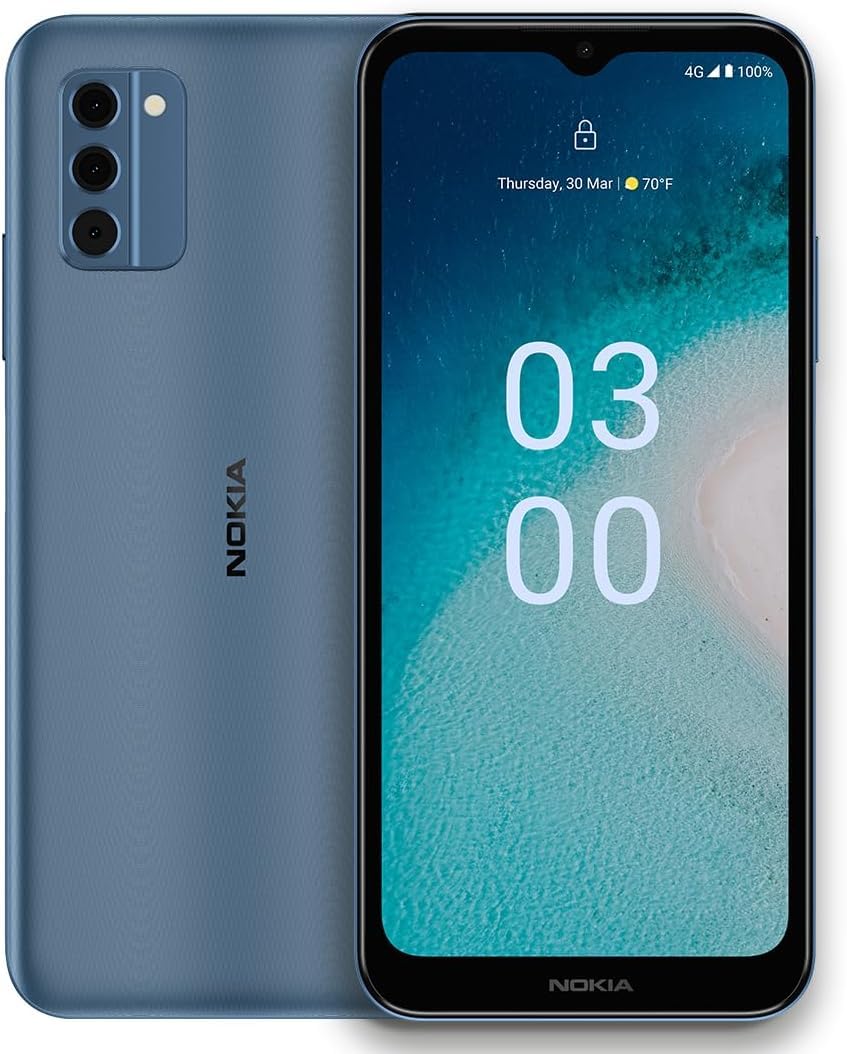
Image: Nokia C300 TA-1515 Smartphone, front view. This image displays the device's sleek design and screen.
설정
1. 언박싱 및 초기 검사
포장에서 모든 구성품을 조심스럽게 꺼내십시오. 다음 구성품이 모두 있는지 확인하십시오.
- Nokia C300 TA-1515 Smartphone
- USB-C 케이블
- SIM 이젝터 도구
기기에 눈에 띄는 손상이 있는지 검사하십시오. 구성품이 누락되었거나 손상된 경우 고객 지원팀에 문의하십시오.
2. SIM 카드 및 microSD 카드 삽입(선택 사항)
- 휴대폰 측면에서 SIM 카드 트레이를 찾으세요.
- SIM 꺼내기 도구를 트레이 옆에 있는 작은 구멍에 넣고 트레이가 튀어나올 때까지 살짝 누르세요.
- 나노 SIM 카드 및/또는 microSD 카드(해당되는 경우)를 트레이의 지정된 슬롯에 넣으십시오. 금색 접촉면이 아래쪽을 향하도록 하십시오.
- 트레이를 조심스럽게 전화기 안으로 밀어 넣어 딸깍 소리가 나면서 제자리에 고정되도록 합니다.
3. 배터리 충전
Before first use, fully charge the phone's battery. The Nokia C300 TA-1515 is equipped with a 4000 mAh battery.
- USB-C 케이블을 휴대폰의 충전 포트에 연결하세요.
- Connect the other end of the USB-C cable to a compatible USB power adapter (not included) and plug it into a wall outlet.
- 화면에 충전 표시가 나타납니다. 배터리 아이콘이 완전히 충전될 때까지 휴대폰을 충전하세요.
4. 전원 켜기 및 초기 구성
- Press and hold the Power button (usually on the right side) until the Nokia logo appears.
- 화면의 안내에 따라 언어 선택, Wi-Fi 연결, Google 계정 설정, 보안 설정 등 초기 설정을 완료하세요.
장치 작동
1. 기본 탐색
- 터치스크린 제스처: 탭하여 선택하고, 스와이프하여 스크롤하고, 핀치하여 확대/축소합니다.
- 홈 화면: 앱, 위젯, 알림에 액세스합니다.
- 알림 패널: 화면 상단에서 아래로 스와이프하여 view 알림 및 빠른 설정.
- 앱 서랍: 설치된 모든 애플리케이션에 접근하려면 화면 하단에서 위로 살짝 밀어주세요.
2. 전화 걸기 및 메시지 보내기
- 전화: 열기 핸드폰 앱에서 전화번호를 입력하고 통화 아이콘을 탭하세요.
- 메시지: 열기 메시지 app, tap "Start chat," enter recipient and message, then send.
3. Wi-Fi 및 모바일 데이터 연결
- 와이파이: 이동하다 설정 > 네트워크 및 인터넷 > Wi-Fi. Turn Wi-Fi on, select your network, and enter the password.
- 모바일 데이터: 이동하다 설정 > 네트워크 및 인터넷 > 모바일 네트워크. Ensure "Mobile data" is enabled.
4. 카메라 사용
열기 카메라 app. Tap the shutter button to take photos or the video icon to record videos. Explore different modes and settings within the app.
유지
1. 소프트웨어 업데이트
최적의 성능과 보안을 위해 기기의 소프트웨어를 최신 상태로 유지하세요. 다음 링크를 참조하세요. 설정 > 시스템 > 시스템 업데이트 업데이트를 확인하고 설치합니다.
2. 기기 청소
Use a soft, lint-free cloth to clean the screen and body of your phone. Avoid abrasive materials or harsh chemicals. Do not expose the device to excessive moisture.
3. 배터리 관리
- 극한의 온도를 피하세요.
- 배터리가 정기적으로 완전히 방전되지 않도록 하세요.
- 승인된 충전기와 케이블만 사용하세요.
4. 스토리지 관리
정기적으로 다시view 그리고 불필요한 것을 삭제하세요 file저장 공간을 확보하려면 앱, 미디어 파일 등을 삭제하세요. 저장 공간 사용량은 다음에서 확인할 수 있습니다. 설정 > 저장소.
문제 해결
| 문제 | 가능한 해결책 |
|---|---|
| 장치 전원이 켜지지 않음 | 배터리가 충전되어 있는지 확인하세요. 전원 버튼을 10초 이상 길게 눌러 강제로 다시 시작하세요. |
| 앱이 충돌하거나 정지됨 | 앱을 닫았다가 다시 엽니다. 앱의 캐시를 지웁니다(설정 > 앱 > [앱 이름] > 저장공간 및 캐시 > 캐시 지우기). 휴대전화를 다시 시작하세요. |
| 배터리 수명이 짧음 | Reduce screen brightness, disable unused features (Wi-Fi, Bluetooth, GPS), close background apps. Check battery usage in 설정> 배터리. |
| Wi-Fi에 연결할 수 없습니다 | Wi-Fi가 활성화되어 있는지 확인하세요. 라우터를 다시 시작하세요. 네트워크를 삭제하고 다시 연결하세요. |
| No mobile data | Ensure mobile data is enabled in settings. Check your SIM card is correctly inserted. Contact your carrier to verify your plan. |
If issues persist, consider performing a factory reset (backup your data first) or contact Nokia support.
명세서
| 특징 | 세부 사항 |
|---|---|
| 모델명 | 노키아 C300 |
| 모델 번호 | TA-1515 |
| 운영 체제 | 안드로이드 12.0 |
| 디스플레이 크기 | 6.5인치 HD+ |
| 해결 | 1520 x 720 |
| 숫양 | 3GB (XNUMX기가바이트) |
| 내부 저장소 | 32GB(microSD로 확장 가능) |
| 배터리 용량 | 4000mAh |
| 연결성 | 4G LTE, GSM, HSPA, Wi-Fi, Bluetooth, GPS |
| 상자 안에 무엇이 들어있나요? | 휴대폰, USB-C 케이블, SIM 제거 도구 |
보증 및 지원
Your Nokia C300 TA-1515 comes with a standard manufacturer's warranty. For detailed warranty terms and conditions, please refer to the warranty card included with your purchase or visit the official Nokia support web대지.
For technical assistance, troubleshooting, or to find service centers, please visit the official Nokia support portal:
You can also contact your retailer or service provider (e.g., Consumer Cellular) for support related to your specific plan or device purchase.


