1. 서론
Thank you for choosing Bluedee BD-SK900 Computer Speakers. This manual provides essential information for the proper setup, operation, and maintenance of your new speakers. Please read this guide thoroughly before use to ensure optimal performance and longevity of your device. These speakers are designed to deliver high-fidelity audio with versatile connectivity and dynamic RGB lighting for an enhanced audio-visual experience.
2. 패키지 내용
아래 나열된 모든 품목이 패키지에 포함되어 있는지 확인하세요.
- 1x Bluedee Computer Speaker (Pair)
- 1x USB/USB-C Cable
- 1x 퀵 스타트 가이드
3. 제품 특징
The Bluedee BD-SK900 speakers are equipped with advanced features for a superior audio experience:
- 고성능 스테레오 사운드: Features 2 tweeters, 2 full-range drivers, and 2 passive radiators for clear highs, rich mids, and powerful bass with a 20W output.
- All-in-One Control Knob: A single, intuitive knob allows for play/pause, volume adjustment, lighting control, and switching between connection modes.
- 블루투스 5.4 연결: Ensures a stable, low-latency wireless connection for seamless audio streaming. (Note: Requires USB power supply for operation).
- 플러그 앤 플레이 디자인: Connects easily via the included USB/USB-C cable for both audio and power, requiring no additional drivers or software.
- 역동적인 RGB 조명: Offers 5 distinct RGB lighting modes, including dynamic color-shifting and static single-color glows, controllable via the knob.
- Unique Egg-shaped Acoustic Design: A minimalist and space-saving design (5.1"D x 5"W x 7.2"H) that enhances sound projection.
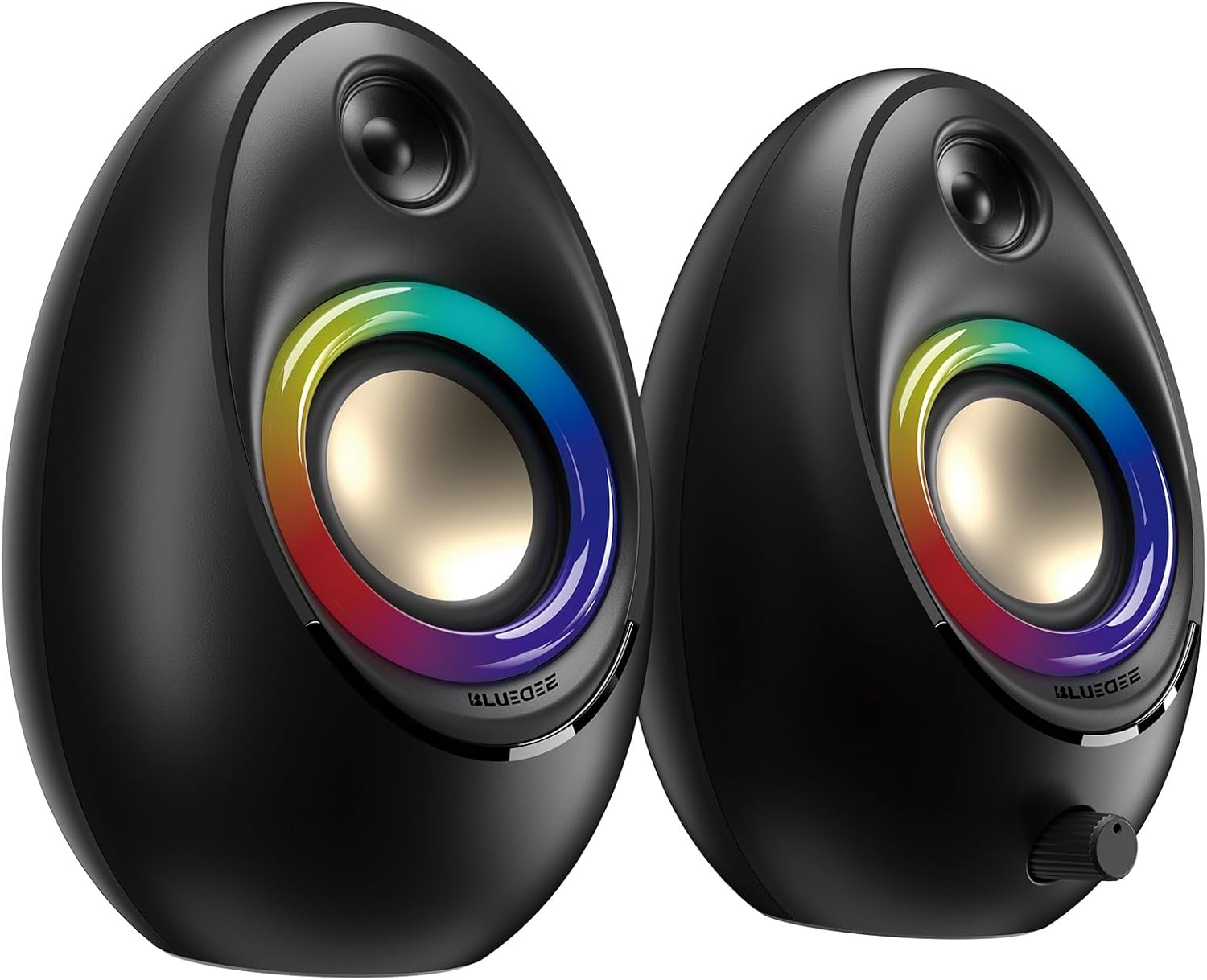
Figure 3.1: Bluedee BD-SK900 Computer Speakers, showcasin디자인과 RGB 조명이 특징입니다.

Figure 3.2: Internal acoustic architecture of the Bluedee BD-SK900 speakers.

Figure 3.3: The multi-functional control knob for easy operation.
4. 설정 지침
Follow these steps to set up your Bluedee BD-SK900 speakers:
- 놓기: Position the two speakers on your desktop or desired surface, ensuring they are spaced appropriately for optimal stereo sound.
- 전원과 오디오를 연결하세요: Use the provided all-in-one USB/USB-C cable. Connect the USB-A or USB-C end to an available port on your computer (desktop, laptop) or a compatible USB power adapter (not included). The speakers will power on automatically.
- 초기 연결: Upon connecting, the speakers will typically default to USB audio mode. If your computer recognizes the speakers, audio will play directly through them.
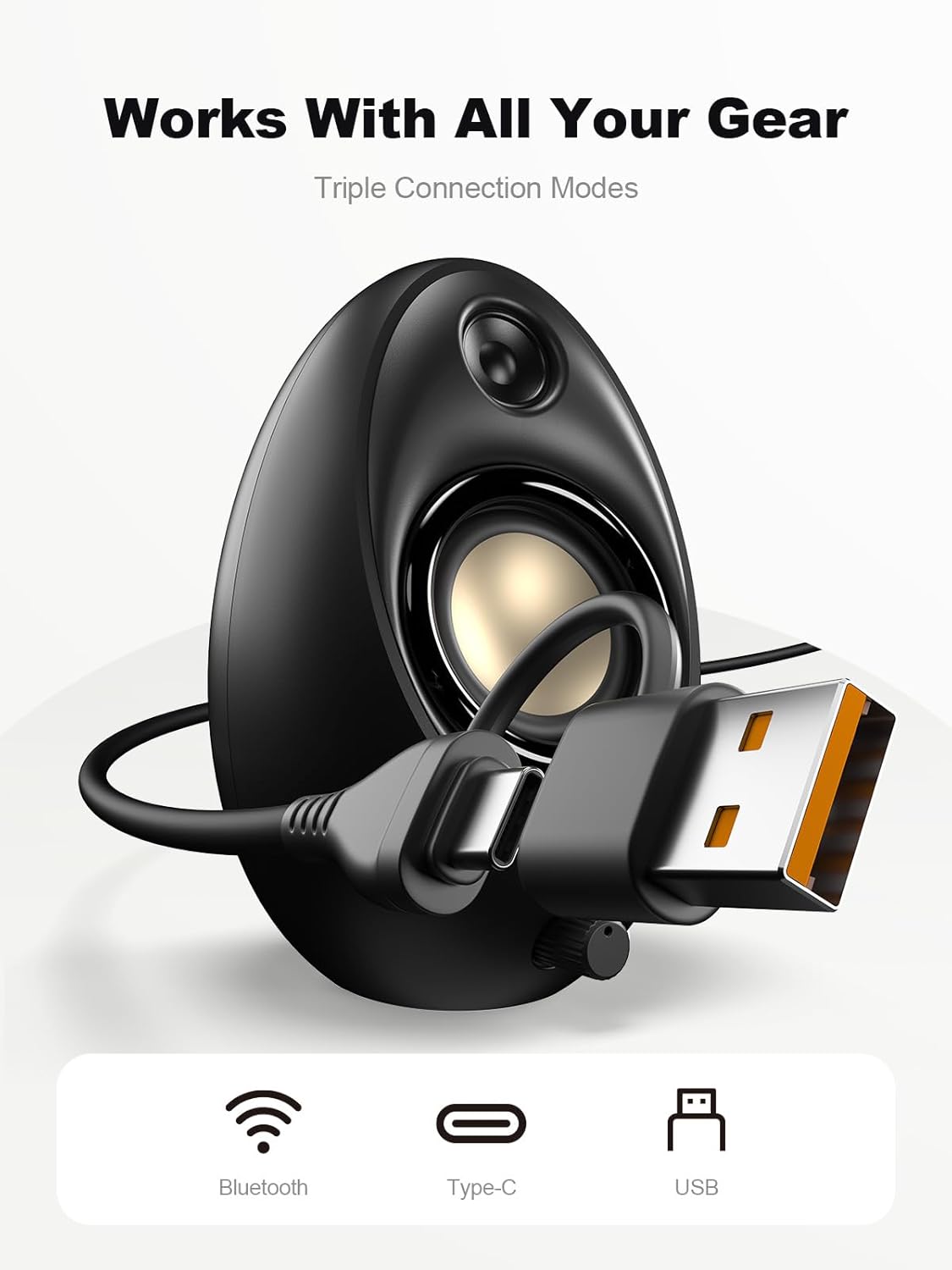
Figure 4.1: Connecting the speakers via USB/USB-C cable.
5. 사용 설명서
5.1 전원 켜기/끄기
The speakers power on automatically when connected to a USB power source. To power off, disconnect the USB cable.
5.2 볼륨 조절
Rotate the multi-functional knob clockwise to increase volume and counter-clockwise to decrease volume.
5.3 블루투스 페어링
- Bluetooth 모드로 전환: Press and hold the multi-functional knob for approximately 2-3 seconds until the speaker indicates Bluetooth mode (e.g., a specific light pattern or audio prompt).
- 기기에서 블루투스를 활성화하세요: 스마트폰, 태블릿, 노트북에서 Bluetooth를 활성화하고 사용 가능한 기기를 검색하세요.
- 쌍: Select "Bluedee BD-SK900" from the list of devices. Once paired, the speakers will confirm the connection.
5.4 USB/Type-C Connection
When connected via the USB/USB-C cable, the speakers will automatically function as an audio output device for your computer. To switch back to USB mode from Bluetooth, press and hold the multi-functional knob again.
5.5 RGB 조명 제어
The speakers feature 5 dynamic RGB lighting effects. Briefly press the multi-functional knob to cycle through the available lighting modes. This allows you to customize the ambiance to your preference.

그림 5.1: 동적 RGB 조명 효과.
6. 문제 해결
If you encounter issues with your Bluedee BD-SK900 speakers, please refer to the following common solutions:
- 소리 없음:
- Ensure the USB/USB-C cable is securely connected to both the speakers and your device/power source.
- Check the volume level on both the speakers (using the knob) and your connected device.
- 컴퓨터의 사운드 설정에서 올바른 오디오 출력 장치가 선택되었는지 확인하세요.
- If using Bluetooth, ensure the speakers are in Bluetooth mode and successfully paired.
- 블루투스 연결 끊김/페어링 문제:
- Ensure the speakers are within the 10-meter Bluetooth range of your device.
- 기기의 Bluetooth를 껐다가 다시 켠 후, 다시 페어링을 시도해 보세요.
- Forget the device from your Bluetooth list and re-pair.
- Ensure the speakers are not connected to another device.
- RGB 조명이 작동하지 않음:
- 스피커의 전원이 켜져 있는지 확인하세요.
- Briefly press the multi-functional knob to cycle through lighting modes; the lights might be off or in a static mode.
- 왜곡된 오디오:
- 스피커와 연결된 기기의 볼륨을 모두 줄이세요.
- 오디오 소스의 품질이 좋은지 확인하세요.
- Check for any interference if using Bluetooth.
7. 사양
| 모델명 | BD-SK900 |
| 스피커 유형 | 컴퓨터 스피커 |
| 연결 기술 | 블루투스, USB |
| 블루투스 버전 | 5.4 |
| 블루투스 범위 | 10 미터 |
| 전력 출력 | 20와트 |
| 신호 대 잡음 비율 | 70데시벨 |
| 주파수 응답 | 20 KHz (Upper limit, typical for full-range) |
| RGB 조명 모드 | 5 |
| 호환 장치 | 데스크탑, 노트북, 스마트폰, 태블릿 |
| 제품 치수(각 스피커) | 5.1인치 깊이 x 5인치 너비 x 7.2인치 높이 |
| 품목 무게 | 2.88파운드 |
| 전원 | Corded Electric (USB/Type-C) |

Figure 7.1: Speaker dimensions and design.
8. 유지관리
스피커의 수명 연장과 최적의 성능을 보장하려면 다음 유지 관리 지침을 따르십시오.
- 청소: Use a soft, dry cloth to clean the speaker surfaces. Avoid using abrasive cleaners, solvents, or strong chemicals, as they may damage the finish.
- 저장: 장시간 사용하지 않을 경우, 스피커를 직사광선과 극한의 온도를 피해 서늘하고 건조한 곳에 보관하세요.
- 손질: 스피커를 조심스럽게 다루십시오. 떨어뜨리거나 강한 충격을 가하지 마십시오.
- 통풍: Ensure proper ventilation around the speakers to prevent overheating. Do not block any vents.
9. 안전 정보
다음 안전 예방 조치를 준수하십시오.
- 스피커를 물, 습기 또는 극한 온도에 노출시키지 마십시오.
- 스피커를 분해하거나 개조하지 마십시오. 이는 보증을 무효화하고 손상이나 부상을 초래할 수 있습니다.
- Keep the speakers away from heat sources, open flames, and direct sunlight.
- Use only the provided USB/USB-C cable for connection.
- 청력 손상을 예방하려면 장시간 너무 높은 볼륨으로 듣지 마세요.
10. 보증 및 지원
Bluedee provides comprehensive support for your BD-SK900 Computer Speakers:
- 품질 보증: Your speakers are covered by a 540-day quality warranty from the date of purchase.
- 평생 지원: Bluedee offers lifetime customer support for this product.
- 연락하다: For any questions, technical assistance, or warranty claims, please contact us via Amazon Messages or refer to the contact details provided in your Quick Start Guide.


