1. 서론
This manual provides detailed instructions for the setup, operation, maintenance, and troubleshooting of your Tabwee T90 Android 16 Tablet. Please read this manual thoroughly before using your device to ensure proper functionality and to maximize your user experience.

Image: The Tabwee T90 tablet shown with its full suite of accessories, including a detachable keyboard, wireless mouse, stylus, protective case, charging adapter, and USB cable. This illustrates the complete package contents.
2. 패키지 내용
패키지에 모든 품목이 들어 있는지 확인하세요.
- Tabwee T90 Tablet
- 블루투스 키보드
- 무선 마우스
- 스타일러스 펜
- 보호 케이스
- 스크린 프로텍터 필름
- Power Adapter (Type-C)
- USB 데이터 케이블(C 타입)
- 사용자 설명서

Image: A visual representation of the Tabwee T90 tablet's dimensions and all components included in the retail package, such as the tablet, keyboard, mouse, stylus, and various cables and covers.
3. 초기 설정
3.1 태블릿 충전
Before first use, fully charge the tablet using the provided Type-C power adapter and USB cable. The charging port is located on the side of the tablet.

Image: The Tabwee T90 tablet being charged via its Type-C port, highlighting its 8000mAh battery and estimated usage times for various activities like web browsing, video playback, gaming, and music.
3.2 전원 켜기/끄기
- 전원을 켜려면: 화면이 켜질 때까지 전원 버튼을 길게 누릅니다.
- 전원을 끄려면: 전원 버튼을 길게 누른 다음 옵션에서 "전원 끄기"를 선택하세요.
3.3 초기 구성
화면 안내에 따라 초기 설정을 완료하세요. 초기 설정에는 다음 사항이 포함됩니다.
- 언어 선택
- Wi-Fi 네트워크 연결
- Google 계정 로그인
- 날짜 및 시간 설정
- Security settings (PIN, pattern, password, or face recognition)

Image: A collage of screenshots demonstrating key Android 16 features such as real-time notifications, robust security measures, access to the Google Play Store for app downloads, and options for regional language optimization.
3.4 액세서리 연결
The Tabwee T90 comes with a Bluetooth keyboard and mouse. To connect them:
- Enable Bluetooth on your tablet via Settings > Connected devices > Bluetooth.
- Put the keyboard/mouse into pairing mode (refer to their individual manuals if needed).
- Select the accessory from the list of available devices on your tablet to pair.
The stylus pen does not require pairing.
4. 태블릿 작동
4.1 안드로이드 16 인터페이스
The Tabwee T90 runs on Android 16, offering an intuitive and enhanced user experience with improved security and performance. Features include real-time notifications, efficient multitasking, and smart operational capabilities.
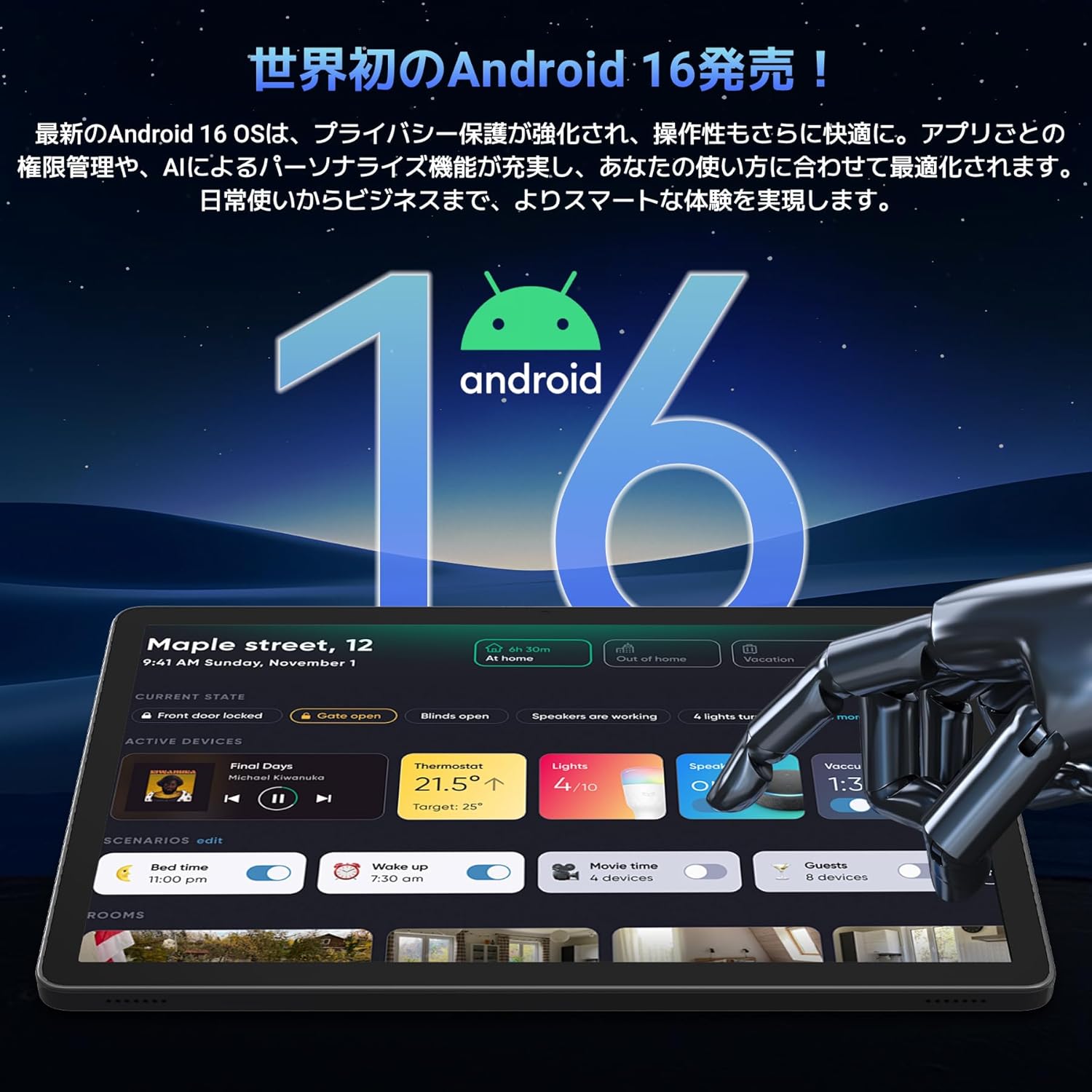
Image: A visual representation of the Android 16 operating system logo and its modern interface displayed on the Tabwee T90 tablet, emphasizing its new features and design.
4.2 Display and Media Playback
The 11-inch FHD IPS display (1920x1200 resolution) provides clear and vibrant visuals. With Widevine L1 support, you can stream high-definition content (1080p and above) from services like Netflix and Amazon Prime Video.

Image: The Tabwee T90 tablet showcasing a high-definition video of a baseball game, demonstrating its 11-inch FHD display and compatibility with streaming platforms like Netflix, YouTube, HBO, and Prime Video via Widevine L1.
4.3 Camera and Imaging
The tablet features a 5MP front camera for video calls and selfies, and a 13MP rear camera for capturing photos. Android 16's AI image processing enhances photo quality, and HEVC video encoding ensures stable editing and improved video quality. Google Lens integration allows for smart recognition, scanning, translation, and search functions.
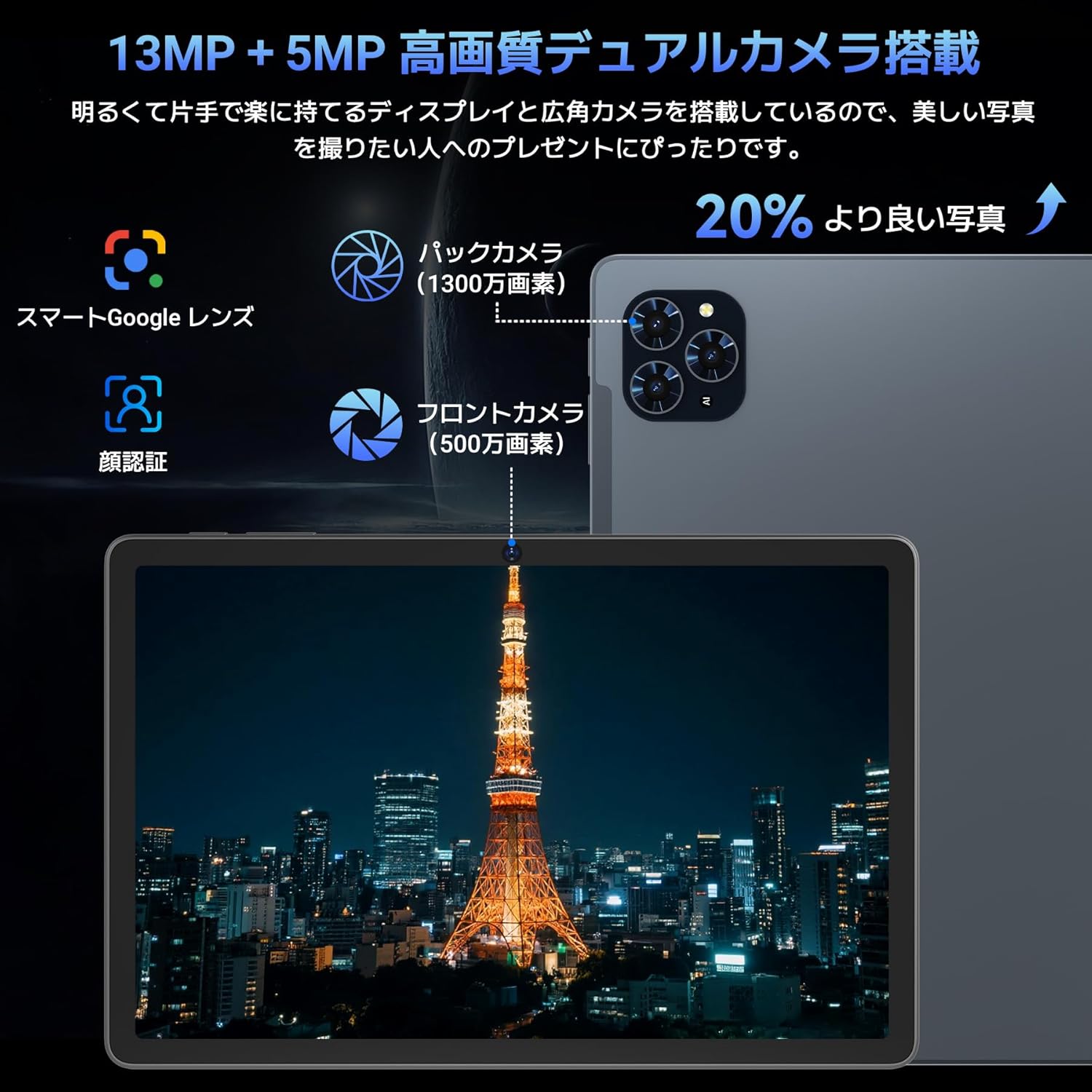
이미지: 자세한 view of the Tabwee T90 tablet's camera system, indicating a 13MP rear camera and a 5MP front camera. An example photo of Tokyo Tower is displayed on the screen, illustrating image capture capabilities.
4.4 얼굴 인식
Utilize the face recognition feature for quick and secure unlocking of your tablet. Set it up in Settings > Security & privacy > Face unlock.
4.5 제미니 AI 통합
The tablet integrates with Gemini AI, optimizing performance across various scenarios. This AI assists with content recommendations, image processing, and semantic understanding, enhancing daily operations.

Image: A conceptual image depicting Gemini AI as a robotic figure interacting with multiple tablet screens, symbolizing its ability to support various tasks like email composition, schedule management, and information retrieval, enhancing user productivity.
4.6 Custom Keyboard Shortcuts
After connecting a Bluetooth keyboard, you can set custom shortcut keys to launch frequently used applications with a single press. Navigate to Settings > System > Keyboard > Keyboard shortcuts to configure.
5. 유지관리
5.1 청소
- 부드럽고 보푸라기가 없는 천을 사용하여 태블릿의 화면과 본체를 닦으세요.
- 가혹한 화학물질이나 연마재의 사용은 피하세요.
- 완고한 얼룩의 경우 약간 damp천에 물을 묻히거나 전자제품용 화면 세정제를 묻힙니다.
5.2 배터리 관리
- 태블릿을 극한 온도에 노출시키지 마세요.
- 배터리가 자주 완전히 방전되지 않도록 하세요.
- 제공된 충전기나 인증된 호환 충전기만 사용하세요.
5.3 소프트웨어 업데이트
최적의 성능과 보안을 위해 시스템 업데이트를 정기적으로 확인하고 설치하세요. '설정 > 시스템 > 시스템 업데이트'로 이동하세요.
6. 문제 해결
6.1 태블릿 전원이 켜지지 않음
- 태블릿이 충분히 충전되었는지 확인하세요. 최소 30분 동안 충전기에 연결해 두세요.
- 전원 버튼을 10~15초간 길게 눌러 강제 재시작을 실행하세요.
6.2 Wi-Fi 연결 문제
- Wi-Fi 라우터와 태블릿을 다시 시작하세요.
- 태블릿 설정에서 네트워크를 삭제하고 다시 연결하세요.
- Wi-Fi 신호 범위 내에 있는지 확인하세요.
6.3 액세서리가 연결되지 않음
- Ensure Bluetooth is enabled on the tablet.
- Check that the accessory is in pairing mode and has sufficient battery.
- 태블릿과 주변기기를 모두 재시작해 보세요.
6.4 느린 성능
- 불필요한 백그라운드 애플리케이션을 닫습니다.
- 자주 사용하는 앱의 캐시를 지우세요(설정 > 앱 > [앱 이름] > 저장공간 및 캐시 > 캐시 지우기).
- 충분한 저장 공간을 확보하세요.
- 태블릿을 주기적으로 다시 시작하세요.
7. 사양
| 특징 | 세부 사항 |
|---|---|
| 상표 | TABWEE |
| 모델명 | T90 |
| 운영 체제 | 안드로이드 16 |
| CPU | Unisoc T615 Octa-core (2x Cortex-A75 @ 2.0GHz, 6x Cortex-A55 @ 1.8GHz) |
| 그래픽 카드 | 말리-G57 |
| 숫양 | 8GB (가상 RAM을 통해 24GB까지 확장 가능) |
| 내부 저장소 | 128GB |
| 확장 가능한 스토리지 | Up to 2TB via microSD card (not included) |
| 화면 크기 | 11인치 |
| 디스플레이 유형 | IPS FHD |
| 해결 | 1920 x 1200 픽셀 |
| 전면 카메라 | 5MP |
| 후방 카메라 | 13MP |
| 배터리 용량 | 8000mAh |
| 충전 포트 | C타입 |
| 연결성 | Wi-Fi (2.4G/5G, 802.11ac), Bluetooth 5.0 |
| 무게 | 1.37kg(약 3.02파운드) |
| 치수 | 29.1 x 20 x 5.7cm (포장 포함) |
| 인증 | PSE, GITEKI, GMS |

Image: A detailed diagram illustrating the Unisoc T615 Octa-core CPU, highlighting its architecture with Cortex-A75 and Cortex-A55 cores, Mali-G52 MP1 GPU, and 12nm low power consumption, indicating its high performance.

Image: The Tabwee T90 tablet's screen showing multiple applications, emphasizing its 128GB internal storage and support for up to 2TB external storage, with examples of how many photos, songs, and videos can be stored.
8. 보증 및 지원
The Tabwee T90 Tablet comes with a 2년 보증. This warranty covers manufacturing defects and ensures product quality.
8.1 지원 문의
If you encounter any issues or have questions, please contact customer support through your Amazon account:
- Go to your Amazon account > Order History > Select the relevant order.
- Click on the seller's name (TABWEE Official Store).
- Use the "Ask a question" option to send an email.
Support is available from 9:00 AM to 6:00 PM (excluding holidays). Inquiries will be responded to as quickly as possible.

Image: An illustration representing customer support, featuring a person wearing a headset and working on a laptop, symbolizing assistance for product inquiries and warranty claims.


