1. 서론
This manual provides comprehensive instructions for the Inateck Nomad N0158 Foldable Keyboard and Mouse Set. It covers product features, setup procedures, operational guidelines, maintenance tips, and troubleshooting information to ensure optimal performance and user experience. This set is designed for multi-device connectivity, supporting up to three devices simultaneously across various operating systems including Windows, macOS, Android, and iOS.
2. 패키지 내용
아래 나열된 모든 품목이 패키지에 포함되어 있는지 확인하세요.
- Inateck Nomad N0158 Foldable Keyboard
- 무선 마우스
- Accessory Bag (600D two-tone splash-proof RPET recycled material)
- Folding Stand (suitable for 4-13 inch iPads, smartphones, and tablets)
- USB-C 충전 케이블
- 사용자 설명서
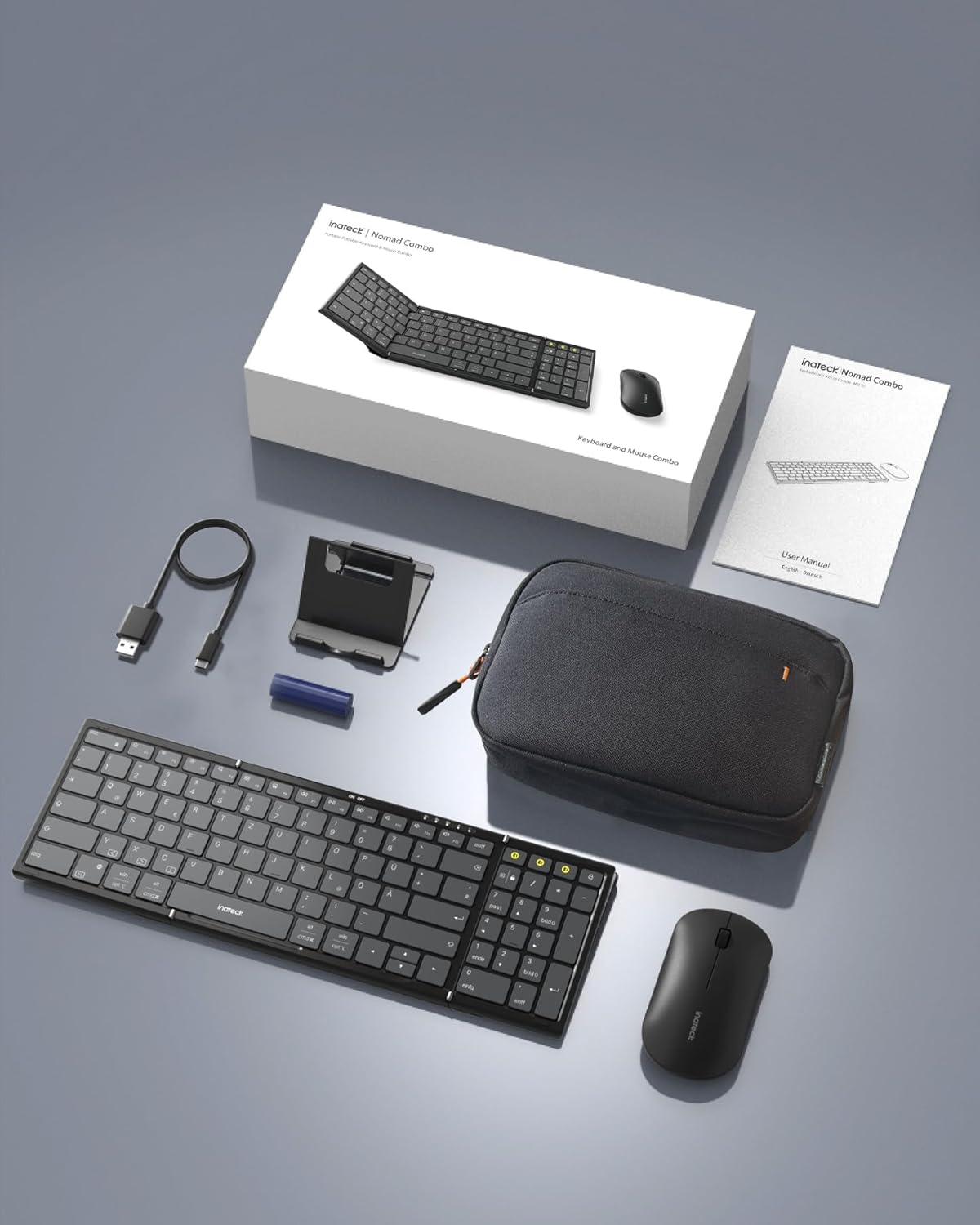
Image: All components included in the Inateck Nomad N0158 package: the foldable keyboard, wireless mouse, accessory bag, folding stand, and USB-C charging cable.
3. 제품 오버view
3.1 키보드 기능
- 접이식 디자인 : Compact for portability.
- 전체 크기 레이아웃: 99 keys with a separate numeric keypad for efficient data entry and document editing.
- 다중 기기 연결: Connects to up to 3 devices via 2.4G, Bluetooth 1 (BT1), and Bluetooth 2 (BT2).
- 긴 배터리 수명: Over 90 hours of continuous use, up to 180 days standby. Rechargeable via Type-C port.
- Stable Hinge: Features a seamless metal hinge with magnetic locking for stability when unfolded.

Image: The Inateck Nomad N0158 keyboard unfolded, showcasing its full-size layout with six rows of main keys and a dedicated numeric keypad.

이미지: 자세한 view of the keyboard's seamless metal hinge and magnetic locking system, designed for stability when the keyboard is open.
3.2 마우스 기능
- 무선 연결 : Connects via 2.4G USB dongle and two Bluetooth channels (BT1, BT2).
- 긴 배터리 수명: Over 50 hours of continuous operation, with extended standby time.
4. 설정 가이드
4.1 키보드 충전
- 키보드에서 USB-C 충전 포트를 찾으세요.
- Connect the provided USB-C cable to the keyboard and a power source (e.g., computer USB port, USB wall adapter).
- 충전 표시등이 켜집니다. 완전히 충전되면 표시등의 색상이 바뀌거나 꺼집니다.
The mouse typically uses a replaceable battery (often pre-installed with a pull tab) or may be rechargeable. Refer to the mouse's specific instructions for charging or battery installation.
4.2 Pairing the Keyboard and Mouse
The keyboard and mouse support multiple connection methods: 2.4G wireless (for mouse only, via USB dongle) and Bluetooth (BT1, BT2 for both keyboard and mouse).
4.2.1 2.4G Wireless Connection (Mouse Only)
- Locate the 2.4G USB dongle, usually stored within the mouse or accessory bag.
- USB 동글을 컴퓨터의 사용 가능한 USB 포트에 삽입합니다.
- Turn on the mouse. It should automatically connect to the dongle.
4.2.2 Bluetooth Connection (Keyboard and Mouse)
The keyboard and mouse each have two Bluetooth channels (BT1 and BT2) for connecting to different devices.
- 장치를 켜세요: 키보드와 마우스의 전원이 켜져 있는지 확인하십시오.
- 블루투스 채널을 선택하세요:
- For the keyboard, press the dedicated BT1 or BT2 button.
- For the mouse, switch to the desired Bluetooth mode (BT1 or BT2) using its mode switch.
- 페어링 모드 활성화:
- 키보드의 경우, 길게 누르기 the selected BT1 or BT2 button until the indicator light flashes, indicating pairing mode.
- For the mouse, long press its Bluetooth pairing button (refer to mouse-specific instructions if not obvious) until its indicator light flashes.
- 기기에서 블루투스를 활성화하세요. 컴퓨터, 태블릿 또는 스마트폰에서 블루투스 설정으로 이동하세요.
- 검색 장치: 기기가 사용 가능한 블루투스 장치를 검색합니다.
- 선택 및 연결: Choose "Inateck Keyboard" and/or "Inateck Mouse" from the list of found devices. Follow any on-screen prompts to complete the pairing.

Image: Illustration of the keyboard and mouse connected to multiple devices (laptop, tablet, smartphone) via 2.4G, BT1, and BT2 channels. Short press to switch channels, long press to activate pairing mode.
5. 사용 설명서
5.1 연결된 장치 간 전환
여러 기기와 페어링하면 기기 간 전환이 간편해집니다.
- 건반: Short press the BT1 or BT2 button to switch to the corresponding paired device.
- 생쥐: Use the mode switch on the mouse to select between 2.4G, BT1, or BT2.
5.2 Using the Folding Stand
The included folding stand is designed to hold 4-13 inch iPads, smartphones, and tablets, providing an ergonomic viewing angle while using the keyboard. Ensure the stand is placed on a stable, flat surface.
5.3 Keyboard Usage Notes
- 안정적인 표면: Always place the keyboard on a flat, stable surface. The folding hinge is not designed to lock, and typing on uneven surfaces may cause instability.
- 키보드 배열: The keyboard features a QWERTZ layout. Ensure your device's operating system is configured to match this layout for correct character input.
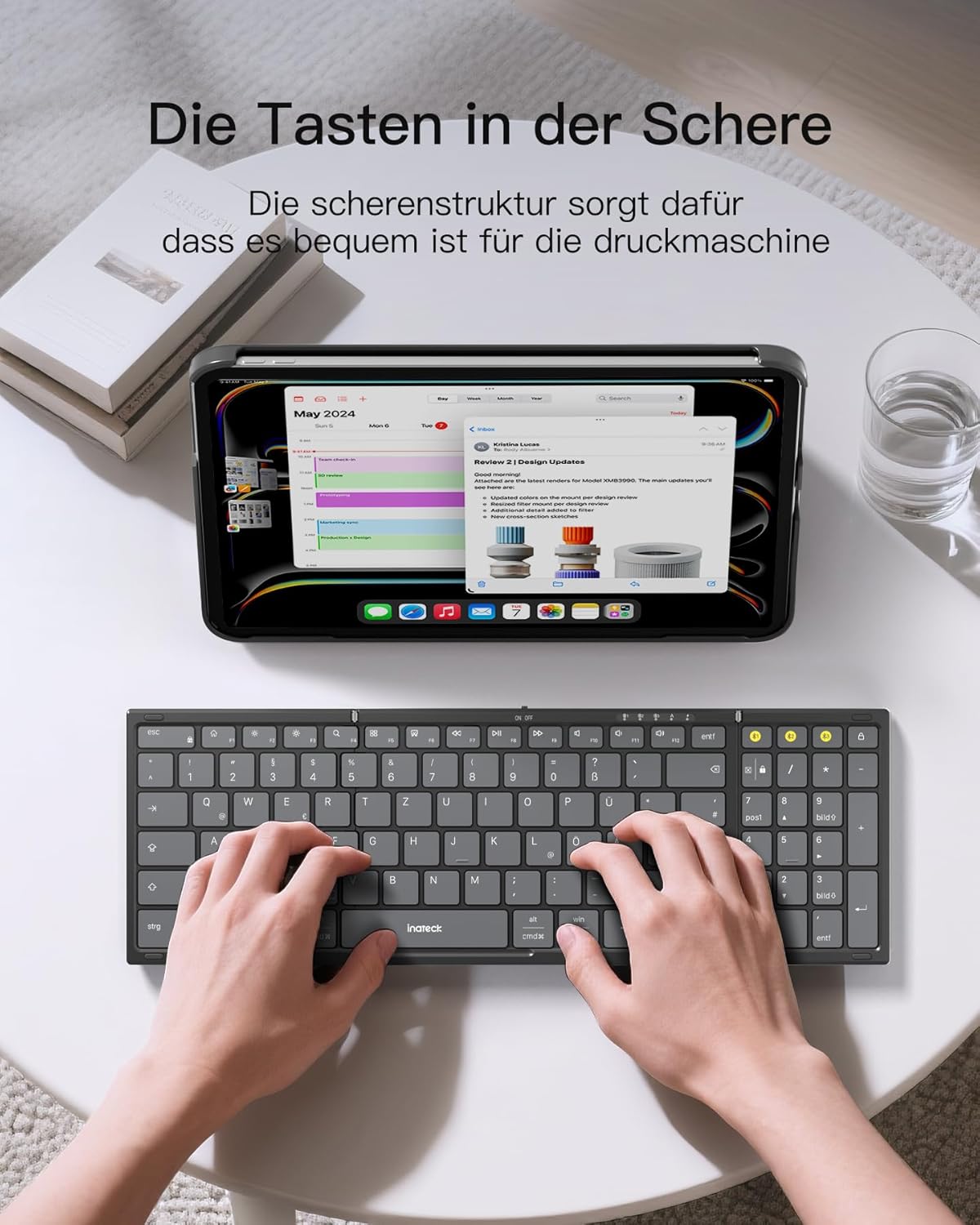
Image: A user demonstrating typing on the Inateck Nomad N0158 foldable keyboard, with a tablet positioned on the included stand for an optimal workspace setup.
6. 유지관리
6.1 청소
- Use a soft, dry, lint-free cloth to clean the keyboard and mouse surfaces.
- 완고한 먼지에는 약간 damp천에 물이나 순하고 연마성이 없는 세제를 묻혀 닦아주세요. 과도한 습기는 피하세요.
- Do not use harsh chemicals, solvents, or abrasive materials, as these can damage the product finish.
6.2 보관
- When not in use, fold the keyboard and store it along with the mouse and stand in the provided accessory bag.
- 직사광선 및 극한의 온도를 피하고 서늘하고 건조한 곳에 제품을 보관하십시오.
- The accessory bag is made from splash-proof material, offering protection during travel.
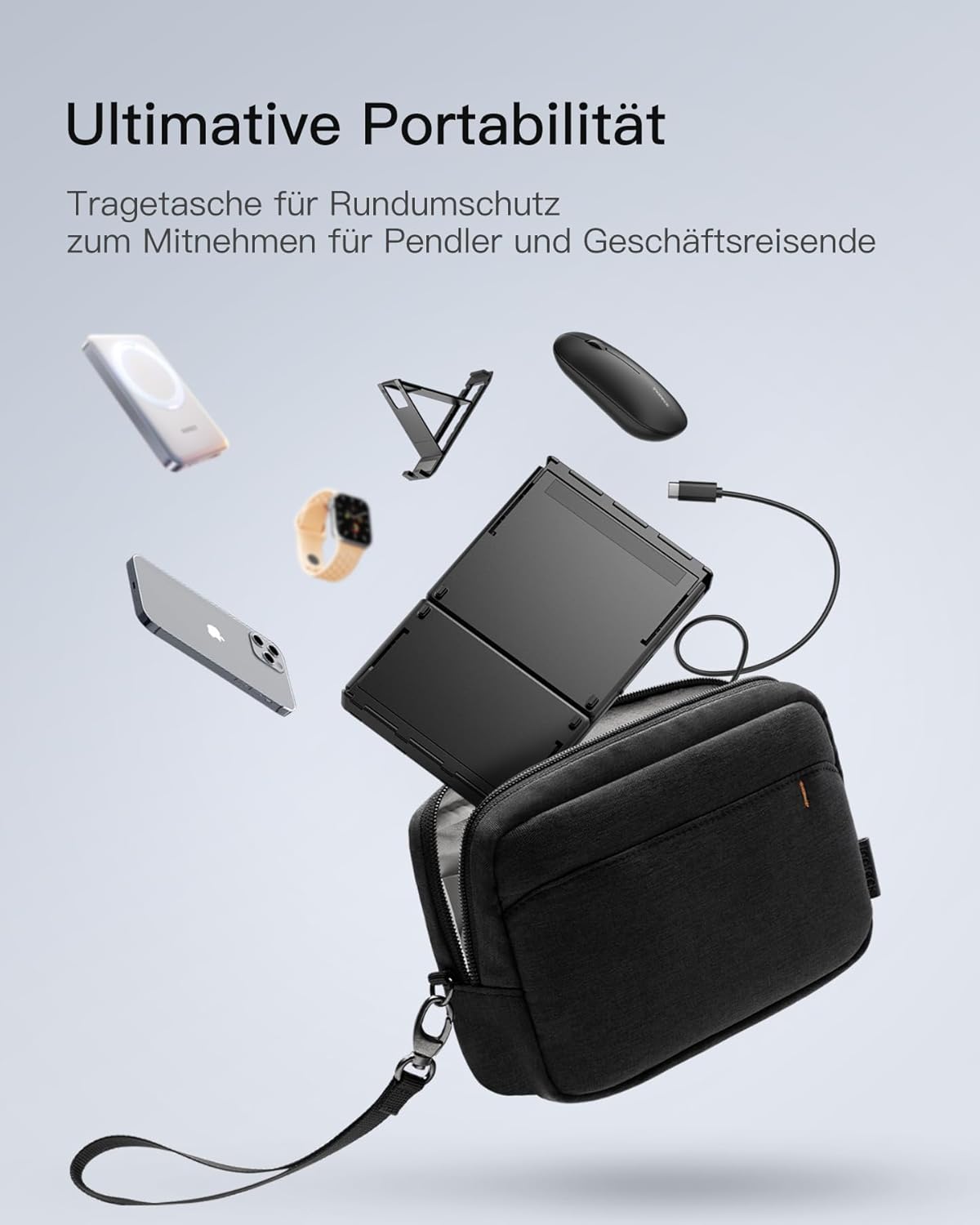
Image: The Inateck Nomad N0158 accessory bag, designed for ultimate portability and protection of the keyboard, mouse, and folding stand during transport.
6.3 배터리 관리
- Recharge the keyboard regularly to maintain battery health, even if not used frequently.
- 장시간 배터리를 완전히 방전시키지 마세요.
- If the mouse uses replaceable batteries, ensure they are inserted correctly and replace them when power is low.
7. 문제 해결
7.1 연결 문제
- 장치가 연결되지 않음:
- 키보드/마우스가 충전되어 있고 전원이 켜져 있는지 확인하십시오.
- Verify that the correct Bluetooth channel (BT1/BT2) is selected and in pairing mode (flashing indicator).
- On your device, turn Bluetooth off and then on again.
- Remove any previous pairings for the keyboard/mouse from your device's Bluetooth settings and attempt to pair again.
- For 2.4G mouse connection, ensure the USB dongle is securely inserted and the mouse is in 2.4G mode.
- 간헐적인 연결:
- Ensure there are no obstructions between the keyboard/mouse and your device.
- 기기에 더 가까이 다가가서 범위 문제인지 확인해 보세요.
- 다른 무선 장치의 간섭을 확인하십시오.
7.2 Incorrect Keyboard Output (e.g., 'Y' appears instead of 'Z')
This issue typically occurs when the device's operating system keyboard layout does not match the physical QWERTZ layout of the Inateck keyboard. To resolve this, adjust your device's keyboard language settings:
For Windows/Android/macOS/iOS:
- Go to your device's 설정.
- 로 이동 언어 및 입력 or similar (e.g., "Other settings > Language and input methods" on Android).
- 찾다 물리적 키보드 or 하드웨어 키보드 설정.
- Select the "Nomad" or "Inateck Keyboard" entry.
- Set the keyboard layout to 독일어 (QWERTZ).
7.3 Keyboard Instability
The keyboard's folding hinge does not lock. For stable typing, always ensure the keyboard is placed on a completely flat and firm surface. Avoid using it on uneven surfaces like a lap, bed, or soft cushions, as this can cause the keyboard to fold unexpectedly.
8. 사양
| 상표 | 이나텍 |
| 모델 | N0158 |
| 연결 기술 | Bluetooth, 2.4G Wireless (Mouse) |
| 특별 기능 | 3 Bluetooth Channels, Ergonomic (design) |
| 호환 장치 | Laptop, Personal Computer, Smartphone (iPad, iPhone, Mac, Android, Windows) |
| 키보드 설명 | Foldable keyboard mouse set wireless |
| 권장 제품 사용 | 사무실, 여행 |
| 키보드 레이아웃 | 쿼츠 |
| 전원 | Battery Powered (Rechargeable via USB-C for keyboard) |
| 키보드 배터리 수명 | 90+ hours continuous use, 180 days standby |
| 마우스 배터리 수명 | 50+ hours continuous use, extended standby |
| 제품 치수(펼친 상태) | 40.54 x 11.49 x 3cm |
| 제품 무게 | 756g |

Image: Visual representation of the Inateck Nomad N0158 keyboard's dimensions when folded (18.4 cm) and unfolded (34.2 cm x 11.5 cm), alongside a tablet (27.9 cm) and smartphone (14.6 cm) for scale.
9. 보증 및 지원
Inateck products are designed for reliability and performance. For warranty information, technical support, or customer service inquiries, please refer to the official Inateck web사이트를 방문하거나 고객 지원팀에 직접 문의하세요. 보증 청구를 위해 구매 영수증을 보관하세요.
공식적인 Web대지: www.inateck.com


